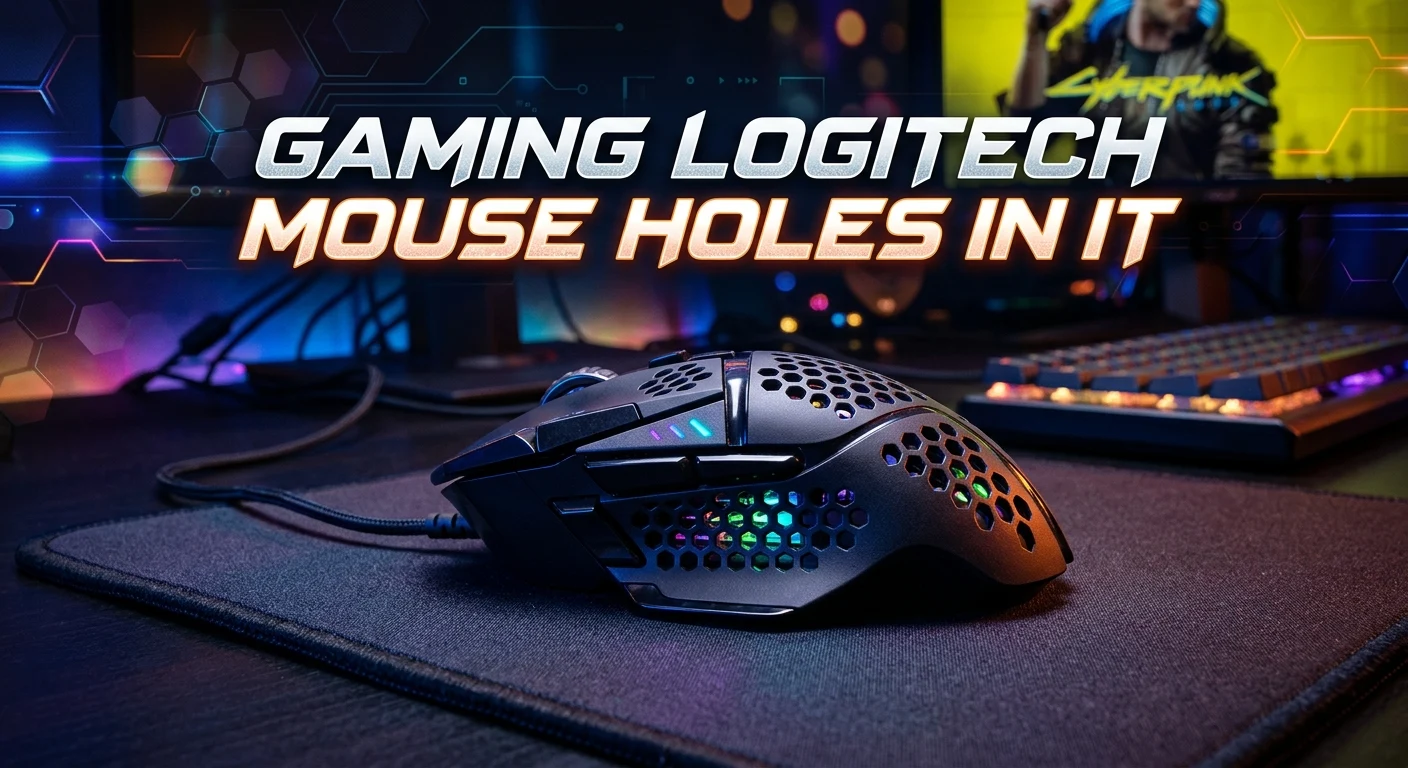
A Logitech gaming mouse with holes in the shell can look unusual at first. In most cases, those holes are part of the design. They are often used to reduce weight and give the mouse a lighter feel. This design is known as a honeycomb shell or perforated shell. It is popular with players who want fast and easy mouse movement. A lighter mouse can feel useful in games that need quick aim and repeated movement. However,
holes also bring some trade-offs. Dust, hair, and small bits of dirt can enter the shell more easily. Cleaning also needs more care. This guide explains why some Logitech gaming mice have holes, what the design does, how to clean one, and what to consider before buying or using a mouse with a perforated shell.
Why Does a Logitech Gaming Mouse Have Holes?
The holes on a Logitech gaming mouse are usually there to reduce the weight of the mouse.
A normal mouse shell needs material to cover the internal parts. A perforated shell removes some of that material. This can make the mouse lighter while keeping enough structure for normal use.
The hole pattern may look like a honeycomb. Some mice use a regular pattern. Others may use a different shape or layout.
The main goal is not to make the mouse look damaged. The holes are part of the shell design.
A lighter mouse can be easier to move across a mouse pad. This can matter in fast games. It may also help players who use large arm movements.
The effect depends on the full mouse design. Shape, size, sensor, feet, cable, grip, and balance all matter too.
What Is a Honeycomb Gaming Mouse?
A honeycomb gaming mouse has many small openings in its outer shell.
These openings create a pattern that looks similar to a honeycomb. The design removes parts of the shell without removing the whole structure.
The idea became popular in the gaming mouse market because weight is important to many players.
A lighter mouse can require less effort to move. This can be useful for fast cursor movement.
Honeycomb designs can also give a gaming mouse a different look. Some players like the technical style. Others prefer a solid shell.
There is no single best design for every player.
A solid mouse may feel more secure in the hand. A perforated mouse may feel lighter. Your grip and play style can help decide which design feels better.
Are the Holes Normal or Is the Mouse Damaged?
If the holes are evenly placed and part of the outer shell, they are likely intentional.
Look at the pattern closely. Factory-made holes usually have a clean and repeated shape. The shell should also feel stable during normal use.
A damaged mouse may show different signs. These can include:
- Cracks around the shell
- Broken plastic
- Uneven openings
- Loose shell pieces
- Sharp edges
- Marks from impact
- A shell that moves when pressed
Intentional perforations usually look clean and consistent.
If you are unsure about a specific Logitech model, check its official product information or manual. The exact shell design can vary between models.
Why Do Gaming Mice Focus on Low Weight?
Weight can affect how a mouse feels during movement.
A heavy mouse may feel stable. A lighter mouse may feel easier to move quickly.
This is especially important in games where players make many small or fast movements.
For example, competitive first-person shooter players often make repeated aiming movements. A mouse that feels easy to move may suit this style.
Weight is not the only factor, though.
A mouse can be very light and still feel wrong in your hand. The shape may not fit your grip. The buttons may not feel comfortable. The balance may also feel different from what you expect.
That is why mouse weight should not be the only buying factor.
Do the Holes Make a Logitech Mouse Better?

Not by themselves.
The holes can help reduce weight. That may be useful for some players.
However, a good gaming mouse needs more than a light shell.
Important features include:
- Mouse shape
- Size
- Weight
- Sensor performance
- Button layout
- Switch feel
- Mouse feet
- Cable or wireless connection
- Grip comfort
- Build quality
- Software support
A player who likes heavy mice may not enjoy a very light honeycomb mouse.
Someone who uses a fingertip grip may have different needs from a palm-grip player.
The best mouse is the one that feels right for your hand and your games.
Does a Honeycomb Shell Improve Gaming Performance?
It can change how the mouse feels, but it does not automatically make someone better at gaming.
A lighter mouse may make movement feel easier. It can also make large movements less tiring for some users.
Still, gaming skill comes from many things.
Aim, timing, practice, game sense, settings, and comfort all matter.
A perforated shell cannot replace practice.
Think of the holes as a design choice. They may help create a mouse that suits a certain style of play. They are not a shortcut to better performance.
Are Holes Safe for the Internal Parts?
A properly designed gaming mouse is built with its shell openings in mind.
The internal parts sit below the shell. The holes do not mean the electronics are simply exposed without protection.
Even so, openings can make cleaning more important.
Dust and hair can enter through the shell. Food particles and other debris can also get inside if the mouse is used in a dirty area.
This does not mean a honeycomb mouse is unsafe to use. It means users should take normal care of it.
Keep the desk clean. Wash and dry your hands before long gaming sessions. Avoid eating directly over the mouse when possible.
Simple habits can reduce dirt buildup.
Can Dust Get Inside a Logitech Mouse With Holes?
Yes.
The openings allow more direct access to the inside of the shell than a solid outer shell.
Dust is common in homes and offices. Small particles can settle on the outside and may also enter through the openings.
Hair can be another issue.
This does not mean every particle will cause a problem. Modern computer mice contain components that are designed to operate inside the shell.
Still, regular cleaning is a good idea.
You do not need to clean the mouse every day. Clean it when you notice dust, hair, dirt, or buildup.
How to Clean a Logitech Gaming Mouse With Holes
Cleaning a perforated mouse requires care.
First, disconnect the mouse from the computer. If it is wireless, turn it off and follow the manufacturer’s guidance before cleaning.
Use a soft, dry cloth to clean the outside.
For dust around the holes, use gentle air or a soft brush designed for electronics. Do not force dirt deeper into the shell.
Avoid pouring or spraying liquid onto the mouse.
A simple cleaning process is:
- Disconnect or turn off the mouse.
- Move it to a clean work area.
- Wipe the outer shell with a soft cloth.
- Remove loose dust gently.
- Use a soft brush around the openings.
- Check the scroll wheel and buttons.
- Make sure the mouse is dry before reconnecting it.
Do not push sharp objects into the holes.
Avoid aggressive cleaning methods. They can damage the shell or internal parts.
Should You Use Compressed Air?
Compressed air can help remove loose dust, but it should be used carefully.
Do not hold the nozzle too close to the mouse. Avoid forcing large amounts of air into the shell.
The goal is to remove loose dust, not move dirt from one part of the mouse to another.
A soft brush can be a better choice for light surface cleaning.
Always follow the care guidance provided for your specific Logitech product.
Can You Wash a Honeycomb Gaming Mouse?

You should not wash the mouse under running water.
Water can reach electronic parts through the holes. This can cause damage.
The same rule applies to many other electronic devices.
Use a dry or slightly suitable cleaning method recommended by the manufacturer. Do not soak the mouse.
If the shell itself is removable, that is a different situation. However, removing the shell may require opening the mouse and can affect warranty or support.
Do not take the mouse apart unless you know the correct procedure for that model.
Do Holes Make a Gaming Mouse Easier to Grip?
The answer depends on the shell and the user’s hand.
The outside surface can feel different from a solid shell. Some players like the texture and feel of a perforated design.
Other users may dislike the sensation.
Hand size also matters.
A mouse that fits your hand well can feel more comfortable during long gaming sessions. A poor shape can cause discomfort even if the mouse is very light.
Try to judge the complete design rather than the holes alone.
Are Logitech Gaming Mice With Holes Good for FPS Games?
A lightweight mouse can suit fast-paced first-person shooter games.
FPS games often involve aiming, tracking, flicking, and repeated mouse movement. Some players prefer a light mouse for these tasks.
The mouse shape also matters a lot.
A comfortable grip can help you keep control during long sessions. Mouse feet and the surface underneath the mouse can affect movement too.
Your sensitivity settings matter as well.
A low sensitivity setup may require larger mouse movements. A lighter mouse can feel appealing in that situation.
That does not mean every FPS player should use a perforated mouse. Personal comfort remains important.
Are Holes Good for Competitive Gaming?
Competitive gaming places high demands on equipment.
Players often look for a mouse that feels consistent and comfortable.
A perforated shell may be useful if the player prefers low weight.
Yet competitive gaming does not require a mouse with holes.
Many solid-shell gaming mice can provide excellent control. Some players prefer them because they feel more enclosed and sturdy.
The right choice depends on your needs.
Think about weight, shape, grip, sensor, buttons, connection, and comfort before choosing a mouse.
What Are the Downsides of Holes in a Gaming Mouse?
Perforated shells have clear benefits, but they also have drawbacks.
The main issue is exposure to dust and debris.
Cleaning can take more time because the shell contains many openings.
Some users may also dislike the feel of the holes under their fingers. Others may prefer a smooth surface.
Another concern is food or liquid near the mouse. A solid shell can provide a more closed surface, while openings allow small debris or liquid to reach the inside more easily.
Common drawbacks include:
- More openings for dust
- More cleaning care
- Possible dirt buildup
- Different hand feel
- Less enclosed shell design
- Greater need for care around liquids
These points do not make the design bad. They simply show why it may not suit everyone.
What Are the Benefits of a Logitech Mouse With Holes?
The biggest benefit is often reduced weight.
A lighter shell can create a quick and easy movement feel.
Other possible benefits include:
- Lightweight design
- Easy movement
- A distinctive gaming look
- Less shell material
- A design aimed at fast mouse control
The actual experience depends on the full mouse.
Do not assume that every mouse with holes will feel the same. Different shapes and internal layouts can produce very different results.
Does the Hole Pattern Affect Mouse Strength?
The shell needs to keep enough structure for normal use.
Manufacturers design the shell around its intended use. The exact strength depends on the model and materials.
Do not judge strength from the number of holes alone.
A shell with many openings can still feel solid when designed correctly.
At the same time, no plastic shell should be treated as indestructible.
Avoid dropping, crushing, bending, or hitting the mouse.
Normal care helps protect the shell and internal hardware.
What If the Holes Are Getting Dirty?
Do not panic.
Dirt around the holes is common with regular use.
Start with gentle surface cleaning. Use a soft cloth and a suitable brush. Remove loose material without pushing it inside.
If the dirt is deep inside, do not use sharp tools.
A toothpick, pin, or metal object can scratch the shell or damage internal parts.
If a deeper cleaning is needed, check the care instructions for your exact Logitech model.
Different models can have different designs and service options.
What If Something Falls Inside the Mouse?
If a small dry particle falls inside, do not shake the mouse hard.
Turn the mouse off or disconnect it first.
Then inspect the opening. If the item is loose and easy to remove, use a gentle cleaning method.
Do not push it deeper.
If something large has entered the mouse, or if the mouse stops working, professional service may be safer than opening it yourself.
Liquid is more serious. If liquid enters an electronic device, disconnect power and avoid using it until you have followed appropriate device-care guidance.
How to Protect a Honeycomb Gaming Mouse
Good habits can keep a perforated mouse clean.
Keep drinks away from the mouse. Clean your desk often. Store the mouse in a safe place when you are not using it.
A clean mouse pad also helps.
Wash your hands before gaming if they are dirty or oily. This reduces buildup on the shell and buttons.
Do not press hard on the shell.
You also do not need special treatment every time you use the mouse. Basic care is enough for most normal use.
Does a Mouse With Holes Need More Maintenance?
It may need more attention than a fully closed shell.
The reason is simple. More openings give dust and debris more ways to enter.
That does not mean maintenance is difficult.
A quick surface clean can often prevent buildup. Regular desk cleaning can also help.
Make cleaning part of your normal computer care.
There is no need to use harsh chemicals or complicated tools unless the manufacturer specifically recommends them.
Logitech Software and a Gaming Mouse
Hardware is only one part of the gaming mouse experience.
Compatible Logitech software may allow users to change supported settings on certain models. Features vary by product.
Depending on the model, software can relate to button settings, profiles, sensitivity, lighting, or other controls.
The presence of holes has no direct connection to software features.
When choosing a mouse, check the exact model rather than assuming all Logitech gaming mice work in the same way.
How to Choose a Gaming Mouse With Holes
If you like the idea of a perforated Logitech mouse, start with the shape.
Your hand should rest naturally on the mouse.
Next, consider the weight. A very light mouse may feel fast, but it may not suit everyone.
Check the grip style too.
Common grip styles include:
- Palm grip
- Claw grip
- Fingertip grip
Your preferred grip can affect the shape that feels best.
Then look at the button layout. Make sure the buttons are easy to reach.
Finally, consider the sensor, connection type, mouse feet, software support, and build quality.
The holes should be one part of the decision, not the whole decision.
Is a Solid Gaming Mouse Better Than a Mouse With Holes?
Neither design is automatically better.
A solid-shell mouse may suit users who want a smooth and enclosed surface.
A honeycomb mouse may suit users who want a lighter design.
Think about your priorities.
If low weight is very important, a perforated shell may be attractive.
If easy cleaning and a fully enclosed shell matter more, a solid design may be better.
Personal preference is a major factor.
What Should You Look for in a Gaming Mouse?
Before buying any gaming mouse, consider the following:
| Feature | Why it matters |
| Weight | Changes how the mouse moves |
| Shape | Affects comfort and grip |
| Sensor | Affects tracking |
| Buttons | Affects control and access |
| Feet | Affect movement across the mouse pad |
| Connection | Affects how the mouse connects |
| Size | Should fit your hand |
| Build | Affects long-term use |
| Software | May provide extra controls |
| Shell | Changes feel, weight, and maintenance |
A good balance of these features is more important than one design feature.
Gaming Logitech Mouse Holes in It: Are They Worth It?
If you see a gaming Logitech mouse with holes in it, the holes are usually a deliberate part of the lightweight shell design.
They can help reduce shell weight and create a different movement feel.
The design also has trade-offs. Dust can enter more easily. Cleaning requires care. Some users may prefer the feel of a solid shell.
There is no universal answer.
For players who like lightweight mice, a honeycomb design may be appealing. For users who value a smooth, closed shell, another design may feel better.
The best choice comes down to comfort, control, maintenance, and personal preference.
Conclusion
A gaming Logitech mouse with holes in it is usually not damaged. The openings are often part of a honeycomb or perforated shell. They are designed to reduce weight and create a lightweight gaming feel.
This design can work well for players who enjoy fast mouse movement. It may be useful for FPS games and other games that require frequent aiming or cursor movement.
Still, holes are not a guarantee of better gaming. Shape, weight, sensor, buttons, grip, feet, and comfort all matter.
The main drawback is maintenance. Dust and debris can enter through the openings, so gentle cleaning is important. Keep liquids away from the mouse and never wash an electronic mouse under running water.
In the end, choose a mouse based on how it feels and fits your needs. The holes are one feature, not the whole product.
FAQs
1. Why does my Logitech gaming mouse have holes in it?
The holes are usually part of a lightweight shell design. They remove some shell material while keeping the mouse structure. This design is often called a honeycomb or perforated shell.
2. Do holes in a Logitech gaming mouse help with gaming?
They can reduce weight, which may make the mouse feel easier to move. This can appeal to players who prefer fast and light mouse movement. However, the holes do not automatically improve gaming skill or performance.
3. Can dust get inside a Logitech mouse with holes?
Yes. The openings can allow dust, hair, and small debris to enter. Gentle cleaning can help prevent buildup. Avoid pushing objects into the holes.
4. How do I clean a Logitech gaming mouse with holes?
Disconnect or turn off the mouse first. Use a soft cloth for the outer surface and a soft brush for loose dust around the openings. Avoid spraying liquid into the shell and do not wash the mouse with water.
5. Is a honeycomb Logitech gaming mouse better than a solid mouse?
Neither design is best for everyone. A honeycomb mouse may suit users who prefer low weight. A solid mouse may suit people who want a smooth and more enclosed shell. Your grip, hand size, comfort, and gaming style should guide the choice.