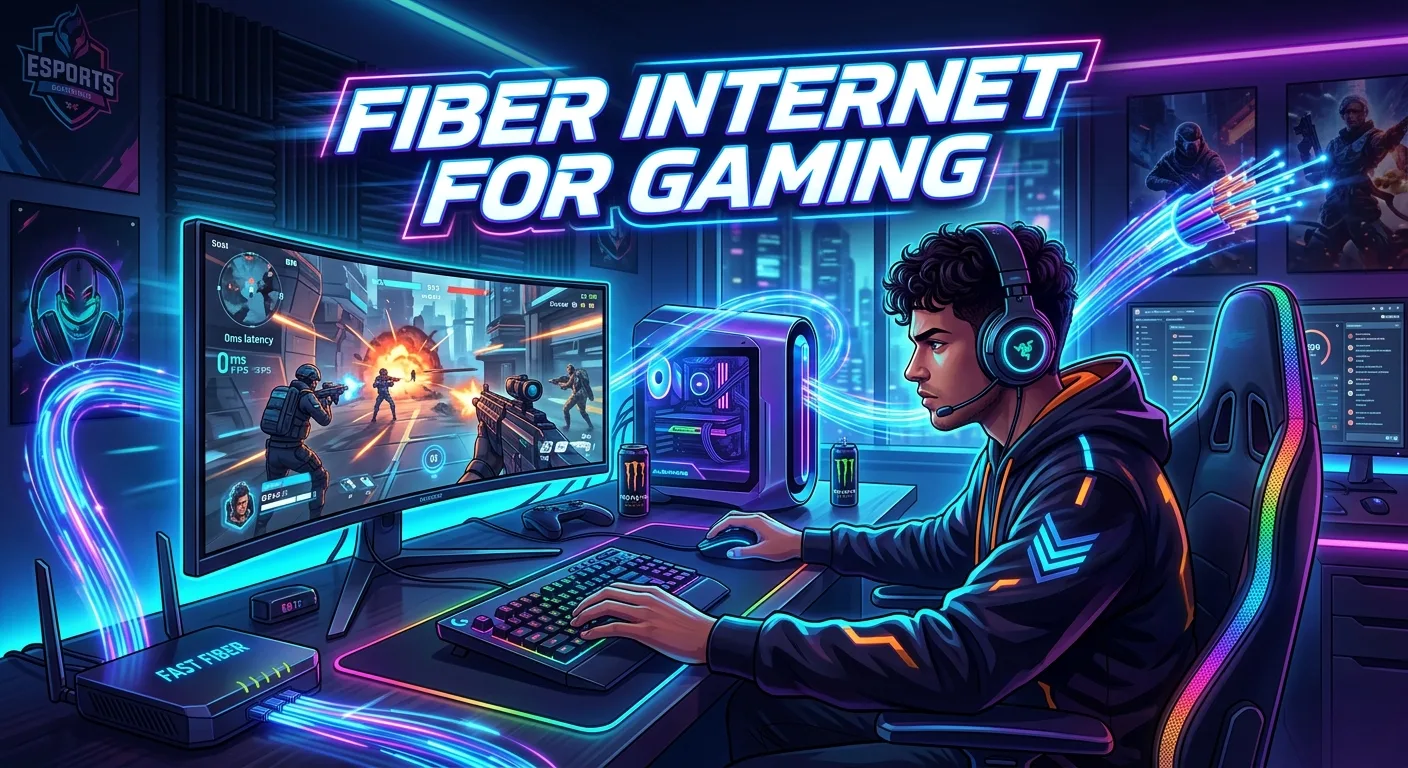
Gaming is not only about having a fast PC or a powerful console. Your internet connection also plays a big role. A poor connection can cause lag, delays, packet loss, and sudden drops during a match. Fiber internet for gaming can help solve many of these problems. It uses fiber-optic cables to send data at high speeds with low delay. This makes it a strong choice for online games, game downloads, streaming, and voice chat.
Still, speed is not the only thing that matters. Ping, jitter, packet loss, network stability, and router quality also affect your gaming experience. In this guide, you will learn how fiber internet works for gaming, what speeds you need, why latency matters, and how to choose a good setup.
What Is Fiber Internet?
Fiber internet is a type of broadband connection that uses fiber-optic cables. These cables send data as light signals.
This is different from many older internet connections. Cable and DSL services use electrical signals over copper-based lines. Fiber can carry large amounts of data at high speeds.
Fiber internet can offer:
- High download speeds
- High upload speeds
- Low latency
- Strong connection stability
- Fast game downloads
- Better support for multiple devices
For gamers, these features can be useful. Online games need a steady connection. A high download speed alone does not guarantee smooth gameplay.
The quality of your connection depends on several factors. Your internet provider, network route, router, game server, and local network can all affect performance.
Why Fiber Internet Is Good for Gaming
Fiber is a strong option for online gaming because it can provide fast and stable connectivity.
Games do not usually need huge download speeds while you play. Instead, they need a connection that can send and receive small amounts of data with low delay.
Fiber can help with this because it is designed for high-speed data transfer.
A stable fiber connection can be useful for:
- Competitive gaming
- Multiplayer games
- Cloud gaming
- Game streaming
- Live streaming
- Voice chat
- Large game downloads
- Software updates
- Homes with many connected devices
Another benefit is upload speed. Many fiber plans offer strong upload performance. This can help if you stream your gameplay while playing online.
The result is not always automatic, though. A fast fiber plan cannot fix every network problem. Your router and Wi-Fi setup still matter.
How Much Internet Speed Do You Need for Gaming?
You do not need an extremely fast internet plan just to play online games.
Most online games use much less bandwidth than large downloads or video streams. The exact amount depends on the game and how you use your connection.
For a single gamer, a basic broadband plan may be enough for online play. A faster plan becomes more useful when several people use the same connection at once.
For example, a home may have:
- One person playing an online game
- Another person watching 4K video
- Someone else on a video call
- Phones connected to Wi-Fi
- A smart TV downloading updates
- A computer uploading files
All these activities share the connection.
A faster fiber plan gives your network more capacity. This can reduce the chance that other heavy activities affect your gaming session.
The key point is simple: more speed is not the same as lower ping.
Does Fiber Internet Reduce Ping?
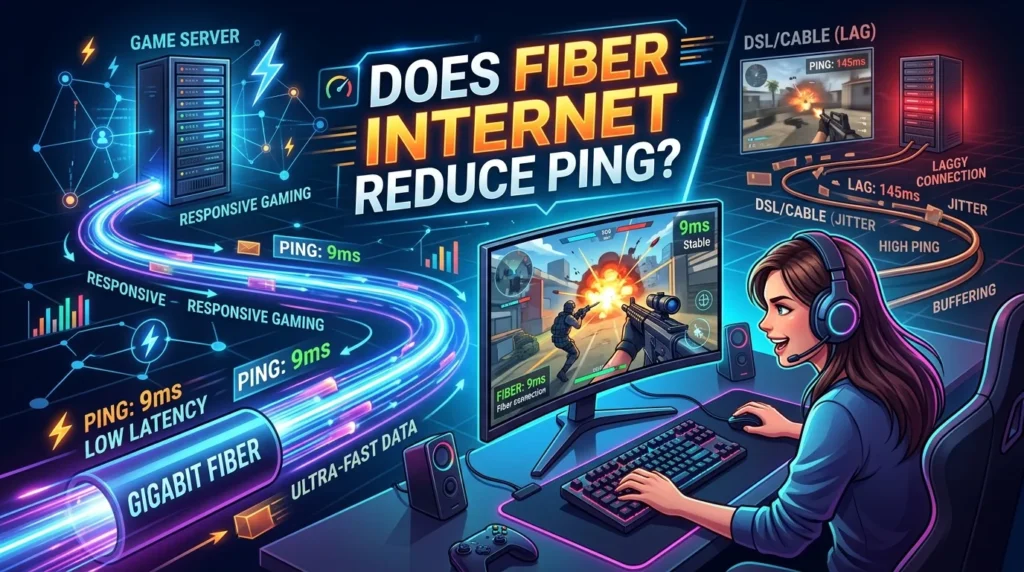
Fiber internet can provide low latency, but it does not guarantee a specific ping.
Ping measures how long data takes to travel between your device and a destination. It is usually measured in milliseconds, or ms.
Lower ping is generally better for online gaming.
Your ping can depend on:
- Distance to the game server
- Internet provider
- Network routing
- Server location
- Network congestion
- Router performance
- Wi-Fi conditions
- Other traffic on your network
Fiber can provide a strong foundation for low-latency gaming. However, a game server that is far away can still produce higher ping.
For example, a player may have excellent fiber service but connect to a server on another continent. The physical distance adds travel time to the connection.
This is why choosing a nearby game server can make a noticeable difference.
Ping vs Download Speed for Gaming
Download speed and ping are different things.
Download speed tells you how quickly data can be downloaded. Ping tells you how long it takes for data to travel to a destination and back.
A gamer can have a very high-speed plan but still experience high ping.
Imagine two internet plans:
| Feature | Connection A | Connection B |
| Download speed | Very high | Moderate |
| Ping | High | Low |
| Gaming response | May feel delayed | Usually more responsive |
This shows why gamers should not focus only on Mbps.
A good gaming connection should have:
- Low latency
- Stable ping
- Low jitter
- Little packet loss
- Enough bandwidth for the household
Fiber can perform well in all these areas when the service and local network are properly set up.
What Is Jitter and Why Does It Matter?
Jitter means changes in network delay.
A stable connection may have a similar ping from one moment to the next. With high jitter, the delay can change often.
For example, your connection may move between low and high latency. This can make online gameplay feel inconsistent.
You may notice:
- Players moving suddenly
- Delayed actions
- Voice chat problems
- Short freezes
- Unstable online matches
Fiber can offer a stable connection, but jitter can still happen. Local network traffic, Wi-Fi interference, routing, and other network conditions can affect it.
A wired Ethernet connection can help reduce problems caused by wireless interference.
What Is Packet Loss?
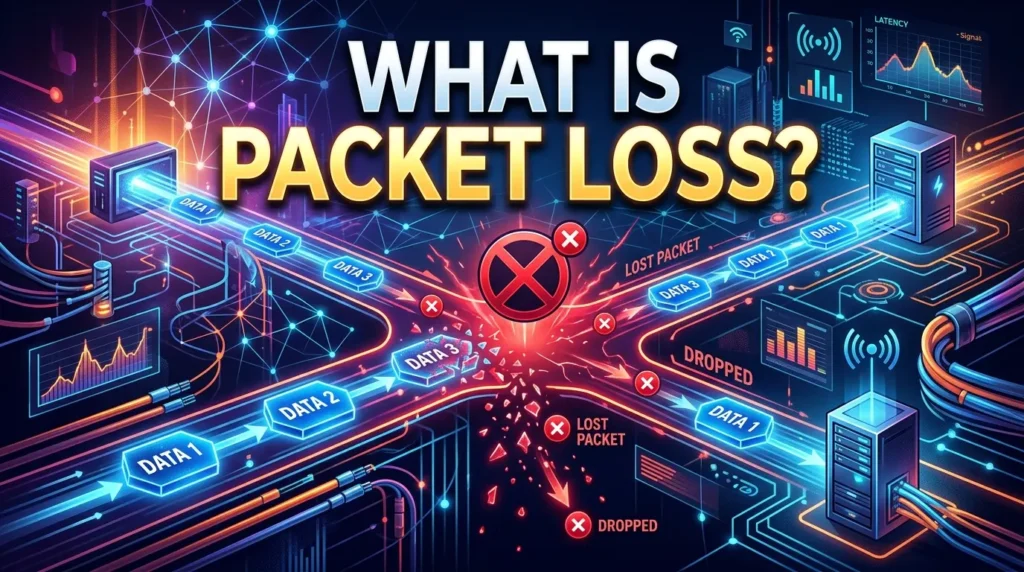
Packet loss happens when some data packets fail to reach their destination.
Online games constantly exchange data between your device and the game server. If packets are lost, the game may not receive all the information it needs.
This can cause:
- Character movement problems
- Delayed actions
- Rubber-banding
- Missing voice chat
- Short connection drops
- Match disconnects
Packet loss is different from slow download speed.
You can have a fast connection and still experience packet loss. That is why gaming performance should be judged by more than your speed test result.
Fiber vs Cable Internet for Gaming
Fiber and cable can both support online gaming.
The better option depends on your local service, network quality, and available plans.
look some important advantages.
Fiber Internet
Fiber commonly offers:
- High download speeds
- Strong upload speeds
- Low latency potential
- Stable performance
- High bandwidth capacity
Cable Internet
Cable can also provide:
- Fast download speeds
- Good gaming performance
- Wide availability in many areas
- Enough bandwidth for most gaming needs
The exact experience depends on the provider and network in your area.
A well-managed cable connection can work very well for gaming. Fiber becomes especially attractive when you want high upload speeds, strong capacity, and a connection built around fiber-optic technology.
Fiber Internet for Competitive Gaming
Competitive gaming puts more focus on network quality.
In a casual game, a small delay may not matter much. In a competitive match, even a short delay can affect timing.
Players may need quick responses for:
- Shooting
- Dodging
- Aiming
- Blocking
- Building
- Movement
- Ability use
A stable low-latency connection can make the experience more consistent.
Fiber can be a good choice for competitive players because it can provide fast and stable service. Still, your internet plan is only one part of the setup.
Your PC or console, Ethernet cable, router, game server, and network settings can also affect the result.
Is Ethernet Better Than Wi-Fi for Gaming?
Fiber internet can reach your home, but your gaming device may still connect through Wi-Fi.
For serious gaming, Ethernet is often the better choice when it is practical.
A wired Ethernet connection avoids many problems linked to wireless signals.
Wi-Fi can be affected by:
- Distance from the router
- Walls
- Other wireless networks
- Interference
- Router placement
- Connected devices
- Wireless congestion
Ethernet provides a direct wired connection between your gaming device and router.
This can help with consistency.
You do not need Ethernet for every gaming setup. Modern Wi-Fi can perform well. However, if you are trying to reduce connection problems, testing your PC or console with Ethernet is a useful step.
Does Fiber Help With Game Downloads?
Yes, fiber can make large game downloads much faster when your plan and the game server can use the available bandwidth.
Modern games can have large download sizes. Updates can also take time.
A fast connection can reduce the waiting time for:
- New game installations
- Large updates
- Patches
- DLC
- Game files
- Console updates
Your real download speed can still vary.
The game server may limit the transfer rate. Network traffic can also affect performance.
Even so, high-speed fiber can be very useful for gamers who download large files often.
Fiber Internet for Gaming and Streaming
Gaming and streaming at the same time can place more demand on your connection.
When you stream gameplay, your device uploads video data to a streaming platform.
This makes upload speed important.
A fiber connection with strong upload capacity can be helpful for this type of setup.
You may also use:
- A webcam
- Voice chat
- Streaming software
- Cloud storage
- Background downloads
- Multiple connected devices
A connection with enough upload capacity can handle these tasks more comfortably.
Streaming quality also depends on your encoder, computer hardware, streaming settings, and platform requirements. Internet speed alone does not control the final stream quality.
Fiber Internet for Cloud Gaming
Cloud gaming works differently from traditional gaming.
With a normal PC or console game, much of the game runs on your local hardware.
With cloud gaming, game processing happens on remote servers. Your device receives a video stream and sends your controls back to the service.
This makes network quality very important.
Cloud gaming benefits from:
- Low latency
- Stable connection
- Enough download speed
- Low packet loss
- Low jitter
Fiber can be a good fit for cloud gaming because of its speed and stability.
However, the distance to the cloud gaming server still matters. A strong local connection cannot remove latency caused by long physical distances.
How to Choose Fiber Internet for Gaming
Choosing a fiber plan does not need to be complicated.
Start by looking beyond the headline download speed.
Consider these points.
1. Check the Upload Speed
Upload speed matters for streaming, video calls, cloud backups, and content creation.
A fiber plan with strong upload performance can be useful for gamers who create content.
2. Look at Latency
Ask the provider about network performance if this information is available.
Do not judge a plan only by its Mbps rating.
3. Check Data Limits
Some services may have usage policies or data limits. Read the plan details before choosing a service.
Unlimited data can be useful for homes with heavy gaming, streaming, and downloading.
4. Consider the Router
A good internet plan can perform poorly with a weak router.
Check whether the provider supplies a router and what features it supports.
You can also use your own compatible router if the service allows it.
5. Check Local Availability
Fiber availability can vary by location.
One neighborhood may have fiber while another area may not.
Check the provider’s coverage before choosing a plan.
What Router Settings Matter for Gaming?
Your router plays an important role in your home network.
Some routers include features designed to manage traffic. These may help prioritize certain types of traffic.
One common feature is Quality of Service, often called QoS.
QoS can help manage network traffic when several devices compete for bandwidth.
For example, someone may start a large download while you are playing an online match. Traffic management may help reduce the impact.
Router features vary by model.
You should also keep your router firmware updated when updates are available.
Place the router in a suitable location if you use Wi-Fi. Avoid hiding it behind large objects or placing it far from your gaming room when possible.
Fiber Internet and Gaming on Multiple Devices
A modern home may have many devices online at the same time.
Gaming can happen while other people use:
- Smartphones
- Smart TVs
- Laptops
- Tablets
- Streaming devices
- Security cameras
- Computers
- Smart home products
This can increase network traffic.
Fiber gives your home a large amount of bandwidth. That can help when many devices need the connection at the same time.
Still, a busy network can create problems if the router or plan cannot handle the traffic well.
For the best gaming experience, manage heavy downloads during important matches when possible.
How to Test Your Gaming Internet
A speed test can tell you useful information about your connection.
You can check:
- Download speed
- Upload speed
- Ping
- Connection stability
Run more than one test at different times if you are troubleshooting a problem.
You can also test your gaming device directly through Ethernet.
Compare the results with Wi-Fi.
If Ethernet performs better, the wireless connection may be part of the problem.
Remember that a speed test connects to a specific test server. Your game may use a completely different server and route.
That means your speed test result may not match your in-game ping.
Common Gaming Internet Problems
Even with fiber, you may sometimes experience connection issues.
The cause can be inside or outside your home network.
Common problems include:
High Ping
The game server may be far away. Network routing can also increase latency.
Packet Loss
Lost packets can cause movement issues and disconnects.
High Jitter
Changing latency can make the connection feel unstable.
Wi-Fi Interference
Wireless interference can affect your gaming device.
Network Congestion
Heavy traffic from other devices can use available bandwidth.
Server Problems
Sometimes the game server has the issue. Your internet connection may be working normally.
Router Problems
Old firmware, poor placement, or hardware limits can affect performance.
Knowing these causes can help you troubleshoot the problem instead of simply buying a faster plan.
How to Improve Fiber Gaming Performance
You can take several simple steps to improve your setup.
Start with a wired connection if possible.
Then check your router.
Use these basic tips:
- Connect your gaming PC or console through Ethernet.
- Restart your router when troubleshooting.
- Keep router firmware updated.
- Close unnecessary downloads.
- Pause large cloud backups during matches.
- Choose a nearby game server when the game allows it.
- Keep your router in a good location.
- Check for packet loss if you notice sudden lag.
- Test Wi-Fi against Ethernet.
- Make sure your gaming device has the latest network drivers or system updates.
These steps can help you find the real cause of a problem.
Buying a faster plan is not always the best first solution.
Do You Need Gigabit Fiber for Gaming?
No.
Gigabit fiber can be useful for large downloads and homes with many users. But online gaming itself does not always need gigabit speeds.
A lower-speed fiber plan can still provide an excellent gaming experience if it offers stable service and low latency.
The right plan depends on your household.
A single gamer with a few devices may not need the same bandwidth as a large household with several heavy users.
Think about how you use the internet outside gaming.
If you download large games often, stream gameplay, upload videos, and have many devices online, a faster plan may make more sense.
Fiber Internet for PC Gaming
PC gamers can benefit from fiber in several ways.
Fast downloads help with large game libraries. Strong upload speeds can help with streaming and content uploads.
A wired Ethernet connection can also provide a stable path from your PC to the router.
For PC gaming, consider the complete network path:
Gaming PC → Ethernet or Wi-Fi → Router → Fiber connection → ISP network → Game server
Every part can affect performance.
Your fiber connection is only one part of this path.
Fiber Internet for Console Gaming
Fiber also works well for consoles such as modern PlayStation and Xbox systems.
Connect the console directly to the router through Ethernet when possible.
This can provide a stable local connection.
If you use Wi-Fi, place the console within a good range of the router. Avoid unnecessary obstacles between the console and router.
Console gaming can also benefit from fast downloads. Large game updates can take a long time on slower connections.
Fiber can reduce download time when the service and game server support high transfer speeds.
Wired Fiber vs Fiber Wi-Fi
It is important to understand that fiber and Wi-Fi are not the same thing.
Fiber describes how your home connects to the internet.
Wi-Fi describes how devices connect to your router without a cable.
You can have fiber internet and still have weak Wi-Fi.
For example:
Fiber → Router → Wi-Fi → Gaming PC
The fiber connection may be excellent. But poor wireless coverage can still cause problems.
A wired setup looks like:
Fiber → Router → Ethernet → Gaming PC
This removes the wireless link between the device and router.
That can make troubleshooting easier and may improve consistency.
Is Fiber Worth It for Gamers?
For many gamers, fiber can be a worthwhile upgrade.
It is especially attractive if your current connection has:
- Unstable performance
- Poor upload speed
- High latency
- Frequent congestion
- Slow downloads
- Limited bandwidth
Fiber may also make sense if several people use the internet at the same time.
However, upgrading to fiber will not automatically fix every gaming issue.
If the problem comes from a distant game server, poor Wi-Fi, a bad router, or the game itself, a faster connection may not solve it.
The goal should be a stable network, not just a high speed-test number.
Fiber Gaming Setup Checklist
Before choosing or upgrading your connection, use this quick checklist:
- Check fiber availability in your area.
- Compare download and upload speeds.
- Look for clear information about latency.
- Check data policies.
- Consider the router.
- Use Ethernet for competitive gaming when possible.
- Test ping and packet loss.
- Check the location of game servers.
- Consider how many people use your connection.
- Think about streaming and uploading needs.
- Test your current connection before upgrading.
- Look for the cause of lag instead of assuming speed is the problem.
This approach can help you choose a plan based on real needs.
Conclusion
Fiber internet for gaming can provide a strong foundation for a smooth online experience. Its high-speed capacity, strong upload performance, and low-latency potential make it useful for gamers, streamers, and homes with many connected devices.
Still, speed is only one part of gaming performance. Ping, jitter, packet loss, Wi-Fi quality, router performance, and server distance also matter.
For the best results, use Ethernet when possible, keep your router updated, manage heavy network traffic, and test your connection when problems appear. Choose a fiber plan based on your real household needs instead of chasing the highest number of Mbps.
A stable connection is the goal. Fiber can help you build that connection.
FAQs
1. Is fiber internet good for gaming?
Yes. Fiber can be an excellent choice for gaming because it can offer high speeds, strong upload performance, low latency potential, and stable connectivity. Your actual gaming experience also depends on the router, connection method, network route, and game server.
2. Does fiber internet give better ping?
Fiber can support low ping, but it does not guarantee a specific result. Ping depends on factors such as server distance, routing, congestion, and your local network. Using Ethernet and selecting a nearby game server can also help.
3. How much fiber speed do I need for gaming?
Most gamers do not need an extremely high-speed plan for online play alone. The right speed depends on how many people and devices share your connection. Streaming, large downloads, cloud backups, and multiple users can increase your bandwidth needs.
4. Is Ethernet better than Wi-Fi with fiber internet?
Ethernet is often a better choice for competitive gaming because it avoids many wireless issues. Fiber can provide excellent service to your home, but Wi-Fi conditions can still affect your gaming device. A wired connection can improve consistency.
5. Is fiber worth it for gaming and streaming?
Fiber can be a strong choice for gaming and streaming, especially when you need good upload performance and stable connectivity. However, your router, computer, streaming settings, and game server also affect the overall experience.