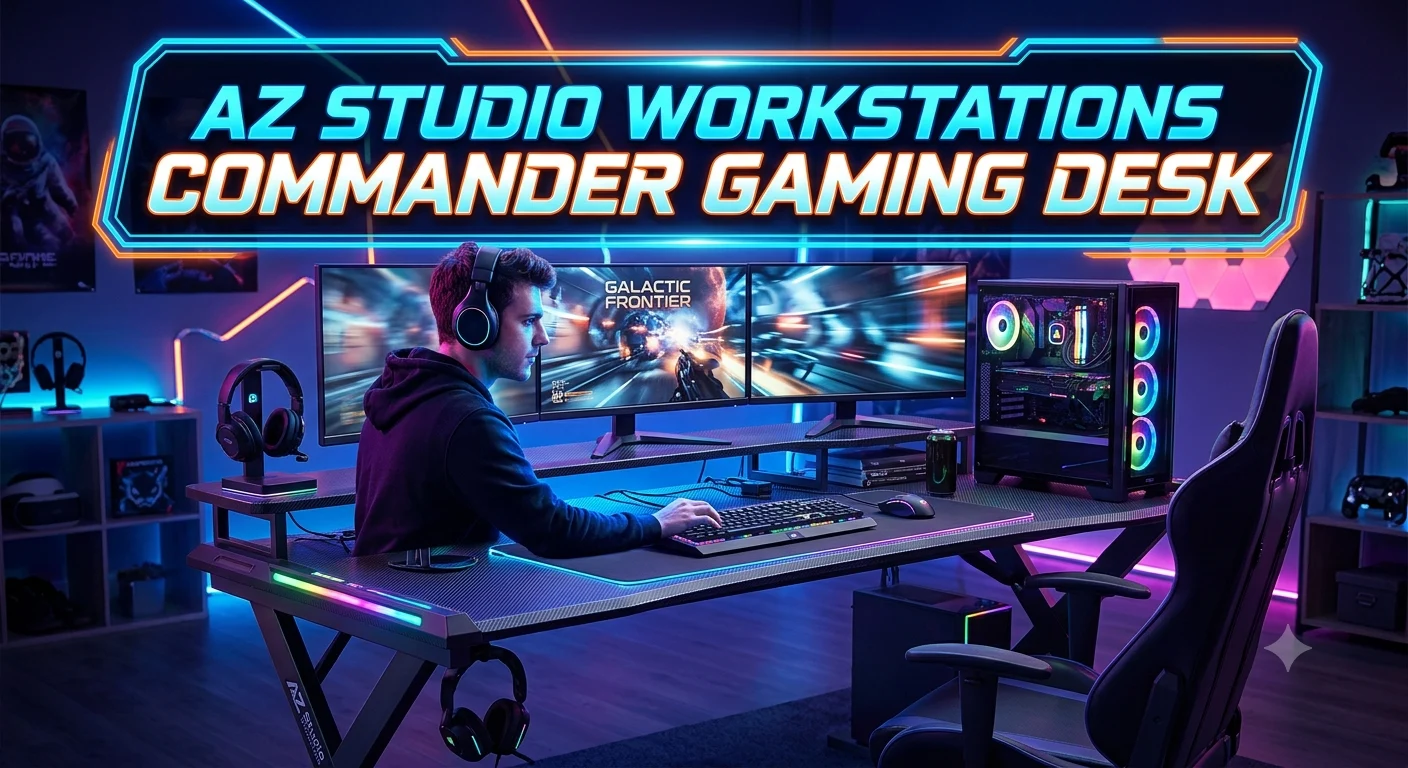
The Az Studio Workstations Commander Gaming Desk is designed for gamers who want a dedicated and organized space for their setup. A good gaming desk should provide enough room for a monitor, keyboard, mouse, and other essential accessories. It should also help keep the gaming area comfortable and tidy.
The Commander Gaming Desk stands out as a workstation-style option for users who want to combine gaming with everyday computer tasks. Its design can suit gaming, studying, working, and other activities that require a practical desk setup. In this article, we will explore the key features, design, workspace, usability, and important factors to consider when choosing the Az Studio Workstations Commander Gaming Desk for your setup.
What Is the AZ Studio Workstations Commander Gaming Desk?
The AZ Studio Workstations Commander Gaming Desk is a premium gaming workstation built around a cockpit-style layout. Instead of using a simple rectangular desktop, the Commander uses angled sections to create a more immersive gaming position. The design aims to put commonly used gaming accessories within easy reach.
According to the manufacturer, the desk measures 78 inches wide and 31 inches deep, with a standard surface height of 31.5 inches. It weighs approximately 175 pounds, while the desktop material is listed at 1 inch thick.
The desk also includes a long upper shelf that follows the length of the desktop. Gamers can use this area for monitors, speakers, decorative items, or other equipment. The shelf is removable, which gives users flexibility when creating a more open desktop arrangement.
Another important feature is the available sit-stand configuration. Buyers can choose an adjustable frame that offers a height range of 24 to 51 inches, according to the manufacturer’s specifications.
This makes the Commander more than a decorative gaming desk. It is designed as a substantial workstation for people who spend significant time gaming, streaming, working, or creating content.
Commander Gaming Desk Design and Build Quality
The Commander has a distinctive appearance that immediately separates it from ordinary office desks. Its cockpit-inspired design uses angled surfaces to create a gaming-focused environment. This shape is not simply about appearance. It can also help bring controls and accessories closer to the user.
AZ Studio Workstations describes the desk as ergonomically designed and emphasizes quality craftsmanship. The company has manufactured furniture since 1974 and describes itself as a family-run business.
At approximately 175 pounds, the Commander is substantially heavier than many lightweight gaming desks. That weight suggests that this is intended to be a permanent workstation rather than something users frequently move around the room.
The desktop is listed as 1 inch thick, giving the workstation a substantial appearance. Its 78-inch width also provides considerably more horizontal space than many compact gaming tables.
Build quality matters particularly for gamers who use multiple monitors, large speakers, microphone equipment, controllers, and desktop computers. A strong workstation can provide a more stable foundation for that equipment.
However, buyers should also consider room size. A 78-inch-wide desk needs meaningful wall and floor space. Measure the intended location before ordering, especially if you plan to use the upper shelf and additional accessories.
Commander Gaming Desk Dimensions and Space
Desk dimensions are among the most important factors to check before purchasing a large gaming workstation. The Commander measures 78 inches wide by 31 inches deep, with a standard desk height of 31.5 inches.
The 78-inch width is useful for multi-monitor gaming setups. It can also accommodate a combination of displays, speakers, lighting, microphones, controllers, and other peripherals without forcing everything into a small area.
The 31-inch depth provides usable front-to-back space while keeping the workstation relatively focused. Gamers should still measure monitor stand depth and keyboard placement because large monitor bases can consume considerable surface area.
The upper shelf adds another layer of storage and display space. Because it extends across the desk, it can help move monitors and speakers away from the main working surface.
Before buying, measure more than the wall width. Consider door clearance, chair movement, power outlets, cable routes, and space behind the desk. A large workstation can look excellent in a gaming room, but poor placement can make the room feel crowded.
The desk’s weight also deserves attention. At approximately 175 pounds, the Commander is not a lightweight piece of furniture.
For a dedicated gaming room, however, its size can be a major advantage because it provides the foundation for a serious gaming command center.
Cockpit-Style Gaming Desk Layout
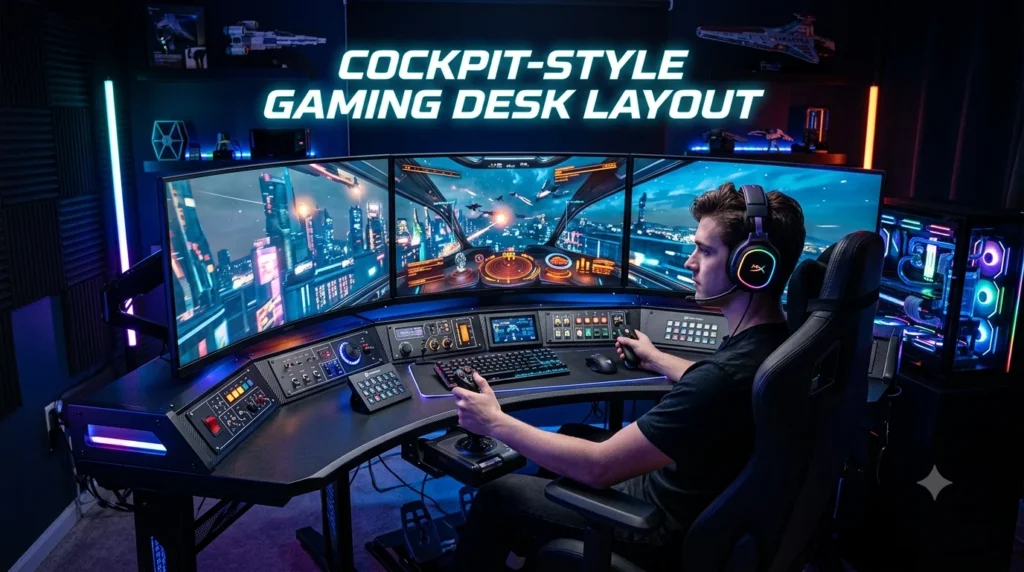
The cockpit-style layout is one of the Commander Gaming Desk’s most recognizable features. Traditional desks usually use straight lines and a rectangular shape. The Commander takes a different approach with angles designed around the player’s position.
This layout can create a more immersive gaming environment. Instead of reaching across a flat rectangular surface, users can position frequently used equipment around their primary seating area.
The design may work particularly well for gamers who use several peripherals. A keyboard, mouse, controller, microphone, headphones, speakers, and other equipment can easily create clutter on an ordinary desk.
The cockpit shape gives the Commander a dedicated gaming identity. It can also make the workstation feel more like a professional command station.
That said, the shape is a matter of personal preference. Someone who wants a minimalist rectangular desk may prefer a simpler design. The Commander is intentionally more specialized.
Its visual character may also appeal to streamers and content creators who want their gaming setup to look distinctive on camera.
For competitive gaming, the most important benefit is practical accessibility. The closer your frequently used equipment sits to your natural position, the less unnecessary movement you need during long sessions.
The Commander therefore focuses on accessibility, organization, immersion, and workspace rather than simply providing a flat surface.
Removable Top Shelf for Gaming Gear
The removable top shelf is another useful feature of the Commander. According to AZ Studio Workstations, the shelf rests on top and can be removed when users prefer a cleaner desktop arrangement.
A shelf can be valuable for gamers using multiple monitors. Instead of consuming the primary desktop with monitor stands, the upper level can provide a separate location for displays and speakers.
It can also help separate equipment into different visual zones. Monitors and speakers can occupy the upper area, while the keyboard, mouse, controller, and other frequently used items remain on the main surface.
The removable design gives users another advantage: flexibility. Not every gaming setup needs a shelf. Some players prefer monitors directly on the desktop, while others want additional height and storage.
The shelf can also be useful for decorative gaming equipment. Small collectibles, lighting elements, or display items can occupy the upper level without taking away as much primary workspace.
However, monitor placement should always consider eye level and viewing distance. A shelf is useful only when it allows the displays to sit at a comfortable position.
For users who frequently change their setup, the removable shelf can make the Commander easier to adapt.
Overall, this feature supports both function and customization, which are important qualities in a premium gaming workstation.
Commander Gaming Desk Sit-Stand Option
The Commander is available with an optional sit-stand configuration. AZ Studio Workstations lists the standard desk height at 31.5 inches and the sit-stand version at approximately 24 to 51 inches.
This option can make the desk more versatile. Instead of remaining at one fixed height, users can adjust the workstation to suit different activities and positions.
A gamer might sit while playing a competitive match and raise the desk when stretching, browsing, or performing another task. Content creators can also change positions during long recording or editing sessions.
The manufacturer highlights the general ergonomic benefits of alternating between sitting and standing, including greater flexibility and reduced prolonged sitting.
However, a sit-stand desk should not be treated as a replacement for good posture or regular movement. The monitor, keyboard, mouse, and chair should still be adjusted appropriately.
The sit-stand upgrade also increases the overall purchase price. Buyers should therefore decide whether adjustable height is genuinely useful for their daily routine.
For users who spend many hours at their gaming workstation, the additional flexibility may justify the upgrade.
The key advantage is customization. Different people have different heights, chairs, monitor positions, and working habits. An adjustable desk can accommodate those differences more easily than a fixed-height workstation.
Cable Management on the Commander Gaming Desk
Cable management can make or break a gaming setup. A powerful PC with multiple monitors, speakers, lighting, networking equipment, and accessories can quickly create a confusing collection of cables.
The Commander includes a cable management system, according to the manufacturer.
This feature helps users organize cables around the workstation rather than allowing wires to hang randomly behind the desk.
Good cable management offers several benefits. It makes the setup look cleaner, makes individual cables easier to identify, and can simplify future upgrades.
Gamers should still plan their cable layout before connecting everything. Separate power cables from peripheral cables where practical, label important connections, and leave enough slack for adjustable equipment.
The sit-stand version requires additional attention because cables need sufficient movement range. A cable that works perfectly at one height may become stretched when the desk moves upward.
Cable management also contributes to maintenance. Dusting and cleaning become easier when cables do not form a tangled mass underneath the workstation.
The Commander does not eliminate the need for cable planning, but its built-in approach provides a useful starting point for a professional-looking gaming setup.
For streamers, this can be especially helpful because a clean desk can improve the appearance of a camera background.
CPU Swivel Holder and Headphone Holder
The Commander can be customized with optional accessories, including a CPU swivel holder and headphone holder. The manufacturer lists the headphone holder as a $15 option and the CPU swivel holder as an $89 option on the current product page.
The CPU holder is designed to keep a desktop computer off the main floor or desk area. According to AZ Studio Workstations, it supports up to 22 pounds and accommodates a CPU height range of approximately 11.8 to 21 inches and width of 3.5 to 8 inches.
A swivel design can make the computer easier to access when connecting USB devices, checking ports, or performing maintenance.
The headphone holder is a smaller addition, but it solves a common gaming problem. Headsets often end up on the desktop, chair, monitor, or floor when not in use. A dedicated holder gives them a consistent storage location.
These accessories are not mandatory. Gamers who already own a headphone stand or use a wall-mounted PC setup may not need them.
Still, they demonstrate how the Commander can be configured around individual gaming habits.
For a clean, integrated workstation, optional accessories can be worthwhile because they reduce the number of separate stands and storage solutions needed around the desk.
Monitor Setup Possibilities
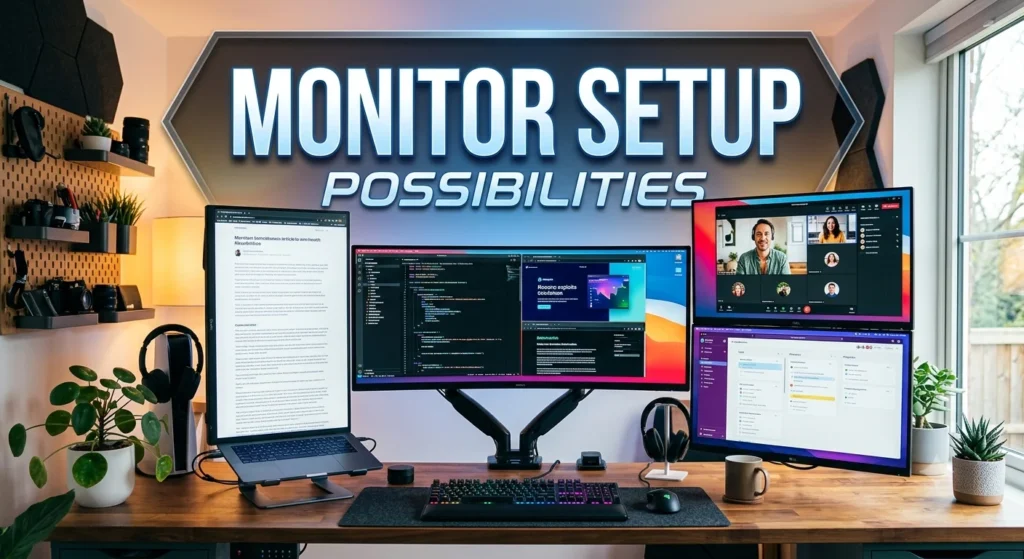
The Commander is particularly interesting for gamers who use multiple displays. Its 78-inch width gives users substantial horizontal workspace, while the upper shelf provides another surface for monitors and speakers.
A simple setup could use one large gaming monitor centered in front of the player. A more advanced configuration could place two or three displays across the available width.
Ultrawide monitors can also pair naturally with a wide workstation. The extra space can accommodate a central display while leaving room for speakers and accessories.
Monitor arms may be another option depending on the user’s preferred configuration. They can free desktop space and provide more precise screen positioning.
However, buyers should check the compatibility of any monitor mounts with the desk structure before installation. The shelf and desktop arrangement may affect where a clamp or stand can be positioned.
Monitor height is equally important. A large gaming desk does not automatically create an ergonomic setup. Displays should sit at a comfortable height and distance for the user.
The Commander gives users the physical space to build a sophisticated display arrangement, but good setup planning remains essential.
Its biggest advantage is that users do not have to treat the monitor as the only priority. The wide workstation can support the rest of the gaming ecosystem around it.
Is the Commander Gaming Desk Good for PC Gaming?
For serious PC gaming, the Commander has several qualities that make it appealing.
Its large desktop provides room for a gaming keyboard, mouse, large mouse pad, monitors, speakers, microphone, controller, and other accessories. The cockpit-style shape also emphasizes the player’s central position.
The removable upper shelf can help create a two-level setup. Monitors and speakers can sit higher while the primary desktop remains available for controls and peripherals.
Cable management helps keep the installation organized, while optional accessories provide additional customization.
The desk’s weight and 1-inch desktop construction also give it a substantial presence.
However, the Commander is not necessarily the right choice for every PC gamer. Its premium price makes it a significant investment. It also requires more space than compact gaming desks.
A casual gamer who plays occasionally may not need such a specialized workstation. Someone working from home, gaming, and creating content from the same desk may get more value from its large footprint.
The best fit is likely a user who wants a dedicated gaming command center rather than a basic computer desk.
It is especially attractive for enthusiasts who care about both functionality and the visual identity of their gaming room.
Commander Gaming Desk for Streaming and Content Creation
Gaming streamers often need much more than a monitor and keyboard. A typical setup may include a microphone, camera, lighting, speakers, capture hardware, controllers, headphones, and multiple displays.
The Commander provides enough physical space to help organize these components.
Its wide desktop can accommodate streaming controls alongside the primary gaming equipment. The upper shelf can also provide another location for displays or speakers.
A clean cable system can improve the visual appearance of a streaming area. This matters because the desk itself may appear in the camera frame.
The cockpit design can also create a recognizable background. Instead of looking like an ordinary office workstation, the setup can communicate a dedicated gaming identity.
The optional headphone holder keeps the headset off the main desktop, while the CPU holder can help position the computer in a more organized way.
For content creators, the sit-stand option may provide additional flexibility during long recording and editing sessions.
Still, streaming equipment can become heavy and complex. Users should plan the placement of microphones, camera arms, lighting, and monitors carefully.
The Commander provides the foundation, but the final streaming setup depends heavily on the creator’s equipment.
For serious creators, its biggest advantage is the amount of usable workspace available without relying on a small tabletop.
Commander Gaming Desk for Long Gaming Sessions
Long gaming sessions place greater demands on a workstation than short casual play.
A good gaming desk should provide enough space for natural keyboard and mouse positioning, adequate monitor placement, and freedom to move without constantly hitting accessories.
The Commander addresses these requirements with its wide surface and cockpit-inspired design.
The optional sit-stand frame adds another level of flexibility. Users can change the desk height rather than remaining in one fixed position throughout an extended session. AZ Studio Workstations specifically presents the sit-stand option as an ergonomic feature for users who spend long periods at their workstation.
Still, desk ergonomics involve more than the desk itself. A suitable gaming chair, properly positioned monitor, comfortable keyboard angle, and correct mouse placement all matter.
Users should also take regular breaks and change position naturally.
The Commander’s large footprint can make it easier to keep frequently used accessories within reach. This reduces the temptation to place equipment in awkward positions simply because the desktop lacks space.
For long sessions, comfort should always take priority over appearance.
The Commander can support an ergonomic gaming environment, particularly when paired with the sit-stand configuration, but users still need to configure the workstation correctly for their body and equipment.
Commander Gaming Desk Colors and Customization
The Commander is currently offered in white and black configurations. The manufacturer also provides sit-stand versions of both color choices.
Black can create a traditional gaming-room appearance and works well with dark monitors, peripherals, and PC cases. White can produce a brighter and more modern look.
The ability to select additional accessories gives users another layer of customization. Buyers can add the headphone holder or CPU swivel holder depending on their needs.
Customization matters because gaming setups vary significantly. One player might use a single monitor and controller, while another may have multiple displays, studio speakers, a microphone, and streaming equipment.
The Commander allows the base workstation to remain relatively consistent while accessories change around the user’s requirements.
Before ordering, it is worth deciding which features you genuinely need. Adding every option can increase the total cost quickly.
Think about your current equipment first, then consider what you expect to add later.
The goal should be a setup that feels intentional rather than overloaded.
A well-planned Commander workstation can combine a professional appearance with a personalized gaming style.
Commander Gaming Desk Assembly and Setup
AZ Studio Workstations describes the Commander as offering easy desk assembly.
Because the desk weighs around 175 pounds, buyers should still plan the installation carefully. A workstation of this size may be easier to assemble with another person, particularly when positioning large components.
Start by clearing the installation area. Measure the available wall space and make sure the chair can move comfortably around the desk.
Before adding monitors and electronics, inspect the cable-management route and decide where the computer will sit.
If you purchased the CPU swivel holder, install it according to the manufacturer’s instructions before placing the computer in position.
The same principle applies to the headphone holder and sit-stand frame.
After assembly, avoid immediately filling every available surface. Place the monitor or monitors first, then position the keyboard and mouse. Add speakers, microphone equipment, controllers, and accessories afterward.
This approach helps prevent clutter.
For a sit-stand configuration, pay particular attention to cable length and movement. Raise and lower the desk slowly while checking that no wire becomes tight or trapped.
A few minutes of setup planning can make the final workstation much cleaner.
Commander Gaming Desk Price and Value
The current AZ Studio Workstations product page lists the Commander Gaming Desk at $1,499. The sit-stand option adds $199, while the listed headphone holder and CPU swivel holder cost $15 and $89 respectively.
That places the Commander firmly in the premium gaming desk category.
Its value depends on what you expect from a workstation. If you only need a flat surface for one monitor and keyboard, a less expensive desk may make more sense.
But the Commander offers more than basic table space. It combines a large 78-inch workstation, cockpit-style design, removable shelf, cable-management system, optional sit-stand capability, and accessory integration.
It also comes from a manufacturer with a long furniture-making history. AZ Studio Workstations states that the company has been manufacturing furniture since 1974.
Buyers should also account for the cost of monitors, chair, PC, lighting, and other equipment when calculating the total gaming-room budget.
The desk makes the most financial sense for enthusiasts who will use its features regularly.
If the workstation becomes the central hub for gaming, streaming, work, and creative projects, its large size and specialized design may provide more value than a basic gaming table.
Commander Gaming Desk Pros and Cons
The Commander has a strong feature set, but no premium desk is perfect for every user.
Pros.
- Large 78-inch width.
- Distinctive cockpit-style design.
- Removable upper shelf.
- Cable-management system.
- Optional sit-stand configuration.
- Optional CPU swivel holder.
- Optional headphone holder.
- 1-inch listed desktop thickness.
- Substantial 175-pound weight.
- Designed specifically around gaming equipment.
- Two main color choices.
- Two-year warranty listed by the manufacturer.
Cons.
- Premium purchase price.
- Large footprint.
- Heavy construction can make relocation difficult.
- Sit-stand and accessories increase the total cost.
- Specialized shape may not suit people who prefer simple rectangular desks.
- Requires careful planning for multi-device cable management.
- May be excessive for casual gamers.
The strongest reason to choose the Commander is its specialized design. It does not try to be a generic office desk with gaming branding.
The biggest consideration is whether you actually need that specialization.
If you want a dedicated gaming environment and have enough room and budget, the Commander deserves serious consideration. If you want a small, inexpensive, easily movable desk, another design may be more practical.
Who Should Buy the Commander Gaming Desk?
The Commander makes the most sense for gaming enthusiasts, streamers, content creators, and users building dedicated gaming rooms.
It is especially suitable for someone who wants a wide workstation with space for multiple monitors and gaming accessories.
The sit-stand option may appeal to users who spend many hours at their desks and want the flexibility to alternate between sitting and standing. The manufacturer highlights this option as part of its ergonomic approach.
Streamers may appreciate the large surface because streaming setups often require more equipment than traditional gaming setups.
PC enthusiasts can also benefit from the optional CPU holder and generous desktop area.
On the other hand, casual gamers may find the Commander unnecessarily large and expensive.
Room size is another deciding factor. A 78-inch-wide workstation requires a dedicated area. Buyers should measure the room before making a purchase.
Budget also matters. The base price is already positioned above many mainstream gaming desks, and optional features can raise the final price.
Ultimately, the Commander is best for someone who sees their gaming desk as the center of their entertainment and productivity setup, not simply a place to put a keyboard and monitor.
How to Build the Best Commander Gaming Setup
Start with the monitor position. Place the main display directly in front of your natural seating position. If you use multiple monitors, arrange them around the primary screen instead of allowing the setup to become unnecessarily wide.
Next, position the keyboard and mouse. The cockpit-style layout gives you flexibility, so keep the most frequently used controls within comfortable reach.
Place speakers on the upper shelf if that arrangement provides the desired sound positioning. Alternatively, use the shelf for secondary equipment or decorative items.
Keep the primary desktop relatively clear. A large desk can become cluttered simply because there is more room to put things.
Use the cable-management system from the beginning rather than waiting until the end of the setup.
If you purchased the CPU swivel holder, place the computer where you can access its ports without creating unnecessary cable tension.
For the sit-stand version, test the full height range before finalizing cable routing.
Finally, personalize the workstation with lighting, artwork, collectibles, or other details that match your gaming style.
The best gaming setup is not necessarily the one with the most equipment. It is the one where every important component has a clear purpose and a comfortable position.
Conclusion
The Az Studio Workstations Commander Gaming Desk can be a practical choice for gamers and computer users who want a dedicated workspace. A well-designed desk can make it easier to organize a monitor, keyboard, mouse, and other gaming accessories. It can also provide a comfortable area for work, study, or everyday computer use. Before choosing this desk, users should consider the available space, setup size, storage needs, and overall desk layout. The right desk should match both the equipment and the way it will be used. For gamers who want to keep their setup organized while having enough room for different activities, the Commander Gaming Desk is worth considering as part of a functional gaming workspace.
FAQs
Is the AZ Studio Workstations Commander Gaming Desk worth it?
It can be worth the investment for serious gamers, streamers, and creators who need a large, specialized workstation. Casual users may find less expensive desks more practical.
How wide is the Commander Gaming Desk?
The Commander is listed at 78 inches wide and 31 inches deep, with a standard surface height of 31.5 inches.
Does the Commander Gaming Desk have a sit-stand option?
Yes. The manufacturer offers a sit-stand configuration with a listed height range of approximately 24 to 51 inches.
Does the Commander Gaming Desk include cable management?
Yes. Cable management is listed among the desk’s special features, helping users organize connections behind the workstation.
What accessories are available for the Commander Gaming Desk?
The available options include a headphone holder and CPU swivel holder. The manufacturer also offers the sit-stand configuration.