A 54 mbps gaming speed can be enough for online gaming, but download speed is not the only thing that matters. Most online games do not need a very fast connection to send basic game data. They need a stable connection with low latency, low packet loss, and little jitter. A 54 Mbps connection can also handle other tasks, such as web browsing, music, and some video streaming.
The real problem can start when many devices use the same connection at once. Large downloads can also affect your gaming experience. In this guide, you will learn what 54 Mbps means, whether it is good for gaming, how ping affects gameplay, how many devices it can support, and what you can do to make your connection more stable.
What Does 54 Mbps Mean?
Mbps means megabits per second.
It measures how much data your internet connection can transfer each second.
A connection rated at 54 Mbps has a maximum download rate of 54 megabits per second under suitable conditions.
This number does not mean every online activity will always reach 54 Mbps.
Your real speed can change because of:
- Wi-Fi signal strength
- Network traffic
- Router performance
- Internet service quality
- Distance from the router
- Connected devices
- Server location
- Network congestion
- Wireless interference
There is also an important difference between Mbps and MB/s.
One byte contains eight bits.
So, 54 Mbps is about 6.75 MB/s in ideal data transfer terms before normal network overhead.
This difference matters when you compare internet speed with file download speeds.
Is 54 Mbps Good for Gaming?
Yes, 54 Mbps can be enough for online gaming.
The amount of bandwidth used by a game can be much lower than the speed needed for large downloads or high-quality video streams.
Gaming performance depends heavily on connection quality.
A connection with 54 Mbps and stable latency can feel better than a much faster connection with high ping or packet loss.
For this reason, do not judge a gaming connection by download speed alone.
Look at four key areas:
- Download speed
- Upload speed
- Ping
- Packet loss
Jitter also matters.
A stable connection is often more useful for gaming than simply having a large Mbps number.
Why Ping Matters for Gaming
Ping measures how long data takes to travel between your device and a game server.
It is usually shown in milliseconds, or ms.
Lower ping generally means faster communication between your device and the server.
This can matter a lot in fast online games.
For example, you may press a button to shoot, move, or turn.
Your device sends information to the game server. The server then handles that information and sends data back.
A high ping can create a delay between your action and what happens in the game.
That is why a 54 Mbps connection with low and stable ping can be good for gaming.
A faster download speed does not automatically mean lower ping.
What Is Jitter?
Jitter means changes in latency.
Imagine your connection has one ping result that is low.
Then the next result is much higher.
That change can cause uneven network performance.
In a game, this may appear as:
- Delayed movement
- Sudden pauses
- Uneven player motion
- Temporary lag
- Actions that feel late
Stable latency is important.
You want your connection to behave in a steady way rather than changing sharply during play.
A speed test that shows good download speed does not always reveal the full picture.
Check latency and consistency as well.
What Is Packet Loss?

Packet loss happens when data packets fail to reach their destination.
Online games constantly exchange small pieces of information.
If some packets are lost, the game may not receive everything it expects.
You might notice:
- Characters moving strangely
- Delayed actions
- Sudden jumps
- Missing game updates
- Temporary freezes
- Disconnections
Packet loss can hurt gaming even when your internet speed looks good.
If you experience frequent gaming problems on a 54 Mbps connection, packet loss is one thing worth checking.
54 Mbps Gaming Speed vs Download Speed
Gaming and downloading are different tasks.
A game may use a modest amount of bandwidth during normal online play.
A large game download is different.
Downloading a game can use much more of your available bandwidth for a longer period.
This can affect other devices and activities on the network.
The same applies to large updates.
If someone is downloading a large game while you are playing online, your network may become busy.
A fast connection can reduce download time.
However, even a 54 Mbps connection can handle online gaming when the network is not overloaded.
Can 54 Mbps Handle Multiplayer Games?
In many cases, yes.
Multiplayer gaming does not always require a very high download speed.
What matters more is the quality of the connection between your device and the game server.
Games send different types of data.
The exact amount depends on the game, server, players, settings, and other factors.
Some games may exchange more data than others.
Competitive online games also make connection stability important.
If your 54 Mbps connection has stable latency and little packet loss, it can provide a good gaming experience.
If the connection is unstable, increasing the download speed may not solve the main problem.
Can 54 Mbps Support Gaming and Streaming?
It can support gaming and other online activities, but the result depends on the other activity.
Video streaming can use much more bandwidth than basic web browsing.
A high-quality video stream running while you game can use part of your available connection.
Multiple streams can use even more.
Other activities can include:
- Video calls
- Cloud backups
- File downloads
- Music streaming
- Software updates
- Smart home devices
- Game downloads
If several devices use the connection at once, available bandwidth can become limited.
Network congestion may then affect your gaming session.
How Many Devices Can Use 54 Mbps?
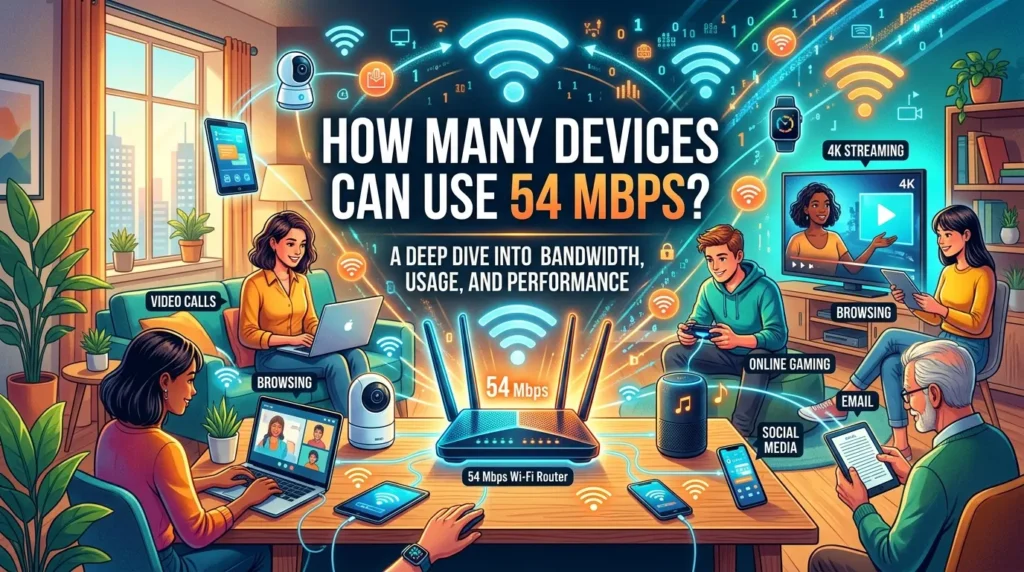
There is no fixed number.
The answer depends on what each device is doing.
A phone checking email uses very little compared with a device watching high-quality video.
One person gaming while another browses the web may work well.
Several people streaming video and downloading large files can place more demand on the connection.
Think about activity, not just device count.
Ten idle devices may use less bandwidth than two active devices performing heavy tasks.
This is why a household with 54 Mbps may have a different experience from another household with the same speed.
Is 54 Mbps Enough for Cloud Gaming?
Cloud gaming is different from traditional online gaming.
With cloud gaming, much of the game runs on a remote server.
Your device receives a video stream of the game.
Your inputs are sent back to the cloud service.
This creates a stronger need for both bandwidth and a stable connection.
The exact requirements depend on the cloud gaming service, game resolution, frame rate, and streaming settings.
A 54 Mbps connection may be suitable for some cloud gaming setups.
However, speed alone does not guarantee a good experience.
Low latency, stable Wi-Fi, and low packet loss remain important.
If cloud gaming feels slow or unstable, test the connection to the service rather than focusing only on the 54 Mbps figure.
54 Mbps for PC Gaming
PC gaming can work well on a 54 Mbps connection.
The main factors are usually network stability and server connection.
A wired Ethernet connection can be useful when your router and gaming PC are close enough to connect with a cable.
Ethernet avoids many wireless problems.
Wi-Fi can still work well.
The quality depends on the router, signal strength, wireless standard, interference, and distance.
For PC gaming, also make sure background applications are not using large amounts of bandwidth.
Cloud storage tools, launchers, updates, and downloads can run without you noticing.
Check them before starting an important gaming session.
54 Mbps for Console Gaming
A 54 Mbps connection can also support online console gaming.
The console needs a stable link to the game server.
If your console is connected over Wi-Fi, signal quality becomes important.
A console far from the router may have a weaker signal.
Walls and other objects can also affect wireless performance.
When possible, try Ethernet.
If Ethernet is not practical, move the router or console to improve the wireless signal.
You can also reduce heavy network activity on other devices while gaming.
54 Mbps for Mobile Gaming
Mobile games often have different network needs from PC and console games.
Some mobile games use a small amount of data during play.
Others may use more.
Your connection quality still matters.
On Wi-Fi, a 54 Mbps internet plan can be more than enough for many mobile gaming tasks.
The phone’s Wi-Fi connection also matters.
If the phone has a weak signal, the problem may be wireless quality rather than the internet plan.
When using mobile data, your carrier’s network conditions can affect latency and stability.
Upload Speed Matters Too
Many people focus only on download speed.
Upload speed is also important.
Your device sends information to the game server.
The exact amount of upload bandwidth needed varies by game and activity.
Upload speed becomes even more important when you stream your gameplay.
A gaming stream can send video data to a streaming service while the game is running.
If your upload connection is limited, streaming can become difficult.
Check both download and upload results when testing your internet.
Can 54 Mbps Support Game Streaming?
It depends on what you mean by game streaming.
If you mean watching someone play on a streaming platform, the main concern is video streaming bandwidth.
If you mean broadcasting your own gameplay, upload speed becomes important.
If you mean cloud gaming, both download speed and latency matter.
These are three different activities.
Your 54 Mbps download speed may be fine for one task but not ideal for another.
Always check the requirements of the specific service you use.
Wi-Fi vs Ethernet for 54 Mbps Gaming
Both can work.
Ethernet often provides a more stable connection because it uses a physical cable.
Wi-Fi offers convenience.
It lets you play without running a cable across the room.
The problem is that wireless performance can change.
Distance, walls, interference, router placement, and other networks can affect the signal.
For competitive gaming, Ethernet is often worth trying if available.
For casual gaming, good Wi-Fi may be perfectly suitable.
The important thing is to test your actual connection.
How to Improve 54 Mbps Gaming Speed
You may not need a faster internet plan.
First, improve the quality of the connection you already have.
Use Ethernet
Connect your gaming PC or console directly to the router.
This can reduce wireless-related problems.
Move Closer to the Router
If you must use Wi-Fi, reduce the distance between your device and router.
A stronger signal can improve stability.
Reduce Network Traffic
Pause large downloads and uploads while gaming.
Stop unnecessary cloud backups.
You can also avoid large game updates during important sessions.
Restart Network Equipment
A simple restart can sometimes resolve temporary network problems.
Restart the router and affected device if needed.
Update Network Drivers
On a PC, outdated network drivers can sometimes cause connection problems.
Use trusted sources for driver updates.
Check Background Apps
Game launchers and operating systems can download updates.
Cloud apps may also sync files.
Close or pause tasks that are not needed.
Router Placement Matters
Your router’s location can affect Wi-Fi performance.
Try to place it in a central and open area.
Avoid hiding it behind large objects.
Keep it away from sources of interference when possible.
The best position depends on your home layout.
If your gaming device is far away, a wired connection may be a better option.
A stronger Wi-Fi signal does not always mean better internet service, but it can improve the wireless link between your device and router.
Does a Better Router Increase 54 Mbps?
A new router cannot automatically turn a 54 Mbps internet plan into a faster plan.
Your internet service still sets the connection speed you receive from your provider.
However, a better router can improve the local network.
It may provide:
- Better Wi-Fi coverage
- Improved wireless performance
- More network features
- Better device management
- Newer wireless technology
The benefit depends on your current router, devices, home layout, and internet service.
If your current router is causing wireless problems, replacing it may help.
Should You Upgrade From 54 Mbps?
Not always.
Ask yourself what problem you are trying to solve.
If gaming feels good and your household has no bandwidth problems, you may not need an upgrade.
An upgrade can make more sense if:
- Large downloads take too long.
- Several people use heavy bandwidth at once.
- Streaming causes network problems.
- Cloud backups slow other activities.
- Your current plan cannot meet household demand.
If your main problem is high ping, a faster download plan may not fix it.
The cause may be routing, server distance, Wi-Fi problems, congestion, or another network issue.
54 Mbps and Game Downloads
This is where 54 Mbps may feel slower.
Large games and updates can contain many gigabytes of data.
Your theoretical maximum transfer rate is about 6.75 MB/s.
Actual download speeds can be lower.
Several factors affect the final speed.
These include:
- Game server capacity
- Internet congestion
- Wi-Fi performance
- Router limits
- Network overhead
- Other active devices
A 54 Mbps connection can still download large files.
It simply may take longer than a much faster plan.
This does not mean online gaming itself will perform poorly.
Does Faster Internet Reduce Ping?
Not necessarily.
Download speed and latency are different measurements.
A higher-speed plan can provide more bandwidth.
It does not automatically create a shorter physical route to the game server.
Your ping can depend on:
- Distance to the server
- Network routing
- ISP network conditions
- Local network congestion
- Wi-Fi quality
- Server conditions
A 54 Mbps connection can have good ping.
A much faster connection can still have high ping.
That is why gamers should test latency instead of looking only at Mbps.
What Speed Test Results Should Gamers Check?
A normal speed test can show more than download speed.
Look at:
- Download speed
- Upload speed
- Ping
- Latency
- Jitter
- Packet loss, when available
Run tests at different times if your connection changes during the day.
You can also compare results with Ethernet and Wi-Fi.
If Ethernet is much more stable, the wireless connection may be the main issue.
Testing while other devices are active can also show how your network behaves under load.
Why Gaming Can Lag on a 54 Mbps Connection
Lag does not always mean your internet speed is too low.
Possible causes include:
- High ping
- Packet loss
- Wi-Fi interference
- Network congestion
- Weak Wi-Fi signal
- Game server issues
- ISP routing
- Background downloads
- Hardware problems
- Game performance problems
This is why troubleshooting should start with the symptoms.
If your character freezes, check packet loss and connection stability.
If actions feel delayed, check ping.
If downloads are slow, check bandwidth.
If the game has low frame rates, check your PC or console performance.
Internet speed is only one part of the experience.
Gaming Settings That Can Help
Your game settings do not normally change your internet speed.
They can change your device’s workload.
If a game has network-related settings, follow the game’s guidance.
For PC games, reducing graphics settings can improve frame rate.
This is different from reducing network latency.
A low frame rate can feel like lag even when the internet connection is fine.
That is why it helps to separate:
Internet lag: network problem.
Frame-rate lag: device performance problem.
The symptoms can look similar at first.
How to Troubleshoot 54 Mbps Gaming Problems
Use a simple process.
First, run a speed test.
Check download, upload, ping, and other available results.
Next, test the same device with Ethernet if possible.
Then pause downloads and background uploads.
After that, test the game again.
If the problem remains, check whether it happens in one game or several games.
If only one game has the issue, the problem may be related to that game’s server or network path.
If every online game has problems, look more closely at your home network and internet connection.
When 54 Mbps Is a Good Choice
A 54 Mbps connection can be a good fit for a small household with moderate internet use.
It can support many everyday activities.
These may include:
- Online gaming
- Web browsing
- Music streaming
- Video calls
- Normal file transfers
- Video streaming
The exact experience depends on how many activities happen at the same time.
A single gamer with light background use may have no issue.
A busy household may need more bandwidth.
When 54 Mbps May Feel Limited
You may notice limits during heavy use.
For example, imagine gaming while several people are streaming video and another device is downloading a large game.
The connection has to serve all those tasks.
The available bandwidth becomes divided between them.
Large uploads can also affect the network.
If this happens often, a faster plan may help.
You should still check latency and network stability before upgrading.
More Mbps is useful when bandwidth is the problem.
It is not a universal fix for every gaming issue.
54 Mbps Gaming Speed: Quick Comparison
| Factor | Why It Matters |
| Download speed | Helps with downloads and incoming data |
| Upload speed | Important for outgoing data and game streaming |
| Ping | Affects response delay |
| Jitter | Affects connection consistency |
| Packet loss | Can cause freezes and missing data |
| Wi-Fi signal | Affects wireless stability |
| Ethernet | Can provide a stable local connection |
| Router | Manages your home network |
| Server distance | Can affect latency |
| Background traffic | Can use available bandwidth |
This shows why Mbps is only one part of gaming performance.
Final Tips for Better Gaming on 54 Mbps
You can get more from your connection by keeping your network clean.
Use Ethernet when practical.
Keep your router in a good location.
Pause large downloads during gaming.
Watch for cloud backups.
Check your upload speed.
Test ping and jitter.
Look for packet loss when you experience sudden freezes.
Keep your router and network devices updated.
If possible, compare Wi-Fi with Ethernet.
Do not upgrade your internet plan until you know what is causing the problem.
A 54 Mbps connection may already be enough for your gaming needs.
Conclusion
A 54 Mbps gaming speed can be enough for online gaming. The key is not just the number shown on a speed test. Gaming also depends on ping, jitter, packet loss, upload speed, Wi-Fi quality, and the distance to the game server. A stable 54 Mbps connection can provide a better experience than a faster connection with poor latency or frequent packet loss.
This speed can also support many everyday activities. Problems may appear when several devices use heavy bandwidth at the same time. Large downloads, game updates, cloud backups, and high-quality streaming can place more demand on the connection.
Before upgrading your plan, test your network. Try Ethernet if possible. Pause background downloads. Check latency and packet loss. These simple steps can help you find the real cause of gaming problems. For many players, a stable 54 Mbps gaming speed is enough.
FAQs
1. Is 54 Mbps good enough for online gaming?
Yes. A 54 Mbps connection can be enough for many online games. Stable ping, low jitter, and low packet loss are also important for a smooth experience.
2. Is 54 Mbps good for gaming and streaming at the same time?
It can be, but the result depends on the streaming quality and other devices using the network. Multiple heavy activities can consume available bandwidth and may affect gaming.
3. Can 54 Mbps cause high ping?
Not by itself. Mbps measures bandwidth, while ping measures latency. High ping can result from server distance, network routing, congestion, Wi-Fi problems, or other network conditions.
4. Is Ethernet better than Wi-Fi for 54 Mbps gaming?
Ethernet can provide a more stable connection because it avoids many wireless issues. Good Wi-Fi can also work well, especially when the gaming device is close to the router.
5. Should I upgrade my internet if I have 54 Mbps?
Not necessarily. If your games run well and your network is stable, an upgrade may not be needed. Consider upgrading when bandwidth limits affect gaming, downloads, streaming, or several users at the same time.