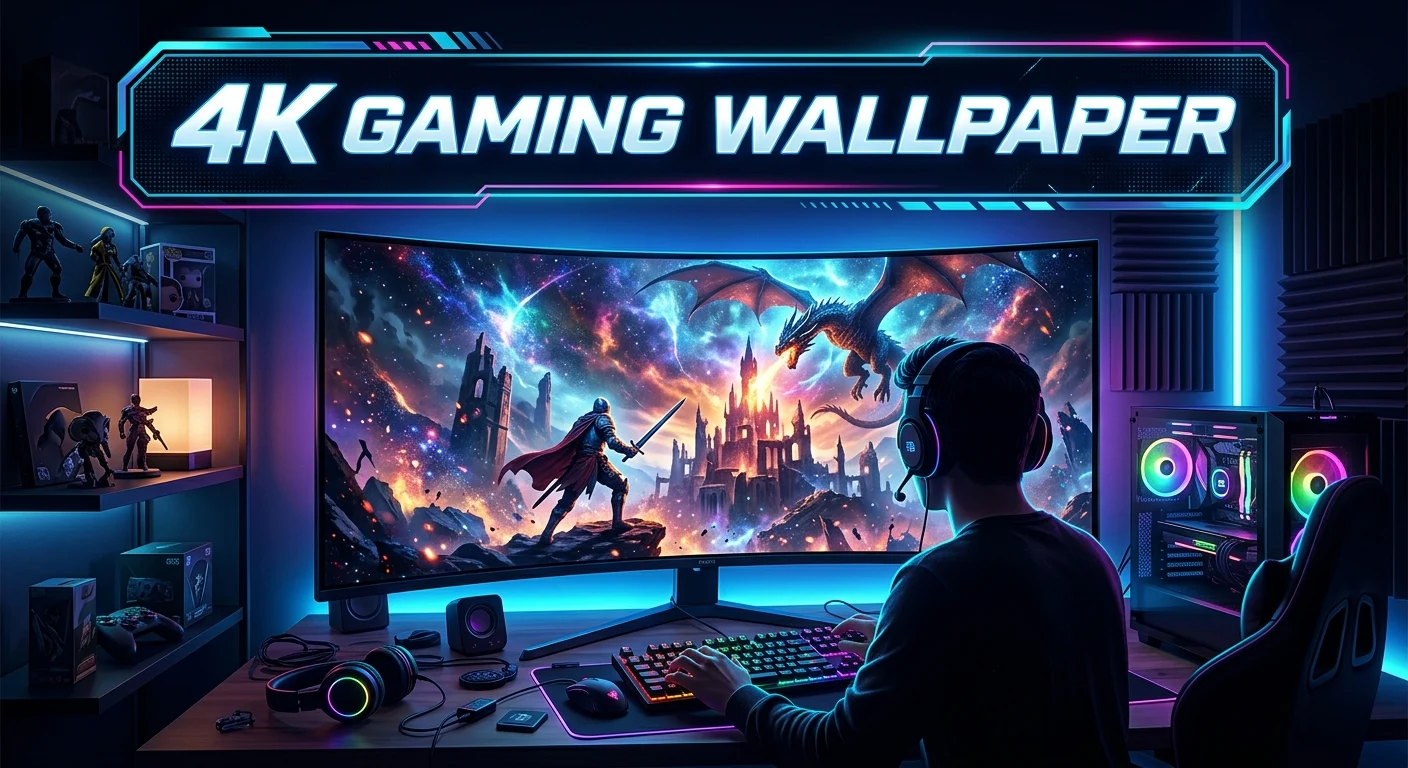
A 4k gaming wallpaper can give your desktop a sharp and bold look. It is a simple way to show your love for gaming while making your screen feel more personal. A 4K image has a resolution of 3840 × 2160 pixels. This gives you a lot of detail on a compatible display. You can choose a wallpaper based on a game, genre, color, character, or style. Dark wallpapers can work well for gaming setups with RGB lights.
Clean designs can make icons easier to see. Before you choose an image, check its size, quality, aspect ratio, and usage rights. This guide explains how to choose, use, and manage 4k gaming wallpaper while keeping your desktop sharp, clean, and easy to use.
What Is 4K Gaming Wallpaper?
A 4K gaming wallpaper is a high-resolution background image made for a computer or other compatible display.
The term 4K often refers to a resolution of 3840 × 2160 pixels for consumer displays.
That gives the image a large number of pixels. More pixels can show fine details with greater clarity when the image matches the display.
Gaming wallpapers can come in many styles.
You may find images inspired by:
- Racing games
- Action games
- RPGs
- Strategy games
- Fighting games
- Sci-fi games
- Fantasy games
- Esports
- Gaming PCs
- Controllers
- Game characters
- Abstract gaming designs
The right image depends on your taste.
A good wallpaper should also work well with your desktop icons. An image may look impressive but still make text hard to read.
That is why image composition matters as much as resolution.
Why Choose a 4K Gaming Wallpaper?
A high-resolution wallpaper can make a compatible display look clean and detailed.
Large images are especially useful on large monitors. They can also work well on 4K TVs used as gaming displays.
The extra detail can help prevent an image from looking soft when it fills the screen.
A good gaming wallpaper can also improve the feel of your setup.
Your desktop is part of your gaming space. A matching background can help create a clear theme.
For example, you could use a dark sci-fi image with a black desk and RGB lighting.
Another option is a bright racing image for a racing setup.
You can also use a simple logo or abstract design if you want fewer distractions.
4K Wallpaper Resolution Explained
Resolution is one of the first things to check.
A 4K desktop wallpaper commonly uses 3840 × 2160 pixels.
The first number represents width. The second represents height.
This creates a 16:9 aspect ratio.
That ratio is common for many monitors and TVs.
However, not every gaming display uses 16:9.
Some modern monitors have wider screens. Others use different shapes.
A 4K image can still be used on another display, but the system may crop or stretch it.
Stretching can make people, objects, and shapes look wrong.
Cropping removes parts of the image.
For the best result, choose an image that matches your screen’s aspect ratio.
Does 4K Wallpaper Look Better on a 4K Monitor?
Usually, a properly sized 4K image is a good match for a 4K display.
The image can use the display’s native resolution.
This can help preserve detail and reduce the need for scaling.
A lower-resolution image may look soft when enlarged.
A 4K image gives the display more source detail to work with.
The final look still depends on the monitor.
Panel quality, screen size, viewing distance, brightness, contrast, and color settings all affect how an image appears.
A good wallpaper cannot fix a poor display.
Still, using an image that matches your screen is a smart starting point.
4K Gaming Wallpaper for 1080p Screens
You can use a 4K wallpaper on a 1080p monitor.
The operating system can scale the image down.
This means the full 4K image does not appear at its original pixel size.
That is not usually a problem.
A high-resolution source can give you flexibility when cropping or resizing.
For example, you may want to move the image slightly so the main subject sits away from your desktop icons.
A large source image gives you more room to make that adjustment.
However, you do not need a 4K image simply because you use a 1080p monitor.
A properly sized 1080p wallpaper can also look sharp.
Choosing the Right Gaming Wallpaper Style
Style is a personal choice.
Your wallpaper should fit the mood of your gaming setup.
Dark Gaming Wallpapers
Dark designs are popular for gaming desktops.
They can work well with RGB lighting.
Black, gray, navy, and deep red tones can create a strong look.
Dark backgrounds can also make bright desktop icons stand out.
Avoid images that are so dark that important details disappear.
Sci-Fi Gaming Wallpapers
Sci-fi designs often use space scenes, futuristic cities, robots, machines, and glowing lights.
They can fit modern gaming PCs.
A clean sci-fi scene can also look good without being tied to one game.
Fantasy Gaming Wallpapers
Fantasy wallpapers may use castles, forests, warriors, magic, dragons, or other fictional themes.
These images can add a rich visual style.
Look for clear composition if you need desktop icons to remain easy to see.
Racing Gaming Wallpapers
Racing images can work well for driving setups.
They may show cars, tracks, roads, or motion effects.
A wallpaper with strong horizontal lines can look good on a widescreen monitor.
Minimal Gaming Wallpapers
Minimal designs use fewer objects.
They may include a logo, simple shapes, or one main subject.
This style is useful if you want a clean desktop.
Minimal wallpapers can also make icons easier to find.
How to Pick a Wallpaper That Fits Your Screen
Start by checking your monitor resolution.
You can usually find it in your operating system’s display settings.
Then check the aspect ratio.
For example, a 3840 × 2160 image has a 16:9 ratio.
If your display uses another ratio, search for a wallpaper that matches it.
Also consider screen orientation.
A vertical display needs a portrait image.
A standard gaming monitor usually uses a landscape image.
Matching these features reduces unwanted cropping.
Wallpaper Composition Matters
Resolution is not everything.
The way the image is arranged also affects usability.
Imagine a wallpaper with a character placed directly in the center.
Your desktop icons may cover the character.
That can make the image feel messy.
A better design may leave empty space on one side.
The empty area gives icons a clear place to sit.
When choosing a 4k gaming wallpaper, look for:
- Clear focal points
- Open areas for icons
- Balanced lighting
- Good contrast
- Sharp details
- Natural framing
- A suitable aspect ratio
A beautiful image can still be a poor desktop background if its main subject is hidden.
Gaming Wallpaper and Desktop Icons
Your wallpaper should support your desktop, not fight with it.
Icons need a clear background.
Busy images can make icon labels difficult to read.
Bright areas behind white text can also reduce contrast.
One easy solution is to choose an image with a darker or simpler area where your icons normally appear.
You can also reduce the number of desktop icons.
Another option is to keep shortcuts in folders.
This creates a cleaner desktop.
The goal is simple: enjoy the wallpaper without losing usability.
How to Set a 4K Gaming Wallpaper
Setting a wallpaper is usually easy.
On Windows, you can normally right-click an image and select the option to use it as the desktop background.
You can also change the background through Windows display or personalization settings.
After selecting the image, check how it is displayed.
Common background options include:
- Fill
- Fit
- Stretch
- Tile
- Center
- Span
The exact options can vary by operating system and version.
Fill may crop parts of an image.
Fit may show the complete image but leave empty space.
Stretch can change the shape of objects.
For most high-resolution wallpapers, choose the setting that preserves the image’s proportions.
How to Keep Wallpaper Sharp
A sharp image starts with a good source.
Avoid using a small image and enlarging it heavily.
Upscaling can make details look soft.
Whenever possible, use an image that meets or exceeds your display resolution.
The image format also matters.
JPEG can work well for photographic wallpapers.
PNG can be useful for images with sharp shapes, text, or transparency.
The best format depends on the image.
Compression can reduce file size, but heavy compression may create visible artifacts.
Always check the final image before setting it as your background.
JPEG vs PNG for Gaming Wallpaper
Both formats can work.
JPEG is often useful for photos and detailed scenes.
It can create smaller files than an uncompressed image.
PNG can preserve sharp edges and fine graphic details well.
It can also support transparency.
For a normal full-screen gaming wallpaper, either format may be suitable.
Do not choose a format based only on the file extension.
Look at the actual image quality.
A high-quality JPEG can look better than a poorly made PNG.
How Large Should a 4K Wallpaper File Be?
There is no single correct file size.
Image size depends on several factors.
These include:
- File format
- Image complexity
- Compression level
- Color information
- Metadata
- Encoding settings
Two images with the same 3840 × 2160 resolution can have very different file sizes.
A larger file is not automatically better.
Likewise, a small file is not always poor quality.
Focus on visible image quality.
Open the image at full size before using it.
Look for blur, compression blocks, strange edges, and other defects.
Where to Find 4K Gaming Wallpapers
You can find gaming wallpapers on many websites and platforms.
When searching, use specific terms.
For example:
- 4K gaming wallpaper
- 4K PC gaming background
- 3840 × 2160 gaming wallpaper
- 4K sci-fi gaming wallpaper
- 4K racing wallpaper
- 4K esports wallpaper
- 4K gaming setup wallpaper
- dark 4K gaming wallpaper
If you want an image from a specific game, include the game name in your search.
Always check the source.
Some images may be official artwork. Others may be fan-created.
The usage rights can differ.
Copyright and Wallpaper Usage
This is an important part of choosing a wallpaper.
Not every image found online is free to use.
A picture may belong to an artist, game studio, publisher, photographer, or another rights holder.
Using an image as a personal desktop background is different from publishing that image on a website.
Commercial use may have additional rules.
If you plan to use a wallpaper in a blog, video, advertisement, stream, or business project, check its license first.
Look for clear information about:
- Personal use
- Commercial use
- Attribution
- Modification
- Redistribution
Do not assume that an image is free just because it appears in a search result.
Official Game Artwork vs Fan Art
Both can look great.
Official artwork is created or approved by the rights holder.
Fan art is made by individual artists or communities.
Fan art may have its own usage rules.
If you want a wallpaper for your personal desktop, you can enjoy many types of artwork.
If you plan to publish the image, take more care.
Always check who created the work and what permission is provided.
How to Use Gaming Wallpaper With RGB Lighting
RGB lighting can change how your wallpaper looks.
A dark background may make RGB lights feel brighter.
You can also match the colors in your wallpaper with your keyboard, mouse, PC case, and room lighting.
For example, a blue-toned wallpaper can pair well with blue lighting.
A red-themed image can support a warm gaming setup.
You do not need to match every color.
Sometimes contrast looks better.
A mostly black wallpaper with bright RGB accents can create a clean look.
Best Colors for a Gaming Wallpaper
There is no single best color.
Your choice depends on your setup.
Dark colors are useful for a low-key style.
Blue can create a cool and modern look.
Red can feel bold and dramatic.
Purple can suit fantasy or sci-fi themes.
Green can work well with nature, cyber, or military styles.
White and gray can create a clean appearance.
Think about your desk, lighting, and icons.
A wallpaper should fit the complete setup.
Dual Monitor 4K Gaming Wallpaper
Two monitors create another challenge.
If both displays have the same resolution and aspect ratio, using separate wallpapers can be simple.
Different displays may need different images.
Some operating systems also support one background across multiple screens.
This can create a wide scene.
However, the screens may have a bezel between them.
Important parts of the image can become hidden by the bezels.
For a multi-monitor setup, place the main subject where it will remain visible.
You can also choose separate wallpapers that share the same color theme.
Ultrawide Gaming Wallpaper
Ultrawide monitors use wider aspect ratios.
A standard 16:9 4K image may not fill an ultrawide display correctly.
The system may crop the sides or leave empty space.
For the best result, use an image made for your monitor’s aspect ratio.
This is especially important if you want a panoramic gaming scene.
Check your monitor’s exact resolution before downloading an image.
Then search for wallpapers that match that size or ratio.
Animated vs Static Gaming Wallpapers
Static wallpapers are simple and use fewer system resources.
Animated wallpapers add motion.
They can show moving particles, lights, rain, or other effects.
These can look impressive.
However, animated backgrounds may use additional CPU or GPU resources.
The effect can vary based on the software and animation.
If gaming performance is your top priority, a static wallpaper is the simple choice.
If customization matters more, an animated background may be worth trying.
Always check how the software behaves while a game is running.
How Wallpaper Can Affect Gaming Performance
A normal static image usually has little impact on gaming performance.
Animated wallpaper software can be different.
It may continue running in the background.
Some applications can pause or reduce activity while a game is active.
This can help limit unnecessary resource use.
If you notice performance problems, close the wallpaper application and compare the results.
Your game settings, GPU, CPU, RAM, drivers, and other background programs have a much larger role in performance.
Still, keeping the desktop simple can be useful on a lower-end gaming PC.
How to Organize Your Gaming Wallpapers
A wallpaper collection can become difficult to manage.
Create folders based on theme.
For example:
- Racing
- Sci-fi
- Fantasy
- Esports
- Minimal
- Dark
- Game art
- Abstract
You can also create folders based on resolution.
Remove images that you no longer like.
Keep only high-quality versions.
This makes it easier to change your desktop later.
You can also use a small selection of favorite wallpapers instead of storing hundreds of files.
Common 4K Wallpaper Mistakes
Choosing the wrong image can reduce the quality of your desktop.
Here are some common mistakes.
Using a Low-Resolution Image
A small image may look blurry when enlarged.
Use a suitable source whenever possible.
Ignoring Aspect Ratio
A wrong aspect ratio can cause cropping or distortion.
Check your display before choosing the wallpaper.
Picking a Very Busy Image
Too much detail can make desktop icons hard to see.
Look for areas with less visual noise.
Ignoring Copyright
An online image is not automatically free to reuse.
Check the license before publishing or using it commercially.
Using Heavy Animated Effects
Animated backgrounds may use system resources.
Check their impact if gaming performance matters.
Choosing Style Over Usability
A wallpaper can look amazing but still make your desktop hard to use.
Keep readability in mind.
How to Make Your Own 4K Gaming Wallpaper
You can also create a custom background.
A basic design can include:
- A gaming logo
- Abstract shapes
- Your favorite colors
- A simple gaming setup
- A landscape
- A custom pattern
- Original artwork
Start with a canvas that matches your target display.
For a standard 4K 16:9 display, 3840 × 2160 pixels is a common target.
Keep important elements away from areas where desktop icons will appear.
Save a high-quality version.
Then test it on your actual screen.
A custom wallpaper can make your gaming setup feel more personal.
How to Choose a Wallpaper for Different Gaming Genres
Your favorite game genre can guide your style.
Racing: Choose cars, tracks, speed effects, or road scenes.
RPG: Fantasy landscapes, characters, and dramatic environments can work well.
FPS: Dark scenes, tactical designs, or clean game art may fit.
Strategy: Maps, armies, cities, or abstract designs can create a strong theme.
Sports: Team colors, stadiums, and action scenes can work well.
Simulation: Clean landscapes, vehicles, cities, or machines may be a better fit.
You do not need to follow these ideas strictly.
The best wallpaper is the one you enjoy seeing every day.
Final Tips for Choosing 4K Gaming Wallpaper
Before setting a new wallpaper, check these points:
- Match the image to your screen resolution.
- Check the aspect ratio.
- Use a sharp source image.
- Avoid unwanted stretching.
- Keep icons easy to read.
- Choose a style that fits your setup.
- Check image licensing.
- Use static images if you want a simple desktop.
- Test animated wallpapers for resource use.
- Keep your wallpaper collection organized.
These small steps can make a big difference.
Conclusion
A 4k gaming wallpaper is an easy way to improve the look of a gaming desktop. The best choice is not only about resolution. Screen size, aspect ratio, image quality, composition, colors, and desktop usability all matter. A 3840 × 2160 image can be a strong match for a standard 4K 16:9 display, while other screens may need a different size or ratio.
Think about your full setup before choosing an image. Dark designs can work well with RGB lighting. Minimal backgrounds can make icons easier to read. Game artwork can show your favorite style. Custom designs can make your desktop feel unique.
Most of all, choose a wallpaper that looks good to you and works well on your screen. A sharp, well-framed image can turn a plain desktop into a gaming space that feels more personal.
FAQs
1. What resolution is a 4K gaming wallpaper?
A common 4K resolution for gaming displays is 3840 × 2160 pixels. It uses a 16:9 aspect ratio and can match many 4K monitors and TVs.
2. Can I use a 4K gaming wallpaper on a 1080p monitor?
Yes. A 4K image can be scaled down for a 1080p display. A high-resolution source can also give you more room for cropping and positioning.
3. Why does my 4K gaming wallpaper look blurry?
The image may be lower quality than its stated resolution, heavily compressed, stretched, or scaled in an unsuitable way. Check the original resolution and your desktop background settings.
4. Does a 4K wallpaper slow down a gaming PC?
A normal static wallpaper usually has little effect on gaming performance. Animated wallpaper software can use additional system resources, so its impact depends on the software and system.
5. Can I use any 4K gaming wallpaper I find online?
Not always. Images can have copyright and licensing restrictions. Check the creator’s or rights holder’s usage terms before using an image for commercial or public projects.