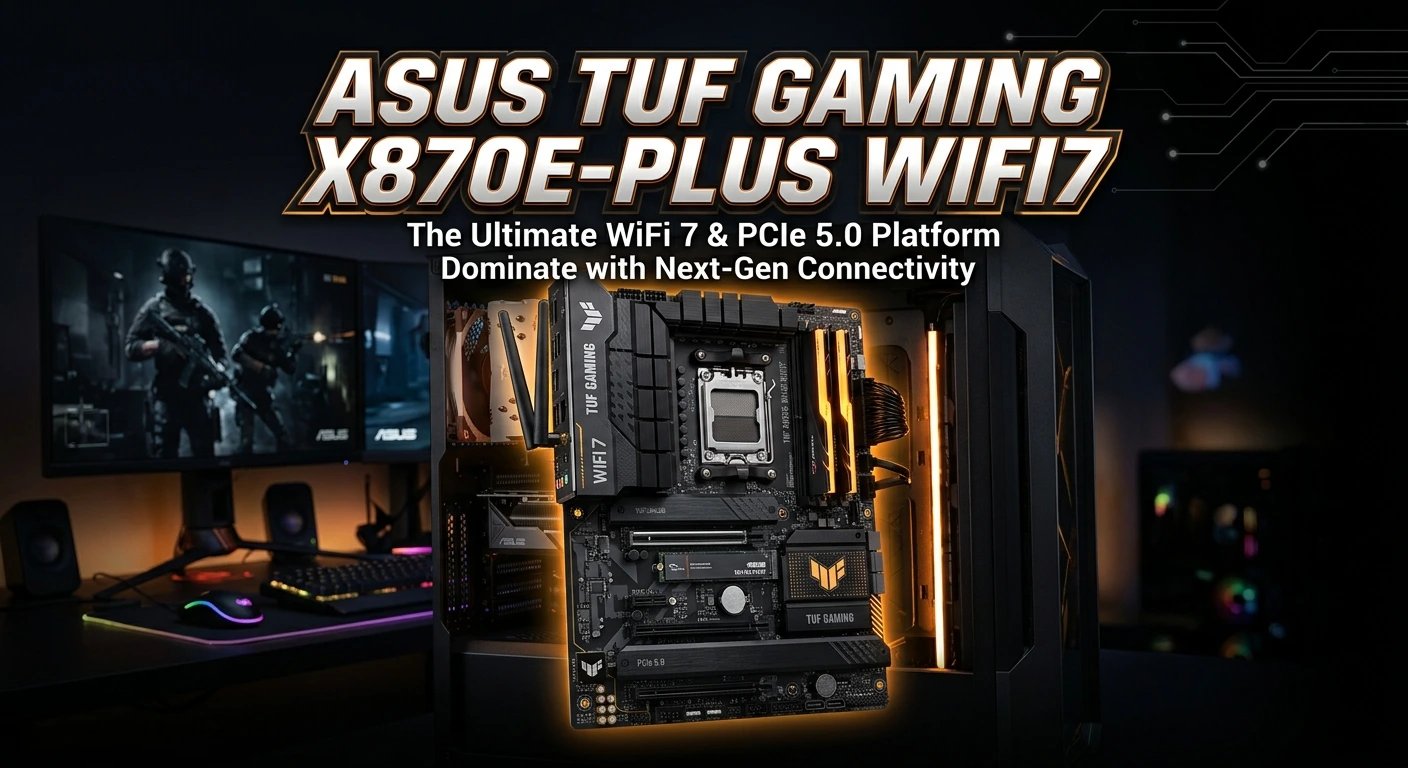
The ASUS TUF GAMING X870E-PLUS WIFI7 is an ATX motherboard built for modern AMD Ryzen desktop PCs. It uses the AMD X870E chipset and an AM5 socket. That makes it a strong fit for a new gaming PC, work PC, or high-end mixed-use system. The board supports Ryzen 9000, 8000, and 7000 Series desktop processors, with some features changing by CPU model. It also supports DDR5 memory, PCIe 5.0, several M.2 SSDs, USB4, 2.5Gb Ethernet, and Wi-Fi 7.
Its goal is simple. Give builders a modern platform with fast storage, strong connectivity, useful cooling features, and easy setup tools. The board also includes ASUS TUF features such as Q-LED, BIOS FlashBack, Q-Latch, Q-Release Slim, and a pre-mounted I/O shield. These features can make a new PC build easier to manage.
What Is the ASUS TUF GAMING X870E-PLUS WIFI7?
The ASUS TUF GAMING X870E-PLUS WIFI7 is a full-size ATX motherboard for AMD AM5 processors. Its AMD X870E chipset places it in the higher-end part of AMD’s 800-series motherboard platform. The board is designed for users who want current features without moving to an extreme enthusiast board.
It supports AMD Ryzen 9000, Ryzen 8000, and Ryzen 7000 Series desktop processors. CPU support can depend on the exact processor and BIOS version, so builders should check ASUS’s CPU support list before buying or installing a processor.
The board has four DDR5 memory slots. ASUS lists support for up to 256GB of DDR5 memory. Supported memory speed can reach 8000+ MT/s through overclocking, but the actual result depends on the CPU, memory kit, and system setup.
That gives the board a wide range of uses. A gamer can build a fast gaming PC. A creator can add more memory for demanding apps. A general user can start with a smaller memory kit and upgrade later.
AMD AM5 Platform Support
The AM5 socket is one of the key reasons to consider this motherboard.
AM5 supports several generations of AMD Ryzen desktop processors. The ASUS specification page lists Ryzen 9000, 8000, and 7000 Series support.
This gives builders a clear path when choosing a CPU. You can select a processor based on your budget and workload instead of being limited to one CPU generation.
The exact CPU choice still matters. Different Ryzen processors can change PCIe behavior, integrated graphics features, memory support, and other platform details.
Before building, check these points:
- Confirm the CPU is on the ASUS support list.
- Check the required BIOS version.
- Match the CPU with a suitable cooler.
- Choose DDR5 memory that fits your planned setup.
- Check storage and PCIe lane sharing before installing several devices.
A good motherboard cannot replace a balanced system. The CPU, GPU, memory, storage, power supply, and cooling should all match the type of work you plan to do.
DDR5 Memory Support
The ASUS TUF GAMING X870E-PLUS WIFI7 uses four DDR5 DIMM slots. ASUS lists support for up to 256GB of memory. It also supports AMD EXPO and ASUS AEMP features for memory tuning.
DDR5 can provide a strong foundation for a modern AMD system. It is also the standard memory type used by this AM5 platform.
For a gaming PC, the best memory kit depends on the CPU and the games you play. You do not always need the highest rated memory speed. A stable and compatible kit can be a better choice than chasing a very high number.
ASUS also includes DIMM Fit and other memory-related features. These tools are designed to help with memory setup and compatibility.
When selecting RAM, look at:
- Total capacity
- Number of modules
- Rated speed
- Timings
- EXPO support
- CPU compatibility
- Motherboard memory support
Do not assume that every DDR5 kit will run at its advertised speed in every system. Memory speed can depend on the processor and the number of modules installed.
PCIe 5.0 for Modern Graphics Cards
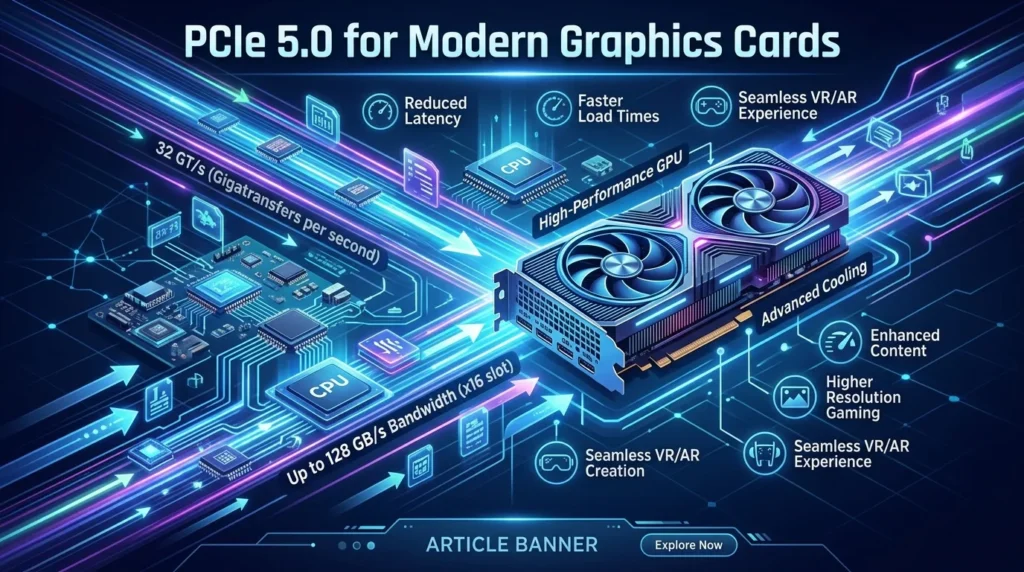
The board includes a PCIe 5.0 x16 slot for supported Ryzen 9000 and Ryzen 7000 processors. ASUS notes that Ryzen 8000 processors use PCIe 4.0 x16 behavior for the main graphics slot.
PCIe 5.0 gives the platform room for newer hardware. It can also help keep the motherboard useful as faster expansion devices become more common.
For a gaming PC, the graphics card will normally use the main x16 slot. The actual graphics performance still depends mainly on the GPU and CPU. A motherboard with PCIe 5.0 does not automatically make every graphics card faster.
The board also has another PCIe 4.0 x16 slot that operates in x4 mode and a PCIe 3.0 x1 slot.
This makes the board flexible for extra expansion cards, network hardware, capture cards, and other compatible devices.
Four M.2 Slots for Fast Storage
Storage is another major strength of the ASUS TUF GAMING X870E-PLUS WIFI7.
The motherboard provides four M.2 slots and four SATA 6Gb/s ports. With supported Ryzen 9000 and Ryzen 7000 processors, two M.2 slots can use PCIe 5.0 x4. Two more M.2 slots use PCIe 4.0 x4 through the chipset.
That gives builders many storage options.
A fast PCIe 5.0 NVMe SSD can be used for demanding workloads. A PCIe 4.0 SSD can provide a strong balance of speed and cost. SATA drives can still be useful for large storage needs.
One important detail is lane sharing. ASUS states that the second CPU-connected M.2 slot shares bandwidth with the main PCIe 5.0 graphics slot. When that M.2 slot runs at PCIe x4, the main PCIe slot can operate at x8.
This does not mean you should avoid the second M.2 slot. It means you should understand the layout before building a system with multiple high-speed devices.
Wi-Fi 7 Connectivity
Wi-Fi 7 is one of the main features in the product name.
The board includes 2×2 Wi-Fi 7 support and covers the 2.4GHz, 5GHz, and 6GHz bands. ASUS lists support for 160MHz bandwidth and a transfer rate of up to 2.9Gbps under its stated conditions. It also includes Bluetooth 5.4.
Wi-Fi 7 can be useful for users who want fast wireless networking without adding a separate Wi-Fi card.
The actual wireless result depends on more than the motherboard. Your router or access point must also support the needed Wi-Fi features. Signal strength, distance, interference, local regulations, and network hardware can affect performance.
ASUS also notes that some Wi-Fi 7 features require a supported operating system and compatible Wi-Fi equipment. On Windows 11, full Wi-Fi 7 functionality requires version 24H2 or later according to ASUS’s specification page.
The 6GHz band can also be affected by regional rules. That is important because wireless features can differ by country.
2.5Gb Ethernet for Wired Networking
Wireless networking is not the only fast network option.
The motherboard includes a Realtek 2.5Gb Ethernet controller and TUF LANGuard.
A wired connection can be useful for gaming, large file transfers, streaming, and other network tasks. It can also provide a more stable connection than Wi-Fi in some home setups.
The 2.5Gb Ethernet port is especially useful when your network equipment supports speeds above standard Gigabit Ethernet.
Still, the motherboard cannot increase your internet plan by itself. The real connection speed depends on your internet service, router, switch, cables, and network conditions.
For online gaming, stable latency often matters more than having a very high download speed. A wired connection can help create a more consistent network setup.
USB4 and High-Speed USB
The rear I/O provides two USB4 Type-C ports with speeds up to 40Gbps. The board also includes USB 10Gbps and USB 5Gbps ports, along with USB 2.0 ports.
This is useful for users with many modern peripherals.
You can connect fast external storage, displays, docks, and other compatible devices. The exact speed depends on the connected device and cable.
The front panel also has a USB 20Gbps connector. ASUS states that it can support USB Type-C with up to 30W power delivery under its specified conditions.
That can be helpful for newer PC cases with a front USB-C port.
Before building, check your case’s front-panel connectors. Matching the case with the motherboard helps you use the available ports without needing extra adapters.
Audio Features
The ASUS TUF GAMING X870E-PLUS WIFI7 uses the Realtek ALC1220P audio codec. ASUS lists 7.1-channel high-definition audio support, headphone impedance sensing, and an internal audio amplifier.
The board also uses dedicated audio design features. ASUS lists audio shielding, dedicated PCB layers, premium audio capacitors, and DTS audio processing.
For gaming, good onboard audio can be useful when you use headphones or speakers directly from the motherboard.
The quality you hear will still depend on your headphones, speakers, software settings, and audio source. A motherboard audio solution is not the same as a dedicated external audio interface.
For most gaming and daily PC use, the built-in audio features should provide a practical setup without requiring another expansion card.
Power Design and VRM Cooling
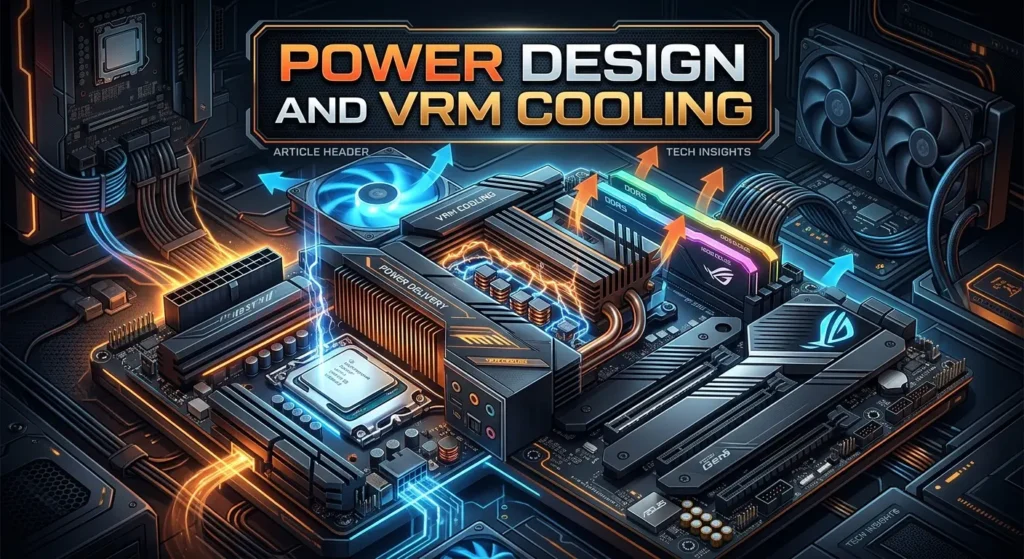
Power delivery matters when building a modern high-performance PC.
ASUS lists a power design with 16(80A) + 2(80A) + 1(80A) + 1(80A) power stages on the product page.
The board also uses VRM heatsinks to help manage heat around the CPU power section.
Good VRM cooling can help maintain stable operation during long workloads. It is especially relevant when using a powerful Ryzen processor.
However, motherboard power stages are only one part of the system. CPU cooling, case airflow, power supply quality, BIOS settings, and ambient temperature also matter.
A strong cooling plan should include:
- A suitable CPU cooler
- Good case airflow
- Enough chassis fans
- Proper thermal paste application
- Clean cable routing
- Correct fan control settings
ASUS provides four chassis fan headers along with CPU, CPU OPT, and AIO pump headers.
M.2 Heatsinks and Thermal Design
Fast NVMe SSDs can produce heat during long transfers. The motherboard includes M.2 heatsinks as part of its thermal design. ASUS states that two M.2 heatsinks cover three of the M.2 slots.
This can help keep supported SSDs within a better operating range during heavy use.
Thermal performance still depends on the SSD, workload, case airflow, and room temperature. A heatsink is not a guarantee that an SSD will never throttle.
If you plan to install several fast NVMe drives, pay attention to their location. Make sure the heatsinks are installed correctly and that the drives have proper contact with the thermal pads.
ASUS TUF Protection Features
The TUF series focuses on durability and practical PC building features.
The ASUS TUF GAMING X870E-PLUS WIFI7 includes TUF protection features such as DIGI+ VRM, ESD Guards, TUF LANGuard, SafeSlot, and a stainless-steel back I/O area.
These features are designed to protect different parts of the board and make the platform more robust.
The SafeSlot design also helps reinforce the main PCIe slot. This is useful because modern graphics cards can be large and heavy.
Protection features should not be treated as a reason to ignore proper PC building. Use a quality power supply, install components carefully, and make sure the system has good airflow.
Easy PC Building Features
A motherboard can have excellent specifications and still be frustrating to build with. ASUS addresses this with several Q-Design features.
The board includes:
- M.2 Q-Latch
- Q-Release Slim
- Q-Antenna
- Q-Dashboard
- Q-DIMM
- Q-LED
- Q-Slot
- BIOS FlashBack
These features target common building tasks.
M.2 Q-Latch can make SSD installation easier. Q-LED can help identify basic boot problems. BIOS FlashBack can help update the BIOS without following the same process as a normal BIOS update.
The pre-mounted I/O shield is another small feature that can save time during assembly.
For first-time builders, these details can make a real difference.
BIOS FlashBack and Troubleshooting
BIOS support is important with a modern AM5 motherboard.
The ASUS TUF GAMING X870E-PLUS WIFI7 includes a BIOS FlashBack button. ASUS also lists CrashFree BIOS 3 and EZ Flash 3 among its BIOS features.
BIOS FlashBack can be useful when a BIOS update is needed before normal CPU-based startup or when troubleshooting a system.
The exact update process should follow ASUS’s current instructions. BIOS files and procedures can change, so it is better to use the official support page instead of relying on an old guide.
Q-LED also helps with basic troubleshooting. The board provides indicators for CPU, DRAM, VGA, and boot-device issues.
That can make it easier to find the first component to check when a new build does not start correctly.
ASUS Software Support
The motherboard supports several ASUS software tools.
The listed software includes Armoury Crate, Aura Creator, Aura Sync, Fan Xpert 4, ASUS AI Advisor, DriverHub, GlideX, TurboV Core, and TUF GAMING CPU-Z.
These tools cover different tasks.
Armoury Crate can help manage supported ASUS hardware. Aura Sync handles compatible RGB lighting. Fan Xpert 4 provides fan control options. DriverHub can help with driver management.
You do not need to install every available utility. A clean PC setup can be better if you only install the tools you actually need.
For BIOS settings and important hardware options, the UEFI BIOS remains central to system configuration.
Is It Good for Gaming?
The ASUS TUF GAMING X870E-PLUS WIFI7 can be a strong base for a modern gaming PC.
Its gaming value comes from the whole platform rather than one single feature. You get support for modern AMD Ryzen processors, DDR5 memory, PCIe 5.0, fast NVMe storage, Wi-Fi 7, 2.5Gb Ethernet, and USB4.
A gaming system built on this board can use a modern graphics card and a fast NVMe SSD.
The motherboard itself does not decide your game FPS. The CPU and GPU have a much bigger role in game performance. RAM configuration and storage can also affect the overall experience.
The board is best viewed as the platform that connects these parts.
For a high-end gaming build, it also provides room for additional storage and modern networking. That can make it more useful over time.
Is It Good for Work and Content Creation?
Gaming is not the only reason to choose this motherboard.
The large memory capacity, multiple M.2 slots, USB4 ports, fast networking, and modern CPU support can also suit productivity systems.
A creator may benefit from several storage drives. A video editor may want fast NVMe storage for project files. A developer may want more memory and fast local storage.
The exact benefit depends on the software.
If your workload uses large files, fast storage and networking can matter more than gaming-focused features. If your work uses many applications at once, memory capacity and CPU choice become more important.
The motherboard gives you room to build around those needs.
Things to Check Before Buying
The ASUS TUF GAMING X870E-PLUS WIFI7 has many strong features, but you should still check compatibility before buying.
Start with the CPU. Confirm that your chosen Ryzen processor is supported.
Next, check the memory kit. High DDR5 speeds can depend on the CPU and memory configuration.
Storage also needs attention. If you plan to use two high-speed PCIe 5.0 devices, understand the lane-sharing behavior between the second M.2 slot and the main PCIe slot.
Your case must also support an ATX motherboard. ASUS lists the board at 30.5 cm by 24.4 cm.
Finally, check your network equipment if Wi-Fi 7 is a major reason for your purchase. A Wi-Fi 7 motherboard will not turn an older router into a Wi-Fi 7 access point.
Pros and Limitations
Main strengths
- AMD AM5 platform
- AMD X870E chipset
- Support for Ryzen 9000, 8000, and 7000 Series desktop processors
- Four DDR5 DIMM slots
- Up to 256GB listed memory capacity
- PCIe 5.0 support
- Four M.2 slots
- Two PCIe 5.0 M.2 slots with supported Ryzen 9000 and 7000 CPUs
- Wi-Fi 7
- 2.5Gb Ethernet
- Two USB4 40Gbps Type-C ports
- Front USB 20Gbps Type-C support
- BIOS FlashBack
- Q-LED troubleshooting
- Multiple fan headers
- TUF protection features
These specifications come from ASUS’s current product and technical specification pages.
Points to consider
The board is not designed around older DDR4 memory. It requires DDR5.
Some storage and PCIe features depend on the processor. Ryzen 8000 support also changes the behavior of some expansion and M.2 connections.
Wi-Fi 7 benefits also depend on your router, operating system, region, and network conditions.
The ATX size may also be too large for compact cases.
These are not faults by themselves. They are simply things to check before building.
Who Should Choose the ASUS TUF GAMING X870E-PLUS WIFI7?
This motherboard makes the most sense for users building a new AMD desktop around modern connectivity.
It can suit you if you want:
- A Ryzen AM5 gaming system
- PCIe 5.0 support
- Multiple NVMe drives
- Wi-Fi 7
- 2.5Gb wired networking
- USB4 connectivity
- DDR5 memory
- Strong DIY features
- Plenty of expansion options
- A full-size ATX platform
It may be less suitable if you already have a DDR4 system and want to reuse most of your existing platform parts.
The same applies if your case does not support ATX boards or if you do not need the extra connectivity offered by an X870E motherboard.
How to Build Around It
A balanced build is more important than choosing the motherboard alone.
Start with a compatible AMD Ryzen processor. Then select a CPU cooler that matches the processor’s needs.
Add a suitable DDR5 kit. If you want to use AMD EXPO, choose a memory kit with compatible EXPO support.
For storage, a PCIe 4.0 NVMe SSD can be a practical choice. A PCIe 5.0 SSD can make sense when your workload can use its extra bandwidth.
Choose a graphics card based on your games and display resolution. The motherboard provides the platform, but the GPU will have a major effect on gaming performance.
A quality power supply is also important. Its capacity should match the CPU, graphics card, and other system parts.
Finally, choose a case with enough room for an ATX board, your GPU, your cooler, and your storage devices.
Conclusion
The ASUS TUF GAMING X870E-PLUS WIFI7 is a feature-rich AM5 motherboard for users who want a modern AMD PC platform. It combines the X870E chipset with DDR5 memory, PCIe 5.0, multiple M.2 slots, USB4, 2.5Gb Ethernet, and Wi-Fi 7.
Its strongest point is flexibility. You can build a gaming PC with fast storage and a powerful graphics card. You can also create a productivity system with more memory, several NVMe drives, and fast networking.
The board also adds useful building tools. Q-LED, BIOS FlashBack, Q-Latch, Q-Release Slim, and the pre-mounted I/O shield can make setup easier.
Still, check the CPU, RAM, storage lanes, case size, router, and operating system before buying. Some features depend on the processor or other hardware.
For a new AMD build that needs modern connectivity and room for future upgrades, this motherboard offers a strong and flexible foundation.
FAQs
1. What CPUs does the ASUS TUF GAMING X870E-PLUS WIFI7 support?
The motherboard uses the AMD AM5 socket and supports AMD Ryzen 9000, Ryzen 8000, and Ryzen 7000 Series desktop processors. CPU support can vary by model, so check ASUS’s current CPU support list before installation.
2. Does the ASUS TUF GAMING X870E-PLUS WIFI7 support Wi-Fi 7?
Yes. It includes 2×2 Wi-Fi 7 with support for the 2.4GHz, 5GHz, and 6GHz bands. ASUS also lists 160MHz bandwidth support and Bluetooth 5.4. Wi-Fi 7 features depend on compatible network equipment, software, and regional regulations.
3. How many M.2 SSDs can the ASUS TUF GAMING X870E-PLUS WIFI7 support?
The motherboard has four M.2 slots. With supported Ryzen 9000 and Ryzen 7000 processors, two can use PCIe 5.0 x4, while two use PCIe 4.0 x4 through the chipset. One CPU-connected M.2 slot shares bandwidth with the main PCIe 5.0 slot.
4. Does the ASUS TUF GAMING X870E-PLUS WIFI7 support DDR5 RAM?
Yes. It has four DDR5 DIMM slots and supports up to 256GB according to ASUS. It also supports AMD EXPO and ASUS AEMP memory features. Actual memory speed depends on the CPU and memory configuration.
5. Is the ASUS TUF GAMING X870E-PLUS WIFI7 good for a gaming PC?
Yes. It provides a modern AM5 platform, PCIe 5.0 graphics support with compatible CPUs, fast NVMe storage options, Wi-Fi 7, 2.5Gb Ethernet, USB4, and DDR5 support. Final gaming performance will depend mainly on the CPU, graphics card, memory setup, and game settings.