A background gaming video can make a stream, video, or social post feel more active and fun. It can show gameplay while the main content stays in focus. Many creators use this style for commentary, tutorials, podcasts, study videos, and short-form content. The right background should support your message without making it hard to watch. A good clip also needs clear visuals, smooth motion, and a style that fits the topic.
You can use game footage, menu screens, racing scenes, open-world travel, or calm gameplay. The best choice depends on the mood you want to create. This guide explains how background gaming videos work, where to use them, how to choose good footage, and how to edit them for a clean and useful result.
What Is a Background Gaming Video?
A background gaming video is gameplay footage used behind another piece of content.
The gameplay is not always the main subject. Instead, it adds motion and visual interest while the viewer focuses on text, speech, music, or another layer.
For example, a creator may record a game and place the footage behind a voice-over. The creator can then talk about gaming news, tips, stories, or another topic.
The gameplay may also fill the screen while captions appear over it.
This format is common in video editing because moving images can make simple content feel more dynamic. A still image can work well too, but video gives the screen more life.
A useful background clip should not fight for attention. It should support the main content.
That balance matters.
If the gameplay is too bright, fast, or busy, viewers may focus on it instead of the message. A calmer clip may work better when the video depends on spoken information.
Why Do Creators Use Gaming Background Videos?
Gaming footage gives creators a simple way to add movement to a video.
It can also help build a clear visual theme.
A gaming background may work well for:
- Gaming commentary
- YouTube videos
- Twitch content
- TikTok videos
- Instagram Reels
- Shorts
- Gaming podcasts
- Tutorials
- Gaming news
- Storytelling videos
- Reaction content
- Live streams
- Stream overlays
- Intro and outro scenes
Gameplay can also help set the mood.
A racing game may create a fast and exciting feel. A calm open-world scene can create a slower mood. A strategy game may fit content about planning or decision-making.
The key is to match the footage with the purpose of the video.
You do not need complex gameplay for every project. Simple movement can be enough.
Types of Background Gaming Videos
There is no single type of gaming background.
Different clips can create very different results. Your choice should depend on the content and the viewer.
Fast Gameplay
Fast gameplay has quick movement and frequent action.
Examples include racing, fighting, shooting, and competitive games.
This type can work well for short videos. It can add energy and keep the screen active.
The risk is distraction.
Fast scenes may be a poor choice when the viewer needs to read a lot of text. They can also make voice-over content harder to follow.
Calm Gameplay
Calm gameplay uses slower movement.
An open-world walk, exploration scene, building session, or peaceful game area can work well.
This style is useful for:
- Story videos
- Long voice-overs
- Podcasts
- Tutorials
- Relaxing content
- Informational videos
There is less visual noise. That makes it easier to keep attention on the main message.
Racing Gameplay
Racing footage is another popular option.
The constant movement of a car can create strong visual flow. It can fit energetic content and short videos.
A clean racing clip can also leave space for text.
Try to avoid footage where important visual action is covered by large text or captions.
Building Gameplay
Building games can provide a steady background.
The viewer can watch structures appear while listening to the main content.
This type of footage may suit educational videos, stories, and longer commentary.
The steady pace can be easier to watch than very fast action.
Open-World Gameplay
Open-world games offer many background options.
You can show walking, driving, flying, exploring, or moving through a game world.
These scenes often provide a sense of space.
They can work well when the main content needs a relaxed visual layer.
How to Choose the Right Gaming Background
The best background is not always the most exciting clip.
Start with the purpose of your video.
Ask what the viewer should focus on. If the answer is your voice, captions, or another visual, the gameplay should stay in the background.
Think about these factors:
Match the Mood
Your clip should match the tone of the content.
A serious topic may need calm footage. A funny video may support brighter and faster gameplay.
The wrong mood can make a video feel confusing.
Check the Visual Detail
Look at the amount of detail on the screen.
A crowded scene can make text hard to read. Simple scenes often give you more room for captions.
Background footage should create interest without becoming the main attraction.
Consider Movement
Movement affects how easy the video is to watch.
Slow movement works well for longer explanations. Fast movement can work for short clips with less text.
You should also consider camera motion.
Heavy shaking can become tiring over time.
Leave Space for Text
Text needs a clear area.
If your video includes captions, place them over a part of the gameplay that is easy to see.
A busy background can reduce readability.
You can also darken, blur, or soften the background during editing.
Background Gaming Video for YouTube
YouTube gives creators many ways to use gaming footage.
A background gaming video can sit behind narration, commentary, or a story.
For example, a creator could record gameplay and add a voice-over later. The voice becomes the main content while the gameplay keeps the screen moving.
This method can work for long videos and short videos.
The video should still have a clear purpose.
Do not add gameplay just to fill empty space. Choose footage that supports the viewing experience.
A simple editing layout may include:
- Gameplay in the background.
- Voice-over as the main audio.
- Captions when needed.
- A small logo or channel name.
- Music at a low level when suitable.
Keep the layout clean.
Too many elements can make the video harder to follow.
Background Gaming Video for TikTok and Shorts
Short-form content needs quick visual impact.
A background gaming video can help make a short clip feel active from the first second.
Vertical video is often used for short-form platforms. Your gameplay should fit the vertical frame.
A wide gaming recording may need to be cropped.
Make sure the important action remains visible after cropping.
Captions also matter.
Many viewers watch short videos with sound turned down or off. Clear text can help carry the message.
Keep captions short. Use enough space around the words so they remain easy to read.
Fast gameplay can work well in short videos, but avoid constant visual chaos.
The goal is not to show as much action as possible.
The goal is to keep the viewer focused on the content.
How to Record Your Own Gaming Background
Recording your own gameplay gives you more control.
You can choose the game, location, camera movement, and length of the clip.
A basic process looks like this:
Choose a Game
Pick a game that fits your content.
You do not need a specific genre. Racing, sports, adventure, simulation, strategy, and open-world games can all provide useful footage.
Plan the Scene
Think about what you need before recording.
Decide whether you want action, exploration, driving, walking, or another type of movement.
Planning can save editing time later.
Record Clean Footage
Use a stable recording setup.
Avoid unnecessary menus, notifications, loading screens, or sudden interruptions.
A clean clip is easier to edit.
Record Extra Footage
It helps to record more footage than you need.
You can then select the strongest parts during editing.
Longer recordings also give you more options when creating several videos.
How to Edit a Background Gaming Video
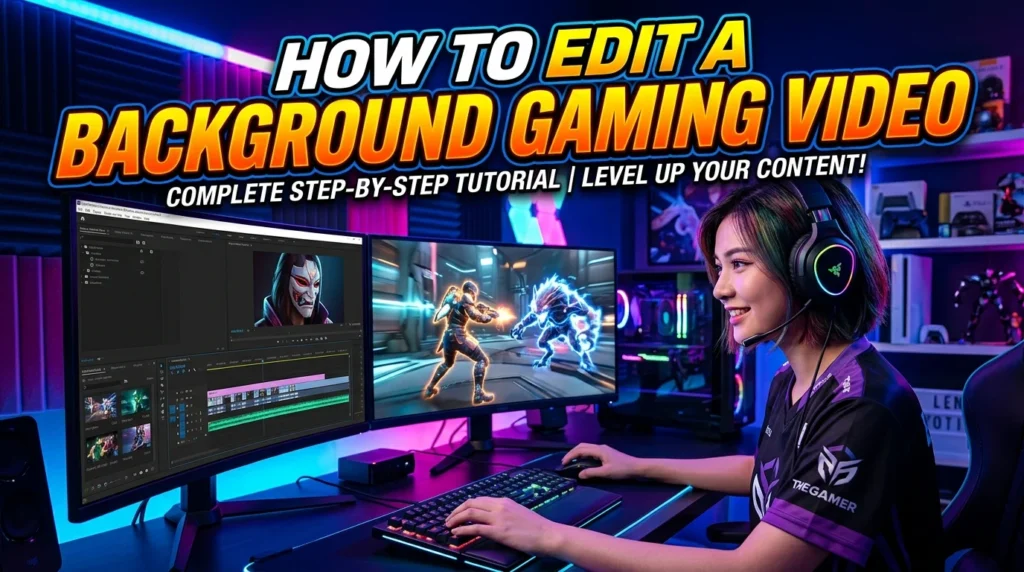
Editing does not have to be complex.
You can use common video editing software to combine gameplay with your main content.
Start by placing the gameplay on the timeline.
Add your voice-over, talking-head video, music, or other main element above it.
Next, adjust the background.
You may reduce its brightness or lower its visual intensity.
A slight blur can also help separate the background from text.
The exact controls depend on the editing software you use.
Keep the Background Secondary
The background should not overpower the main content.
If the gameplay becomes the first thing you notice, reduce its visual strength.
You can try:
- Lowering brightness
- Adding a soft blur
- Reducing saturation
- Using a darker overlay
- Cropping the footage
- Choosing calmer gameplay
- Lowering background audio
Small changes can make a big difference.
How to Make Text Easy to Read
Text is one of the biggest challenges when using gameplay as a background.
Bright scenes can make white text hard to see. Dark scenes can make dark text disappear.
Use strong contrast.
You can also add a shadow, outline, or simple text box.
Keep the font large enough for the target screen.
Short lines are easier to read than large blocks of text.
Do not cover the most important part of the gameplay unless there is a good reason.
A simple layout often works best.
Should You Use Game Audio?
Game audio can add realism.
It can also cause problems.
If the video has voice-over, loud game sounds may cover the speaker.
Music from the game can create another issue if you plan to publish the video.
For this reason, many creators lower or remove game audio.
You can then add your own music or sound effects when needed.
Always consider the rights connected to the audio and other content you publish.
Copyright and Game Footage
Copyright is an important part of using gaming footage.
A game, its music, characters, artwork, and other elements may be protected by intellectual property rights.
The rules can vary by game and publisher.
Some publishers provide policies for creators. Others may place limits on how their content can be used.
You should check the official rules for the game or publisher before using footage for commercial work.
Do not assume that all game footage is free to use.
The same applies to music.
Using a song in a game does not automatically mean you have permission to reuse that song in your own video.
When possible, use footage and audio that you have permission to use.
Can You Use Background Gaming Videos Without Commentary?
Yes.
A gaming background does not always need spoken commentary.
You can use gameplay behind:
- Music
- Quotes
- Captions
- Visual stories
- Tutorials
- Announcements
- Motivational content
- Simple explanations
The video still needs a clear purpose.
If there is no voice, visual design becomes even more important.
Use readable text and suitable pacing.
The viewer should understand why the footage is there.
Best Background Styles for Different Content
Different content types benefit from different gameplay styles.
| Content type | Suitable background style |
| Gaming tips | Related gameplay |
| Storytelling | Calm exploration |
| Fast commentary | Racing or action |
| Tutorials | Simple gameplay |
| Gaming news | Related game footage |
| Relaxing content | Slow exploration |
| Short videos | Active gameplay |
| Podcasts | Calm and repeated movement |
| Motivational videos | Smooth gameplay |
| Funny content | Light and active gameplay |
This table is only a starting point.
Your audience and message should guide the final choice.
Common Mistakes to Avoid
A background gaming video can look good, but poor choices can reduce its quality.
One common mistake is using footage that is too busy.
Viewers may spend more time watching the gameplay than listening to the message.
Another problem is poor text contrast.
Small captions over detailed gameplay can be hard to read.
Loud game audio is another issue. It can compete with speech.
Repeated footage can also become boring when the same scene stays on screen for too long.
Avoid unnecessary effects as well.
Too many transitions, zooms, flashes, and filters can make a simple video feel messy.
Keep the editing focused.
How Long Should a Background Gaming Video Be?
There is no single correct length.
The clip should match the length and structure of your content.
A short video may need only a short gameplay segment.
A long voice-over may need much more footage.
You can also loop footage when suitable.
However, the loop should not be obvious.
A sudden repeat can break the viewing experience.
Using several clips can help.
Change scenes when the topic or pace changes.
This keeps the background fresh without making it distracting.
How to Make Background Gameplay Feel Smooth
Smooth footage creates a better viewing experience.
Start with stable gameplay.
Avoid sudden camera movements when possible.
Use clean cuts between clips.
Transitions are not always needed.
A simple cut can look more professional than an effect-heavy transition.
You can also match scene changes with changes in the voice-over.
For example, a new point in the narration can start with a new gameplay scene.
This creates a natural rhythm.
Using Background Gaming Videos in Streams
Streamers can also use gaming footage as a background element.
It may appear on a starting screen, break screen, or waiting scene.
A looped gaming clip can make an otherwise empty screen feel active.
Stream layouts can also use gameplay behind alerts, chat areas, or other graphics.
The design should still keep important information easy to see.
Do not place fast gameplay behind every part of the screen.
Some areas should remain visually quiet.
How to Create a Loop
A loop is a video that repeats.
This can be useful when you need a background for a longer period.
Choose footage that starts and ends smoothly.
A scene with constant movement can sometimes make the repeat less noticeable.
You can also cut between similar moments.
The goal is to avoid a clear jump.
Check the loop several times before publishing.
A small timing problem can become very noticeable after repeated playback.
Choosing Resolution and Video Quality
Good source quality helps during editing.
If you crop a wide gameplay clip for vertical video, higher source resolution can give you more room to work.
The final resolution should match the platform and project.
Avoid unnecessary quality loss during export.
Use the recommended settings for the platform where you plan to publish.
The most important point is simple: start with clean footage and export it properly.
Background Gaming Video Ideas
There are many ways to create original background footage.
Try ideas such as:
- Driving through a game world
- Exploring a large map
- Building a structure
- Walking through a city
- Racing around a track
- Flying over a game world
- Completing simple tasks
- Showing a character moving through an area
- Recording peaceful game scenes
- Capturing changing weather in a game
- Showing a game environment
- Recording slow camera movement
You can create several clips from one recording session.
Keep each clip focused on one visual style.
That makes it easier to use them in future projects.
Free and Paid Background Gaming Footage
Creators may find gaming footage from different sources.
Some footage is created by the creator. Other clips may come from stock libraries or community platforms.
Free does not always mean unrestricted.
Check the license before using any clip.
Look for rules about commercial use, editing, attribution, and redistribution.
Paid footage can also have specific license terms.
Read those terms before publishing.
If you are unsure about the rights, use footage you recorded yourself or choose a source with clear permission.
How to Improve Viewer Retention
Viewer retention depends on many parts of a video.
Background gameplay alone cannot guarantee that people will keep watching.
The main message still needs to be useful and clear.
A good background can support that message.
Change visuals when the content changes.
Avoid long periods of identical footage.
Use captions when they help.
Keep the first few seconds clear and focused.
Most importantly, make sure the background serves the video rather than replacing good content.
Mobile Editing Tips
You can also create background gaming videos on a phone or tablet.
Many mobile editors let you trim clips, add text, adjust brightness, and combine video layers.
A simple mobile workflow can be enough.
Record gameplay.
Move the clip into your editor.
Add your main video or voice-over.
Place captions above the gameplay.
Adjust the background.
Then export the finished video.
Keep the project simple if your device has limited storage or processing power.
Large video files can take up a lot of space.
Desktop Editing Tips
Desktop editors can offer more control.
They often provide detailed timelines, multiple video layers, audio tracks, text tools, and color controls.
This can help when making longer content.
You can organize your gameplay into folders.
For example, keep racing clips in one folder and calm exploration clips in another.
This makes future editing faster.
A well-organized library can be more useful than having hundreds of random clips.
How to Build a Gaming Background Library
Creating your own library saves time.
Record different types of footage.
Include both fast and slow scenes.
You can organize clips by:
- Game
- Scene type
- Orientation
- Length
- Mood
- Resolution
- Audio status
Name files clearly.
A useful name tells you what the clip contains.
This makes it easier to find the right background later.
You can also save clips without game audio when you know they will mainly support voice-over videos.
Is a Background Gaming Video Good for Every Channel?
No.
The format works best when movement adds value.
Some channels may benefit from simple graphics or talking-head video instead.
A gaming background makes the most sense when it matches the topic or audience.
For a gaming channel, the connection is obvious.
For a general channel, gameplay may still work, but the creator should think carefully about whether it supports the message.
Good content is about purpose.
A visual should have a reason to be there.
Final Tips for Better Background Gaming Videos
Before publishing, review the video from the viewer’s point of view.
Ask yourself:
- Is the main message easy to follow?
- Is the gameplay too distracting?
- Can I read every caption?
- Is the background audio too loud?
- Does the footage match the topic?
- Does the video look clean on a phone?
- Are the cuts smooth?
- Do I have permission to use the footage and audio?
- Does the background add value?
Fix any weak point before publishing.
A few simple changes can improve the final result.
Conclusion
A background gaming video can add motion, mood, and visual interest to many types of content. It works best when the gameplay supports the main message instead of competing with it. Calm footage can suit long explanations, while fast gameplay can add energy to short videos. Clear captions, balanced audio, smooth cuts, and suitable footage can make the final result much easier to watch. Copyright and licensing also matter, especially when you use footage or music that you did not create. Recording your own gameplay gives you strong control over the visuals and can help you build a useful clip library. Start with a simple idea, choose footage that matches your content, and keep the editing clean. A well-planned background gaming video does not need many effects. It only needs to make the main content better.
FAQs
1. What is a background gaming video?
A background gaming video is gameplay footage used behind another type of content. It can support voice-over, captions, music, commentary, tutorials, stories, or other video elements.
2. Can I use gameplay as a YouTube background?
Yes, but you should check the rights and policies connected to the game and its publisher. Game footage and game audio may have copyright restrictions. Your own recording is usually easier to control, but you should still review the relevant rules.
3. What type of gameplay is best for a background video?
Calm exploration, racing, building, and open-world gameplay can all work. The best option depends on your content. Choose footage that adds visual interest without distracting viewers from the main message.
4. How do I make gaming footage less distracting?
You can lower its brightness, add a soft overlay, reduce visual intensity, crop the footage, or choose slower gameplay. Keeping text in a clear area can also make the video easier to watch.
5. Can I loop a background gaming video?
Yes. A loop can provide continuous background footage for longer content. Choose a clip with smooth movement and edit the start and end carefully so the repeat does not feel sudden.