Finding a komputer gaming bekas can be a smart way to enjoy PC gaming without spending as much as you would on a brand-new system. A used gaming computer may offer strong performance for popular games, especially if it has a capable graphics card, enough RAM, and a reliable processor. However, buying second-hand hardware requires more care than buying a new PC.
You need to check the specifications, physical condition, temperatures, storage health, power supply, and overall performance before paying. This guide explains what to look for when choosing a used gaming PC, how to test its components, which specifications matter most, and how to avoid common buying mistakes. Whether you are a beginner or an experienced gamer, these practical tips can help you make a more confident purchase.
What Is a Komputer Gaming Bekas?
A komputer gaming bekas is a previously owned desktop computer designed or upgraded for playing PC games. It may have been used for a few months or several years, depending on the seller and the system’s history. Used gaming PCs can range from entry-level machines for casual gaming to powerful systems with dedicated graphics cards and high-end processors.
The main attraction is value. A second-hand gaming computer can sometimes provide significantly better hardware for your budget than a new entry-level PC. For example, an older system with a dedicated GPU may deliver a much better gaming experience than a new office computer using only integrated graphics.
However, the age of the components matters. Technology changes quickly, and an older graphics card may struggle with modern games even if it was considered powerful when new. You should therefore evaluate the actual hardware instead of relying only on labels such as “gaming PC.”
Look for complete specifications, including the CPU model, GPU model, RAM capacity, storage type, motherboard, and power supply. Ask the seller how long the computer was used and whether any components were replaced or repaired.
A good used gaming PC should offer a reasonable balance between price, performance, condition, and upgrade potential.
Why Buy a Used Gaming Computer?
One of the biggest reasons to buy a used gaming computer is affordability. Gaming hardware can be expensive, particularly when a new graphics card or processor is involved. Buying second-hand allows you to access hardware that may otherwise be outside your budget.
Another advantage is performance per dollar. A used mid-range gaming PC can sometimes outperform a brand-new low-cost system. This makes the second-hand market attractive to students, casual gamers, beginners, and people building their first gaming setup.
Used computers can also be useful for specific gaming needs. If you mainly play esports titles such as older competitive games, you may not need the latest hardware. A previous-generation CPU and GPU can still provide excellent frame rates when paired with suitable settings.
There is also an upgrade advantage. A used desktop with a good motherboard, power supply, and case can provide a strong foundation for future improvements. You might replace the GPU or add more RAM later instead of replacing the entire computer.
Still, low price should never be the only deciding factor. A very cheap PC can become expensive if it requires a new power supply, storage drive, cooling system, or graphics card shortly after purchase.
Before buying, compare the used system with similarly priced new and refurbished options. Check the complete specifications and estimate the cost of possible upgrades. The best deal is not necessarily the cheapest computer; it is the machine that gives you the best reliable performance for your money.
How to Choose a Komputer Gaming Bekas
Choosing the right komputer gaming bekas starts with identifying your gaming requirements. Think about the games you play, your preferred resolution, and the frame rate you expect. A computer for Minecraft, League of Legends, or older esports games does not need the same hardware as a system intended for modern AAA games.
Start by checking the graphics card because the GPU usually has a major influence on gaming performance. Then examine the processor, RAM, and storage. A balanced configuration is better than a computer with one impressive component and several weak ones.
For general gaming, having at least 16GB of RAM is often a practical target. An SSD is also highly desirable because it improves boot times, application loading, and game loading compared with a traditional hard drive.
Do not ignore the power supply. A poor-quality PSU can create stability problems and may damage other components in extreme cases. Ask for the brand, model, wattage, and age of the PSU.
Physical inspection is equally important. Check for excessive dust, damaged ports, broken fans, corrosion, unusual noises, or signs of liquid damage. If possible, ask the seller to demonstrate the computer while running a game or benchmark.
You should also verify that the operating system recognizes all components correctly. A seller may advertise one specification while the actual machine contains different hardware.
Finally, consider upgradeability. A slightly more expensive computer with a better motherboard, larger case, and quality PSU may be a better long-term purchase than a cheaper system with limited upgrade options.
Best CPU for a Used Gaming PC
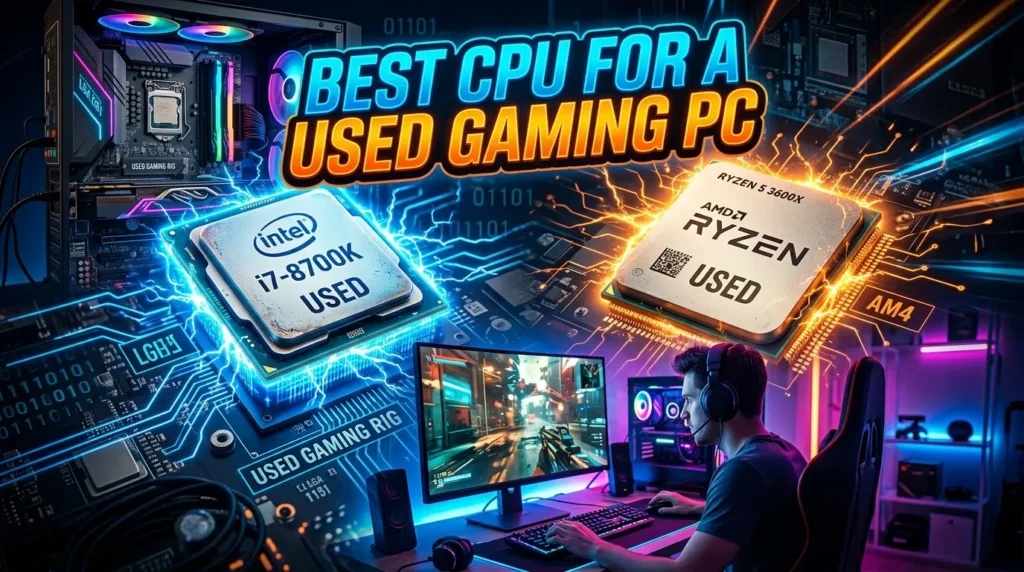
The processor is another important part of a used gaming computer. A capable CPU helps maintain stable frame rates and prevents the graphics card from being unnecessarily limited, particularly in CPU-heavy games.
When comparing second-hand systems, do not judge a processor only by its clock speed. CPU generation, architecture, core count, thread count, cache, and platform compatibility all matter. A newer mid-range processor can outperform an older high-end model in some workloads.
For a budget gaming PC, a previous-generation mainstream CPU can still provide excellent results. The key is matching the processor to the graphics card. Pairing a very powerful GPU with an outdated CPU may create a bottleneck in some games.
Also consider the motherboard platform. If you plan to upgrade later, a more modern socket can provide better options. Ask the seller for the exact motherboard model so you can research supported processors and memory.
During testing, monitor CPU temperatures while the system is under load. High temperatures can indicate poor airflow, an aging cooler, dried thermal paste, or excessive dust.
Listen for unusual fan noise as well. A processor itself may be perfectly healthy while its cooling system requires maintenance.
For most buyers, a balanced CPU with several modern cores and threads is preferable to an old processor that simply has a high model number. Your goal should be consistent gaming performance rather than impressive-looking specifications.
Before purchasing, check the CPU model against the requirements of the games you want to play. This prevents you from spending money on hardware that cannot deliver the experience you expect.
Choosing the Right GPU in a Used Gaming PC
The graphics card is often the most important component for gaming performance. When shopping for a komputer gaming bekas, pay close attention to the exact GPU model rather than accepting descriptions such as “gaming graphics card.”
Different graphics cards can have very different performance levels. Even within the same product family, memory capacity and generation can make a noticeable difference.
Think about your target resolution. A system intended for 1080p gaming has different requirements from one designed for 1440p or 4K. If you mainly play competitive games at 1080p, a suitable mid-range GPU may be more useful than an expensive card intended for higher resolutions.
The GPU’s condition is also critical. Inspect the fans, connectors, heatsink, and PCB for visible damage. During a stress test or demanding game, monitor temperatures and watch for crashes, graphical artifacts, flickering, or sudden performance drops.
Ask whether the graphics card was heavily used for cryptocurrency mining. Mining does not automatically mean a GPU is defective, but prolonged high-load operation can increase wear on fans and thermal materials. A proper test is more useful than relying solely on the seller’s statement.
Check the required power connectors and make sure the computer’s PSU can support the card.
You should also verify that the displayed GPU is actually installed in the PC. Software such as Windows system information or a reputable hardware-monitoring utility can help confirm the model.
A good used GPU can provide excellent value, but never buy one without testing it when possible. Stable temperatures, normal performance, and clean visual output are strong indicators that the card is functioning properly.
How Much RAM Does a Used Gaming PC Need?
RAM affects how smoothly your computer handles games and background applications. For many modern gaming situations, 16GB of RAM is a practical starting point, although the ideal amount depends on the games and applications you use.
A used gaming PC with 8GB may still run lighter games, but you could experience limitations when playing newer titles or multitasking with browsers, voice chat, recording software, and other programs.
When checking RAM, confirm both capacity and configuration. Two matching memory modules can provide dual-channel operation on compatible platforms, which can improve performance in certain situations.
You should also check the memory generation and speed. DDR3, DDR4, and DDR5 are not interchangeable, so you need to know which platform the motherboard supports before planning an upgrade.
Testing the RAM is worthwhile when buying a second-hand computer. Memory errors can cause crashes, application failures, and unexpected system behavior. A memory diagnostic tool can help identify potential problems.
Look at how many RAM slots the motherboard has. If the PC currently has two 8GB modules in a four-slot motherboard, you may have an easy upgrade path to 32GB later.
Do not pay a large premium simply because a seller advertises a very large amount of RAM. Gaming performance depends heavily on the GPU and CPU as well.
For most buyers, a balanced configuration with enough RAM and a capable graphics card makes more sense than spending too much on memory capacity.
The important point is to buy enough RAM for your games and everyday tasks while keeping the overall system balanced.
SSD or HDD: Which Storage Is Better?
Storage is an important consideration when buying a used gaming computer. Most buyers should prioritize an SSD for the operating system and frequently played games because SSDs offer much faster access times than traditional hard disk drives.
An SSD can make Windows feel more responsive and reduce game loading times. A used PC with both an SSD and HDD can be particularly practical. The SSD can hold Windows and frequently played games, while the HDD provides additional space for larger files.
When buying second-hand storage, check its health. Storage drives can wear over time, especially SSDs that have experienced substantial write activity. A drive-health utility can show information such as remaining life indicators, temperature, and other SMART data when supported.
For hard drives, listen for clicking, grinding, or unusual mechanical noises. Such sounds may indicate a failing drive.
Storage capacity also matters. Modern games can occupy a large amount of space, so a very small SSD may become inconvenient quickly.
If the used gaming PC has an old HDD as its only drive, consider upgrading it to an SSD. This can be one of the simplest improvements you can make.
Also check whether the motherboard has available M.2 slots or SATA ports if you plan to add storage later.
Remember that storage rarely determines raw gaming frame rates. Instead, it affects loading speed, system responsiveness, and convenience. A computer with a slightly smaller but healthy SSD can be a better purchase than one with a large but unreliable old hard drive.
Always back up important personal files before testing or buying used storage.
Check the Power Supply Before Buying
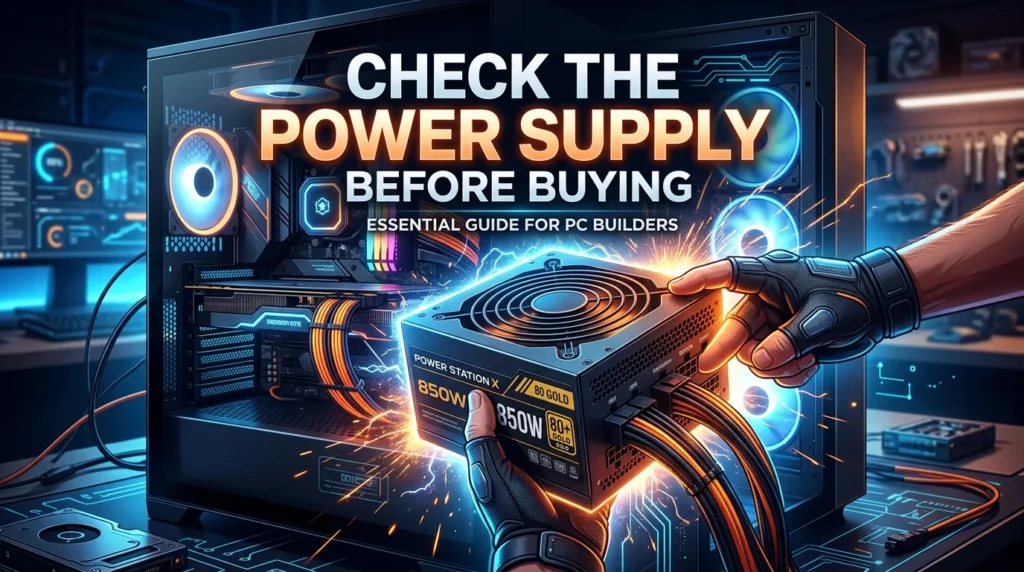
The power supply unit deserves special attention when buying a komputer gaming bekas. It supplies electricity to every major component, so its quality can affect the reliability and safety of the entire system.
Do not assume that a high wattage automatically means a good PSU. A cheap power supply with a large wattage number may be less desirable than a reputable unit with appropriate capacity and protections.
Ask the seller for the exact PSU brand and model. If they cannot provide this information, inspect the label inside the case if possible.
You should also check the PSU’s age. Older units may have experienced years of heat and electrical stress. A system with a powerful GPU but an unknown low-quality PSU should be treated cautiously.
Make sure the PSU has the appropriate connectors for the graphics card and motherboard. Avoid systems that depend on questionable adapters or improvised wiring.
During testing, watch for random shutdowns, restarts, crashes, or instability under gaming loads. These problems can have many causes, but power delivery should be considered.
Cable management is another small indicator of how the system was assembled. Messy cables do not automatically mean something is wrong, but damaged, loose, or modified cables deserve attention.
If you plan to upgrade the GPU later, choose a system with sufficient PSU capacity and quality.
A used gaming computer is only as dependable as its weakest critical component. Spending a little more on a system with a trustworthy power supply can save you from expensive problems later.
How to Test a Used Gaming Computer
Testing is one of the most important steps before purchasing a used gaming PC. A computer may look clean externally while having serious problems internally.
Begin by starting the PC from a cold state if possible. Confirm that it boots normally and does not display unusual error messages. Check whether Windows recognizes the correct CPU, GPU, RAM, and storage.
Next, run a demanding game or benchmark. Monitor CPU and GPU temperatures, clock speeds, fan behavior, and performance. You are looking for stability rather than simply achieving a high benchmark score.
Watch the screen carefully. Visual artifacts such as strange lines, flashing textures, colored blocks, or unexpected flickering can indicate GPU or display-related problems.
Listen to the system. Excessive fan noise, grinding, rattling, or clicking may indicate worn cooling fans or storage hardware.
Test USB ports, audio ports, Ethernet, Wi-Fi if available, and display outputs. A desktop can have a perfectly healthy CPU and GPU while still having damaged connectivity.
Check the storage health and run a memory test if you have enough time.
If the seller refuses a reasonable test, consider that a warning sign. A legitimate seller should generally understand why a buyer wants to verify expensive hardware.
For online purchases, request clear videos showing the computer booting, system specifications, and a demanding game running. However, an in-person test remains preferable when practical.
Never rush because the seller claims another buyer is waiting. A few minutes of testing can prevent a costly mistake.
Signs of a Bad Used Gaming PC
Some used gaming computers look attractive because of their low prices, but warning signs can reveal potential problems. One major red flag is a seller who refuses to provide complete specifications.
Avoid listings that only say “powerful gaming PC” without naming the CPU, GPU, motherboard, RAM, storage, and PSU. Without exact models, you cannot properly evaluate the system.
Another warning sign is excessive dust. Dust does not automatically mean the PC is damaged, but heavy buildup can indicate poor maintenance and restricted airflow.
Be cautious if the computer becomes extremely hot or crashes during a short gaming test. Sudden shutdowns, blue screens, visual artifacts, and unusual noises should not be ignored.
Missing serial numbers, damaged screws, broken connectors, and signs of liquid exposure also deserve attention.
Extremely low prices require additional investigation. Sometimes a cheap PC is a genuine bargain, but it can also contain obsolete hardware or defective components.
Be careful with vague claims such as “never opened” or “used only a few times.” Focus on verifiable evidence rather than marketing language.
If the seller cannot explain why they are selling the computer, that is not automatically a problem, but it is reasonable to ask for the system’s history.
Finally, avoid making a purchase based solely on attractive RGB lighting, a large case, or a gaming-themed design. Appearance has little connection to actual gaming performance.
The safest approach is simple: verify the hardware, test the system, compare the price, and walk away if important questions remain unanswered.
Used Gaming PC Price: What Determines Value?
The price of a komputer gaming bekas depends on several factors, so there is no single price that applies to every used gaming computer.
The most important factor is hardware performance. A PC with a capable modern GPU and balanced CPU will normally be more valuable than an older machine with an outdated graphics card.
Condition also affects value. A clean, well-maintained system with healthy temperatures and reliable components can justify a higher price than a poorly maintained computer.
Storage capacity, RAM, motherboard quality, case condition, and power supply can also influence the overall value. However, these components should not distract you from the GPU and CPU when gaming performance is your primary goal.
Warranty status may add value as well. A used PC that still has transferable warranty coverage can offer additional peace of mind.
You should compare the used computer against multiple alternatives. Search for similar systems and compare exact specifications instead of comparing only advertised prices.
Also estimate upgrade costs. A PC that appears cheaper may require an immediate SSD, RAM, PSU, or GPU upgrade. Once those expenses are included, another computer may offer better value.
Depreciation is another important factor. Older components can lose value as newer generations become available, even when the older hardware remains perfectly functional.
Avoid paying extra simply because a computer has premium RGB fans, a branded case, or expensive-looking accessories.
A fair price reflects performance, condition, age, reliability, and upgrade potential. Take your time and calculate the total cost of ownership before deciding.
Buying a Komputer Gaming Bekas Online
Buying a used gaming computer online can provide access to more choices, but it requires extra caution because you may not be able to inspect the system personally.
Start by reading the complete listing. Look for exact component models instead of vague descriptions. If important information is missing, ask the seller before making an offer.
Request clear photos of the internal components, motherboard, graphics card, power supply label, storage drives, and case. Photos can reveal dust, damaged components, poor cable management, or modifications.
Ask for proof that the system works. A video showing the PC booting, displaying system specifications, and running a game can provide useful evidence, although it cannot replace physical testing.
Use a payment method and marketplace that provide appropriate buyer protection when available. Avoid sending money through methods that offer no practical way to resolve a dispute.
Check the seller’s history and reviews. Multiple consistent reviews are generally more useful than one or two enthusiastic comments.
Be suspicious of copied images, incomplete descriptions, unrealistic discounts, or pressure to pay immediately.
When the computer arrives, inspect it before installing personal files. Confirm the specifications and test the hardware as soon as possible within the platform’s return period.
Keep screenshots of the original listing and communication with the seller. This documentation can be useful if the delivered computer differs significantly from the advertised system.
Online shopping can be convenient, but patience is essential. A trustworthy listing should give you enough information to understand exactly what you are buying.
How to Upgrade a Used Gaming PC
One of the biggest advantages of buying a used desktop is the ability to upgrade individual components later. You do not necessarily need to replace the entire machine when performance becomes insufficient.
Start by identifying the component that limits your gaming experience. If the GPU is struggling at your target resolution, a graphics card upgrade may provide the largest improvement.
If the computer frequently runs out of memory, upgrading from 8GB to 16GB or from 16GB to a larger capacity may help, depending on your motherboard and workload.
An SSD upgrade is another practical improvement, especially if the PC uses an old HDD. Moving the operating system and games to an SSD can make the machine feel much faster.
Before upgrading the GPU, check the PSU. A more powerful graphics card may require additional power capacity and connectors.
CPU upgrades require more research. The motherboard socket, BIOS support, power delivery, and cooling system all matter. Never assume that every processor from the same manufacturer will work with your motherboard.
Cooling can also be improved. Cleaning dust, replacing old thermal paste when appropriate, and improving case airflow may reduce temperatures.
Upgrade compatibility should always be checked before purchasing a component. The cheapest upgrade is not necessarily the best one if it creates another bottleneck.
A good used gaming PC should give you room to improve gradually. This allows you to spread upgrade costs over time rather than spending a large amount on a complete replacement.
Used Gaming PC for 1080p Gaming
For many gamers, 1080p remains an excellent target for a used gaming computer. It requires less graphics power than higher resolutions, which means older or mid-range GPUs can still deliver enjoyable performance in many games.
When shopping for 1080p gaming, focus on balance. A capable GPU paired with a suitable CPU can provide smooth gameplay without requiring an expensive high-end system.
Your preferred games matter greatly. Competitive titles often benefit from high frame rates, while visually demanding single-player games place greater pressure on the graphics card.
If you want to use a high-refresh-rate monitor, check benchmark results for the specific games you play. A computer that produces 60 FPS may be perfectly suitable for one player but disappointing for someone targeting 144 FPS.
RAM capacity also matters when multitasking. A 16GB configuration is a sensible target for many users, although requirements vary by game.
An SSD improves loading times and overall responsiveness but does not normally create a major increase in average FPS.
Before purchasing, search for real-world performance results using the exact CPU and GPU combination. Synthetic benchmark numbers can be useful, but actual gaming benchmarks are easier to understand.
Also consider the monitor you already own. If you have a 1080p display, there may be little reason to spend heavily on hardware designed primarily for 4K gaming.
For budget-conscious buyers, a carefully selected used PC can be an excellent 1080p gaming platform.
Used Gaming PC for Esports Games
Esports games are often an excellent match for a komputer gaming bekas because many competitive titles can run well on older hardware.
Games in competitive genres frequently prioritize responsiveness and high frame rates rather than maximum graphical detail. This means a reasonably priced used PC can provide a satisfying experience.
However, high-refresh-rate gaming requires more than simply meeting the minimum system requirements. If you want 120Hz, 144Hz, or higher refresh rates, your CPU and GPU need to produce enough frames consistently.
CPU performance can become especially important in competitive games. A powerful graphics card paired with a weak processor may not provide the consistent frame rates you expect.
Memory configuration also matters. Ensure that the system has enough RAM and that the modules are installed correctly.
For esports gaming, low-latency peripherals and a suitable monitor can also affect the overall experience. There is little value in buying an expensive gaming PC if the display is limited to a low refresh rate and poor responsiveness.
Used systems are attractive here because you may not need the newest GPU generation. A previous-generation graphics card can often handle competitive games effectively at 1080p.
Before buying, check performance in the exact titles you intend to play. Do not assume that good performance in one esports game guarantees the same results in another.
A balanced used PC can therefore be a practical choice for competitive gamers who want strong performance without paying premium prices for the latest hardware.
Maintenance Tips for a Used Gaming Computer
After buying a komputer gaming bekas, proper maintenance can extend its useful life and help maintain stable performance.
Begin by keeping the case clean. Dust can accumulate around fans, heatsinks, filters, and vents, reducing airflow and increasing temperatures. Clean the system carefully and avoid damaging sensitive components.
Place the computer in a location with adequate ventilation. Do not block the front, rear, or top airflow paths if the case depends on them for cooling.
Monitor CPU and GPU temperatures during demanding gaming sessions. A sudden change in temperature or fan behavior can be an early indication of a cooling problem.
Keep your operating system and graphics drivers updated through trusted sources. Updates can improve compatibility, security, and performance.
Check storage health occasionally, particularly if the drives are several years old. Important files should always have a separate backup.
Avoid unnecessary overclocking if you do not understand the system’s thermal and power limitations. Used components may already have experienced significant operating hours.
If the PC begins producing unusual noises, crashing, or showing graphical problems, investigate the cause instead of continuing to use it under heavy load.
Good cable management can also improve airflow and make future maintenance easier.
Do not use excessive force when installing or removing components. PC parts are designed to fit specific connectors and should not require aggressive pressure.
Regular maintenance does not guarantee that every used component will last indefinitely, but it can reduce avoidable problems and help your gaming computer remain reliable for longer.
Is a Komputer Gaming Bekas Worth Buying?
For many buyers, a komputer gaming bekas is absolutely worth considering. The biggest advantage is the opportunity to obtain stronger hardware for a lower initial cost.
However, the value depends on the individual machine. A carefully maintained PC with a capable GPU, healthy storage, sufficient RAM, reliable power supply, and good cooling can be an excellent purchase.
On the other hand, an extremely cheap computer with obsolete hardware or damaged components may not be worth the risk. Repair and upgrade costs can quickly eliminate the original savings.
Your gaming requirements should guide the decision. If you play lightweight or competitive games at 1080p, a previous-generation system may offer plenty of performance. If you want demanding modern games at high resolutions, you should pay closer attention to GPU capability and VRAM.
The seller also matters. A transparent seller who provides complete specifications and allows testing is generally preferable to someone who refuses basic questions.
Think about the total cost rather than the sticker price. Include possible upgrades, replacement parts, delivery fees, and accessories.
Buying used also makes sense if you are comfortable checking hardware and performing basic maintenance. If you have little technical experience, buying from a reputable refurbished seller with some form of warranty may provide greater peace of mind.
Overall, the used gaming PC market can offer excellent opportunities. The key is to buy based on evidence, performance, condition, and compatibility rather than excitement over a low price.
Conclusion
A komputer gaming bekas can be a smart choice for gamers who want good performance without paying the full cost of a new system. The best deals come from computers with balanced hardware, a capable GPU, a suitable CPU, enough RAM, healthy storage, reliable cooling, and a trustworthy power supply.
Before buying, always check the exact specifications and test the machine when possible. Look for signs of overheating, crashes, unusual noise, physical damage, and poor maintenance. Do not let RGB lighting, an attractive case, or a low price distract you from the components that actually determine performance.
Most importantly, choose a PC based on the games you play and the resolution or frame rate you want. With careful research and proper testing, a used gaming computer can provide excellent value and remain useful for years.
FAQs
1. Is buying a komputer gaming bekas safe?
Yes, buying a used gaming computer can be safe if you verify the hardware, test the system, inspect its physical condition, and buy from a trustworthy seller. Always check the GPU, CPU, RAM, storage, PSU, cooling, and overall stability before completing the purchase.
2. What should I check first when buying a used gaming PC?
Start with the exact CPU and GPU models because they strongly influence gaming performance. Then check RAM, storage, PSU quality, temperatures, physical condition, and upgrade compatibility. Testing the computer under gaming load is also highly recommended.
3. How much RAM should a used gaming computer have?
For many gaming users, 16GB is a practical target. An 8GB system may still work for lighter games, but additional RAM can improve multitasking and provide a more comfortable experience with newer software and games.
4. Is an old graphics card worth buying?
An older GPU can still be worthwhile if it provides enough performance for your games, remains healthy, and is priced appropriately. Always check its temperatures, stability, visual output, power requirements, and expected performance before buying.
5. Can I upgrade a komputer gaming bekas later?
Yes. Many desktop gaming PCs can be upgraded with additional RAM, a larger SSD, a better GPU, improved cooling, or a compatible CPU. Before buying upgrades, verify motherboard compatibility, PSU capacity, available slots, and physical space inside the case.