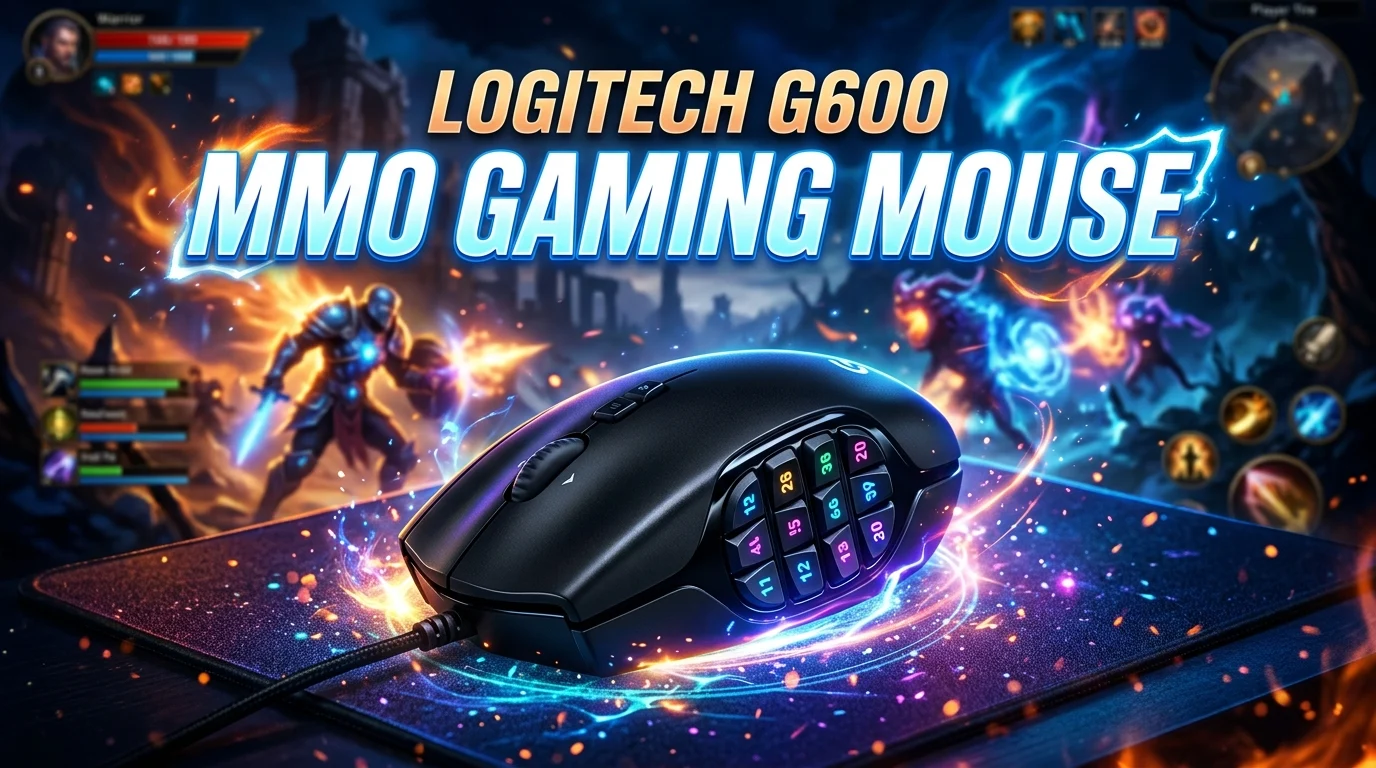
The Logitech G600 MMO gaming mouse is designed for players who need more buttons, faster access to abilities, and better control in games with complex keybinds. Unlike a traditional gaming mouse, the G600 features a large thumb-button grid that puts many commands within easy reach. This makes it especially interesting for MMO players, where managing skills, items, mounts, macros, and utility actions can require dozens of keybinds.
Its programmable buttons also make it useful beyond gaming for productivity and creative applications. Although the mouse has been on the market for years, its unusual layout continues to attract gamers who prefer extensive button customization. In this guide, we will explore its design, features, comfort, software, gaming performance, advantages, limitations, and what you should consider before choosing this MMO-focused gaming mouse.
What Is the Logitech G600 MMO Gaming Mouse?
The Logitech G600 MMO gaming mouse is a wired gaming mouse built specifically around massively multiplayer online games. Its most recognizable feature is the group of 12 thumb buttons positioned on the side of the mouse. Instead of reaching for the keyboard for every command, players can assign frequently used actions directly to their mouse.
The mouse also includes a third button under the ring finger, commonly known as the G-Shift button. This provides another layer of control by allowing compatible button assignments to perform secondary functions. In practice, this means a single physical button can provide access to multiple commands.
The G600 uses a traditional right-handed shape and connects to a computer through USB. Its design emphasizes function rather than minimalism. Gamers who enjoy lightweight, simple mice may find it large or complicated, while MMO players can appreciate having many commands available under their thumb.
The button layout is particularly useful for games with numerous abilities and rotations. Instead of moving your hand between keyboard keys, you can assign spells, cooldowns, consumables, or utility commands to the mouse.
The G600 can also be configured for non-gaming tasks. Users may assign shortcuts to applications, editing tools, navigation commands, or repetitive actions.
Overall, the G600 is best understood as a specialized MMO control device rather than a general-purpose lightweight gaming mouse.
Logitech G600 Design and Build Quality
The design of the G600 focuses heavily on accessibility. The left side contains a 12-button grid arranged in three columns and four rows. Each button is shaped and positioned to help your thumb identify different controls without constantly looking at the mouse.
The body is relatively substantial compared with many modern gaming mice. This extra size provides space for the extensive button system and gives the mouse a solid presence in the hand.
The right side includes a dedicated ring-finger button, adding another programmable input. This button is useful for activating secondary functions when combined with G-Shift assignments.
The mouse uses a wired USB connection, so there is no battery to charge and no wireless receiver to manage. For desktop gaming setups, this can provide a straightforward plug-and-play experience.
Build quality is another important consideration when buying an older gaming mouse. Since the G600 has been available for many years, condition varies significantly between individual units. A used example should be inspected for worn buttons, damaged cable insulation, inconsistent clicks, and scroll-wheel problems.
The textured surfaces provide additional grip during gaming sessions, while the contoured shape supports a traditional palm or claw-oriented grip depending on hand size.
Its appearance is unmistakably gaming-focused, but the design has a practical purpose. Every major physical feature exists to increase the number of commands available to the user.
If you prefer a clean, minimalist mouse, the G600 may feel excessive. If you regularly use dozens of shortcuts, however, its design can make complex controls much easier to manage.
Logitech G600 12 Thumb Buttons Explained
The 12 thumb buttons are the defining feature of the Logitech G600. They allow MMO players to assign numerous commands without moving their hand away from the mouse.
The buttons are arranged in a grid that becomes easier to navigate with practice. Instead of relying on visual confirmation, many players learn to recognize the buttons by touch and muscle memory.
This layout works particularly well for games where abilities are grouped into predictable categories. For example, one row could contain offensive abilities, another could contain defensive skills, and another could handle utility commands.
The grid also allows players to build consistent control schemes across different characters or games. Once you develop a comfortable button map, you can transfer similar concepts to other titles.
However, the 12-button design has a learning curve. Someone accustomed to a simple two-button mouse may initially press the wrong side button. The buttons are close together, so developing muscle memory is important.
The G-Shift function makes the layout even more flexible. A player can use the primary button assignment normally and hold G-Shift to access another assignment layer.
This effectively expands the number of commands available without requiring additional physical buttons.
The thumb grid can also be useful for productivity. You could assign copy, paste, undo, application switching, browser controls, or frequently used keyboard shortcuts.
For MMO gaming, however, the main advantage is reduced keyboard movement. When properly configured, the G600 can place a large part of your ability rotation directly beneath your thumb.
Logitech G600 G-Shift Feature
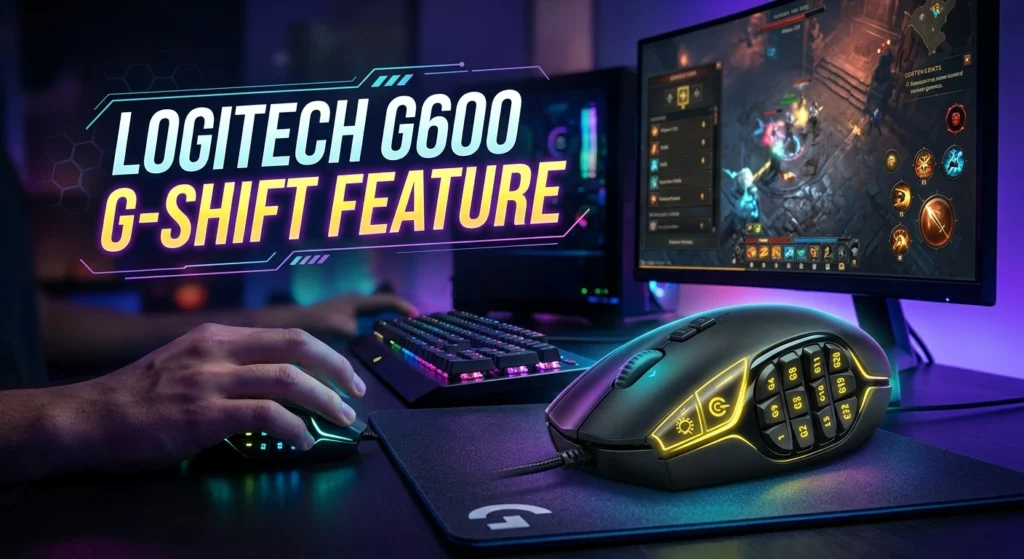
G-Shift is one of the most interesting features of the G600 because it provides an additional command layer. Think of it as a modifier button that temporarily changes what your other programmable buttons do.
For example, a thumb button might activate one ability during normal use. When G-Shift is held, that same button can perform another command. This greatly expands the mouse’s potential without physically adding more buttons.
For MMO players, this can be useful for separating frequently used abilities from less common actions. Primary assignments can handle essential combat commands, while G-Shift assignments can contain utility skills, emotes, mounts, menus, or additional abilities.
The feature can also help with productivity. A single button could perform one shortcut normally and another shortcut while G-Shift is held.
However, the system requires planning. If you create too many layers without a logical structure, remembering the assignments can become difficult.
A good approach is to keep your most important commands on the easiest-to-reach buttons. Use secondary layers for less frequent actions.
Muscle memory is also important. Spend time practicing your layout before using it in competitive or difficult content.
The G-Shift concept is particularly valuable for people who want a highly customizable mouse. It transforms the G600 from a mouse with many buttons into a multi-layer control device.
For users who prefer simple configurations, however, the feature may be unnecessary. Its real value appears when you regularly need more commands than a standard gaming mouse can provide.
Logitech G600 Gaming Performance
Gaming performance depends heavily on how well the mouse’s button layout matches your play style. In MMO games, the G600 can reduce the need to reach across the keyboard for abilities and utility commands.
This can make complex rotations feel more manageable. Your left hand can remain focused on movement keys while your right hand handles a larger number of abilities.
The side buttons are especially useful when a game requires frequent ability changes. Instead of memorizing dozens of keyboard combinations, you can create a dedicated mouse layout.
The mouse is also suitable for games outside the MMO category. Strategy games, RPGs, simulation titles, and applications with many shortcuts can benefit from additional programmable inputs.
However, the G600 is not designed primarily for ultra-light competitive FPS gaming. Its larger body and extensive button system may feel unnecessary when a player only needs a few precise inputs.
The physical design is therefore closely connected to its intended purpose. MMO players may see the large number of controls as a major advantage, while FPS-focused users may prefer a simpler and lighter mouse.
Your sensitivity settings and grip style also influence performance. A mouse should feel comfortable during long sessions, particularly because MMO gameplay can involve hours of continuous use.
The best way to judge performance is to consider your own requirements. If you regularly use many commands, the G600’s layout can provide a meaningful advantage in convenience and control.
It is less about raw speed and more about putting more functions exactly where your hand already is.
Logitech G600 Comfort and Ergonomics
Comfort is extremely important for an MMO mouse because these games often involve long sessions. The G600’s larger shape provides substantial palm support and accommodates users who prefer a fuller mouse body.
The thumb grid requires your thumb to remain near the left side of the mouse. Some users find this natural, while others may need time to adapt.
Hand size makes a noticeable difference. Players with larger hands may find the overall shape comfortable, while smaller-handed users can find some buttons difficult to reach accurately.
Grip style also matters. The G600 generally suits users who prefer a palm-oriented or relaxed claw grip rather than an extremely fingertip-focused style.
The additional ring-finger button is another ergonomic feature that some players appreciate. It can be assigned to G-Shift or another command without interfering with the primary mouse buttons.
Comfort is subjective, so testing the mouse before purchasing is ideal when possible.
You should also pay attention to your wrist position. Even an ergonomically shaped mouse can become uncomfortable if your desk height, keyboard position, or posture is poor.
For long gaming sessions, take regular breaks and avoid maintaining a tense grip. A highly customizable mouse cannot compensate for poor ergonomics.
Overall, the G600’s comfort depends strongly on whether its larger shape and button arrangement fit your hand.
If you enjoy substantial mice with lots of controls, its design can feel natural. If you prefer compact lightweight mice, its size may be a disadvantage.
Logitech G600 Software and Customization
The Logitech G600’s customization capabilities are an important part of its appeal. Compatible Logitech gaming software allows users to assign commands to programmable buttons and create customized profiles.
Profiles can be useful when you play multiple games. Each game can have its own button layout, allowing your mouse controls to change depending on the application.
For example, one profile might be designed for an MMO, while another could contain shortcuts for a productivity application.
Customization is most effective when the layout remains organized. Instead of assigning random commands, group related actions together.
You can place commonly used commands on the easiest buttons and reserve less accessible positions for actions you use less frequently.
Macro functionality can also be relevant, depending on the software version and game rules. Players should always check individual game policies before using automated sequences, because some games restrict certain forms of macro use.
Software support can be an important consideration with older hardware. Operating systems and Logitech software have changed over time, so buyers should verify current compatibility for their particular computer.
If you purchase a used G600, test every programmable button and confirm that the software detects the mouse correctly.
Customization is ultimately what separates the G600 from ordinary mice. Its physical button count is impressive, but the ability to assign those buttons intelligently is what makes the design useful.
Logitech G600 for MMO Gaming
The G600 was created with MMO gaming in mind, and this is where its button-heavy design makes the most sense.
MMOs often include large ability bars, inventory actions, mounts, consumables, and utility commands. A standard mouse and keyboard can handle these tasks, but reaching many keyboard keys can require additional hand movement.
The G600 places a large collection of commands directly under the thumb. This can make ability management more convenient once you develop muscle memory.
Players can create layouts based on their preferred play style. A healer might group healing spells together, while a damage-focused character could organize offensive abilities by rotation or cooldown.
The mouse can also reduce dependence on complicated keyboard combinations. Instead of holding multiple modifier keys, some commands can be assigned directly to the side buttons.
The biggest challenge is learning the button grid. Twelve closely positioned buttons require practice, especially during fast gameplay.
Start with a small number of assignments rather than configuring everything at once. Learn the first row, then gradually expand your setup.
Consistency is important too. If you use similar layouts across characters, your muscle memory becomes more reliable.
The G600 is particularly appealing to players who enjoy deep customization and want direct access to many abilities.
It may be excessive for someone who plays only simple games, but for MMO enthusiasts, its dedicated control layout can be genuinely useful.
Logitech G600 for Productivity and Work
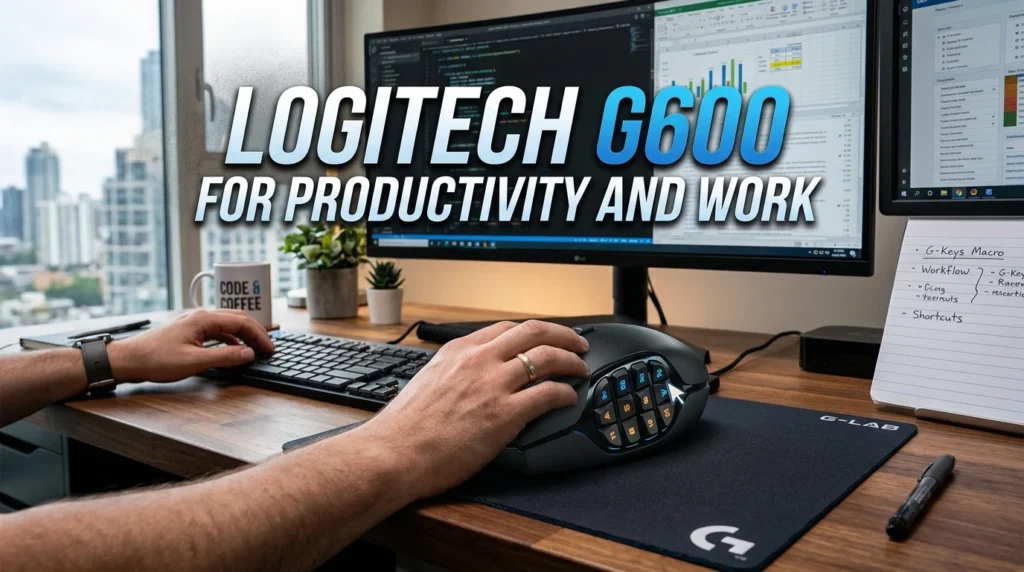
Although the G600 is marketed as a gaming mouse, its programmable buttons can also be useful for everyday computer work.
People who regularly use software with many keyboard shortcuts may benefit from assigning those commands to the mouse.
For example, buttons could be mapped to copy, paste, undo, redo, application switching, browser navigation, or frequently used functions. This can reduce repeated keyboard movement during certain workflows.
Creative professionals may also find additional buttons useful in applications that contain many tools and commands. However, the usefulness depends on software compatibility and personal workflow.
The G-Shift function adds another layer of possibilities. A button can perform one action normally and another while G-Shift is held.
This makes the mouse particularly interesting for users who enjoy customizing their entire desktop experience.
There is one important trade-off: the G600 is larger and more specialized than many office mice. If your work only requires basic navigation and a few clicks, its extensive controls may provide little benefit.
Its wired design can also be perfectly acceptable for a stationary desk setup, where wireless convenience is less important.
For users who spend much of the day at a computer, comfort remains a priority. Make sure the shape fits your hand before choosing it as a daily productivity mouse.
Ultimately, the G600 can function as more than an MMO gaming device. Its programmable design gives it potential as a shortcut-heavy productivity tool.
Logitech G600 vs Regular Gaming Mouse
The biggest difference between the G600 and a regular gaming mouse is the number of programmable controls.
A standard gaming mouse may provide two main buttons, a scroll wheel, and a few additional side buttons. The G600 provides a much larger command surface through its thumb grid.
This makes the G600 more suitable for games and applications that require many shortcuts.
However, more buttons are not automatically better. A regular gaming mouse may be easier to learn and more comfortable for users who prefer a minimal setup.
Weight and shape can also differ. Traditional gaming mice are often designed around simplicity and fast movement, while the G600 prioritizes control density.
For MMO games, the G600’s layout can be a major advantage. For FPS gaming, the additional controls may be unnecessary.
The right choice depends on your software and gaming habits.
If you play multiple MMO characters with complex ability bars, the G600 offers functionality that a conventional mouse may not match.
If you mainly play shooters and only need a few side buttons, a simpler model may be more practical.
Price and availability should also be considered, particularly because the G600 is an older product. A newer mouse may offer different sensor technology, wireless connectivity, or a lighter design.
The G600 remains distinctive because few mice replicate its exact combination of a 12-button thumb grid and G-Shift-style functionality.
Logitech G600 Pros and Cons
The G600 has several advantages, but it is not ideal for every gamer. Understanding both sides can help you decide whether its specialized design fits your needs.
Its biggest advantage is the large number of programmable controls. MMO players can assign many abilities without constantly reaching for the keyboard.
The G-Shift function provides another layer of customization, increasing the number of possible commands.
The wired connection also eliminates battery charging and wireless pairing concerns.
Another benefit is versatility. The programmable controls can be used in productivity software as well as games.
However, the mouse is relatively large and may not suit every hand size. Users who prefer lightweight gaming mice may find it cumbersome.
The thumb grid also has a learning curve. Twelve closely arranged buttons require practice and careful configuration.
Its age is another consideration. Buyers should verify software compatibility, physical condition, and availability before purchasing.
For used units, component wear can vary considerably. A heavily used mouse may have worn switches, a damaged cable, or inconsistent button response.
The G600 is therefore best for users who specifically need many controls.
It is not necessarily the best choice simply because it has more buttons. The goal should be finding a mouse that matches your games, hand size, grip, and workflow.
How to Set Up the Logitech G600
Setting up the G600 is straightforward, but creating an effective button layout requires some planning.
Start by connecting the mouse to your computer and installing compatible Logitech software if supported by your operating system. Once detected, inspect the available programmable controls.
Create a separate profile for each major game or application you use.
For an MMO, begin by assigning only your most important abilities. Place frequently used commands on buttons that your thumb can locate easily.
Keep related abilities together. For example, offensive skills can occupy one section while defensive or utility actions occupy another.
Avoid assigning too many complicated commands immediately. A crowded layout can make it harder to develop muscle memory.
Once the basic configuration feels comfortable, add secondary functions through G-Shift if your software supports the feature.
Spend time practicing outside important gameplay situations. Training areas or low-pressure activities are ideal for learning the button positions.
If you accidentally press neighboring buttons, experiment with your layout. You may need to leave certain buttons unused or change the grouping.
Also test your profiles after software updates to make sure the settings remain correct.
The best G600 setup is personal. There is no single perfect button map because different games and players require different commands.
Build your configuration gradually and prioritize consistency. After enough practice, the thumb grid can become an extension of your normal control system rather than something you consciously think about.
Is the Logitech G600 Still Worth It?
Whether the Logitech G600 is still worth buying depends on what you want from a gaming mouse.
For MMO players who specifically want a 12-button side grid, the G600 remains an unusual and potentially valuable option. Its design solves a particular problem: accessing many commands without reaching across the keyboard.
Its G-Shift capability adds even more flexibility for users who enjoy advanced customization.
However, buyers should consider the mouse’s age and availability. Since it is an older design, condition and software compatibility deserve attention, particularly when purchasing second-hand.
Modern gaming mice may offer advantages such as lighter construction, wireless connectivity, newer sensors, and updated software. But those features do not necessarily replace the G600’s distinctive thumb-button layout.
If your priority is a large number of programmable controls, the G600 may still make sense.
If you primarily play FPS games or prefer an extremely lightweight mouse, another design may be a better match.
Price is also important. A reasonably priced G600 in good condition can be attractive, while an expensive used unit may be less compelling compared with newer alternatives.
Before purchasing, check the exact condition, button functionality, cable, scroll wheel, and software compatibility.
The G600 remains a niche product with a clear purpose. For the right user, that specialization is exactly what makes it valuable.
Conclusion
The Logitech G600 MMO gaming mouse remains an interesting choice for gamers who need extensive button customization. Its 12-button thumb grid, additional programmable controls, and G-Shift functionality give MMO players a large command system directly under their hand.
Its biggest strengths are customization, accessibility, and versatility. The same features can also benefit productivity users who work with applications containing many shortcuts.
However, the G600’s larger shape and button-heavy layout will not suit everyone. It also has an older design, so buyers should pay close attention to condition, software compatibility, and price.
If you play MMOs regularly and enjoy building detailed keybind layouts, the G600 can still be a practical and distinctive gaming mouse. The best results come from creating a logical button configuration and spending time developing muscle memory.
FAQs
1. Is the Logitech G600 good for MMO gaming?
Yes. The G600 is specifically designed for MMO-style gameplay and provides a large number of programmable buttons. Its 12-button thumb grid makes it easier to access abilities, items, and utility commands.
2. How many side buttons does the Logitech G600 have?
The G600 has a 12-button thumb grid. It also includes additional programmable controls, including a third primary-style button commonly associated with its G-Shift functionality.
3. Can the Logitech G600 be used for work?
Yes. Its programmable buttons can be assigned to keyboard shortcuts and application commands, making it useful for productivity, editing, and other shortcut-heavy workflows.
4. Is the Logitech G600 comfortable for long gaming sessions?
Comfort depends on hand size, grip style, and personal preference. Its larger shape can provide good palm support, but users who prefer compact or lightweight mice may find it less comfortable.
5. Is the Logitech G600 good for FPS games?
It can work for FPS games, but its design is primarily focused on MMO and multi-command gaming. FPS players who prefer lightweight mice and minimal buttons may prefer a simpler gaming mouse.