A gaming setup is more than just a computer, monitor, and keyboard—it is a space where comfort, performance, and organization come together. An L Shaped Gaming Desk can be a smart choice for gamers who want more room without filling the entire room with furniture. Its corner-friendly design provides separate areas for monitors, gaming accessories, speakers, and other essentials while keeping the setup organized. Whether you use a single monitor or a multi-screen arrangement, the extended surface can make it easier to create a comfortable gaming station.
An L-shaped design is also useful for people who switch between gaming, studying, working, and browsing. You can dedicate one side to your PC and gaming equipment while using the other for everyday tasks. Features such as cable management, storage shelves, monitor support, and a sturdy frame can further improve the overall experience. With different sizes, materials, layouts, and styles available, choosing the right desk depends on your available space, equipment, and personal preferences. This guide explores the important features to consider before selecting an L Shaped Gaming Desk for your setup.
Why Choose an L Shaped Gaming Desk?
An l shaped gaming desk offers much more than a stylish appearance. It creates a dedicated gaming environment that helps you stay organized, comfortable, and productive throughout long gaming sessions. Unlike traditional rectangular desks, an L-shaped design makes better use of room corners and provides two connected work surfaces.
One side of the desk can hold your gaming PC, keyboard, mouse, and primary monitor, while the other side is perfect for streaming equipment, a laptop, notebooks, or additional accessories. This layout reduces clutter and keeps everything within easy reach.
Gamers who use dual or triple monitors especially benefit from the extended surface area. It also allows better cable organization, making your setup look cleaner and more professional.
The extra workspace is ideal for students, remote workers, and content creators who switch between gaming and work during the day. Instead of buying separate desks, one L-shaped desk supports multiple activities.
Another advantage is improved posture. With enough room to position your monitor correctly, you reduce neck and shoulder strain. Many modern gaming desks also include ergonomic features such as monitor shelves, keyboard trays, headset hooks, and cup holders.
Overall, an L-shaped gaming desk combines functionality, comfort, and modern design into one practical workstation.
Key Features to Look for Before Buying
Not every gaming desk offers the same quality. Choosing the right one requires understanding the features that directly affect your gaming experience.
Start by checking the desk dimensions. Measure your available room carefully to ensure the desk fits comfortably without blocking doors or walking space.
A sturdy steel frame is essential because gaming equipment can be heavy. Multiple monitors, speakers, gaming PCs, and accessories require excellent weight support.
The desktop material also matters. High-quality engineered wood, MDF with scratch-resistant coating, or solid wood provides durability and a premium appearance.
Cable management systems help hide messy wires. Built-in cable trays, routing holes, and under-desk channels keep everything neat.
Many premium desks include useful accessories such as:
Monitor stands
Headphone hooks
Cup holders
Controller racks
RGB lighting support
Adjustable feet
Storage shelves
If you plan to upgrade your setup later, choose a desk with enough space for additional monitors or larger PC cases.
Easy assembly is another important factor. Clear instructions and labeled hardware save time during installation.
Finally, check the manufacturer’s weight capacity and warranty before making your purchase. A reliable desk should provide years of stable performance.
Benefits of an L Shaped Gaming Desk for Gamers
A well-designed l shaped gaming desk transforms your gaming experience in many ways. The biggest advantage is increased workspace. Instead of squeezing everything onto one surface, you have dedicated areas for different tasks.
Competitive gamers benefit from extra mouse movement space. A larger desk allows lower mouse sensitivity without running out of room.
Streamers gain additional space for microphones, webcams, lighting equipment, audio mixers, and capture devices. Everything stays organized without feeling crowded.
Content creators appreciate the ability to separate editing tools from gaming equipment. One side can hold editing monitors while the other remains dedicated to gaming.
Better organization also improves focus. When every accessory has its place, you spend less time searching for cables or devices.
The corner design helps maximize room space. Even smaller bedrooms can accommodate a large workstation without wasting valuable floor area.
Long gaming sessions become more comfortable because your arms, wrists, and shoulders remain properly supported. Many gamers notice reduced fatigue after switching from smaller desks.
The clean appearance also creates an enjoyable environment. A tidy gaming station feels more professional and motivating whether you’re playing, streaming, studying, or working.
Choosing the Right Size for Your Gaming Room
Selecting the correct desk size is just as important as choosing the design. A desk that is too large can overwhelm your room, while one that is too small limits your setup.
Begin by measuring the available corner where you plan to install the desk. Leave enough clearance for your chair to move comfortably and for doors or drawers to open fully.
Small rooms often work best with compact L-shaped desks measuring around 47 to 55 inches on each side. Medium-sized rooms can comfortably fit desks between 55 and 63 inches.
If you own multiple monitors, a large gaming PC, speakers, and streaming equipment, consider a desk longer than 63 inches. The additional surface prevents overcrowding.
Desk depth also matters. A depth of 24 to 30 inches provides enough viewing distance from your monitor while leaving space for keyboards and accessories.
Think about future upgrades as well. Purchasing a slightly larger desk now may save money later if you decide to add another monitor or gaming console.
Always compare your measurements with the manufacturer’s specifications before ordering.
Choosing the correct size ensures your gaming room remains comfortable, functional, and visually balanced.
Best Materials Used in L Shaped Gaming Desks
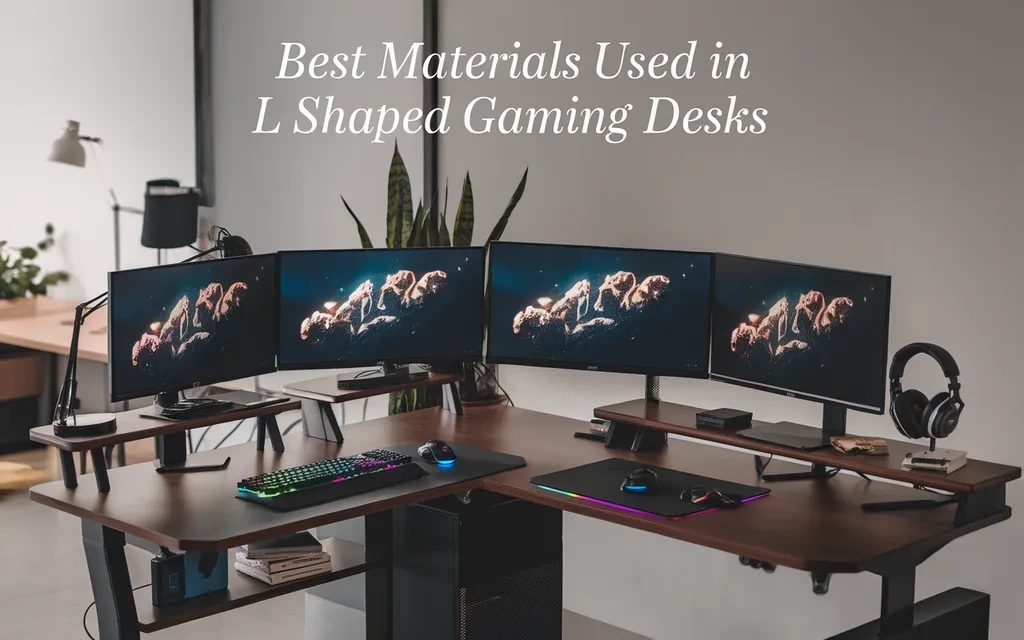
The material determines how long your gaming desk will last and how well it handles daily use.
Steel frames are the preferred choice because they provide exceptional strength and stability. They resist bending even when supporting heavy gaming equipment.
Engineered wood remains the most popular desktop material. It offers an attractive finish, good durability, and affordable pricing. Many models include scratch-resistant and water-resistant coatings for added protection.
Solid wood desks deliver a premium appearance and outstanding durability. Although they cost more, they can last for many years with proper care.
Carbon fiber textured surfaces have become increasingly popular among gamers. They provide a modern look while resisting scratches and fingerprints.
Glass desktops create a sleek appearance but require frequent cleaning and may not support as much weight as wood or steel.
High-quality edge protection prevents peeling and extends the desk’s lifespan. Rounded edges also improve comfort during extended gaming sessions.
Choose materials that match your budget while prioritizing durability over appearance alone. A strong, stable desk provides better long-term value than a cheaper alternative that wears out quickly.
How to Set Up an Ergonomic Gaming Station
An ergonomic gaming setup improves comfort, reduces fatigue, and supports better performance during long sessions.
Start by positioning your monitor so the top of the screen sits at or slightly below eye level. This helps reduce strain on your neck and shoulders.
Place your keyboard directly in front of you with enough space for your wrists to rest naturally. Your elbows should remain close to your body and form an angle of about 90 degrees while typing or gaming.
Adjust your gaming chair so your feet rest flat on the floor. Your knees should stay level with or slightly below your hips to promote healthy posture.
Keep frequently used accessories, such as your mouse, headset, and controller, within easy reach. This minimizes unnecessary stretching and helps maintain a comfortable position.
Use cable management clips or trays to organize wires and prevent tangles. A clean workspace not only looks better but also makes maintenance easier.
Add proper lighting to reduce eye strain. Soft ambient lighting behind your monitor or adjustable desk lamps can create a more comfortable viewing environment.
Finally, take short breaks every hour to stretch, relax your eyes, and improve circulation. Even the best ergonomic setup works best when combined with healthy gaming habits.
Cable Management Tips for a Clean Gaming Setup
A clean gaming setup is not only attractive but also easier to maintain. One of the biggest challenges for gamers is dealing with cables from monitors, keyboards, speakers, consoles, and charging devices. Good cable management keeps everything organized and improves safety.
Begin by planning where each device will sit before connecting any cables. This simple step reduces unnecessary wire length and prevents tangled cords.
Use cable sleeves or cable wraps to combine multiple wires into one neat bundle. They protect cables while creating a cleaner appearance.
Install cable clips under the desk to keep wires off the floor. Adhesive clips are inexpensive and easy to attach without damaging the desk.
Many modern l shaped gaming desk models include built-in cable holes or trays. Take advantage of these features to hide power cords and data cables.
Label important cables if you frequently change hardware. Small labels make troubleshooting much easier when adding new equipment.
Keep power strips mounted beneath the desk instead of placing them on the floor. This protects them from dust and makes cleaning easier.
Wireless accessories can further reduce clutter. Wireless keyboards, mice, and headsets eliminate several visible cables while keeping your workspace tidy.
Finally, inspect your cable setup every few months. Remove unused cords and reorganize any loose wires. A clean gaming station looks professional and allows you to focus on your game instead of the mess around you.
Single Monitor vs Dual Monitor Setup
Choosing between a single-monitor and dual-monitor setup depends on your gaming style and daily tasks. Fortunately, an l shaped gaming desk provides enough room for either option.
A single monitor setup is ideal for casual gamers. It is simple, affordable, and leaves extra desk space for speakers, decorations, or gaming accessories. One high-quality monitor can deliver an excellent gaming experience while keeping your setup clean.
Dual monitors offer greater flexibility. Many gamers use the main screen for gameplay while the second monitor displays Discord, streaming software, web browsers, or game guides. This saves time because you no longer need to switch between windows.
Content creators and streamers benefit even more from multiple displays. One screen can handle editing or broadcasting software while the other remains dedicated to gameplay.
When installing dual monitors, keep both screens at the same height. Their edges should align naturally to reduce neck movement during long sessions.
Monitor arms are another excellent investment. They free up valuable desk space and allow precise positioning for maximum comfort.
Make sure your graphics card supports multiple displays before upgrading. Also, check that your desk has enough depth to maintain a comfortable viewing distance.
Whether you choose one monitor or two, the generous surface area of an L-shaped desk ensures a balanced and organized gaming environment.
Essential Accessories for an L Shaped Gaming Desk
The right accessories can transform a basic gaming desk into a complete gaming workstation. They improve comfort, organization, and overall performance while adding personality to your setup.
A large gaming mouse pad is one of the best upgrades. It provides smooth mouse movement while protecting the desktop from scratches.
Monitor arms help create more workspace by lifting displays above the desk surface. They also allow easy height and angle adjustments.
A headset stand keeps your headphones safe and prevents unnecessary wear. Many gamers prefer desk-mounted holders that save additional space.
Cup holders reduce the risk of accidental spills that could damage expensive equipment. Controller holders keep gamepads organized and within reach.
RGB lighting strips add atmosphere without affecting performance. Adjustable lighting helps create an immersive gaming experience while reducing eye strain in darker rooms.
Cable management trays, Velcro straps, and clips help maintain a clean appearance by hiding loose wires.
Other useful accessories include:
USB hubs for quick connectivity.
Wireless charging pads.
Desk organizers.
Speaker stands.
Microphone boom arms.
Webcam mounts.
Storage drawers.
Keyboard wrist rests.
Choose accessories based on your daily needs rather than appearance alone. Practical upgrades improve your gaming experience far more than decorative items.
L Shaped Gaming Desk for Work and Gaming
Many people no longer use their desk only for gaming. Remote work, online learning, and content creation have made multifunctional workstations more valuable than ever.
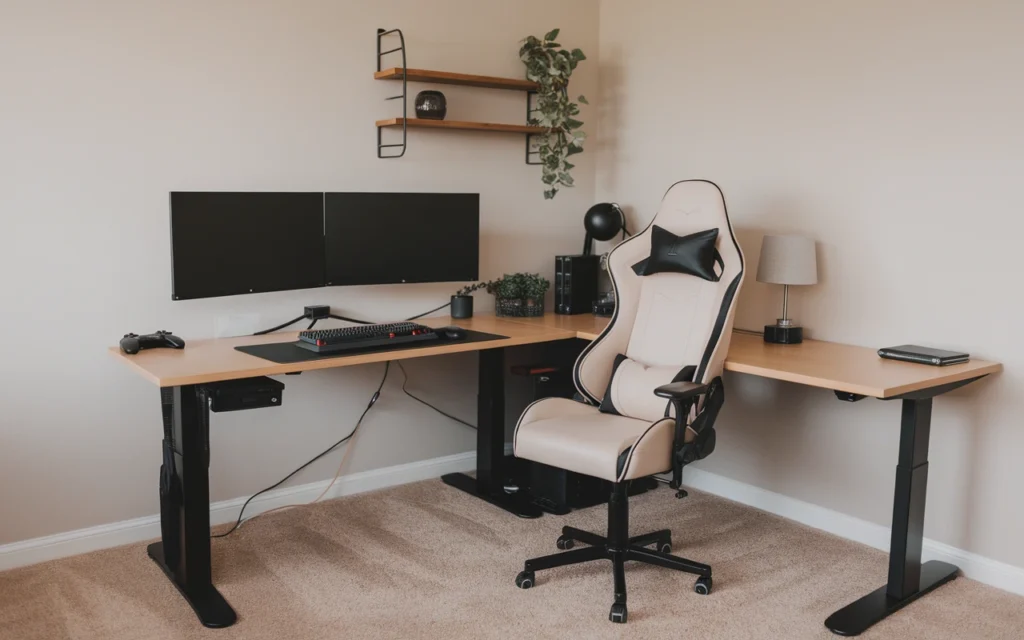
An l shaped gaming desk easily supports both professional work and entertainment. One side can serve as a productive office area with a laptop, documents, and office supplies. The other side remains dedicated to gaming equipment.
This separation improves focus because each area has a specific purpose. When working, your gaming devices stay organized without becoming a distraction. After work, you simply rotate your chair to enjoy your gaming setup.
The extra workspace also helps professionals who manage multiple screens. Designers, programmers, video editors, and stock traders often require several monitors to increase productivity.
Students benefit as well. Homework, online classes, and gaming can all take place on the same desk without constant rearranging.
Storage shelves and drawers help organize office supplies while leaving enough room for gaming accessories.
The versatility of an L-shaped desk makes it a smart long-term investment. Instead of purchasing separate office and gaming furniture, one desk handles every task efficiently while saving valuable room space.
Common Mistakes to Avoid When Buying an L Shaped Gaming Desk
Buying a gaming desk without proper research often leads to disappointment. Avoiding common mistakes helps you choose a desk that fits both your room and your gaming needs.
One of the biggest mistakes is ignoring room measurements. Many buyers purchase large desks only to discover they block doors or leave little space for movement.
Another common error is focusing only on appearance. Stylish designs may look impressive, but durability and functionality matter much more for everyday use.
Some gamers overlook weight capacity. Multiple monitors, heavy gaming PCs, speakers, and accessories require a strong frame that can safely support the load.
Poor cable management is another issue. Choosing a desk without cable-routing features often results in a cluttered workspace that is difficult to clean.
Buying the cheapest option can also become expensive over time. Low-quality materials wear out quickly, forcing you to replace the desk sooner than expected.
Other mistakes include:
Forgetting future upgrades.
Choosing the wrong desk orientation.
Ignoring ergonomic height.
Skipping product reviews.
Overlooking warranty coverage.
Buying without checking assembly difficulty.
Taking time to compare different models ensures you invest in a desk that delivers comfort, stability, and long-lasting value.
How to Maintain Your Gaming Desk for Long-Term Use
Proper maintenance keeps your l shaped gaming desk looking new while extending its lifespan. A few simple habits can protect your investment for many years.
Dust the desk regularly using a soft microfiber cloth. Removing dust prevents scratches and keeps your gaming setup looking clean.
Clean spills immediately. Even water-resistant surfaces can become damaged if liquids remain for extended periods.
Avoid placing extremely hot items directly on the desktop. Use coasters and protective mats whenever possible.
Check screws and bolts every few months. Tightening loose hardware helps maintain stability and prevents unwanted movement during gaming sessions.
Keep heavy equipment evenly distributed across the desk instead of placing excessive weight on one side.
Use desk mats beneath keyboards and other accessories to reduce surface wear. If your desk has a carbon fiber finish, use non-abrasive cleaning products to preserve its appearance.
Organize cables periodically to prevent unnecessary tension on connectors and power cords.
Finally, avoid dragging heavy equipment across the desktop. Lift devices carefully when rearranging your setup to protect both the surface and your gaming hardware.
With regular cleaning and simple preventive care, a quality L-shaped gaming desk can remain attractive, sturdy, and functional for many years.
Best Placement Ideas for an L Shaped Gaming Desk
The location of your l shaped gaming desk can greatly affect comfort, productivity, and the overall appearance of your gaming room. Choosing the right spot helps you make the most of your available space.
A corner placement is the most popular option because it maximizes floor space while providing a dedicated gaming area. This layout keeps the center of the room open and creates a clean, organized look.
If you have a larger room, placing the desk against two walls offers excellent stability and easy access to power outlets. It also allows room for bookshelves or storage cabinets nearby.
Avoid positioning the desk directly in front of a bright window. Strong sunlight can create glare on your monitor and make gaming uncomfortable. If a window is your only option, use curtains or blinds to control natural light.
Keep your gaming desk close to electrical outlets to reduce the need for long extension cords. This also makes cable management much easier.
Leave enough space behind your chair so you can move freely without hitting walls or furniture. Good airflow around your gaming PC is equally important to prevent overheating.
A well-planned desk placement creates a comfortable environment that supports long gaming sessions while keeping your room neat and visually appealing.
Budget vs Premium L Shaped Gaming Desks
When shopping for an l shaped gaming desk, you’ll find options ranging from affordable models to premium workstations. Understanding the differences helps you choose the best value for your budget.
Budget gaming desks are ideal for beginners or casual gamers. They usually feature engineered wood tops with steel frames and provide enough space for a basic gaming setup. Many also include simple cable management features and modern designs.
Premium gaming desks offer higher-quality materials, stronger construction, and additional features. These may include carbon fiber finishes, built-in RGB lighting, monitor shelves, cable trays, storage drawers, and adjustable height options.
The durability of premium desks often makes them a better long-term investment, especially for gamers who spend several hours at their desk every day.
However, a higher price does not always guarantee better performance. Compare build quality, customer reviews, warranty coverage, and included features before making your decision.
Choose the desk that meets your needs today while leaving room for future upgrades. The best gaming desk is one that provides comfort, stability, and enough workspace without exceeding your budget.
Final Buying Guide for the Perfect L Shaped Gaming Desk
Before purchasing your ideal gaming desk, review a simple checklist to ensure you make the right decision.
First, measure your available space carefully. Confirm that the desk fits comfortably without restricting movement around your room.
Next, think about your gaming equipment. If you use multiple monitors, a large gaming PC, speakers, or streaming gear, choose a desk with enough surface area and weight capacity.
Look for durable materials such as powder-coated steel frames and scratch-resistant desktop surfaces. These materials provide better long-term reliability.
Consider useful features like cable management holes, monitor stands, headset hooks, storage shelves, and adjustable feet. Small details often make a significant difference during daily use.
Read customer reviews to learn about real-world performance, assembly experience, and overall durability.
Finally, compare warranty coverage and after-sales support. A reputable manufacturer stands behind its products and provides peace of mind.
By following these steps, you can confidently choose an L-shaped gaming desk that supports your gaming goals, enhances your workspace, and delivers excellent value for years to come.
Conclusion
Choosing the right L Shaped Gaming Desk can make a noticeable difference in how comfortable, organized, and enjoyable your gaming setup feels. Its unique corner design provides plenty of surface area while making efficient use of available room space. This makes it suitable not only for gaming but also for studying, working, streaming, and other computer-based activities. A well-designed desk can give you enough room for your monitor, keyboard, mouse, speakers, and essential accessories without making your setup feel unnecessarily crowded.
When selecting an L Shaped Gaming Desk, focus on factors that match your actual needs. Consider the desk’s size, build quality, available storage, cable-management options, legroom, and overall stability. You should also measure your available space before making a decision, especially if the desk will be placed in a corner. Remember that the most expensive option is not always the best choice. The ideal desk is one that offers the right combination of space, durability, comfort, functionality, and style. With careful consideration, an L Shaped Gaming Desk can become a practical foundation for a clean and enjoyable gaming environment.
Frequently Asked Questions
1. Is an L shaped gaming desk better than a regular desk?
Yes. An l shaped gaming desk offers more workspace, better organization, improved cable management, and enough room for multiple monitors and gaming accessories.
2. What size L shaped gaming desk is best?
The ideal size depends on your room and equipment. Most gamers find desks between 55 and 63 inches per side provide an excellent balance of space and comfort.
3. Can an L shaped gaming desk support dual monitors?
Absolutely. Most L-shaped gaming desks are designed to accommodate dual or even triple monitor setups while leaving space for keyboards, speakers, and other accessories.
4. What material is best for a gaming desk?
A combination of a powder-coated steel frame and a scratch-resistant engineered wood or solid wood desktop provides excellent durability, stability, and long-term value.
5. Is an L shaped gaming desk suitable for both work and gaming?
Yes. Its dual-surface design makes it ideal for gaming, studying, remote work, content creation, and streaming. One side can serve as a workstation while the other remains dedicated to gaming, making it a versatile choice for modern users.