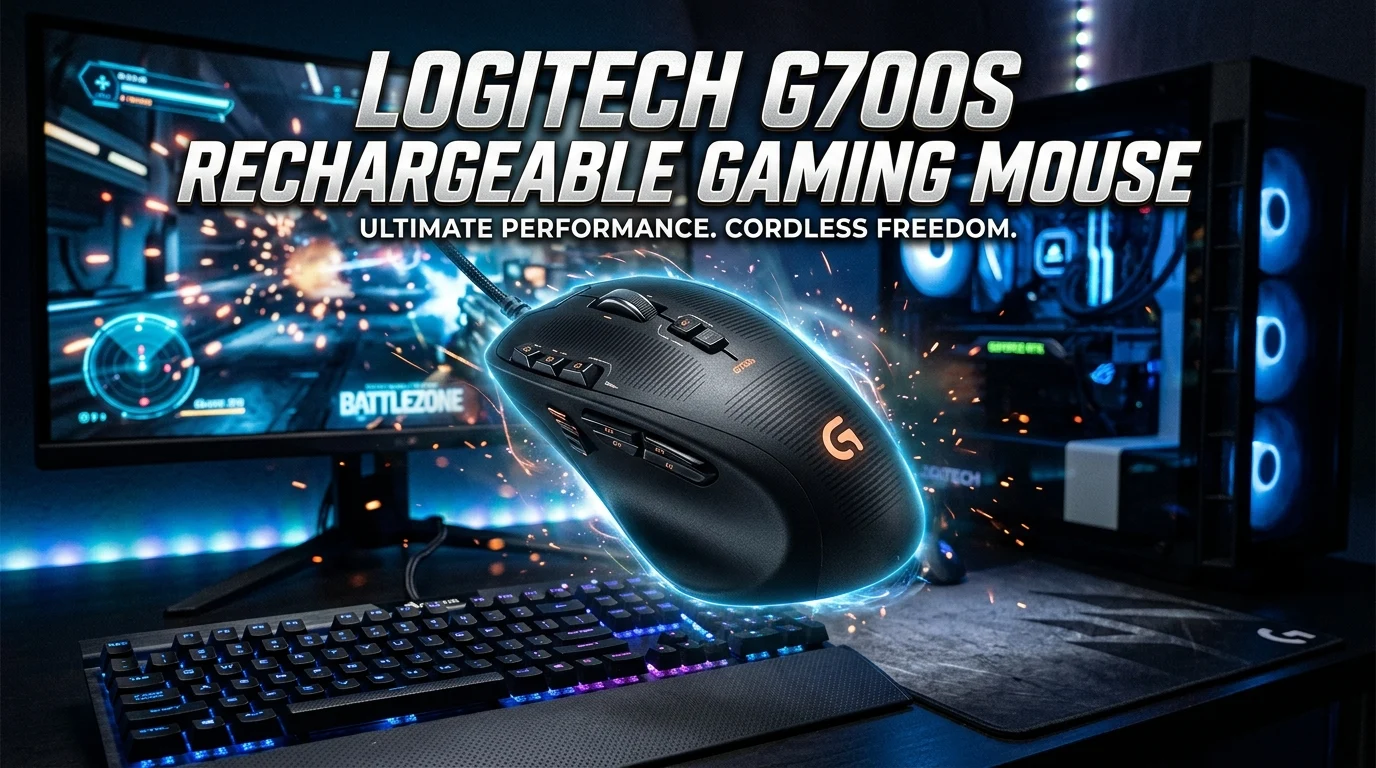
The Logitech G700s rechargeable gaming mouse remains an interesting choice for gamers who want wireless freedom without giving up the responsiveness of a wired connection. Designed for fast-paced gaming, the G700s combines programmable buttons, rechargeable battery support, adjustable performance settings, and Logitech’s familiar ergonomic design. Although it is an older gaming mouse, its feature set still makes it worth considering for MMO players, strategy fans, and anyone who prefers having several controls close to their thumb.
The rechargeable design also reduces the need to keep replacing disposable batteries. In this guide, we will explore the Logitech G700s rechargeable gaming mouse, including its design, buttons, wireless performance, battery behavior, software support, gaming experience, advantages, limitations, and what buyers should consider before purchasing one today.
What Is the Logitech G700s Rechargeable Gaming Mouse?
The Logitech G700s is a wireless gaming mouse designed for players who want a large number of programmable controls without using a traditional wired connection all the time. It belongs to Logitech’s older G-series gaming lineup and was developed with performance-focused PC gaming in mind.
One of its biggest attractions is its rechargeable battery system. Instead of depending on disposable AA batteries, the mouse uses a rechargeable internal battery and can be connected to a computer with its charging cable. This design allows gamers to continue playing while charging when necessary.
The mouse also features numerous programmable buttons. This makes it especially useful for MMO games, where players often need quick access to spells, abilities, inventory functions, macros, or other commands. It can also benefit productivity users who like assigning shortcuts to frequently used actions.
The G700s uses Logitech’s gaming software ecosystem for customization. Users can configure buttons, create profiles, and adjust available performance settings according to their needs.
Although newer Logitech gaming mice offer more modern wireless technologies, lighter designs, and improved battery efficiency, the G700s still has a distinctive advantage: its combination of wireless operation, rechargeable functionality, and a generous number of physical controls.
Logitech G700s Design and Build Quality
The Logitech G700s has a substantial ergonomic shape that was designed primarily for right-handed users. Its larger body can feel comfortable for people who prefer a palm grip or a relaxed claw grip. The shape gives the hand plenty of support during long gaming sessions.
The exterior has a gaming-focused appearance without relying on an extremely aggressive design. Its textured surfaces help provide additional grip, which can be useful when playing games that require frequent and rapid mouse movements.
Build quality is another important consideration with an older mouse. The G700s was designed as a premium gaming peripheral, and its construction feels more substantial than many inexpensive office mice. Its physical controls are positioned around the main buttons and left side, giving users access to additional commands without moving their hand away from the mouse.
The larger construction does have a trade-off. Players who prefer extremely lightweight gaming mice may find the G700s heavy compared with modern alternatives. Lightweight mice have become increasingly popular for competitive FPS gaming, where rapid flicks and large movements are common.
For MMO gaming, however, weight is not necessarily a major disadvantage. MMO players often value button access and comfort more than achieving the lowest possible mouse weight.
Overall, the Logitech G700s has a practical, ergonomic design that remains appealing to gamers who prefer a substantial mouse with plenty of controls.
Logitech G700s Programmable Buttons
One of the defining features of the Logitech G700s is its programmable button layout. Extra controls allow players to assign useful commands without constantly reaching for the keyboard.
This can be particularly helpful in massively multiplayer online games. Players can assign frequently used abilities to mouse buttons and keep their left hand focused on movement or keyboard commands.
The buttons can also be useful outside gaming. For example, users may assign copy, paste, browser navigation, media controls, or application shortcuts depending on their software configuration.
Good button placement matters because too many controls can become confusing. The G700s provides several buttons within easy reach, but users may need a short adjustment period before they can confidently identify each one without looking.
For MMO players, this learning curve is usually worthwhile. Once the button layout becomes familiar, accessing abilities can become much faster.
The programmable controls also make the G700s more flexible than a basic six-button mouse. Instead of being locked into a fixed configuration, users can customize the mouse around individual games and workflows.
This flexibility is one reason the G700s has maintained interest among gamers even though it is no longer a current-generation product. Its physical control layout remains useful for games that require many commands.
Logitech G700s Wireless Gaming Performance
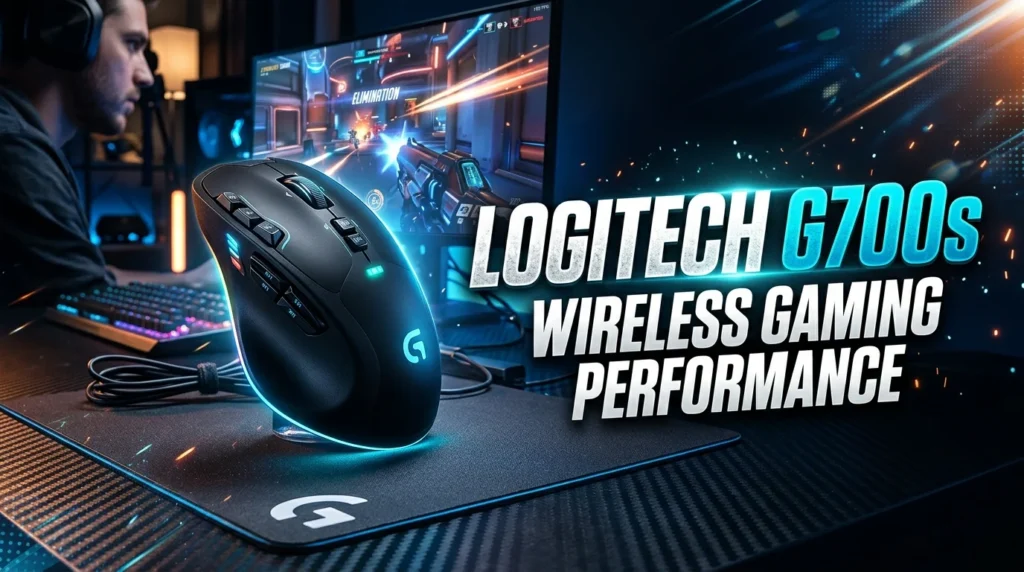
Wireless performance is a major part of the Logitech G700s experience. The mouse was designed to provide wireless gaming while maintaining responsive input, which was an important selling point when it launched.
For everyday gaming, a responsive wireless mouse can provide the freedom to move without a traditional cable dragging across the desk. This can make a noticeable difference for players who dislike cable friction.
The G700s also supports wired operation through its cable. This dual-mode approach is useful because users can switch to a wired connection when they want to recharge the mouse or continue playing after the battery becomes low.
Wireless performance can depend on the condition of the mouse, receiver, battery, USB environment, and operating system. Because the G700s is an older product, buyers purchasing used units should pay particular attention to the wireless receiver. A missing or damaged receiver can make an otherwise functional mouse much less useful.
For competitive modern esports, newer wireless gaming mice may provide more advanced wireless systems and lower weight. However, for MMO gaming, casual gaming, strategy titles, and general computer use, the G700s can still provide a satisfying wireless experience when the hardware is in good condition.
Logitech G700s Rechargeable Battery Life
The rechargeable battery is one of the most practical features of the G700s. Rather than replacing disposable batteries, users can recharge the mouse through its cable.
Actual battery life depends on usage, battery condition, wireless settings, and the age of the battery. This last point is especially important because many G700s units available today are older than when they were originally sold.
Lithium-ion or rechargeable battery performance can decrease over time. A used G700s may therefore provide significantly shorter runtime than a well-maintained unit originally did. Buyers should not assume that every second-hand G700s will deliver the same battery performance.
The ability to use the mouse while connected by cable helps reduce the inconvenience of battery depletion. When the battery becomes low, users can connect the cable and continue working or gaming.
For people who dislike changing batteries, the rechargeable design remains convenient. It also reduces the amount of disposable battery waste generated during regular use.
If you are buying a used Logitech G700s, ask about battery condition before purchasing. A seller who can demonstrate wireless operation, charging behavior, and battery runtime provides much more useful information than a simple statement that the mouse is working.
Logitech G700s Gaming Software and Customization
Customization is an important reason to consider the G700s. Logitech’s gaming software was designed to let users configure supported gaming peripherals and create personalized control profiles.
With programmable controls, players can assign different functions to the mouse buttons depending on the game. An MMO profile might contain ability shortcuts, while another profile could be designed for general desktop use.
Profile-based customization is useful for people who play multiple games. Instead of manually changing every button before each session, users can configure different settings for different applications where supported.
The software can also make the mouse more useful for productivity. Additional buttons can become shortcuts for frequently performed tasks, reducing keyboard movement.
However, software compatibility should be considered carefully because the G700s is an older Logitech product. Modern operating systems and newer Logitech software versions may not provide exactly the same experience as the software environment available when the mouse was released.
This is particularly important for buyers using a current Windows PC. Before purchasing a used G700s specifically for advanced customization, it is sensible to verify current software compatibility.
The hardware itself may still function as a standard mouse even when some advanced customization features are difficult to configure.
Logitech G700s for MMO Gaming
The G700s is particularly well suited to MMO gaming because MMOs often require many commands. Players may need quick access to combat abilities, healing spells, mounts, inventory items, defensive skills, and other actions.
A mouse with several programmable controls can reduce dependence on keyboard shortcuts. Instead of moving a hand across the keyboard to reach a distant key, a player can assign selected commands to the mouse.
The ergonomic shape can also be useful during long MMO sessions. MMO games often involve extended periods of play, making hand comfort an important consideration.
The G700s is not limited to MMOs, either. It can work well with strategy games, action RPGs, simulation games, and other titles where additional controls are valuable.
However, FPS players should think about the mouse’s size and weight before choosing it. Modern competitive shooters often favor lightweight mice that make rapid aiming movements easier.
For an MMO-focused gaming setup, the G700s makes more sense. Its extra buttons and programmable controls can provide practical advantages that are less important in simple games.
If your main priority is having many accessible commands rather than owning the newest and lightest mouse, the G700s remains an interesting option.
Logitech G700s Ergonomics and Comfort
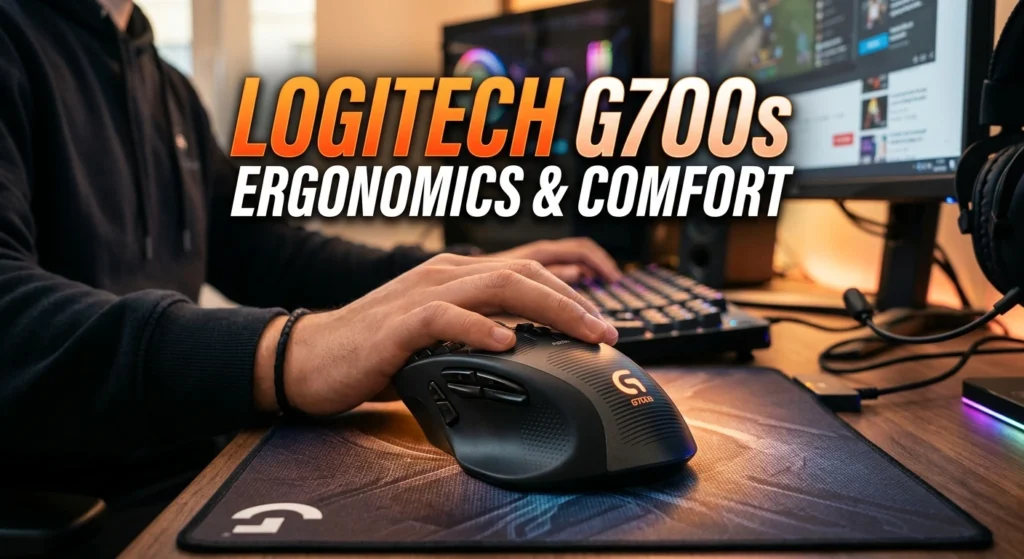
Comfort is an important part of any gaming mouse, especially when players spend several hours at a computer. The G700s uses a right-handed ergonomic shape intended to provide support for the hand.
Its larger body may suit users with medium-to-large hands particularly well. Palm-grip users can benefit from having more of the hand supported by the mouse shell.
Grip style plays a major role in whether the G700s feels comfortable. Someone who prefers a very small mouse or fingertip grip may find its larger body less suitable. Conversely, players who dislike compact mice may appreciate the extra support.
Button placement is also part of ergonomics. The additional side controls can reduce the need for keyboard movement, but users may accidentally press a button until they become accustomed to the layout.
Long-term comfort also depends on desk height, wrist position, mouse sensitivity, and overall workstation setup. A well-designed mouse cannot completely compensate for poor posture or an unsuitable desk arrangement.
For many right-handed gamers, the G700s provides a comfortable traditional gaming shape. Its main ergonomic limitation is that it is not designed for left-handed users and may feel bulky to people accustomed to lightweight modern mice.
Logitech G700s Sensor and Tracking
The sensor is another important component of gaming mouse performance. The G700s was developed with gaming-oriented tracking capabilities rather than basic office use alone.
A good gaming sensor should track movement consistently and respond predictably to changes in direction. This matters when aiming, selecting units in strategy games, navigating menus, or controlling a character.
The G700s was considered a high-performance gaming mouse during its product generation. It provided adjustable sensitivity settings so users could select a sensitivity level that matched their preferred gaming style.
Modern gaming sensors have continued to improve, and newer mice can offer greater efficiency, lower weight, and more advanced specifications. That does not automatically make the G700s unusable. Sensor performance needs to be considered alongside the actual gaming requirements.
For MMO and general gaming, precise tracking remains more than adequate when the mouse is functioning properly and used on a suitable surface.
A quality mouse pad can also help maintain consistent movement. Users should keep the sensor area clean and avoid using the mouse on reflective or unsuitable surfaces that may interfere with tracking.
Logitech G700s Wired vs Wireless Use
One of the strongest practical features of the G700s is its ability to operate wirelessly and through a cable. This gives users flexibility that a permanently wired mouse cannot provide.
Wireless mode keeps the desk free from cable drag and can make gaming feel cleaner. It is particularly useful for players who prefer a flexible setup.
Wired mode provides a dependable fallback when the battery needs charging. Users can connect the mouse and continue playing instead of waiting for a full recharge.
This hybrid design is especially valuable on an older mouse because battery health can decline with age. If the battery no longer lasts as long as it once did, wired operation can extend the useful life of the device.
Cable drag can still matter during wired use. A modern lightweight wired mouse may feel smoother for competitive FPS gaming, but that is a different priority from the G700s’s focus on versatility.
For everyday use, the wired and wireless options make the G700s convenient. Users can choose wireless operation when they want freedom and wired operation when charging or maximum consistency is more important.
This flexibility remains one of the mouse’s most useful characteristics.
Logitech G700s Compatibility With Modern PCs
Compatibility is an important issue when purchasing an older gaming peripheral. The Logitech G700s was designed for operating systems and software available during its original product era, while modern computers use newer versions of Windows and other software environments.
The mouse can generally function as a standard USB pointing device when properly connected. However, advanced features such as button programming and profile management may depend on software support.
This distinction matters. A mouse can work for basic clicking and pointing while some of its specialized gaming features are harder to configure.
Users should also consider the USB receiver. Wireless functionality depends on having the correct receiver and a working connection between the receiver and mouse.
When buying second-hand, inspect the receiver, charging cable, mouse feet, buttons, scroll wheel, and battery. These components can affect the overall experience more than cosmetic wear.
Compatibility may also change as operating systems and software evolve. Therefore, buyers should verify current Logitech support information before purchasing the G700s specifically for advanced features.
If you simply need a comfortable programmable mouse and are willing to troubleshoot older software, the G700s can still be useful. If you want guaranteed support for the newest operating systems and software, a newer Logitech gaming mouse may be a safer choice.
Logitech G700s Advantages for Gamers
The Logitech G700s has several qualities that continue to make it appealing to certain gamers.
Its biggest advantage is the combination of wireless freedom and rechargeable operation. Users can avoid permanent cable drag while still having the option to connect the mouse when charging is necessary.
The programmable buttons are another major strength. They make the mouse particularly useful for MMO players and other gamers who need many commands.
The ergonomic right-handed design can also provide comfortable support during extended gaming sessions. Its larger body may feel especially natural for players who dislike compact mice.
The ability to customize button functions adds another layer of flexibility. A player can create controls around personal preferences rather than accepting a fixed layout.
The mouse can also be useful for general computer work. Programmable buttons can become shortcuts for repetitive tasks, making the peripheral more versatile than a simple gaming mouse.
Finally, the G700s can be attractive on the used market when found in good condition at a reasonable price. Buyers who understand its age and limitations may get useful functionality without spending heavily on a newer premium mouse.
These advantages explain why the G700s still attracts attention despite being an older model.
Logitech G700s Limitations and Drawbacks
The G700s also has several limitations that buyers should understand before purchasing.
First, it is an older gaming mouse. Modern wireless mice generally offer newer connectivity systems, longer battery efficiency, improved sensors, and lighter designs.
Weight is another potential disadvantage. Players who prioritize extremely low mouse weight may find the G700s noticeably heavier than modern esports-focused mice.
Battery condition is especially important when purchasing used. Rechargeable batteries naturally lose capacity over time, and an older G700s may not provide the same runtime it delivered when new.
Software support can also be a concern. Older gaming peripherals may require legacy software or additional troubleshooting for advanced customization on modern operating systems.
The wireless receiver is another potential weakness. Losing the original receiver can make wireless operation difficult, so buyers should verify that it is included and functioning.
The mouse is also designed primarily for right-handed users. Left-handed gamers should look for a different design.
Finally, its larger ergonomic shape may not suit users with small hands or those who prefer fingertip grips.
None of these issues automatically makes the G700s a bad choice. They simply mean that buyers should evaluate the mouse according to their needs instead of comparing it directly with every modern gaming mouse.
Is the Logitech G700s Rechargeable Gaming Mouse Still Worth It?
Whether the Logitech G700s is worth buying today depends heavily on price, condition, and intended use.
For an MMO player who wants many programmable buttons, a rechargeable battery, and a comfortable right-handed design, the G700s can still be appealing. Its feature set remains practical for games that benefit from numerous accessible controls.
However, buyers should remember that this is an older product. A used unit may have battery degradation, worn switches, damaged mouse feet, or software compatibility challenges.
The purchase makes the most sense when the mouse is available at a reasonable price and the seller can demonstrate that the important components work correctly.
Competitive FPS players may be better served by a newer lightweight gaming mouse. Modern products often focus heavily on reducing weight and improving wireless efficiency.
For MMO gaming, productivity, and general PC use, the G700s has a more compelling value proposition because its extra buttons remain useful.
Before buying, check the battery, wireless receiver, charging cable, buttons, scroll wheel, sensor, and software compatibility. A clean, well-maintained unit can be significantly more valuable than a cheap but heavily worn example.
In short, the Logitech G700s is worth considering for the right user, but it should be purchased as an older specialty gaming mouse rather than treated like a modern flagship.
How to Choose a Used Logitech G700s
If you are shopping for a used Logitech G700s, condition should be your first priority. Because the model is older, physical wear can vary considerably between individual units.
Start by checking the rechargeable battery. Ask whether the mouse holds a charge and how long it operates wirelessly. Very short battery life can indicate significant battery aging.
Next, confirm that the original wireless receiver is included. Without a working receiver, the mouse may not provide its intended wireless functionality.
Test every button. Programmable controls are one of the main reasons to buy the G700s, so a faulty side button can reduce its usefulness.
Check the scroll wheel for smooth movement and reliable clicking. Also inspect the main left and right buttons for inconsistent clicks or accidental double-clicking.
Examine the charging cable and USB connection. A damaged cable can make charging and wired operation unreliable.
The sensor should track smoothly without unexplained jumps or interruptions. Testing it on a proper mouse pad is helpful.
Finally, ask about software customization if that matters to you. A seller who can demonstrate the mouse working on a computer provides greater confidence than one who only supplies photographs.
A slightly more expensive unit in excellent condition can be a better investment than a very cheap example requiring repairs.
Logitech G700s vs Modern Gaming Mice
Comparing the G700s with modern gaming mice highlights how gaming hardware has changed. Newer models often focus on lighter construction, improved wireless efficiency, more advanced sensors, and longer battery performance.
The G700s has a different philosophy. It emphasizes physical controls, ergonomic support, and flexible wired or wireless operation.
For MMO gamers, this can still be valuable. Having numerous programmable buttons may be more useful than saving several dozen grams of weight.
Modern gaming mice also tend to provide better long-term software support because they belong to current product families. This can make them easier to configure on newer computers.
On the other hand, buying a used G700s may provide a lower-cost way to access a feature-rich mouse. The value depends on the condition and asking price.
Competitive FPS players generally have different priorities. Lightweight construction and advanced wireless performance may matter more than a large collection of programmable buttons.
The best choice therefore depends on the type of games you play. An MMO enthusiast may appreciate the G700s’s control layout, while an esports FPS player may prefer a modern lightweight model.
The G700s should not be judged only by its age. Instead, compare its features with the features you actually need.
Logitech G700s Maintenance and Care Tips
Proper maintenance can help an older G700s remain useful for longer. Regular cleaning is particularly important because dust and skin oils can accumulate around the buttons, scroll wheel, and sensor.
Use a soft, dry cloth to clean the exterior. Avoid soaking the mouse or allowing liquid to enter its openings.
Keep the sensor area free from dust. A clean sensor can help maintain reliable tracking.
The mouse feet should also be checked periodically. Worn feet can make movement feel rough and inconsistent. Replacement feet may be available through third-party sources, although compatibility should be verified carefully.
Battery care is important as well. Avoid exposing the mouse to excessive heat and use a suitable charging cable and USB connection.
When storing the mouse for a long period, keep it in a dry environment and protect the receiver so it does not become lost.
Avoid forcing the side buttons or scroll wheel. Mechanical controls can wear out, especially on an older gaming peripheral.
Finally, keep the software configuration backed up or documented if you have created complicated profiles. This makes it easier to restore your preferred settings after reinstalling software or changing computers.
Simple maintenance cannot eliminate age-related wear, but it can help preserve the functionality and appearance of an older gaming mouse.
Who Should Buy the Logitech G700s Rechargeable Gaming Mouse?
The Logitech G700s is best suited to a specific type of user rather than everyone.
It is a strong candidate for MMO players who value programmable buttons and want quick access to many in-game commands. Its ergonomic shape can also appeal to users who prefer a larger right-handed mouse.
It may also suit casual gamers who want wireless functionality without needing the newest hardware. The rechargeable design eliminates the inconvenience of frequently replacing disposable batteries.
Productivity users can also find value in the programmable controls. Assigning shortcuts to extra buttons can make repetitive computer tasks more efficient.
However, the G700s may not be the ideal choice for competitive FPS players who prioritize the lowest possible weight. It may also disappoint users who expect modern battery life and current-generation software support.
Left-handed users should consider a different mouse because of the G700s’s right-handed ergonomic design.
Ultimately, the best buyer is someone who understands the mouse’s age and values its unique combination of wireless operation, rechargeable functionality, comfort, and multiple programmable buttons.
If those features match your priorities, a well-maintained G700s can still be a useful gaming peripheral.
Conclusion
The Logitech G700s rechargeable gaming mouse remains a distinctive option for gamers who value wireless freedom, rechargeable operation, ergonomic comfort, and multiple programmable controls. Its feature set is particularly attractive for MMO gaming, where having quick access to numerous abilities can improve convenience and gameplay.
At the same time, buyers should remember that the G700s is an older gaming mouse. Battery health, wireless receiver availability, physical wear, and modern software compatibility are important considerations when purchasing one today.
For competitive gamers seeking the lightest and newest technology, a modern gaming mouse may be a better choice. For MMO players and users who appreciate a larger mouse with many controls, however, the G700s can still offer meaningful value when purchased in good condition.
FAQs
1. Is the Logitech G700s rechargeable?
Yes. The Logitech G700s was designed with a rechargeable battery and can also be connected by cable for wired operation and charging.
2. Is the Logitech G700s good for MMO gaming?
Yes. Its multiple programmable buttons make it particularly useful for MMO games that require frequent access to abilities, commands, and shortcuts.
3. Can you still use the Logitech G700s as a wired mouse?
Yes. The G700s supports wired use through its USB cable, which is also useful when the battery needs charging.
4. Is the Logitech G700s good for FPS games?
It can work for FPS gaming, but its larger and heavier design may not appeal to competitive FPS players who prefer modern lightweight gaming mice.
5. Should you buy a used Logitech G700s?
A used G700s can be worthwhile if the battery, wireless receiver, buttons, sensor, scroll wheel, and cable are in good condition and the price is reasonable. Always check these components before buying.