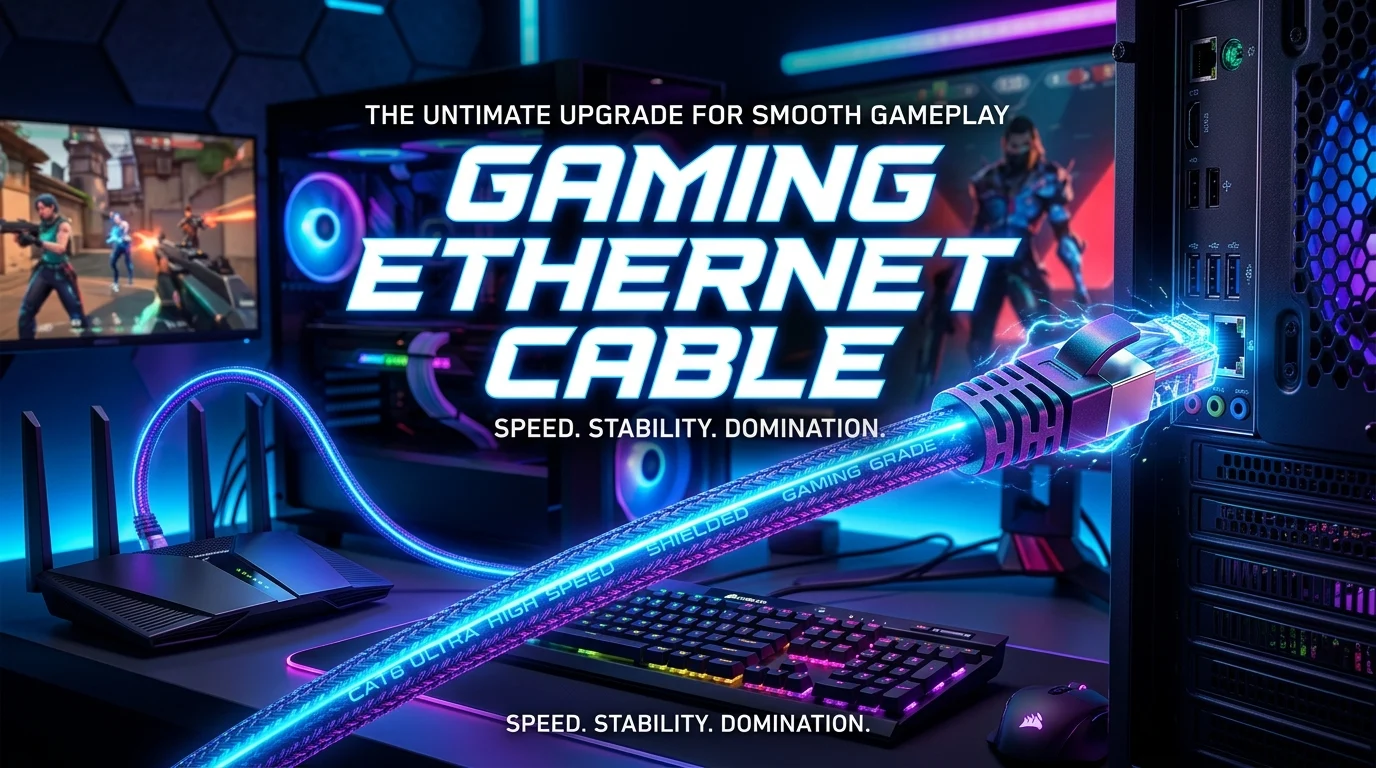
A gaming ethernet cable gives your PC or console a wired network link. It can help make online play more stable. It may also reduce problems caused by weak Wi-Fi, signal drops, or busy wireless networks. But not every cable is better for gaming. In most homes, a good Cat5e cable is already fast enough for online games.
Cat6 and newer cables can make sense for faster home networks and future upgrades. The key is to match the cable with your internet speed, router, network port, and setup. Cable length and build quality also matter. A wired connection cannot fix a slow internet plan or a bad game server. Still, it can remove Wi-Fi as one possible source of network trouble.
What Is a Gaming Ethernet Cable?
A gaming ethernet cable is simply an Ethernet network cable used for gaming.
There is no special gaming signal inside the cable. The cable sends data between your gaming device and your router, switch, or other network device.
A wired connection can be useful for online games because it does not depend on a wireless signal. Your PC or console stays connected through the physical cable.
This can help when Wi-Fi is weak or unstable.
Common Ethernet cable types include:
- Cat5e
- Cat6
- Cat6a
- Cat7
- Cat8
For most home gaming setups, Cat5e or Cat6 is enough.
The right choice depends on your network. Buying a very high category cable does not automatically make your games faster.
Does Ethernet Make Gaming Better?
Ethernet can make gaming more stable.
Online games need a steady connection. They send small amounts of data between your device and the game server. The quality of that connection can affect how the game feels.
A wired connection may help with:
- Stable ping
- Fewer wireless signal drops
- Less Wi-Fi interference
- More consistent network performance
- Reliable downloads
- Better local network speeds
Ethernet does not guarantee low ping.
Your ping also depends on the game server, server distance, ISP routing, network traffic, and other factors.
For example, a player with a great Ethernet cable can still have high ping when the game server is far away.
The cable is only one part of the network.
Ethernet vs Wi-Fi for Gaming
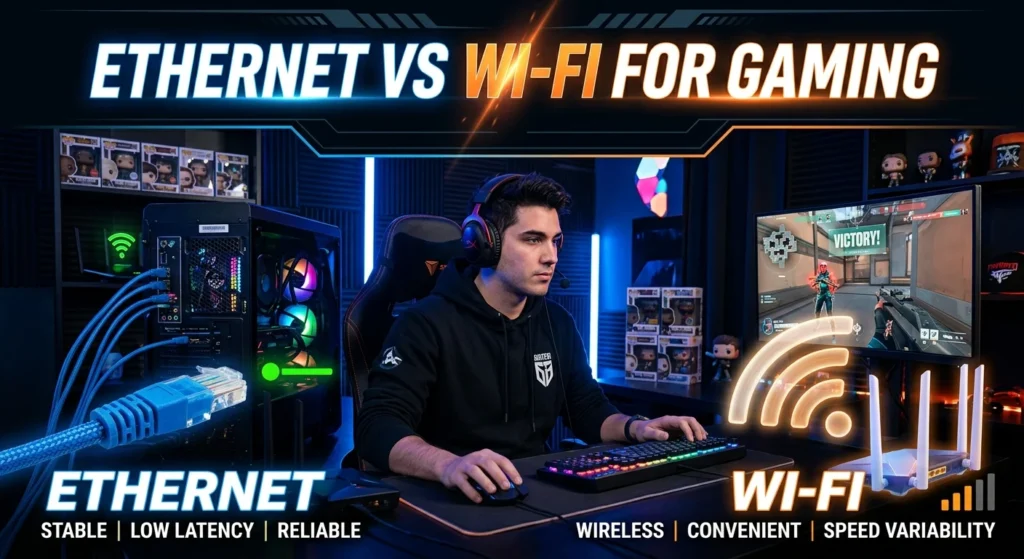
Both Ethernet and Wi-Fi can work well for gaming. The better choice depends on your setup.
Ethernet has one major benefit. It uses a physical connection.
Wi-Fi sends data through radio signals. Walls, distance, other wireless devices, and network congestion can affect that signal.
Here is a simple comparison:
| Feature | Ethernet | Wi-Fi |
| Connection type | Wired | Wireless |
| Signal interference | Very low | Can be affected |
| Mobility | Low | High |
| Setup | Needs a cable | Easy without cables |
| Stability | Usually very consistent | Depends on signal |
| Gaming use | Excellent | Good when signal is strong |
| Cable management | Needed | Not needed |
If your gaming device is close to the router, Ethernet is often a simple choice.
If the router is far away, Wi-Fi may be more practical.
Which Ethernet Cable Is Best for Gaming?
For most gamers, Cat6 is a strong choice.
Cat5e is also suitable for many home networks. It can support Gigabit Ethernet when the connected hardware supports it.
Cat6 can support higher network speeds over suitable distances and equipment. It also gives you a useful option for future network upgrades.
Cat6a can make sense for users who want stronger support for higher-speed Ethernet.
Cat7 and Cat8 are often unnecessary for a normal gaming setup.
The most important point is simple:
Your cable category should match your network needs.
A Cat8 cable does not turn a standard Gigabit connection into a faster internet connection by itself.
Your router, network card, switch, and internet service must also support the higher speed.
Cat5e vs Cat6 for Gaming
And Cat6 are both common choices.
Cat5e is enough for many gamers. If your router and PC have Gigabit Ethernet ports, a Cat5e cable can handle that type of connection.
Cat6 gives you more room for higher-speed local networking. It can also be a good choice when buying new cables for a home setup.
For gaming, the difference is often not about lower ping.
Both can provide a stable wired connection when used with compatible equipment.
Choose Cat5e if:
- You already have good Cat5e cables.
- Your network uses Gigabit Ethernet.
- You want a basic and useful cable.
- You do not need a higher-speed local network.
Choose Cat6 if:
- You are buying new cables.
- You want more future flexibility.
- Your network hardware supports higher speeds.
- You transfer large files across your local network.
For most gamers, there is no need to replace a working Cat5e cable just because Cat6 exists.
Does Cat6 Lower Ping?
Cat6 does not automatically lower ping.
This is a common misunderstanding.
Ping measures the time needed for data to travel between your device and another network destination. Many parts of the network can affect this time.
These include:
- Your router
- Your ISP
- Network routing
- Game server location
- Internet congestion
- Server load
- Your home network
The cable can provide a stable link between your device and network hardware.
That can help avoid problems caused by a poor wireless connection.
But switching from a working Ethernet cable to a higher-category cable may not create a noticeable ping change.
If your current cable already supports your network speed, the cable category may not be the issue.
Does Ethernet Reduce Lag?

Ethernet can reduce some causes of lag.
Lag is a broad term. Players may use it to describe high ping, packet loss, freezing, delay, or connection drops.
A wired connection can help when Wi-Fi is causing the problem.
For example, your Wi-Fi may have:
- Weak signal
- Interference
- Congestion
- Distance from the router
- Wireless dropouts
Using Ethernet removes the wireless link between your device and router.
That can make the connection more consistent.
However, Ethernet cannot fix every type of lag.
A distant game server can still create high ping. ISP routing can also affect your connection.
The same is true when a game server has problems.
What Ethernet Cable Speed Do You Need?
You do not need an extremely high-speed cable for online gaming.
Online games usually do not need huge download speeds during normal play.
What matters more is connection stability and network quality.
For many home users, Gigabit Ethernet is more than enough for gaming traffic.
Your network speed is limited by the slowest important part of the connection.
For example, imagine this setup:
PC → Ethernet cable → router → internet service
If your PC port supports 1 Gbps and your router port supports 1 Gbps, the connection cannot become a multi-gigabit link just because you connect a higher-category cable.
The hardware must support the higher speed too.
Cable Length and Gaming Performance
Cable length matters, but a normal home setup usually does not need extreme planning.
You should choose a cable long enough to reach your router or network switch without putting stress on the connectors.
Avoid buying a cable that is so short that it must be pulled tightly.
At the same time, extra-long cables can create clutter.
For a gaming desk, measure the path first.
Think about:
- Router location
- Desk location
- Wall routing
- Floor distance
- Cable bends
- Console or PC placement
A clean cable path can make your setup easier to manage.
Do not sharply bend or crush the cable.
Should You Buy a Flat Ethernet Cable?
Flat Ethernet cables can be useful for cable management.
They can fit under some carpets, around furniture, or along certain paths more easily than round cables.
However, the physical design is not the main factor in gaming performance.
Look at the cable category and specifications first.
A flat cable can work well when it is properly made and suitable for your network.
A round cable may be a better choice for some longer or more demanding installations.
The best cable is one that fits your setup and supports the network speed you need.
Shielded vs Unshielded Ethernet Cables
Ethernet cables can use different shielding designs.
You may see terms such as UTP, FTP, STP, or other shielding labels.
Unshielded twisted pair cables are common in home networks.
Shielded cables can help in environments with certain sources of electrical interference. But they are not automatically better for gaming.
For a normal home gaming desk, you usually do not need to buy the most heavily shielded cable available.
Focus on:
- Correct cable category
- Good construction
- Correct length
- Compatible connectors
- Suitable network speed
Do not pay extra for features you do not need.
Ethernet Cable Connectors for Gaming
Most common Ethernet cables use an RJ45-style connector for home networking.
Your PC, PlayStation, Xbox, router, or network switch may have an Ethernet port designed for this type of connection.
Before buying a cable, check the ports on your devices.
Some newer computers and networking devices support faster Ethernet standards. Others use standard Gigabit Ethernet.
The cable cannot upgrade a port.
If your device has a Gigabit Ethernet port, connecting a high-speed cable does not change that port into a faster one.
How to Choose a Gaming Ethernet Cable
Choosing a cable is easier when you focus on the parts that matter.
1. Check Your Network Ports
Look at your gaming PC or console.
Then check your router.
Find out what Ethernet speed each device supports.
This helps you avoid buying a cable that does not add useful value.
2. Pick the Right Category
Cat5e is enough for many home gaming networks.
Cat6 is a good general choice for new purchases.
Cat6a can be useful for higher-speed network setups.
Higher categories may be useful in specific cases, but they are not required just for gaming.
3. Measure the Distance
Know how far the cable needs to travel.
Leave some extra length for movement and cable management.
Do not buy a cable that must be stretched tightly.
4. Consider Cable Design
Choose round or flat based on your room.
Pick a design that is easy to route and protect.
5. Check Build Quality
Look for a cable made for normal Ethernet networking.
The connector should fit securely.
The cable should not feel poorly made or easily damaged.
Common Ethernet Cable Mistakes Gamers Make
Buying the most expensive cable is not always the best move.
Some gamers focus on marketing claims instead of network needs.
Here are common mistakes to avoid.
Buying Cat8 for a Basic Network
A high category number can look impressive.
That does not mean it will improve your gaming.
If your network hardware does not support the higher speed, the extra cable capability may not matter.
Choosing the Wrong Length
A cable that is too short can be hard to use.
One that is much longer than needed can create clutter.
Measure first.
Blaming the Cable for Every Ping Problem
High ping can come from many places.
Check your game server, ISP, router, and network setup before replacing a working cable.
Ignoring the Router
Your Ethernet cable connects your gaming device to your network.
The router still plays a major role.
An old or overloaded router can create network problems.
Using Damaged Cables
A damaged cable can cause connection problems.
Look for cuts, crushed sections, loose connectors, or other physical damage.
Replace a cable when it is clearly damaged.
How to Connect Ethernet to a Gaming PC
Connecting Ethernet is simple.
First, find the Ethernet port on your PC.
Next, find an available LAN port on your router or network switch.
Plug one end into the PC.
Connect the other end to the router or switch.
Your computer should detect the wired network connection.
If it does not, check the cable and network settings.
You may also need to check whether the Ethernet adapter is enabled.
Once connected, test your network.
A wired connection should now be used instead of Wi-Fi when the system gives it priority.
How to Use Ethernet With a Gaming Console
Many gaming consoles support wired network connections.
The basic setup is similar to a PC.
Connect the Ethernet cable from the console to your router or network switch.
Then open the console’s network settings.
Choose the wired connection option when required.
Follow the setup steps shown on the console.
After the connection is active, test the network.
A wired connection can be useful when your console is near the router.
It is also helpful when Wi-Fi performance is not stable.
Ethernet and Download Speed
Ethernet can also help with large game downloads.
The actual download speed depends on several factors.
Your internet plan is one factor.
Your router and network hardware are also important.
The game platform’s download servers can affect speed too.
Your Ethernet cable needs to support the network connection, but the cable is not the only limit.
For example, if your internet connection is slower than your Ethernet link, upgrading the cable will not increase your internet plan speed.
This is why network upgrades should start with the actual problem.
Ethernet and Packet Loss
Packet loss means data does not reach its destination correctly.
It can cause problems in online games.
You may see actions fail to register. Characters may move in strange ways. The game can also disconnect.
Wi-Fi problems can sometimes contribute to packet loss.
A wired Ethernet connection can remove wireless interference as a possible cause.
Still, packet loss can happen elsewhere.
The issue may be related to your router, ISP, network path, or game server.
If packet loss continues over Ethernet, investigate the wider connection.
Ethernet Cable and Streaming While Gaming
Some gamers play while other people use the same internet connection.
Someone may stream video.
Another person may download a large file.
Other devices may also use the network.
Ethernet can give your gaming device a stable link to the router.
But it does not automatically reserve internet bandwidth for your game.
If your home network is busy, router settings may matter more.
Quality of Service, traffic control, or other network features may help on supported routers.
The right solution depends on what is causing the congestion.
Does Cable Color Matter?
No.
Cable color does not improve gaming performance.
You can choose black, blue, white, gray, or another available color.
The color is mainly useful for organization.
For example, you might use one color for your gaming PC and another for other network devices.
That can make a network setup easier to understand.
Performance comes from the cable design and network standard, not the color.
Does Gold Plating Improve Gaming?
You may see Ethernet cables with gold-plated contacts.
This is often used as a selling point.
It does not mean the cable will automatically give you lower ping.
The main goal is a reliable electrical connection.
Do not choose an Ethernet cable only because of a premium-looking connector.
Focus on compatibility, cable category, construction, and proper use.
Can a Bad Ethernet Cable Cause High Ping?
A damaged or faulty cable can cause network problems.
It may lead to connection drops, errors, or an unstable link.
That can make online gaming feel worse.
However, a bad cable is not the only possible cause of high ping.
If your connection is slow or unstable, test the cable first.
Try another known-good Ethernet cable.
If the problem disappears, the original cable may have been the issue.
If the problem remains, look at the router, ISP, game server, and other network factors.
How to Test Your Ethernet Connection
You can start with a simple test.
Connect your gaming device directly to the router.
Use a known-good Ethernet cable.
Then check the network connection.
Run a speed test if you want to compare network performance.
You can also test your connection during gaming.
Look for:
- High ping
- Packet loss
- Connection drops
- Sudden speed changes
- Network warnings
Testing at different times can also help identify congestion.
If Ethernet works well but Wi-Fi does not, the wireless network may be the problem.
Direct Router Connection vs Ethernet Switch
You do not always need to connect every device directly to the router.
An Ethernet switch can add more wired network ports.
For example:
Router → Ethernet switch → Gaming PC
The switch can then connect other devices.
This can be useful when your router is far from your gaming desk or has limited LAN ports.
A switch must also support the network speed you need.
For a basic home setup, a suitable Gigabit Ethernet switch can handle common wired networking needs.
The cable between each device should also support the desired speed.
Ethernet Cable for Gaming PC
A gaming PC can benefit from a wired network connection.
This is especially true when the PC sits near the router.
A desktop PC usually does not need the mobility of Wi-Fi.
Ethernet also gives you a clean path for the network connection.
Check the motherboard or network adapter before buying a cable.
Most modern systems have Ethernet ports, but the supported speed can vary.
If your PC supports a faster Ethernet standard, make sure the router or switch can support it too.
Ethernet Cable for PS5 and Xbox
A wired connection can be useful for console gaming.
Connect the console to your router using Ethernet.
Then use the console’s network settings to configure the wired connection.
The same basic rule applies here:
The cable cannot make unsupported hardware faster.
Your console, router, network equipment, and internet connection all play a role.
A good Ethernet cable can provide a stable physical link.
That is its main value.
Best Setup for a Gaming Ethernet Connection
A simple setup is often the best.
Try this arrangement:
Gaming PC or console → Ethernet cable → Router
Keep the cable in good condition.
Avoid sharp bends.
Do not place heavy objects on it.
Use cable clips or simple cable management tools when needed.
If the router is far away, an Ethernet switch may help.
For very long cable runs, proper installation matters more than buying a flashy cable.
When Wi-Fi May Be Better
Ethernet is not always practical.
Your router may be on another floor.
Running a cable may require drilling or complex cable routing.
A strong Wi-Fi setup may be easier.
Modern Wi-Fi can provide good performance for gaming when the signal is strong and the network is well managed.
You may also prefer Wi-Fi for laptops and portable devices.
The goal is not to use Ethernet at all costs.
The goal is to get a stable connection that works well for your games.
Is a Gaming Ethernet Cable Worth It?
For most gamers, Ethernet is worth considering when a wired connection is practical.
You do not need a cable marketed with gaming language.
A suitable Ethernet cable can do the job.
Cat5e is enough for many basic Gigabit setups.
Cat6 is a useful choice for many new installations.
Higher categories make sense when your network needs them.
The best purchase is based on your hardware and network.
Do not spend more just because a product says “gaming.”
Check what your setup actually supports.
Final Buying Checklist
Before buying a gaming ethernet cable, check these points:
- Check your gaming device’s Ethernet port.
- Check your router’s LAN port speed.
- Pick a suitable cable category.
- Measure the required cable length.
- Choose flat or round based on your setup.
- Avoid damaged or poorly made cables.
- Do not buy extra speed you cannot use.
- Keep the cable away from heavy pressure.
- Test the connection after installation.
- Check the full network if ping remains high.
This approach helps you spend money where it matters.
Conclusion
A gaming ethernet cable can be a simple way to improve the stability of your gaming connection. It removes the wireless link between your device and router. That can help when Wi-Fi suffers from weak signals or interference.
For many homes, Cat5e is enough. Cat6 is also a solid choice for new setups. Cat6a and higher categories can be useful for specific high-speed networks, but they are not required just because you play games.
Remember that Ethernet cannot solve every network problem. Ping also depends on your ISP, routing, server location, router, and game server. Start by finding the real problem. Then choose the cable that fits your hardware and network.
FAQs
1. What is the best gaming ethernet cable?
For many home gaming setups, Cat6 is a good general choice. Cat5e can also be enough for Gigabit Ethernet. The best option depends on your network hardware and speed needs.
2. Does a gaming ethernet cable lower ping?
It can help if Wi-Fi is causing instability or extra delay. However, Ethernet does not guarantee lower ping. Server distance, ISP routing, and other network factors also affect ping.
3. Is Cat6 better than Cat5e for gaming?
Cat6 offers more capability for higher-speed networking, but Cat5e can already be enough for many gaming setups. If your current Cat5e cable works well, replacing it with Cat6 may not create a noticeable gaming improvement.
4. Do Cat7 or Cat8 cables improve gaming?
Not automatically. Higher-category cables can support specific high-speed network setups, but they do not by themselves lower ping or make online games faster. Your network hardware must support the higher standard.
5. Should I use Ethernet or Wi-Fi for gaming?
Ethernet is often a strong choice when you can run a cable to your gaming device. It provides a direct wired connection and avoids many wireless issues. Good Wi-Fi can also work well when the signal is strong and stable.