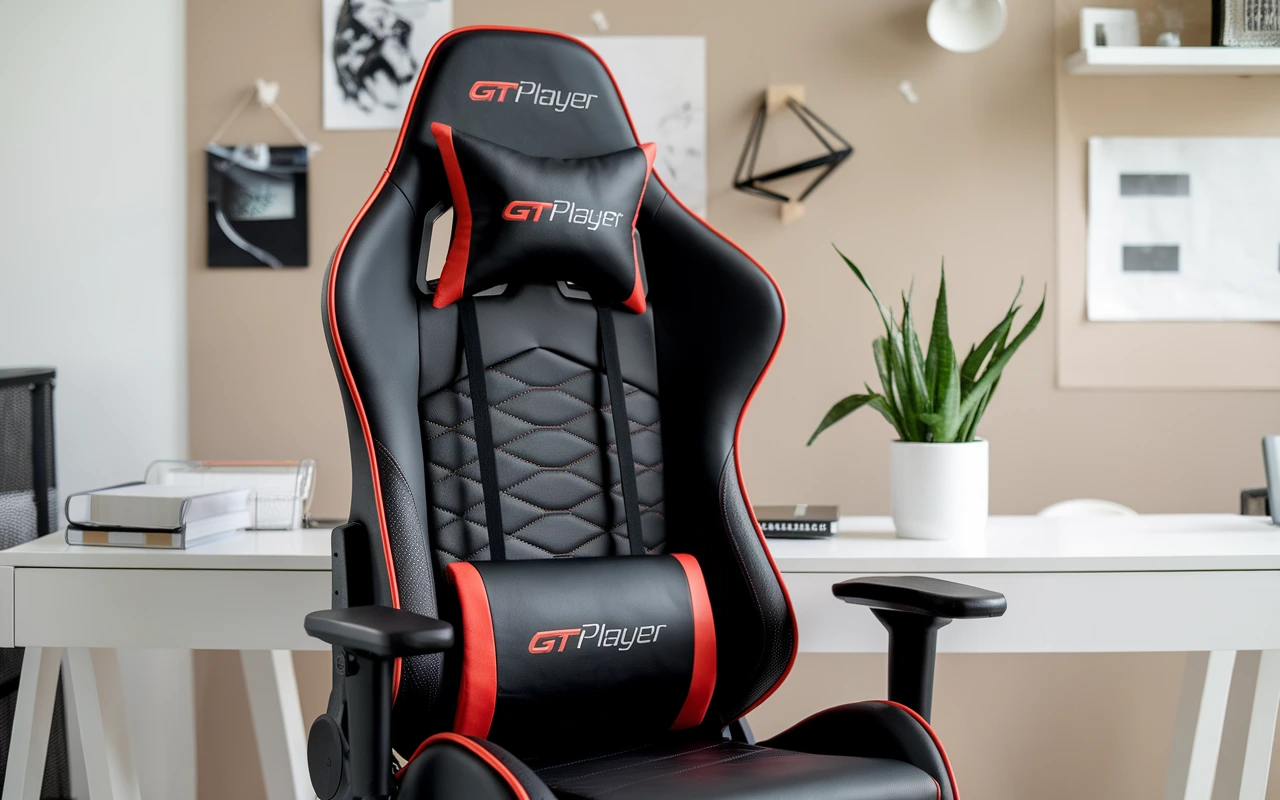
A GTPLAYER gaming chair can be a useful choice for gamers who want better comfort and support during long gaming sessions. A good gaming chair is not only about appearance; features such as back support, cushioning, adjustable height, armrests, and reclining options can also affect your overall sitting experience. GTPLAYER offers gaming chair designs aimed at different users, making it important to understand what each model provides before choosing one.
Whether you play competitive games, enjoy casual gaming, work at a desk, or spend hours watching content, the right chair can make your setup more comfortable. However, every gamer has different needs, body sizes, desk heights, and comfort preferences. That means the most expensive or feature-packed chair may not always be the best fit.
In this guide, we will explore the GTPLAYER gaming chair, including its design, comfort, support, adjustable features, build considerations, and suitability for different setups. We will also discuss what to look for before buying so you can decide whether a GTPLAYER chair matches your gaming space and daily needs.
What Is a GTPLAYER Gaming Chair.
A GTPLAYER gaming chair is a gaming-focused computer chair designed for people who spend extended periods at a desk. The brand offers multiple chair designs with features commonly associated with gaming seats, including high-back construction, adjustable armrests, reclining functions, head support, lumbar support, and padded seating.
The main purpose of a gaming chair is to create a comfortable workstation for gaming, studying, streaming, browsing, and other desk-based activities. A good chair should allow you to adjust your sitting position instead of forcing your body into one fixed posture.
GTPLAYER chairs generally follow the recognizable racing-style gaming chair design. This design usually includes raised side edges, a tall backrest, and a bucket-style seat. Some users enjoy the appearance because it creates a dedicated gaming atmosphere, while others may prefer a flatter office-chair design.
Comfort depends heavily on the individual user. A chair that feels excellent for one gamer may feel too narrow, too firm, or too soft for another. Your height, weight, leg length, shoulder width, and desk height all influence the experience.
When evaluating a GTPLAYER model, avoid focusing only on its appearance. Look at the actual dimensions, adjustment range, materials, weight capacity, warranty information, and available features.
The best gaming chair is ultimately the one that fits your body and working environment properly.
GTPLAYER Gaming Chair Design and Style.
Gaming chairs are often recognized by their bold appearance, and GTPLAYER models typically follow this visual language. Their designs can complement gaming desks, RGB lighting, monitors, and other gaming accessories.
A high-back structure provides support across a larger portion of the back compared with a basic dining or task chair. The raised back can also make the chair feel more enclosed, which some gamers prefer during immersive gaming sessions.
Many gaming chairs use contrasting colors and stitched panels. Depending on the model, you may find combinations designed to match black gaming desks, colorful PC setups, or minimalist rooms.
The design should still serve a practical purpose. Decorative elements should never be more important than fit and support.
A racing-style chair can also influence how you sit. Some users like the side bolsters because they help create a defined sitting area. Others may find them restrictive if they prefer to sit with their legs in different positions.
Before buying, check the seat width and depth. Visual size can be misleading because thick side cushions reduce usable seating space.
The chair should allow you to sit comfortably with your feet supported and your back properly positioned.
For gamers building a complete setup, matching the chair with the desk height and monitor position can create a cleaner workspace.
A stylish gaming chair can improve the look of a gaming room, but good ergonomics should remain the priority.
GTPLAYER Chair Comfort for Long Gaming Sessions.
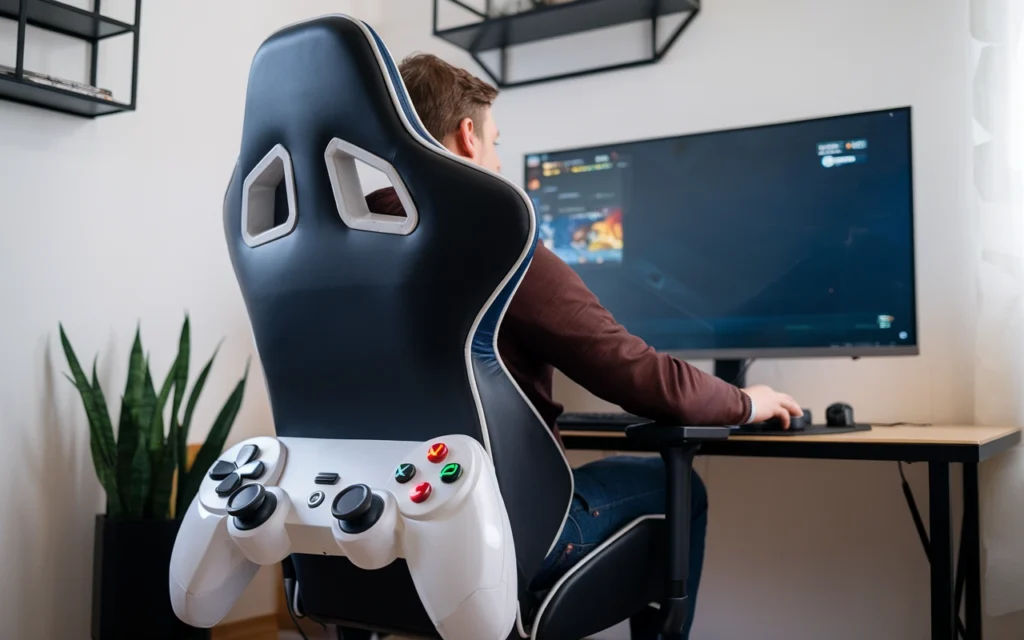
Long gaming sessions can expose weaknesses in a chair very quickly. A seat that feels comfortable for twenty minutes may become uncomfortable after several hours.
GTPLAYER gaming chairs use padded seating and backrest designs intended to provide cushioning during extended desk use. However, comfort remains highly personal.
Some gamers prefer firm foam because it provides a stable sitting surface. Others prefer softer padding that feels more cushioned. Neither preference is universally correct.
The seat dimensions also matter. If the seat is too narrow, your legs and hips may feel restricted. If it is too deep, shorter users may struggle to sit back while keeping their feet comfortably planted.
Backrest shape is another important factor. A supportive backrest should allow you to maintain a natural sitting position without creating uncomfortable pressure points.
Reclining can add another level of comfort. Instead of remaining upright continuously, users can lean back during breaks, watching videos, or less intense gaming moments.
A comfortable chair should also work with your desk. If the chair sits too low or too high compared with the keyboard and monitor, your shoulders and wrists may become uncomfortable.
Remember that a gaming chair cannot replace healthy habits. Stand up periodically, move around, adjust your posture, and take breaks during long sessions.
The chair is one part of an ergonomic gaming environment, not a complete solution by itself.
GTPLAYER Lumbar Support and Head Support.
Lumbar and head support are common features in gaming chairs, and they can influence how the chair feels during long sessions.
The lower back naturally has an inward curve. A lumbar support cushion or built-in support area can help fill the space between your lower back and the chair.
Some GTPLAYER models use detachable lumbar pillows, while other designs may use integrated support. A detachable cushion offers the advantage of repositioning it according to your body.
The correct position matters more than simply having a lumbar cushion. If the cushion sits too high or too low, it may feel uncomfortable instead of supportive.
Head and neck support can also be useful when reclining or sitting for extended periods. A headrest pillow can provide additional cushioning when you lean backward.
However, support should not force your head forward. Your neck should remain in a comfortable, neutral position.
Different body types require different support positions. Taller users may need a higher backrest and differently positioned lumbar support, while shorter users may prefer a different cushion arrangement.
When setting up your chair, spend a few minutes adjusting the lumbar and head support rather than immediately accepting the factory position.
Small adjustments can make a noticeable difference.
For users who already experience discomfort during desk work, choosing a chair based solely on marketing claims is not ideal. Focus on actual dimensions, adjustability, and personal fit.
GTPLAYER Gaming Chair Recline and Tilt Features.
Reclining is one of the most recognizable features of many gaming chairs. GTPLAYER models with reclining mechanisms allow users to change the angle of the backrest rather than remaining completely upright.
A reclining function can be useful when switching between different activities. You may prefer a more upright position while typing or playing a competitive game and a more relaxed angle while watching videos.
Tilt functionality can also make a chair feel more dynamic. Instead of locking the chair into one position, the mechanism may allow controlled movement as you shift your weight.
The exact reclining and tilt capabilities depend on the specific GTPLAYER model. Buyers should therefore check the specifications of the particular chair rather than assuming every model offers identical adjustments.
Reclining should feel controlled and stable. A chair that moves unexpectedly can be distracting and uncomfortable.
The base and mechanism also play important roles in overall stability. Proper assembly is essential because loose connections can affect how the chair behaves.
When using a reclining chair, avoid treating it as a replacement for movement. Staying in one position for hours is not ideal, even if that position feels comfortable.
Use reclining as a way to change posture and relax between activities.
A well-adjusted chair should support several sitting positions while maintaining a stable connection between your body, seat, backrest, and desk.
GTPLAYER Armrests and Desk Setup.
Armrests can significantly affect gaming comfort because they influence the position of your shoulders, elbows, and wrists.
A good armrest should allow your elbows to rest comfortably while your shoulders remain relaxed. If the armrests sit too high, you may raise your shoulders. If they sit too low, you may lose useful support.
GTPLAYER models vary in armrest design and adjustment options. Buyers should check the exact model specifications before purchasing because not every chair provides the same range of movement.
Desk height also affects armrest usefulness. Ideally, your chair and desk should work together rather than being adjusted independently.
Your keyboard and mouse should remain easy to reach without forcing your shoulders forward. Your elbows should generally stay close to your body instead of constantly spreading outward.
Armrests can also help when taking short breaks from active gaming. Resting your arms can reduce the feeling of constantly supporting your upper body.
However, armrests should not prevent you from moving close enough to the desk.
Before buying a chair, measure the available space under your desk. Some gaming desks have drawers, supports, or other structures that can interfere with armrests.
A chair with excellent features can still become frustrating if it does not fit your desk.
Good setup planning ensures that the chair, desk, monitor, keyboard, mouse, and other accessories function as one comfortable workstation.
GTPLAYER Gaming Chair Materials and Build Quality.
Materials influence both comfort and long-term durability. GTPLAYER gaming chairs may use combinations of synthetic upholstery, foam padding, metal components, plastic parts, and other materials depending on the model.
Synthetic leather-style upholstery is common in gaming chairs because it creates a clean, gaming-focused appearance and can be easier to wipe down than fabric.
Fabric chairs can provide a different feel and may be preferable for users who dislike the sensation of synthetic leather. Material choice often comes down to personal preference and room conditions.
Foam density also matters. Two chairs can have similar-looking cushions while feeling completely different because their foam construction differs.
The chair frame and base are equally important. A strong structure should remain stable when the user changes position or reclines.
Wheels and casters affect movement across the floor. On hard flooring, suitable casters can help the chair move smoothly, while a protective mat may be useful to reduce scratching.
Build quality should not be judged only by appearance. Examine the specifications, assembly system, weight rating, warranty, and customer feedback when available.
Regular maintenance can also extend the useful life of a chair. Tighten appropriate hardware when needed and clean the upholstery according to the manufacturer’s care guidance.
No chair lasts forever, but careful use and maintenance can help preserve its comfort and appearance.
GTPLAYER Gaming Chair Size and Weight Capacity.
Chair dimensions are among the most important factors to consider before buying a GTPLAYER gaming chair.
A chair can have excellent features and still feel uncomfortable if it does not fit your body. Height, seat width, seat depth, backrest dimensions, and armrest positioning all influence fit.
Tall gamers should pay particular attention to backrest height and seat depth. Shorter users may need a chair that allows them to keep their feet comfortably on the floor while sitting against the backrest.
Weight capacity is another essential specification. Buyers should check the manufacturer’s stated capacity for the exact model they are considering.
Do not choose a chair simply because its maximum capacity appears high. The actual seat dimensions still need to accommodate your body comfortably.
It is useful to compare your measurements with the chair’s specifications before ordering.
Also consider the space around the chair. A wide gaming chair may require more room than a standard office chair, especially if you use large armrests or a broad gaming desk.
If you share a gaming room, leave enough space for movement and cable management.
Online shoppers should pay particular attention to measurements because product photos can make chairs look larger or smaller than they really are.
The right size creates a more natural sitting position and can make other features, such as lumbar support and armrests, work more effectively.
Setting Up a GTPLAYER Gaming Chair.
Proper assembly can influence the stability and performance of your chair. Even a well-designed gaming chair may feel unstable if components are not installed correctly.
Start by reading the assembly instructions before attaching parts. Lay out the components and identify the screws, washers, wheels, base, mechanism, armrests, and backrest.
Avoid rushing the process. Installing several parts incorrectly and then trying to remove them later can make assembly more difficult.
It is often helpful to have another person assist with holding the backrest while attaching it to the seat mechanism.
Tighten hardware securely, but follow the manufacturer’s instructions rather than using excessive force.
Once assembled, inspect the chair carefully. Check that the wheels are properly attached and that the base sits evenly.
Test the height adjustment before using the chair for a long session. Test the recline mechanism gradually and confirm that the backrest locks or moves as intended.
Sit down carefully during the first few uses and listen for unusual movement or sounds.
After several days of use, inspect the connections again. Normal movement can sometimes reveal hardware that needs adjustment.
A careful setup creates a safer and more comfortable starting point.
Always follow the instructions supplied with your particular GTPLAYER chair because assembly procedures and components can vary between models.
GTPLAYER Gaming Chair for PC Gaming.
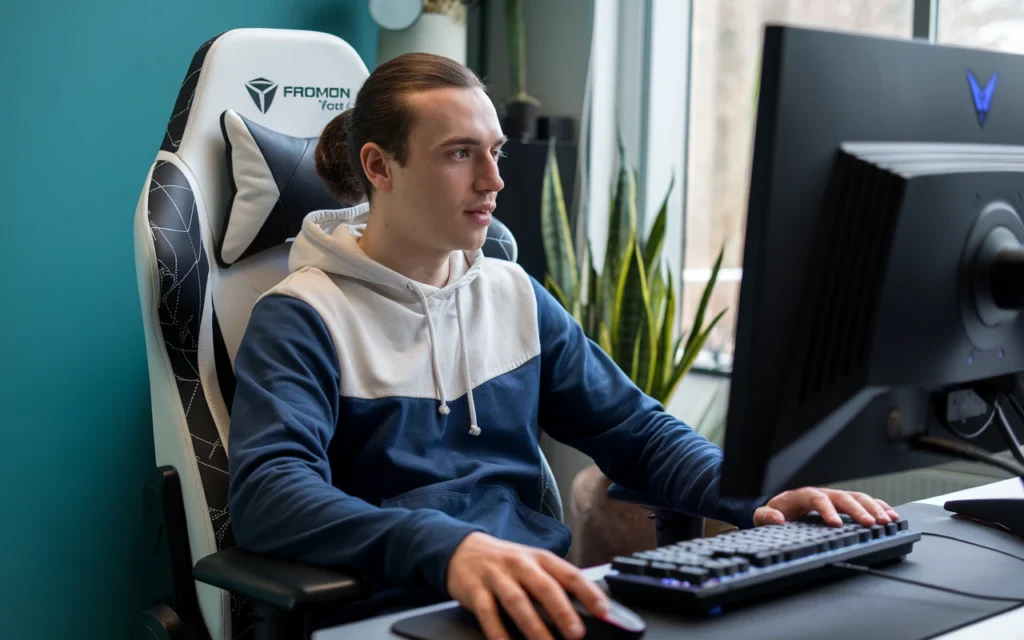
A GTPLAYER gaming chair can complement a traditional PC gaming setup by creating a dedicated seating position in front of the monitor.
PC gamers often spend long periods using keyboards and mice, making chair height and arm support particularly important.
Your eyes should remain at a comfortable position relative to the monitor, while your keyboard and mouse should be reachable without excessive shoulder movement.
The chair’s height adjustment allows you to match the seat to your desk. Once the height feels correct, adjust the backrest and armrests.
Competitive gamers may prefer a more upright position because it keeps them close to the keyboard and mouse. Casual gamers may enjoy more reclined positions during story games or entertainment.
The ideal position can also change depending on the game.
A gaming chair should not force one posture throughout the entire day. Instead, use its adjustment features to change positions naturally.
PC setups also benefit from good cable management. Make sure cables from monitors, computers, and accessories do not interfere with the chair wheels.
If your gaming room has hard flooring, consider using a suitable floor mat if necessary.
A comfortable chair can make a gaming setup feel more complete, but the overall ergonomics of the workstation matter just as much.
The chair, desk, monitor, lighting, keyboard, mouse, and room layout should work together.
GTPLAYER Gaming Chair for Work and Study.
Gaming chairs are not limited to gaming. Many users also use them for studying, remote work, writing, browsing, and other computer-based tasks.
The high-back design can provide a different sitting experience from a simple dining chair or basic computer seat.
For work and study, however, appearance becomes less important than adjustability and sustained comfort.
If you spend eight hours at a desk, you should pay close attention to seat dimensions, lumbar support, armrests, and your ability to change position.
A gaming chair can work well for productivity if it fits your body and desk correctly.
However, some people prefer ergonomic office chairs because they often use designs specifically focused on desk work. This does not mean a gaming chair cannot work for office use. Personal comfort and fit remain important.
A GTPLAYER chair may be useful for students who want one chair for gaming, homework, and general computer use.
Consider the chair’s upholstery as well. If your room becomes warm, the material may influence comfort during long sessions.
Your working environment also matters. Good lighting, monitor placement, desk height, and regular breaks can complement a comfortable chair.
The most practical choice is usually the chair that performs well across your daily activities rather than one that looks impressive only in a gaming setup.
GTPLAYER Gaming Chair Maintenance Tips.
Regular maintenance can help keep a gaming chair comfortable and attractive.
Start with basic cleaning. Dust and small particles can collect around seams, wheels, armrests, and moving mechanisms.
Use cleaning methods appropriate for the chair’s upholstery. Avoid harsh chemicals unless the manufacturer specifically recommends them.
If your chair uses synthetic upholstery, wiping the surface with a suitable soft cloth can help remove everyday dirt.
Check the wheels regularly, especially if you have pets or use the chair on a carpeted surface. Hair and debris can become trapped around the casters.
Inspect visible screws and connections occasionally. If a component becomes loose, follow the manufacturer’s guidance for tightening it.
Do not overload the chair beyond its stated weight capacity. Excessive weight can place additional stress on the frame and mechanism.
Avoid standing on the seat or using the chair in ways it was not designed for.
If the chair develops unusual movement, cracking sounds, or a damaged mechanism, stop using the affected function until you can determine the cause.
Keep the chair away from excessive heat and direct sunlight when possible, especially if the upholstery is sensitive to heat or fading.
Good maintenance does not require complicated routines. A few minutes of care every few weeks can help preserve the chair’s condition.
Treat your gaming chair like an important part of your workstation rather than disposable furniture.
GTPLAYER Gaming Chair Pros and Cons.
Every gaming chair has strengths and limitations. Understanding both sides helps shoppers make a more realistic decision.
One potential advantage of GTPLAYER gaming chairs is their gaming-oriented feature set. Many models focus on reclining, supportive high-back designs, padded seating, and adjustable components.
Their visual design can also appeal to gamers who want a chair that matches the style of their setup.
Another benefit is versatility. A gaming chair can potentially serve gaming, studying, work, streaming, and entertainment needs.
However, not every model will fit every user. Racing-style side bolsters may feel restrictive for people who prefer more open seating.
Material preference can also vary. Some users enjoy synthetic upholstery, while others prefer breathable fabric.
Feature availability differs between models, so buyers should not assume that one GTPLAYER chair represents the entire product range.
Another consideration is that gaming chairs are not automatically more ergonomic simply because they use the gaming label.
Buyers should evaluate actual dimensions and adjustability.
The best decision comes from comparing the specific model against your needs rather than judging the brand as a whole.
Consider your body size, daily sitting time, desk height, room temperature, preferred posture, and budget before making a purchase.
How to Choose the Right GTPLAYER Gaming Chair.
Choosing the right model starts with your own requirements.
First, measure your available gaming space. Make sure the chair can move comfortably without hitting walls, cabinets, or other furniture.
Next, consider your body dimensions. Check seat width, seat depth, backrest height, and weight capacity.
Think about how you use the chair. Someone who games for two hours each evening may have different priorities from a streamer who sits at a desk throughout the day.
Then examine adjustment features. Height adjustment, reclining, tilt, armrest movement, and lumbar support can all influence comfort.
Material is another personal choice. Consider whether you prefer synthetic upholstery, fabric, or another finish.
Your desk should also influence your decision. Check whether the chair can fit beneath the desk and whether the armrests interfere with the tabletop.
Set a realistic budget, but avoid choosing solely based on the lowest price.
Read current product specifications and independent customer feedback when available. Look for comments about comfort, assembly, durability, and long-term use rather than focusing only on star ratings.
Finally, consider the return policy and warranty. These details can become particularly important when buying furniture online.
A thoughtful buying process reduces the chance of choosing a chair that looks good but does not suit your everyday needs.
Conclusion.
A GTPLAYER gaming chair can be a practical addition to a gaming setup for users who want comfort, support, and adjustable features in one chair. Features such as cushioning, reclining, adjustable height, armrests, and back support can make long hours at a desk more comfortable. However, choosing the right chair should depend on your personal needs rather than appearance alone.
Before buying a GTPLAYER gaming chair, consider the chair’s size, weight capacity, adjustment options, materials, and overall design. Your height and sitting position also matter because a chair that fits your body properly can provide a better experience. It is also useful to think about how you will use the chair. A gamer who plays for several hours may have different requirements from someone who uses the chair for occasional gaming, studying, or working.
Overall, GTPLAYER gaming chair models offer features worth considering when building or upgrading a gaming space. By comparing the available options and focusing on comfort, fit, support, and useful adjustments, you can choose a chair that better matches your setup and everyday gaming needs.
FAQs
Is GTPLAYER a good gaming chair brand.
GTPLAYER offers gaming chairs designed around common gaming features such as high-back seating, padding, reclining, and adjustable components. Whether a particular model is good for you depends on its dimensions, features, build quality, and how well it fits your body.
Is a GTPLAYER gaming chair comfortable for long hours.
Comfort varies by model and user. Seat dimensions, padding, lumbar support, posture, room temperature, and personal preference all affect long-session comfort. Regular movement and breaks are also important when sitting for extended periods.
Can you use a GTPLAYER gaming chair for work.
Yes. A gaming chair can also serve as a computer chair for work, studying, streaming, and general desk activities. The key is ensuring that the chair fits your body and works properly with your desk and monitor setup.
How do I choose the right GTPLAYER gaming chair.
Compare the specific model’s seat width, seat depth, backrest height, weight capacity, armrests, reclining range, lumbar support, upholstery, and available adjustments. Your body size and desk setup should guide the final choice.
How should I maintain a GTPLAYER gaming chair.
Clean the upholstery according to the manufacturer’s care instructions, remove debris from the wheels, inspect hardware periodically, and avoid exceeding the chair’s stated weight capacity. Address unusual movement or damaged components promptly. :::