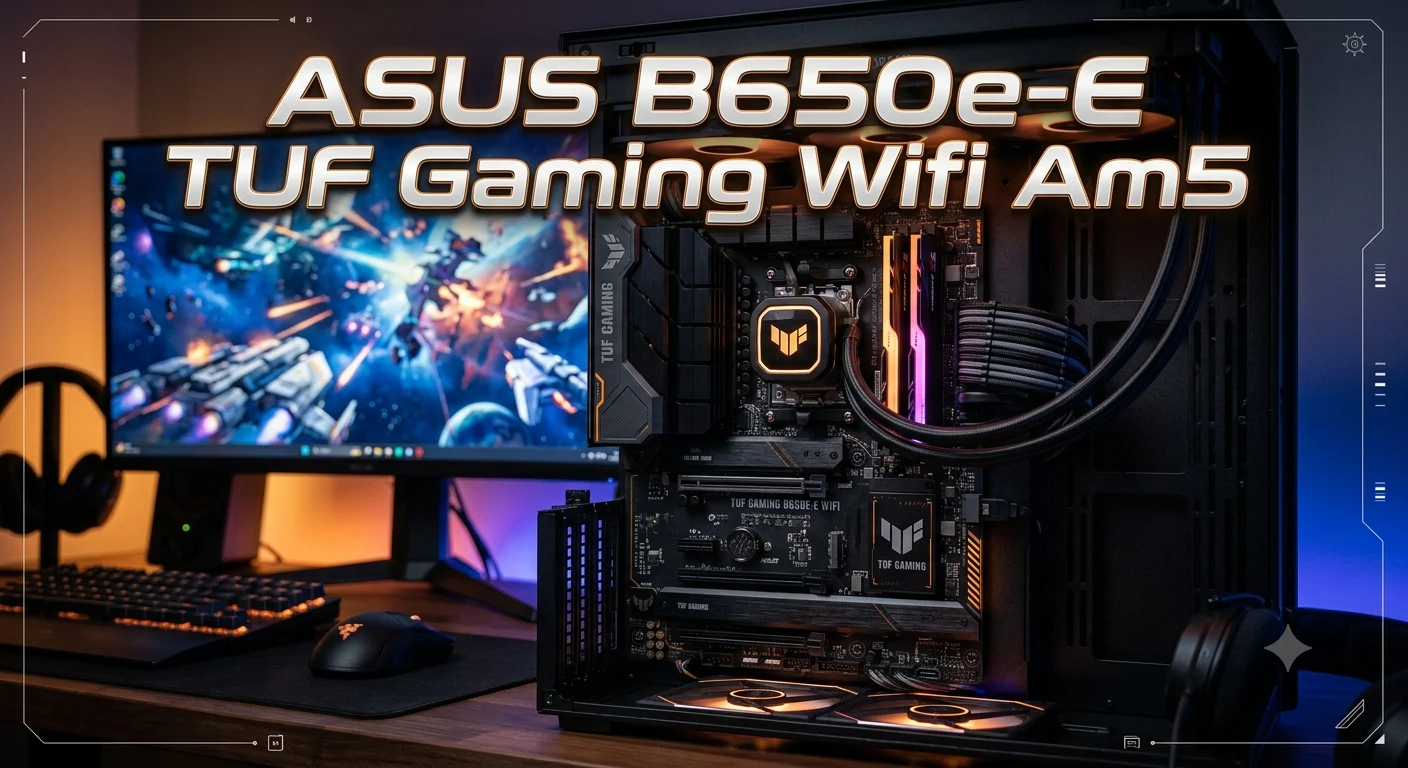
Choosing the right motherboard can make a big difference in the performance, stability, and upgrade potential of a gaming PC. The ASUS B650E-E TUF Gaming WiFi AM5 is designed for gamers and PC builders who want a strong foundation for an AMD-based system. It supports the AM5 platform and offers modern connectivity, fast memory support, expansion options, and built-in Wi-Fi for a convenient gaming setup.
Whether you are building a new PC or planning an upgrade, understanding what this motherboard offers can help you decide if it matches your hardware and gaming needs. In this guide, we will explore its key features, compatibility, performance considerations, connectivity, storage options, and important factors to consider before choosing the ASUS B650E-E TUF Gaming WiFi AM5 for your next gaming PC.
What Is the asus b650e-e tuf gaming wifi am5 Motherboard?
The asus b650e-e tuf gaming wifi am5 refers to the ASUS TUF GAMING B650E-E WIFI motherboard, an ATX motherboard built around the AMD B650 chipset and AM5 CPU socket. It is designed for AMD Ryzen desktop processors and combines enthusiast-friendly features with the durability associated with the TUF Gaming family.
The board is aimed at gamers, PC enthusiasts, content creators, and users who want a flexible platform for a modern AMD system. It provides four DDR5 memory slots, PCIe 5.0 support, multiple M.2 storage connections, 2.5 Gb Ethernet, Wi-Fi 6E, and a selection of high-speed USB ports.
Its power design includes 8+2+1 power stages rated at 80A each, along with enlarged VRM heatsinks. This design helps provide stable power to compatible processors during demanding workloads.
Another important advantage is the combination of performance and upgrade flexibility. Users can install fast DDR5 memory, modern NVMe SSDs, powerful graphics cards, and multiple storage drives. The motherboard also includes BIOS FlashBack, Q-LED troubleshooting, M.2 Q-Latch, and other features that can make PC building easier.
AMD AM5 Socket and Ryzen Processor Support
One of the biggest reasons to consider this motherboard is its AMD AM5 socket. The platform supports AMD Ryzen 7000, 8000, and 9000 Series desktop processors, subject to the processor support list and BIOS requirements.
AM5 gives builders access to modern technologies that are important for gaming PCs. These include DDR5 memory, PCIe 5.0 connectivity, and newer Ryzen processor architectures. This makes the motherboard suitable for users who want a modern AMD-based system instead of building around an older AM4 platform.
The motherboard can work with different levels of Ryzen processors, from mainstream gaming CPUs to higher-core-count models. Your final performance will depend heavily on the processor, graphics card, memory configuration, cooling solution, and software.
For a gaming-focused PC, choosing the CPU should depend on your target resolution and games. A strong Ryzen processor can pair well with a powerful dedicated graphics card, while a more affordable Ryzen chip can create a balanced system for 1080p or 1440p gaming.
Before installing a specific Ryzen processor, always check the current ASUS CPU support list and BIOS requirements. This is especially important when buying older motherboard stock and pairing it with a newer processor.
DDR5 Memory Support and Upgrade Potential
The asus b650e-e tuf gaming wifi am5 uses DDR5 memory and provides four DIMM slots. ASUS lists support for up to 256GB of DDR5 memory, with supported speeds reaching 8000+ MT/s through overclocking depending on the processor and memory configuration.
For most gaming systems, you do not need anywhere near the maximum capacity. A well-matched 32GB kit can provide plenty of room for modern games, everyday applications, multitasking, and many content-creation workloads. Users who run heavier professional software can consider higher-capacity configurations.
The motherboard supports AMD EXPO, which allows compatible DDR5 memory kits to use optimized performance profiles. ASUS also provides AEMP support for compatible memory without EXPO profiles.
Memory configuration matters. Installing a matched dual-channel kit is generally preferable to using a single module because dual-channel operation can improve memory bandwidth. Always follow the motherboard manual when installing two or four modules.
Fast DDR5 can complement a modern Ryzen processor, but the highest advertised memory speed is not automatically the best choice for every system. Stability, latency, capacity, processor compatibility, and price should all be considered when selecting RAM.
PCIe 5.0 Support for Modern Hardware

PCIe 5.0 is one of the standout features of the B650E-E platform. ASUS lists PCIe 5.0 support for both graphics and M.2 storage on this model.
The motherboard provides a primary PCIe graphics slot and includes a PCIe 5.0 M.2 connection for compatible NVMe storage. PCIe 5.0 offers substantially higher theoretical bandwidth than PCIe 4.0, which gives the platform room for faster future hardware.
For storage, a PCIe 5.0 NVMe SSD can provide extremely high sequential transfer performance. However, real-world gaming benefits are not always proportional to benchmark numbers. Game loading depends on many factors, including the game engine, CPU, operating system, memory, and storage architecture.
The PCIe 5.0 graphics capability also gives builders additional platform flexibility. Current graphics cards may not always require the full bandwidth available from PCIe 5.0, but having a newer interface can improve long-term platform compatibility.
This makes the motherboard attractive to users who want a PC that can evolve over time rather than simply meeting today’s requirements.
M.2 NVMe Storage Options
Storage flexibility is another strong point of the asus b650e-e tuf gaming wifi am5. ASUS lists three M.2 slots: one PCIe 5.0 x4 slot, one PCIe 4.0 x4 slot, and another PCIe 4.0 x4 slot. The board also includes four SATA 6Gb/s ports.
This layout allows users to build systems with several fast NVMe drives. For example, you could use one high-speed SSD for the operating system and applications, another drive for games, and an additional drive for projects or media files.
The primary PCIe 5.0 M.2 slot is especially useful for users interested in the latest generation of NVMe storage. PCIe 4.0 SSDs remain excellent choices for gaming and general computing and can offer a better price-to-performance balance.
ASUS also includes an M.2 Q-Latch system that simplifies SSD installation by reducing the need for traditional small screws.
The motherboard supports NVMe RAID configurations, giving advanced users additional storage options. However, RAID is not necessary for most gaming PCs. A single high-quality NVMe SSD is already fast enough for many users.
2.5 Gb Ethernet for Gaming and Streaming
Wired networking is handled by Realtek 2.5 Gb Ethernet, giving the motherboard substantially more network bandwidth than traditional 1 Gb Ethernet when the rest of the network supports it.
For online gaming, network speed is only one part of the experience. Ping, routing quality, server distance, packet loss, and network congestion usually have a greater effect on responsiveness. Still, 2.5 Gb Ethernet is useful when transferring large files across a compatible local network.
It can also benefit creators and streamers who regularly move large video files between PCs and network storage. If your router, switch, and other networking equipment support 2.5 Gb connections, the motherboard can take advantage of that faster wired infrastructure.
ASUS also includes TUF LANGuard technology. The company describes it as a protection feature designed to help safeguard the Ethernet connection against electrical and static-related events.
For competitive gaming, a wired connection remains a strong choice when practical. It generally provides predictable latency and avoids many of the interference issues associated with wireless networks.
Wi-Fi 6E Wireless Connectivity
The built-in Wi-Fi 6E capability makes the motherboard convenient for users who cannot connect their gaming PC through Ethernet. ASUS specifies 2×2 Wi-Fi 6E connectivity with support for the 2.4GHz, 5GHz, and 6GHz bands, although 6GHz availability depends on regional regulations and network equipment.
Wi-Fi 6E adds access to the 6GHz spectrum, which can provide cleaner wireless channels in supported environments. This can be especially useful in homes with many connected devices competing for wireless bandwidth.
For gaming, wireless performance will depend on the router, distance, walls, interference, network configuration, and internet connection. A strong Wi-Fi 6E router can help the motherboard deliver a fast and responsive wireless experience.
The motherboard also supports Bluetooth, making it possible to connect compatible wireless peripherals without necessarily adding a separate adapter.
If you have access to reliable Ethernet, wired networking is still an excellent option for competitive gaming. However, integrated Wi-Fi 6E gives builders valuable flexibility and can make PC placement much easier.
VRM and Power Delivery Design

Power delivery is important when building a high-performance AMD gaming PC. The asus b650e-e tuf gaming wifi am5 uses an 8+2+1 power-stage design, with each stage rated at 80A according to ASUS. The board also uses enlarged VRM heatsinks to help manage temperatures.
The VRM converts and regulates power supplied by the PSU so the processor can operate reliably. A capable power design is particularly useful when running demanding processors for extended periods.
ASUS also uses TUF chokes, TUF capacitors, and a Digi+ VRM controller as part of the motherboard’s power system. The company states that its TUF 5K capacitors provide a wider temperature tolerance and longer lifespan compared with its stated standard reference.
The board also uses ProCool power connectors designed to maintain firm contact with compatible PSU cables.
These features do not mean that motherboard quality alone determines CPU performance. Cooling, processor settings, PSU quality, BIOS configuration, and case airflow all contribute to system stability.
For users building a powerful Ryzen gaming system, however, the robust power design provides a reassuring foundation.
Cooling and Thermal Management
A powerful CPU needs effective cooling, and the motherboard provides several tools for managing system temperatures. ASUS equips the board with enlarged VRM heatsinks and M.2 heatsink solutions designed to help control heat around important components.
The motherboard also supports comprehensive fan control through ASUS UEFI BIOS and Fan Xpert 4. Users can configure fan behavior according to system temperatures and workload conditions.
This is useful for gaming PCs because workloads change quickly. A processor may remain relatively quiet during web browsing but become significantly hotter during gaming, rendering, compiling, or other demanding tasks.
The board supports both PWM and DC fan control and includes support for AIO water-cooling systems. ASUS also provides configurable thermal sensor options, allowing users to create more customized cooling behavior.
Good cooling should not be limited to the CPU cooler. Case airflow also matters. A balanced intake and exhaust configuration can help keep the CPU, GPU, VRMs, SSDs, and other components within reasonable operating temperatures.
For a high-end Ryzen build, pairing this motherboard with an appropriate CPU cooler and well-ventilated case is a smart approach.
USB Connectivity and Expansion
Modern gaming PCs often connect many devices, so USB connectivity is an important motherboard feature. The asus b650e-e tuf gaming wifi am5 provides multiple rear USB connections and internal headers for front-panel devices.
The motherboard includes rear USB 10Gbps connections, including Type-A and Type-C options. It also provides additional USB 5Gbps and USB 2.0 ports. Internally, the board includes a front USB 20Gbps Type-C connector along with additional front USB connectivity.
This gives users plenty of flexibility for keyboards, mice, controllers, external drives, headsets, webcams, capture devices, and other peripherals.
The front USB Type-C header is particularly useful in modern cases that include a high-speed USB-C port on the front or top panel.
Not every USB port offers the same speed, so users should check the motherboard specifications and case connections before planning their build. Matching the correct headers can help you get the most from your case’s front I/O.
For gaming and general productivity, the motherboard’s selection of USB connections should cover a broad range of peripherals without requiring a separate expansion card.
Audio Features for Gaming
Audio quality can influence gaming immersion, especially in competitive games where positional sound helps players identify movement and environmental cues. The motherboard uses a Realtek 7.1-channel audio codec and includes several audio-focused design features.
ASUS lists audio shielding, premium audio capacitors, dedicated audio PCB layers, and an audio cover as part of the design. The board also supports DTS Audio Processing for additional sound customization.
The software features allow users to adjust audio profiles for different types of content. A gaming profile can emphasize characteristics that are useful during gameplay, while music or movie modes can provide a different listening experience.
Another interesting feature is ASUS Two-Way AI Noise Cancelation. The software is designed to reduce unwanted background noise from microphone input and incoming audio while preserving voices.
This can be useful for gamers who communicate through voice chat, stream gameplay, or attend online meetings.
A dedicated sound card is not necessary for most gaming users. However, people with professional audio equipment or very specific audio requirements may still prefer a separate DAC or sound interface.
BIOS and Easy PC Building Features
A motherboard can have excellent hardware, but an intuitive BIOS can make the building and setup process much easier. ASUS provides a UEFI BIOS with both EZ Mode and Advanced Mode on the B650E-E WIFI.
EZ Mode focuses on important system information and straightforward settings. This can help new builders configure basic options without navigating a large number of advanced menus.
Advanced Mode provides deeper controls for users who want to adjust memory, CPU settings, fan behavior, boot options, and other system parameters. The built-in search feature can also make it easier to find specific settings.
The motherboard includes BIOS FlashBack, which is useful when updating firmware. It can simplify BIOS updates in situations where a compatible processor is not available for normal booting, provided the required procedure is followed.
ASUS also includes Q-LED indicators for troubleshooting. These LEDs can help identify problems related to key components such as the CPU, memory, graphics card, or boot device during startup.
These features make the motherboard more approachable for first-time builders while still providing advanced controls for experienced PC enthusiasts.
Gaming Performance and Real-World Use
The motherboard itself does not determine gaming FPS in isolation. Instead, it provides the platform that allows the CPU, GPU, memory, and storage components to operate together. The asus b650e-e tuf gaming wifi am5 is designed to support high-performance AMD gaming hardware.
A strong Ryzen processor paired with a capable graphics card can create an excellent gaming system on this platform. Fast DDR5 memory and NVMe storage can also contribute to a responsive overall experience.
For 1080p gaming, CPU performance can become particularly important when targeting very high frame rates. At 1440p and 4K, the graphics card often becomes the primary performance factor, although the processor still matters.
The motherboard’s PCIe 5.0 capabilities, multiple M.2 slots, fast networking, and robust power design also make it suitable for users who want more than a basic gaming PC.
It can support gaming, streaming, video editing, software development, content creation, and everyday productivity.
The best approach is to build a balanced system. Spending heavily on the motherboard while pairing it with an underpowered graphics card may not make sense for a gaming-focused build. Instead, choose the motherboard based on the features you actually need and allocate the rest of the budget accordingly.
ASUS TUF Gaming Design and Durability
The TUF Gaming family focuses heavily on durability and practical design. The B650E-E WIFI uses a rugged black and geometric visual style that fits easily into many gaming PC builds.
The motherboard includes several protective features, including SafeSlot, SafeDIMM, ESD protection, TUF LANGuard, and a stainless-steel rear I/O panel.
SafeSlot reinforces the primary PCIe slot to help provide additional physical support for a graphics card. This can be useful with large and heavy modern GPUs.
ASUS also describes its stainless-steel rear I/O panel as corrosion resistant and designed for longer service life.
The board’s TUF components and cooling design are intended to provide dependable operation during demanding workloads.
Durability should still be considered as part of the complete PC system. A quality power supply, sensible temperatures, clean airflow, and careful installation all contribute to long-term reliability.
For builders who like a practical rather than overly flashy motherboard design, the TUF Gaming appearance can work particularly well with black cases and subtle RGB lighting.
RGB Lighting and Customization
Gaming PCs are often as much about appearance as performance. The asus b650e-e tuf gaming wifi am5 supports ASUS Aura Sync and provides addressable RGB Gen 2 headers for compatible lighting accessories.
The board includes three addressable Gen 2 headers. ASUS states that these headers can support compatible Gen 2 devices and synchronize lighting effects across supported components.
This gives builders several options for customizing their PC. You can add RGB fans, LED strips, compatible CPU coolers, or other lighting accessories and coordinate them through the ASUS software ecosystem.
Users who prefer a clean appearance can also disable the lighting. ASUS provides an Aura Stealth mode that can turn off supported onboard lighting.
The best RGB setup depends on personal preference. Some users prefer a bright gaming aesthetic, while others want a professional workstation appearance.
Because lighting is not connected to actual gaming performance, it should be treated as an optional customization feature. The motherboard’s real value comes from its platform features, connectivity, power design, expansion options, and compatibility.
Who Should Buy the asus b650e-e tuf gaming wifi am5?
The asus b650e-e tuf gaming wifi am5 is a strong candidate for users building an AMD-based gaming or performance PC who want modern connectivity and expansion options.
It makes particular sense for buyers who want:
- An AMD AM5 motherboard.
- Support for compatible Ryzen 7000, 8000, and 9000 Series processors.
- DDR5 memory support.
- PCIe 5.0 connectivity.
- Multiple M.2 NVMe storage slots.
- Built-in Wi-Fi 6E.
- 2.5 Gb Ethernet.
- A strong VRM and cooling design.
- Plenty of USB connectivity.
- BIOS and troubleshooting features for easier PC building.
It may be more motherboard than a very basic budget gaming PC requires. If you are building an entry-level system and do not need PCIe 5.0, multiple NVMe drives, or advanced connectivity, a simpler motherboard may provide better value.
On the other hand, enthusiasts who want a flexible AM5 platform can benefit from the board’s combination of storage, networking, memory, expansion, and tuning options.
Before purchasing, compare its current price with newer AM5 motherboards and check CPU, memory, SSD, case, and cooler compatibility. Pricing can change significantly by region and retailer.
Is the ASUS B650E-E TUF Gaming WiFi AM5 Worth It?
Whether this motherboard is worth buying depends on your build goals and the price available to you. From a feature perspective, the asus b650e-e tuf gaming wifi am5 offers a strong combination of modern connectivity and enthusiast-focused hardware.
Its AM5 socket gives access to multiple generations of compatible Ryzen processors. DDR5 support provides a modern memory platform, while PCIe 5.0 support adds bandwidth for compatible graphics and storage hardware.
The three M.2 slots are useful for users who want multiple NVMe drives without immediately relying on additional expansion cards. Wi-Fi 6E and 2.5 Gb Ethernet also provide flexible networking options.
The board’s VRM design, cooling features, BIOS controls, Q-LED troubleshooting, and TUF durability features further strengthen its appeal.
However, buyers should not choose a motherboard solely because it has a long list of specifications. The right motherboard is the one that provides the features your PC actually needs at a sensible price.
If you are building a high-performance AM5 gaming PC and find this board at a competitive price, it can be a very capable foundation. If a newer motherboard offers significantly better connectivity or processor support for a similar price, comparing both options before buying is sensible.
Conclusion
The ASUS B650E-E TUF Gaming WiFi AM5 can be a strong foundation for a modern AMD gaming PC. Its AM5 platform gives builders access to current Ryzen processors and a clear upgrade path for compatible future hardware. The motherboard also combines fast memory support, high-speed storage options, expansion capabilities, and built-in Wi-Fi to create a flexible setup for gaming and everyday use.
Before choosing this motherboard, make sure its features match your processor, RAM, storage, graphics card, and other components. A good motherboard should not only meet your needs today but also provide enough flexibility for future upgrades. For gamers who want a feature-rich AM5 platform with a focus on durability and connectivity, the ASUS B650E-E TUF Gaming WiFi AM5 is worth considering as part of a balanced PC build.
FAQs
Is the ASUS TUF Gaming B650E-E WIFI an AM5 motherboard?
Yes. The motherboard uses the AMD AM5 socket and supports compatible AMD Ryzen 7000, 8000, and 9000 Series desktop processors, subject to ASUS CPU support and BIOS requirements.
Does the ASUS B650E-E TUF Gaming support DDR5 RAM?
Yes. It uses DDR5 memory and has four DIMM slots. ASUS lists support for capacities up to 256GB, with memory speeds depending on the processor and memory configuration.
Does this motherboard support PCIe 5.0?
Yes. The B650E-E WIFI provides PCIe 5.0 support for graphics and M.2 storage. Its primary M.2 connection supports PCIe 5.0 x4.
Does the ASUS TUF Gaming B650E-E WIFI have built-in Wi-Fi?
Yes. It includes Wi-Fi 6E, supporting the 2.4GHz, 5GHz, and 6GHz bands where permitted and supported by the local wireless environment.
How many M.2 SSDs can the motherboard support?
The motherboard provides three M.2 slots. ASUS lists one PCIe 5.0 x4 slot and two PCIe 4.0 x4 connections, giving users several options for high-speed NVMe storage.