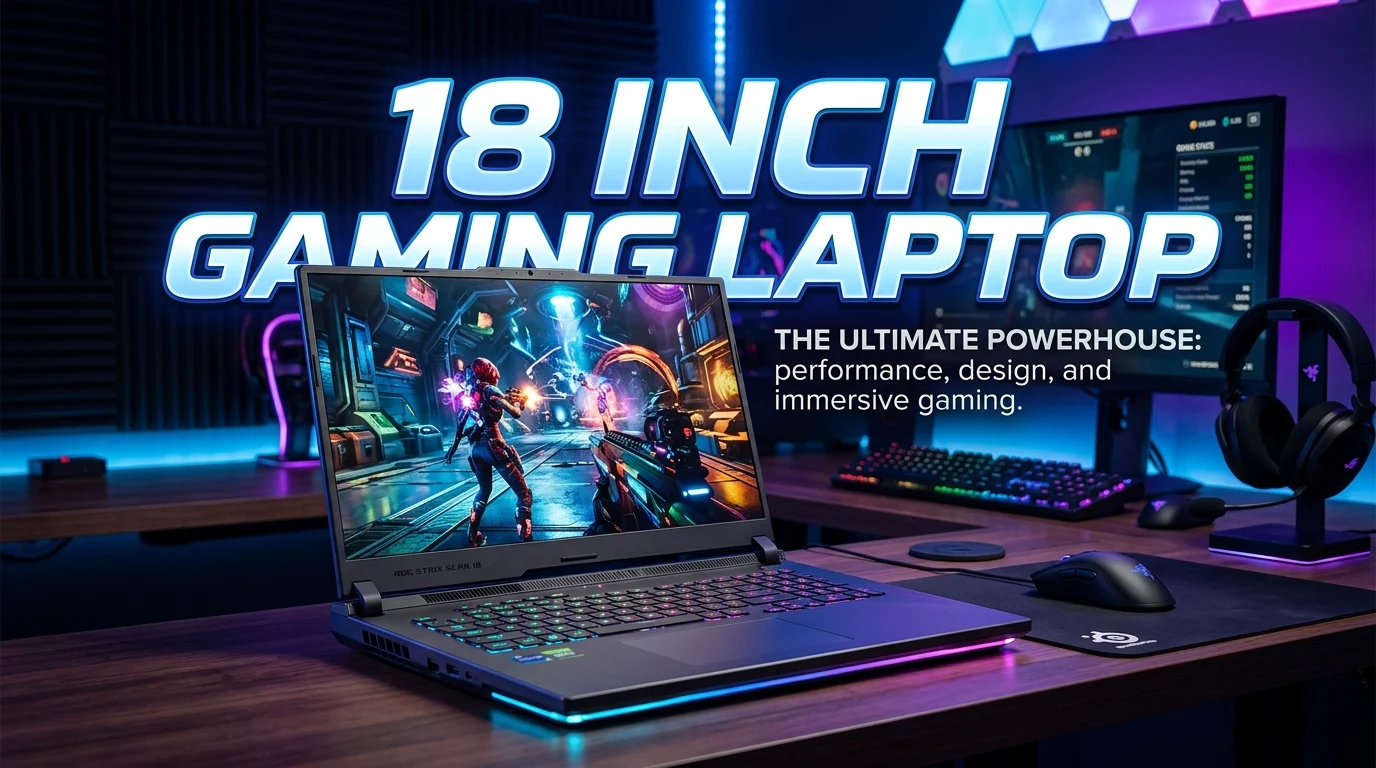
An 18 inch gaming laptop gives you a large screen without the need for a desktop monitor. It can be a strong choice for gamers who want more room for games, apps, and media. The larger display can also make small game details easier to see. Many 18-inch models use high-end hardware, but size alone does not make a laptop fast.
You should also check the GPU, CPU, RAM, storage, display refresh rate, cooling, and power system. Weight and battery life matter too. A large gaming laptop is less portable than a smaller model. Still, it can offer a desktop-like gaming feel in a portable form. This guide explains what to look for, which features matter most, and how to choose the right 18 inch gaming laptop for your needs.
What Is an 18 Inch Gaming Laptop?
An 18-inch gaming laptop is a notebook with a display that measures about 18 inches diagonally. It is made for gaming and other demanding tasks.
The larger screen is the main reason to choose this size. You get more space than on a typical 15-inch or 16-inch laptop. This can make games feel more open and immersive.
The bigger chassis also gives manufacturers more room for hardware. There may be more space for cooling parts, larger speakers, extra storage, and a stronger power system.
That does not mean every 18-inch laptop has the same performance. Two laptops with the same screen size can have very different CPUs and GPUs.
For gaming, the graphics processor is especially important. A strong GPU can help the laptop run modern games at higher settings.
An 18-inch gaming laptop can also work well for:
- PC gaming
- Video editing
- Photo editing
- 3D work
- Streaming
- Programming
- School work
- Office work
- Watching movies
- Creative projects
The best model depends on how you plan to use it.
Why Choose an 18 Inch Gaming Laptop?
The biggest benefit is the display area.
A larger screen gives games more visual space. Menus can feel easier to read. Maps can be easier to view. Text may also look more comfortable.
This size can be useful for games that have detailed environments. Racing games, strategy games, open-world games, and simulation games can benefit from a large display.
The large body can also help with hardware design. Gaming laptops need cooling because powerful components create heat. A bigger chassis can provide more room for fans, heat pipes, vents, and other cooling parts.
There is another benefit for multitasking.
You can place a game, chat window, browser, or other app on the screen. The extra display area can make this easier.
However, there is a trade-off.
An 18-inch gaming laptop is usually less convenient to carry than a smaller laptop. It may also take more space on a desk or in a bag.
So, this size is best for users who value screen space and performance more than maximum portability.
18 Inch Gaming Laptop Display Features
The display is one of the most important parts of a large gaming laptop.
Do not look only at screen size. Check the full display specification.
Resolution
Resolution tells you how many pixels are shown on the screen.
A higher resolution can produce a sharper image. It can also increase the workload on the GPU.
For gaming, the right resolution depends on the GPU and the games you play.
A powerful graphics card may be better suited to a high-resolution display. A less powerful GPU may work better with a lower resolution.
Refresh Rate
Refresh rate tells you how many times the screen can update each second.
A higher refresh rate can make motion look smoother.
This matters most in fast games. Competitive shooters and racing games can benefit from a responsive display.
Still, a high refresh rate is not useful if the laptop cannot produce enough frames to take advantage of it.
The GPU, game settings, and resolution all affect frame rate.
Response Time
Response time is another display feature to check.
A fast response time can help reduce visible blur during quick movement.
This can be useful for competitive gaming.
Do not judge a gaming display by refresh rate alone. Response time and overall panel quality also matter.
Panel Quality
Panel technology affects viewing angles, contrast, color, and image quality.
A good gaming display should provide a clear image and comfortable viewing.
If you also edit photos or videos, color performance becomes more important.
Choosing the Right GPU
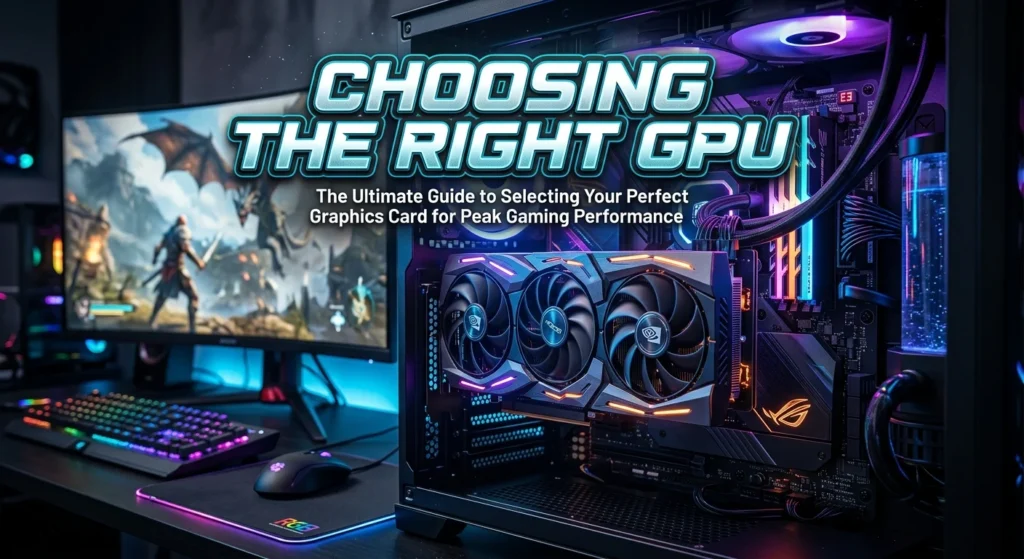
The GPU is one of the most important parts of an 18 inch gaming laptop.
It handles much of the graphical work in games.
A stronger GPU can help with higher graphics settings and higher frame rates. It can also be useful for demanding creative software.
Modern gaming laptops may use dedicated GPUs from companies such as NVIDIA or AMD. The exact model matters more than the brand name alone.
When comparing laptops, look at:
- GPU model
- GPU power limits
- Available graphics memory
- Display resolution
- Cooling design
- Game requirements
- Features supported by the GPU
Do not assume that a laptop GPU will perform exactly like a desktop version with a similar name.
Laptop cooling and power limits can affect real performance.
For this reason, the full laptop design matters.
Picking the Right CPU
The CPU is also important.
It handles game logic, system tasks, software processes, and many background jobs.
A modern multi-core processor can be useful for gaming and other demanding work.
The right CPU depends on your GPU and workload. There is little value in paying for a very powerful processor if the rest of the system does not match it.
A strong CPU can be more useful if you also:
- Stream games
- Edit video
- Render 3D projects
- Run virtual machines
- Use demanding software
- Multitask often
For gaming alone, balance is more important than choosing the most expensive CPU.
How Much RAM Does an 18 Inch Gaming Laptop Need?
RAM affects how well your laptop handles games and multiple applications.
A gaming laptop should have enough RAM for the games you want to play.
More RAM can also help with multitasking.
For example, you may want to run a game while using a browser, voice chat, music, or streaming software.
Before buying, check:
- Total RAM
- RAM type
- Memory speed
- Number of memory slots
- Upgrade options
Upgrade support can be useful.
Some laptops allow you to replace or add memory later. Others use memory that cannot be changed.
Always check the exact model before assuming an upgrade is possible.
Storage Options
Games can take up a lot of storage space.
A fast SSD is a key feature for a modern gaming laptop. It can provide fast boot times and quick file access.
An SSD can also make game loading more responsive than older storage technologies.
When comparing storage, consider both capacity and speed.
A larger drive gives you more room for:
- Games
- Windows
- Apps
- Videos
- Photos
- Projects
- Personal files
If you play many large games, limited storage can become frustrating.
Some laptops also provide an extra M.2 slot or another upgrade path. This can make future storage expansion easier.
Check the manufacturer’s specifications before planning an upgrade.
Cooling Matters in a Large Gaming Laptop
Gaming hardware creates heat.
A good cooling system helps the CPU and GPU work within their designed limits.
An 18-inch chassis can provide more physical room than a smaller laptop. This may allow for a larger cooling system.
A cooling system can include:
- Fans
- Heat pipes
- Vapor chambers
- Air vents
- Heat sinks
- Thermal materials
The exact design varies by laptop.
You should also look at vent placement.
Avoid blocking the air intake when gaming. A hard, flat surface is often better than a soft bed or cushion.
Dust can also reduce airflow over time.
Keeping vents clear can help maintain proper cooling.
Keyboard Features to Look For
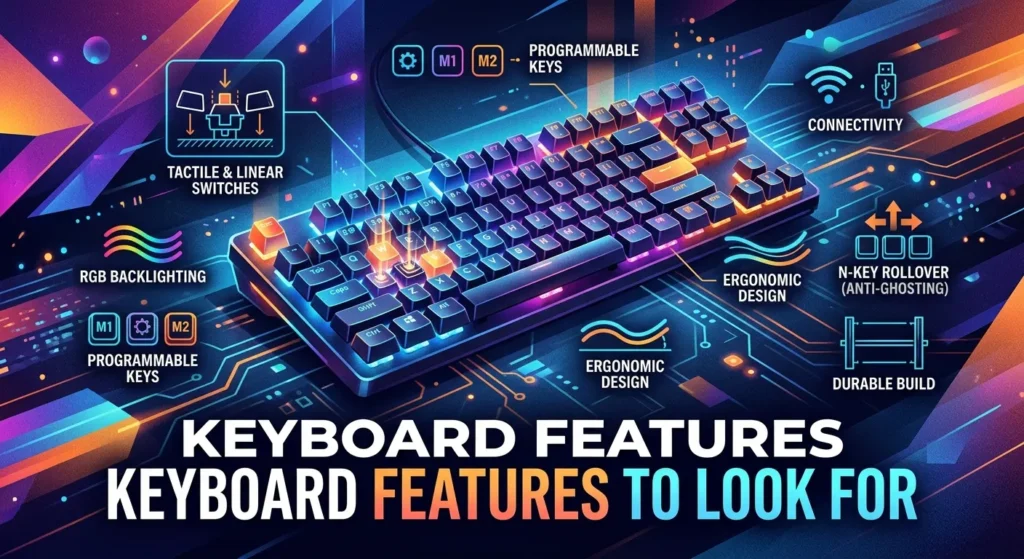
The keyboard is important because you may use it for hours.
Gaming laptops often include features aimed at gamers.
Depending on the model, you may find:
- RGB lighting
- Per-key lighting
- Adjustable lighting
- Dedicated media controls
- Number pads
- Macro support
- Anti-ghosting features
Keyboard feel is personal.
Some users prefer a firm key press. Others want a softer feel.
If possible, test the keyboard before buying.
Pay attention to key spacing, layout, arrow keys, and palm-rest space.
A large laptop can provide a more spacious keyboard area, but the layout still varies between models.
Trackpad and External Mouse Support
The trackpad is useful for everyday tasks.
Gaming, however, is usually better with an external gaming mouse.
A mouse gives you more control in shooters, strategy games, and other genres.
If you use a mouse, check the laptop’s port selection.
USB ports can be important for connecting:
- Gaming mouse
- Gaming keyboard
- Headset
- Controller
- External drive
- USB hub
Port placement also matters.
A badly placed port can make cables interfere with your mouse hand.
Connectivity Features
A modern gaming laptop should provide useful wired and wireless connections.
Depending on the model, you may find:
- USB-A
- USB-C
- HDMI
- Ethernet
- Wi-Fi
- Bluetooth
- Headphone connectivity
Ethernet can be useful for gaming when you want a wired network connection.
Wi-Fi is more convenient for mobile use.
USB-C can support different functions depending on the laptop. Do not assume every USB-C port supports the same features.
Check the full specification of the exact model.
Battery Life and Power
Battery life is often not the main strength of a large gaming laptop.
Powerful gaming hardware uses more energy than basic laptop hardware.
Gaming on battery can also reduce performance on some systems.
For demanding games, you will usually get the best experience when the laptop is connected to its power adapter.
Battery life matters more when you plan to use the laptop for normal tasks away from a wall outlet.
For example, you may use it for:
- Web browsing
- Writing
- School work
- Video playback
- Light office tasks
Actual battery life varies with settings, software, brightness, workload, and battery capacity.
Do not rely only on a manufacturer’s maximum battery claim.
Portability of an 18 Inch Gaming Laptop
An 18-inch display sounds portable because it is still a laptop.
But size matters.
The larger screen requires a larger chassis. Powerful components can also add weight.
This makes an 18-inch gaming laptop less ideal for frequent travel.
Think about your daily routine.
If you move between home, school, and work every day, a smaller gaming laptop may be easier to carry.
If the laptop will stay on a desk most of the time, the larger display can be a major advantage.
A simple rule is useful:
Choose 18 inches for screen space first. Choose a smaller size for portability first.
Can an 18 Inch Laptop Replace a Desktop PC?
For many users, it can serve as a desktop replacement.
You can connect it to a gaming monitor, keyboard, mouse, headset, and other accessories.
At home, it can act like a desktop setup.
When you need to move, you can close the laptop and take it with you.
This gives you more flexibility than a traditional desktop.
There are still differences.
A desktop PC can often provide easier hardware upgrades. It may also offer more room for cooling and larger components.
A gaming laptop gives you portability in exchange for those advantages.
Your priorities should decide the choice.
18 Inch Gaming Laptop vs 16 Inch Gaming Laptop
Both sizes can be excellent.
An 18-inch model gives you a larger display.
A 16-inch model is often easier to carry.
The difference can also affect desk space and bag size.
Choose an 18-inch model if:
- You want a large gaming display.
- The laptop will stay on a desk often.
- You value screen space.
- You want a desktop-like setup.
Choose a 16-inch model if:
- You travel often.
- You want easier portability.
- Desk space is limited.
- A slightly smaller screen is acceptable.
There is no universal winner.
The better size is the one that fits your daily use.
18 Inch Gaming Laptop vs Desktop PC
A desktop PC has some clear advantages.
Desktop systems are often easier to upgrade. You can replace parts such as the GPU, storage, RAM, and other components, depending on the system.
A desktop can also be paired with a very large monitor.
An 18-inch laptop wins on portability.
You get the computer, display, keyboard, and trackpad in one device.
The choice becomes simple when you consider where you will use the system.
For a permanent gaming desk, a desktop can make sense.
For gaming in different places, an 18-inch laptop offers more flexibility.
Who Should Buy an 18 Inch Gaming Laptop?
This laptop size can suit many types of users.
It is especially useful for people who want a large display without building a complete desktop setup.
You may benefit from one if you:
- Play demanding PC games.
- Prefer a large screen.
- Want a desktop replacement.
- Use creative software.
- Multitask often.
- Need a computer you can move when needed.
- Want a built-in keyboard and display.
It may not be ideal if you:
- Travel every day.
- Want the lightest laptop possible.
- Have a very small desk.
- Mostly play simple games.
- Prefer a desktop that can be upgraded easily.
Your use case should come before the screen size.
How to Choose the Best 18 Inch Gaming Laptop
Start with your games.
Look at the system requirements for the titles you play most.
Next, choose the GPU.
The GPU should match your target resolution and graphics settings.
Then check the CPU.
Make sure it can support your gaming and other workloads.
After that, check the display.
Look at:
- Resolution
- Refresh rate
- Response time
- Panel quality
- Brightness
- Color performance
Storage comes next.
Make sure the SSD has enough space for your games and files.
RAM should also fit your needs.
Then check cooling and power.
Finally, consider weight, ports, keyboard design, and upgrade options.
This approach helps you avoid paying for features you do not need.
Important Specs to Compare
A simple comparison table can help.
| Feature | What to Check |
| Screen | 18-inch display |
| Resolution | Match it with the GPU |
| Refresh rate | Higher can help with smooth motion |
| GPU | Main gaming performance component |
| CPU | Important for games and multitasking |
| RAM | Check capacity and upgrade support |
| Storage | SSD capacity and expansion options |
| Cooling | Fans, heat pipes, vents, or advanced cooling |
| Keyboard | Layout, feel, and lighting |
| Ports | USB, USB-C, HDMI, Ethernet, and audio |
| Wireless | Wi-Fi and Bluetooth support |
| Battery | Capacity and real-world use |
| Weight | Important for travel |
| Upgrades | Check RAM and SSD options |
Do not compare laptops by one specification.
A balanced system is usually a better choice.
Common Mistakes to Avoid
Buying a gaming laptop can be confusing.
Many buyers focus only on the GPU or screen.
That can lead to problems.
Ignoring the GPU power level
The GPU model name does not tell the whole story.
Laptop power limits can affect performance.
Check the complete laptop specification.
Choosing a high refresh rate without enough GPU power
A fast display is useful only when the system can produce enough frames.
Match the display to the hardware.
Forgetting storage
Modern games can use large amounts of space.
A small SSD may fill quickly.
Check whether storage can be upgraded.
Ignoring cooling
Powerful hardware needs good thermal management.
Look at the laptop’s cooling design and ventilation.
Buying for portability without checking weight
An 18-inch gaming laptop can be large.
Check the complete weight of the laptop and its power adapter.
Paying for features you do not need
More expensive does not always mean better for you.
Focus on the games and tasks you actually use.
How to Keep an 18 Inch Gaming Laptop Running Well
Good care can help your laptop stay useful for longer.
Keep the air vents clear.
Use the laptop on a hard surface when possible.
Clean dust from the exterior vents when needed.
Install system and driver updates from trusted sources.
Keep enough free storage space.
Avoid unnecessary background applications while gaming.
Use a suitable power adapter.
Do not cover the cooling vents.
It is also wise to keep important files backed up.
Hardware can fail. A backup protects your personal data.
Is an 18 Inch Gaming Laptop Good for Competitive Gaming?
It can be.
The large display can make fast action easier to view.
However, competitive gaming depends on more than screen size.
A good setup should have:
- A responsive display
- Suitable refresh rate
- Low input delay
- Strong GPU performance
- Stable frame rates
- Responsive controls
- Reliable network connectivity
Your settings also matter.
Lowering some graphics options can increase frame rates in demanding games.
For online gaming, a stable connection is important too.
Ethernet can be useful when a wired connection is available.
Is an 18 Inch Gaming Laptop Good for Work?
Yes.
The large screen can be useful for work.
You can view more content at once.
It can help with documents, browsers, spreadsheets, coding, and creative applications.
The powerful hardware found in many gaming laptops can also handle demanding software.
There is one concern.
The size can make it less convenient for travel.
If you work from one main desk, this may not matter much.
If you move around all day, consider a smaller system.
Can You Upgrade an 18 Inch Gaming Laptop?
Some models allow upgrades.
Others have limited upgrade options.
RAM and SSD upgrades are common areas to check.
However, the exact design varies by model.
Before buying, look for official information about:
- Maximum supported RAM
- Available memory slots
- SSD slots
- Supported SSD types
- Storage capacity limits
- Warranty conditions
Never assume that every laptop can be upgraded.
Check the exact model number.
What Makes an 18 Inch Gaming Laptop Worth Buying?
A good laptop should offer a balanced set of features.
The screen should fit your gaming style.
The GPU should match your performance goals.
The CPU should support your games and other work.
RAM and storage should meet your needs.
Cooling should be suitable for the hardware.
Ports should support your accessories.
The size should also fit your lifestyle.
A laptop is worth buying when these parts work well together.
You do not need the most powerful system available.
You need the system that gives you the right mix of performance, display quality, features, and usability.
Final Buying Checklist
Before buying an 18 inch gaming laptop, check these points:
- Is the GPU strong enough for your games?
- Does the CPU match the GPU?
- Is the display resolution suitable?
- Does the refresh rate match your gaming needs?
- Is the SSD large enough?
- Can the RAM be upgraded?
- Can the SSD be upgraded?
- Does the laptop have enough USB ports?
- Does it include the connections you need?
- Is the cooling system suitable?
- Is the laptop comfortable to use?
- Can you handle its size and weight?
- Is the power adapter practical for your setup?
- Does the keyboard fit your needs?
- Does the laptop suit your normal gaming space?
Answer these questions before making a purchase.
They can help you avoid choosing a laptop based only on its screen size.
Conclusion
An 18 inch gaming laptop can be an excellent choice for gamers who want a large screen and strong performance in one machine. Its biggest advantage is the spacious display. The larger chassis can also provide room for powerful hardware and cooling. Still, size comes with a cost in portability. These laptops can be harder to carry than smaller gaming models.
The best choice depends on your games, workload, desk setup, and travel needs. Pay close attention to the GPU, CPU, RAM, SSD, display, cooling, ports, and upgrade options. Do not judge a laptop by one specification alone. A balanced system will usually provide a better experience.
If you want a desktop-like gaming experience but still need a computer you can move, an 18-inch model can offer a strong middle ground.
FAQs
1. Is an 18 inch gaming laptop good for gaming?
Yes. The large screen can provide more viewing space and an immersive gaming experience. Performance still depends on the GPU, CPU, RAM, cooling, and display specifications.
2. Is an 18 inch gaming laptop too big to carry?
It can be less portable than smaller gaming laptops. Check the laptop’s weight, dimensions, and power adapter size before buying if you plan to travel often.
3. Does an 18 inch gaming laptop have better cooling?
A larger chassis can provide more room for cooling hardware, but cooling quality depends on the specific laptop design. Always check the manufacturer’s cooling specifications.
4. Can an 18 inch gaming laptop replace a desktop?
For many users, yes. It can provide strong gaming performance while including a screen, keyboard, and other components in one device. A desktop may still offer easier upgrades and more expansion options.
5. What should I check before buying an 18 inch gaming laptop?
Check the GPU, CPU, RAM, SSD, display resolution, refresh rate, cooling, ports, battery, weight, and upgrade options. Make sure these features match your games and everyday tasks.