Choosing the best amd processor for gaming depends on more than simply buying the most expensive Ryzen chip. AMD’s modern desktop lineup includes powerful X3D processors designed specifically for gaming, along with Ryzen models that offer excellent performance for gaming, streaming, productivity, and everyday use. In 2026, the Ryzen 7 9850X3D sits at the top of AMD’s gaming lineup, while the Ryzen 7 9800X3D remains highly competitive because its performance is extremely close and its value can be stronger.
AMD also offers high-core-count Ryzen 9 processors for gamers who create content or run demanding applications alongside their games. This guide explains AMD gaming CPUs, 3D V-Cache, cores, clock speeds, cooling, AM5 compatibility, memory, GPU pairing, and value so you can choose the right processor for your gaming PC.
What Is the Best AMD Processor for Gaming?
For pure gaming performance in 2026, the AMD Ryzen 7 9850X3D is one of the strongest choices available. AMD lists it as its flagship gaming processor, with 8 cores, 16 threads, a boost clock of up to 5.6 GHz, 96MB of L3 cache, and a 120W default TDP.
The reason X3D processors perform so well in games is their large cache. Games can benefit from having more data available close to the CPU cores, which can reduce the need to repeatedly access slower system memory in some workloads.
However, buying the newest chip is not automatically the best decision for every gamer. Independent testing has found that the Ryzen 7 9850X3D is only modestly faster than the Ryzen 7 9800X3D in many games. Tom’s Hardware measured about a 3.2% average advantage across its 1080p gaming test suite, while other reviews have similarly found relatively small differences.
That makes the Ryzen 7 9800X3D particularly attractive when its price is substantially lower. It still provides excellent gaming performance and can be a smarter value-focused choice.
For users who also perform heavy video editing, rendering, or other CPU-intensive work, the Ryzen 9 9950X3D provides 16 cores and 32 threads alongside AMD’s 3D V-Cache technology.
AMD Ryzen 7 9850X3D for Gaming
The Ryzen 7 9850X3D represents AMD’s current high-end gaming focus. It uses the Zen 5 architecture and combines eight CPU cores with 16 threads, a 4.7 GHz base clock, and up to a 5.6 GHz boost clock. It also includes 96MB of L3 cache and supports the AM5 platform.
Its biggest gaming advantage comes from AMD’s 3D V-Cache design. The additional cache can improve gaming performance in workloads that respond well to larger cache capacity.
The processor is particularly attractive for enthusiasts building a new high-end gaming PC. If your graphics card is powerful enough to push very high frame rates, the CPU can help prevent processor-side limitations in CPU-heavy games.
There is, however, an important value consideration. Reviews have found that the 9850X3D does not dramatically outperform the previous 9800X3D. Gamers Nexus found it to be at best around 4% faster in its testing, while Tom’s Hardware measured a roughly 3.2% average improvement in its 1080p suite.
Therefore, the 9850X3D makes the most sense when you want the fastest AMD gaming option and the price difference is reasonable. If the 9800X3D is heavily discounted, it can deliver much of the same gaming experience for less money.
AMD Ryzen 7 9800X3D Still Makes Sense
The Ryzen 7 9800X3D remains one of the most compelling AMD gaming processors because it combines excellent gaming performance with eight Zen 5 cores and 3D V-Cache.
It is particularly appealing to gamers who want a high-end processor without paying for a 12-core or 16-core chip they do not need. Eight cores and 16 threads are more than sufficient for the overwhelming majority of modern gaming workloads.
Its biggest advantage in 2026 may be value rather than raw speed. Reviews comparing it with the newer 9850X3D have found relatively small gaming differences. Tom’s Hardware reported that the newer processor was about 3.2% faster on average in its 1080p testing, while the 9850X3D also consumed more power in testing.
This makes the 9800X3D especially interesting during sales.
For gamers upgrading from an older AM5 processor, the decision is also straightforward: if you already own a 9800X3D, the small gaming improvement offered by the 9850X3D generally does not justify replacing it. WIRED similarly found the real-world gaming difference difficult to notice.
If you are building a new system, compare current prices rather than assuming the newer processor always offers better value.
AMD Ryzen 9 9950X3D for Gaming and Productivity
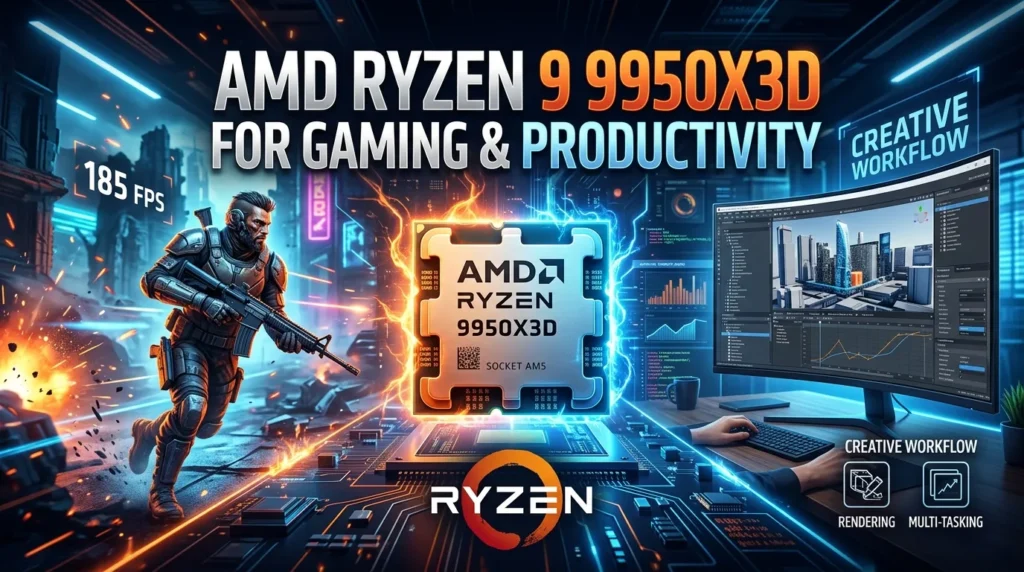
The Ryzen 9 9950X3D targets users who want extremely strong gaming performance while also needing substantial CPU power for demanding workloads.
It has 16 cores and 32 threads, a boost clock of up to 5.7 GHz, 144MB of combined cache, and a 170W default TDP. AMD positions it as a processor capable of handling both gaming and content creation.
For a pure gaming PC, however, more cores do not automatically translate into proportionally higher gaming performance. Many games cannot fully use all 16 cores simultaneously.
The 9950X3D becomes more attractive when your PC serves several purposes. A streamer may run a game while encoding video. A creator may record gameplay, edit footage, render projects, and then switch to gaming. A professional user might run demanding applications alongside entertainment.
In those situations, the extra cores provide useful headroom.
The processor also uses the AM5 socket and supports DDR5 memory and PCIe 5.0 connectivity. AMD recommends liquid cooling for optimal performance.
If gaming is your only priority, an eight-core X3D chip can often provide better value. If your PC is both a gaming machine and a workstation, the 9950X3D becomes a much more compelling option.
Why AMD 3D V-Cache Matters for Gaming
3D V-Cache is one of AMD’s most important technologies for gaming processors. The basic idea is to provide the CPU with a much larger pool of fast L3 cache.
Games constantly access data related to characters, objects, physics, world states, and other calculations. Keeping more frequently needed data close to the processor can reduce certain memory-access bottlenecks.
The result varies by game. Some titles benefit strongly from additional cache, while others show smaller gains.
This is why X3D processors can outperform conventional CPUs with similar core counts and clock speeds in gaming benchmarks.
The technology does not mean that every game will suddenly run dramatically faster. GPU limitations, game-engine design, resolution, graphics settings, memory configuration, and background tasks all influence results.
3D V-Cache is particularly useful in CPU-limited situations. At lower resolutions and very high frame rates, the processor can become more important because the graphics card has less work to do per frame.
At higher resolutions with demanding graphics settings, the GPU often becomes the limiting component, reducing the performance difference between high-end CPUs.
For gamers who want maximum frame rates, especially with powerful graphics cards, AMD X3D processors remain particularly attractive because of their cache-focused architecture.
AMD Gaming CPU Cores and Threads Explained
Cores are individual processing units inside the CPU, while threads represent the number of simultaneous processing tasks the processor can handle through its supported threading technology.
For gaming, having more cores is useful, but more is not always better.
Modern eight-core Ryzen processors provide plenty of processing capacity for gaming, background applications, voice chat, recording software, and other everyday tasks.
A 12-core or 16-core Ryzen 9 processor becomes more valuable when you perform demanding work outside gaming. Video editing, 3D rendering, software development, virtualization, and content creation can benefit substantially from additional cores.
Gamers should therefore avoid choosing a processor based solely on the largest core count.
A fast eight-core X3D processor can outperform a higher-core-count CPU in gaming because architecture, cache, clock behavior, and game optimization all matter.
Your choice should reflect your actual workload. If your PC is primarily a gaming machine, prioritize gaming performance and value. If you regularly run CPU-heavy applications, additional cores can justify a Ryzen 9 processor.
This approach prevents overspending on processing capacity that your games may never use.
CPU Clock Speed and AMD Gaming Performance
Clock speed indicates how quickly CPU cores operate, but it should not be used as the only measure of gaming performance.
For example, the Ryzen 7 9850X3D can boost to up to 5.6 GHz, while the Ryzen 9 9950X3D can reach up to 5.7 GHz.
Those numbers look impressive, but gaming performance also depends on architecture, cache, instructions per clock, memory behavior, and how effectively a particular game uses the processor.
This explains why a CPU with a slightly lower advertised clock speed can sometimes outperform another processor in gaming.
Boost clocks are also conditional. Actual operating frequencies can change depending on workload, temperature, power limits, motherboard configuration, and cooling.
Gamers should therefore view clock speed as one part of the overall specification rather than a complete performance rating.
When comparing AMD gaming CPUs, look at independent gaming benchmarks that test the games you actually play.
Frame-rate averages are useful, but 1% lows can also be important. Stronger low-frame-rate results can make gameplay feel smoother in CPU-heavy scenes, large multiplayer battles, and simulation-heavy environments.
The best processor is ultimately the one that delivers the performance you need at a price that fits your complete system.
Best AMD Processor for 1080p Gaming
1080p gaming can place more emphasis on the CPU than higher resolutions, especially when paired with a powerful graphics card.
At 1080p, the GPU has fewer pixels to process than at 1440p or 4K. This can allow a high-end graphics card to produce very high frame rates, making CPU limitations easier to expose.
That is one reason CPU reviews often use 1080p testing when comparing gaming processors. Tom’s Hardware, for example, measured the Ryzen 7 9850X3D and 9800X3D using a 1080p test suite and found the newer chip about 3.2% faster on average in its tested games.
For competitive gaming, an X3D processor can be an excellent choice when you are targeting very high frame rates.
However, your graphics card still matters enormously. Pairing an expensive gaming CPU with a relatively weak GPU can produce an unbalanced system.
For most gamers, the ideal approach is to select the CPU and GPU together.
If you use a 1080p 240Hz or higher monitor and want to maximize frame rates in esports games, investing more heavily in the CPU can make sense. If you play graphically demanding single-player games at high settings, allocating more of the budget toward the GPU may produce a bigger improvement.
Best AMD Processor for 1440p Gaming
1440p is an excellent resolution for modern gaming because it provides more visual detail than 1080p without demanding as much GPU power as 4K.
At this resolution, the graphics card usually becomes more important, particularly when using high-quality settings and demanding visual effects.
A powerful X3D processor is still valuable for players who want high refresh rates, strong minimum frame rates, or a long-term high-end gaming platform.
The Ryzen 7 9800X3D and 9850X3D are both strong choices for this type of system. The performance gap between them can become less significant as the GPU becomes the primary bottleneck.
That means spending extra money on the newest CPU may not always increase your actual gaming experience.
If your budget is limited, you might achieve better overall results by selecting a slightly less expensive CPU and putting the savings toward a stronger graphics card.
For enthusiasts using a powerful GPU and a high-refresh-rate 1440p monitor, an X3D processor can provide excellent CPU headroom.
The important point is balance. A gaming PC should be designed around the expected resolution, refresh rate, game settings, and graphics card rather than one component in isolation.
Best AMD Processor for 4K Gaming
4K gaming places a much heavier workload on the graphics card. Because the GPU must render substantially more pixels, the graphics card often becomes the main performance limitation.
This does not make the CPU irrelevant. A capable processor still handles game logic, simulation, background tasks, and frame preparation.
However, the difference between high-end gaming CPUs can become smaller when the GPU is limiting frame rates.
For this reason, a gamer building a 4K system may not need the absolute fastest CPU available. A strong Ryzen processor paired with a powerful GPU can often provide an excellent experience.
The Ryzen 7 9800X3D or 9850X3D can make sense for high-end 4K systems, especially if you also play CPU-heavy games or plan to use a high-refresh-rate display.
The Ryzen 9 9950X3D is more appropriate when the machine also serves demanding productivity workloads.
If your budget is fixed, consider the total system rather than maximizing the CPU. A slightly less expensive processor combined with a stronger GPU can sometimes produce better 4K gaming results.
The correct AMD processor for 4K therefore depends heavily on your graphics card and the games you play.
AMD Gaming Processor and GPU Pairing
A gaming CPU should always be considered alongside the GPU.
A high-end Ryzen processor paired with an entry-level graphics card may leave much of the CPU’s potential unused in GPU-heavy games.
Likewise, pairing a weak CPU with an extremely powerful graphics card can create CPU bottlenecks in games that demand high frame rates.
The goal is balance.
For high-refresh-rate 1080p gaming, a strong CPU such as an X3D Ryzen can be especially useful because the graphics card may be capable of producing very high frame rates.
For 1440p and 4K gaming, GPU performance usually becomes increasingly important.
This does not mean there is one perfect CPU-to-GPU combination. Different games place different demands on hardware.
Competitive esports titles can be heavily CPU-sensitive at very high frame rates, while visually demanding games with ray tracing may rely much more heavily on the GPU.
Before upgrading your processor, check where your current system is actually bottlenecking. Monitoring CPU and GPU utilization during your games can help reveal whether the processor or graphics card is limiting performance.
A balanced build usually delivers better value than putting most of the budget into a single component.
AM5 Platform and AMD Gaming CPUs
AMD’s current high-end Ryzen gaming processors use the AM5 socket, making motherboard compatibility an important part of your build.
The Ryzen 7 9850X3D uses AM5, and the Ryzen 9 9950X3D also supports AM5 motherboards. AMD lists support across several chipset families for the 9950X3D, including B650, B650E, X670, X670E, X870, X870E, B840, and B850.
AM5 also uses DDR5 system memory. This means upgrading from an older AM4 system may require more than replacing the CPU. You may need a compatible motherboard and DDR5 memory as well.
For a new gaming PC, this can be useful because you are building on a current platform.
Motherboard selection should consider more than the chipset name. Look at BIOS support, power delivery, storage connectivity, USB ports, networking, expansion slots, and upgrade requirements.
It is also important to confirm CPU compatibility before installing a processor. BIOS versions can affect support for newer CPUs.
A good AM5 motherboard does not need to be the most expensive model. Choose one that provides the features and connectivity your build actually needs.
Cooling Requirements for AMD Gaming Processors
Cooling is essential for maintaining stable CPU performance.
The Ryzen 7 9850X3D has a 120W default TDP, while the Ryzen 9 9950X3D is rated at 170W. AMD recommends liquid cooling for optimal performance with the 9950X3D.
Cooling requirements also depend on your case airflow, room temperature, motherboard settings, and workload.
A quality air cooler can be suitable for many Ryzen processors, while high-end Ryzen 9 systems may benefit from a capable liquid cooler.
Good case airflow is equally important. A powerful CPU cooler cannot perform effectively if the case traps hot air.
Temperature monitoring software can help you understand how your processor behaves during gaming and heavy workloads.
Noise should also be considered. A cooler that keeps temperatures under control while running quietly can improve the overall experience.
Do not choose a cooling solution solely by advertised wattage. Check independent reviews and compatibility with your CPU socket and case.
For an enthusiast gaming PC, investing in reliable cooling protects performance and can make the system more comfortable to use over long gaming sessions.
DDR5 Memory for AMD Gaming CPUs
Modern AM5 Ryzen processors use DDR5 memory, making RAM selection an important part of a new AMD gaming build.
Memory speed and timings can affect CPU performance, although the impact varies depending on the processor, game, and configuration.
AMD’s EXPO technology provides memory profiles designed for compatible Ryzen platforms. The goal is to make supported memory settings easier to configure than manually entering every timing and frequency value.
A balanced gaming system should avoid buying extremely expensive memory simply for impressive specifications.
Capacity matters too. For a modern gaming PC, sufficient memory can help prevent slowdowns caused by running out of available RAM when games, browsers, voice applications, and other programs are open simultaneously.
Memory should be purchased as a matched kit where possible, and motherboard compatibility should be checked before installation.
After building the system, users can verify that the intended memory profile is actually enabled in the motherboard firmware.
For most gamers, sensible DDR5 capacity and a well-supported configuration provide a better value than chasing extreme memory specifications.
How to Choose the Best AMD Processor for Gaming
Start by identifying your gaming resolution and target frame rate.
If you play competitive games at 1080p with a high-refresh-rate monitor, CPU performance becomes especially important. An X3D processor can be a strong choice.
For 1440p gaming, balance the CPU and GPU budget carefully. For 4K gaming, prioritize a powerful graphics card while still choosing a capable Ryzen processor.
Next, consider whether you stream, edit video, render projects, or perform other CPU-heavy tasks.
If gaming is your primary activity, an eight-core X3D chip can make excellent sense. If you regularly perform professional workloads, a Ryzen 9 processor with more cores may justify the extra cost.
Then compare current prices. The Ryzen 7 9850X3D may provide the highest gaming performance, but the Ryzen 7 9800X3D can be more attractive when the price gap is large because independent testing shows that the performance difference is relatively small.
Finally, budget for the motherboard, memory, cooler, storage, and GPU.
The best AMD processor is not necessarily the fastest one. It is the CPU that creates the best overall gaming system for your budget and workload.
Common Mistakes When Buying an AMD Gaming CPU
One of the biggest mistakes is assuming that more cores automatically mean more gaming performance.
Another is focusing entirely on boost clock speed. Architecture and cache can be just as important, particularly for gaming.
Some buyers also spend too much on the CPU while leaving too little money for the GPU. This can create an unbalanced system, especially at 1440p and 4K.
Ignoring cooling is another common mistake. High-performance processors require appropriate thermal management to maintain their intended behavior.
Buyers upgrading from an older platform may also forget about motherboard and memory compatibility. AM5 Ryzen processors require an appropriate AM5 motherboard and DDR5 memory.
Another mistake is upgrading from a 9800X3D to a 9850X3D simply because the model number is newer. Independent testing shows the gaming improvement is small in many situations.
Finally, avoid choosing a processor based on one benchmark alone. Look at multiple games, resolutions, average frame rates, 1% lows, power consumption, cooling requirements, and current pricing.
A broader comparison gives you a much more realistic idea of value.
Conclusion
The best amd processor for gaming in 2026 depends on your budget, graphics card, resolution, refresh rate, and workload. For maximum gaming performance, the Ryzen 7 9850X3D is AMD’s current flagship gaming-focused option. Its Zen 5 architecture, 3D V-Cache, eight cores, 16 threads, and boost speed of up to 5.6 GHz make it an exceptional choice.
However, the Ryzen 7 9800X3D deserves serious attention because its gaming performance remains extremely close to the newer model. Independent testing has found only a small performance advantage for the 9850X3D, making the 9800X3D potentially better value when discounted.
For gamers who also create content or perform demanding workloads, the Ryzen 9 9950X3D provides substantially more cores and threads while retaining AMD’s 3D V-Cache technology.
The smartest choice is therefore not simply the fastest processor. Match your Ryzen CPU with your GPU, monitor, cooling system, memory, motherboard, and actual workload to build a gaming PC that delivers strong performance without unnecessary spending.
FAQs
What is the best AMD processor for gaming in 2026?
The Ryzen 7 9850X3D is AMD’s current flagship gaming-focused processor. It offers eight Zen 5 cores, 16 threads, 96MB of L3 cache, and up to a 5.6 GHz boost clock.
Is the Ryzen 7 9800X3D still good for gaming?
Yes. The Ryzen 7 9800X3D remains an excellent gaming CPU. Independent testing shows that the newer 9850X3D provides only a modest performance increase in many games, so the 9800X3D can offer stronger value when its price is lower.
Is Ryzen 9 9950X3D better than Ryzen 7 9850X3D for gaming?
Not necessarily. The 9950X3D has significantly more cores and is excellent for gaming combined with demanding productivity work, but gamers who only care about gaming may find the eight-core X3D option more practical.
Is AMD X3D good for gaming?
Yes. AMD’s 3D V-Cache technology gives compatible Ryzen processors a large L3 cache that can provide major gaming advantages in workloads that benefit from additional cache. Performance varies by game and system configuration.
How many CPU cores do I need for gaming?
Eight cores and 16 threads are more than enough for most modern gaming systems. Higher core counts become more useful when you also stream, edit video, render content, or perform other demanding workloads.