A 1080p gaming monitor remains one of the most practical choices for gamers who want smooth performance without spending heavily on high-end hardware. Also called Full HD, 1080p typically delivers a 1920 × 1080 resolution that works especially well with budget and mid-range gaming PCs. It can provide sharp images, fast response times, high refresh rates, and responsive gameplay when paired with the right components.
Whether you enjoy competitive shooters, racing games, RPGs, or casual multiplayer titles, the right monitor can make a noticeable difference. Choosing one is not simply about resolution, though. Refresh rate, response time, panel technology, adaptive sync, screen size, connectivity, ergonomics, and image quality all matter. This guide explains the most important features so you can understand what makes a 1080p gaming monitor a strong option for modern gaming.
What Is a 1080p Gaming Monitor?
A 1080p gaming monitor uses a 1920 × 1080 pixel resolution, commonly known as Full HD or FHD. The number 1080 refers to the approximate number of vertical pixels displayed on the screen.
For gaming, this resolution remains popular because it requires considerably less graphics processing power than 1440p or 4K. That means many affordable gaming PCs can achieve high frame rates at 1080p. This advantage becomes particularly useful in competitive games where players often prioritize responsiveness over maximum visual detail.
The ideal screen size also matters. A 24-inch 1080p monitor provides a relatively high pixel density for Full HD and can look crisp from a normal desk distance. A 27-inch model can still work well, although individual pixels may be easier to notice when sitting close to the screen.
Modern 1080p gaming monitors can include features that were once associated mainly with expensive displays. High refresh rates, adaptive synchronization, fast response times, HDR support, and improved IPS panels are now available across a broad range of products.
For gamers with limited budgets, a good 1080p monitor can therefore provide an excellent balance between performance, image quality, and affordability.
Why Choose a 1080p Gaming Monitor?
One of the biggest reasons to choose a 1080p gaming monitor is performance. Lower resolution places less demand on the GPU, allowing compatible hardware to produce higher frame rates.
This can be especially valuable in competitive games such as first-person shooters, racing games, and esports titles. Higher frame rates can make motion appear smoother and can help a responsive gaming setup feel more immediate.
Price is another advantage. A 1080p monitor generally costs less than a comparable high-resolution display, leaving more of your budget for a graphics card, processor, memory, storage, or other gaming accessories.
Compatibility also makes Full HD attractive. Many gaming PCs, laptops, and consoles can output 1080p easily. You do not necessarily need an expensive graphics card to take advantage of a fast refresh rate.
A 1080p gaming monitor can also be a smart choice for competitive players who deliberately lower graphical settings to maximize frame rates.
However, resolution should match your priorities. If you want extremely detailed visuals, work with large amounts of text, or use a larger screen from a close distance, 1440p or 4K may offer a sharper experience.
For many gamers, though, 1080p delivers enough visual clarity while making high-performance gaming easier to achieve.
Best Screen Size for 1080p Gaming
Screen size can significantly affect how a 1080p image looks. For most desktop gaming setups, 24 inches is one of the safest choices.
A 24-inch Full HD monitor provides a useful balance between screen space and pixel density. Games generally look sharp, while menus, text, and interface elements remain easy to read.
A 27-inch 1080p monitor gives you a larger viewing area, which some players prefer for immersive gaming. However, because the same 1920 × 1080 pixels are spread across a larger surface, the image can appear less dense than on a 24-inch display.
Viewing distance changes the experience. Sitting farther away can make the lower pixel density of a larger 1080p screen less noticeable.
For competitive gaming, many players prefer smaller displays because they can see the entire screen without moving their eyes as much. For single-player adventures, a larger screen can provide a more cinematic feeling.
Ultra-wide 1080p monitors also exist, although their aspect ratios and resolutions vary. Buyers should check the exact native resolution instead of assuming every wide monitor is standard Full HD.
The best size ultimately depends on desk space, viewing distance, game type, and personal preference. For a traditional PC gaming desk, 24 inches is often an excellent starting point.
1080p Gaming Monitor Refresh Rate
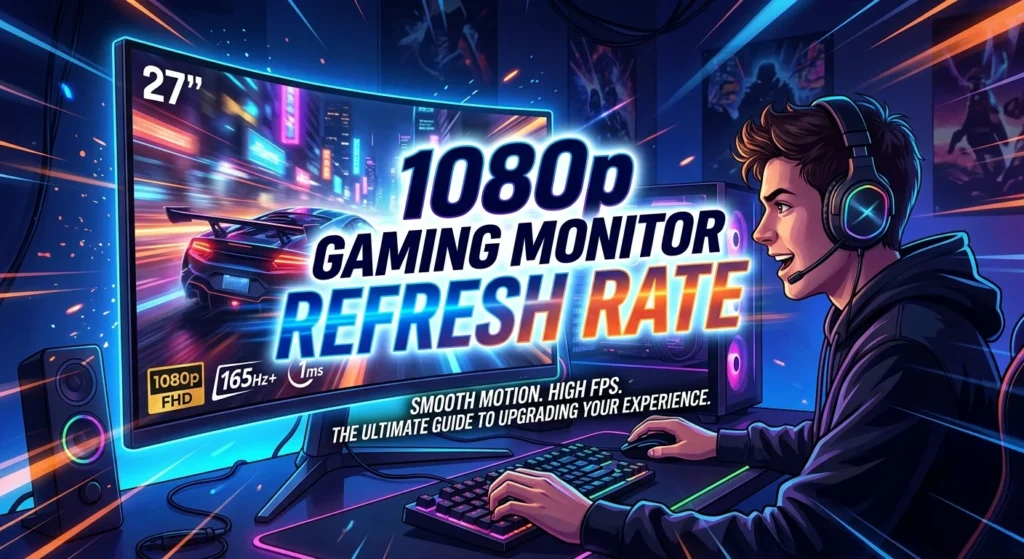
Refresh rate describes how many times a monitor can update its image every second. It is measured in hertz, or Hz.
A standard 60Hz monitor refreshes the screen up to 60 times per second. Gaming monitors can offer considerably higher refresh rates, including 120Hz, 144Hz, 165Hz, 240Hz, and beyond.
Higher refresh rates can make motion look smoother and can improve the overall feeling of responsiveness. The difference becomes especially noticeable when your computer can consistently produce enough frames to take advantage of the display.
For many gamers, 144Hz or 165Hz represents a strong balance between cost and performance. Competitive players may prefer 240Hz or higher if their hardware can maintain very high frame rates.
Refresh rate should not be considered in isolation. A 240Hz monitor will not automatically provide a better experience if your system regularly produces only 60 frames per second.
Your GPU, CPU, game settings, and chosen games all affect actual frame rates.
When shopping for a 1080p gaming monitor, consider the performance your PC can realistically deliver. Matching monitor refresh rate with your gaming hardware can help you spend money where it produces the greatest benefit.
Response Time and Input Lag
Response time measures how quickly a pixel can change from one color or shade to another. Gaming monitors often advertise response times such as 1ms, although the real-world result depends on the testing method and display settings.
A fast response time can reduce visible ghosting and motion blur. This matters most in games with rapid camera movement, quick character motion, or competitive action.
Input lag is a different measurement. It describes the delay between an action from your input device and the corresponding image appearing on the screen. Lower input lag generally makes controls feel more immediate.
Manufacturers may advertise very low response-time figures, but buyers should look for independent testing when possible. Marketing numbers do not always represent typical performance.
Overdrive settings can improve pixel transitions, but using an overly aggressive setting can introduce inverse ghosting or bright trails.
A good gaming monitor should therefore provide a sensible balance rather than simply claiming the lowest possible number.
For competitive gaming, fast pixel response and low input latency can contribute to a more responsive experience. For casual gaming, moderate response performance may be perfectly adequate.
IPS, VA, or TN for 1080p Gaming?
Panel technology affects image quality, contrast, viewing angles, and response behavior.
IPS panels are popular because they generally provide strong color reproduction and wide viewing angles. Modern gaming IPS displays can also offer very fast response times, making them suitable for competitive games.
VA panels usually provide stronger native contrast than IPS displays. Dark scenes can look deeper, which can benefit horror games, cinematic adventures, and general media consumption. Some VA displays can experience dark-level smearing, so independent testing is useful.
TN panels have historically been associated with very fast response performance and competitive gaming. However, their viewing angles and color quality are often less impressive than modern IPS alternatives.
For most gamers today, an IPS 1080p gaming monitor provides an attractive all-around combination of speed and image quality.
VA may be preferable if deep contrast is a major priority. TN can still make sense for highly competitive players who value specific performance characteristics.
There is no universally perfect panel type. Consider your games, room lighting, viewing position, and priorities before deciding.
Adaptive Sync for Smoother Gameplay
Adaptive synchronization technologies can improve gaming smoothness by coordinating the monitor’s refresh behavior with the GPU’s frame output.
Without synchronization, differences between the monitor refresh cycle and GPU frame delivery can produce screen tearing. Adaptive sync can help reduce this effect when supported by compatible hardware.
Technologies commonly associated with gaming monitors include AMD FreeSync and NVIDIA G-SYNC or G-SYNC-compatible displays. Support varies between monitor models and graphics hardware.
Variable refresh rate technology can be especially useful when frame rates fluctuate. Instead of forcing the monitor to operate at one fixed refresh rate, compatible displays can adjust their refresh timing within a supported range.
This can create a smoother experience in demanding games where frame rates move between different levels.
Buyers should check the monitor’s stated adaptive-sync range and compatibility with their GPU. A display might support one standard particularly well while offering different functionality with another graphics platform.
Adaptive sync does not replace a strong GPU or eliminate every visual problem, but it can make a properly configured gaming setup feel significantly smoother.
For many gamers, adaptive synchronization is now a worthwhile feature to prioritize when choosing a 1080p gaming monitor.
Connectivity and Ports

Ports determine which devices you can connect to your gaming monitor and what refresh rates or features may be available.
HDMI is common across gaming monitors and consoles. DisplayPort is also widely used with gaming PCs and can provide support for high refresh rates depending on the specific version and monitor.
Some displays include multiple HDMI ports, allowing users to connect a gaming console and PC without constantly changing cables.
USB ports can add convenience for peripherals, while USB-C may provide video connectivity and other functions on compatible devices.
The exact capabilities depend on the monitor model. Not every HDMI or DisplayPort connection supports every advertised resolution and refresh rate.
Audio outputs can also be useful if you connect headphones or speakers through the monitor.
Before purchasing, check the specifications for your graphics card, laptop, console, and other devices. Confirm that the available ports support the resolution and refresh rate you want.
A monitor with excellent image quality can still become frustrating if its connectivity does not match your equipment.
Good connectivity gives your gaming setup more flexibility and can make future upgrades easier.
1080p Gaming Monitor for Competitive Games
Competitive gaming places particular emphasis on speed, responsiveness, and clarity during motion.
A high-refresh-rate 1080p monitor can be an excellent fit for esports titles because many competitive games can run at very high frame rates on suitable hardware.
A 144Hz or faster display can provide noticeably smoother motion than a 60Hz screen when the computer delivers appropriate frame rates.
Response time also matters. Fast pixel transitions can help minimize distracting trails when moving the camera quickly.
A smaller display can be useful for competitive play because players can view more of the screen without excessive eye movement. This is one reason 24-inch 1080p monitors remain common among esports-focused setups.
Players should also consider visibility. A monitor with adjustable brightness, useful black-level controls, and a clear image can make important details easier to distinguish.
However, extreme specifications are not necessary for everyone. A casual player may gain little from spending substantially more on a very high refresh rate.
Competitive gaming is ultimately about the entire setup. A fast monitor works best when paired with responsive peripherals, stable frame rates, suitable game settings, and a reliable connection.
1080p Gaming Monitor for Console Gaming
A 1080p monitor can work well with many gaming consoles, particularly when the player values fast response and simple desk-based gaming.
Console compatibility depends on the specific console and game. Some systems support higher resolutions and refresh rates, while others may be designed around lower output specifications.
Before buying, check the console’s supported video modes and compare them with the monitor’s HDMI capabilities.
A monitor with low input latency can make console controls feel responsive. Built-in speakers may also provide a convenient option for users who do not want separate audio equipment.
For competitive console gaming, a fast refresh rate can be useful when the console and game support it. For slower single-player games, image quality and contrast may be more important.
Screen size should match your setup. A 24-inch display can work well at a desk, while a larger monitor may suit players who sit farther away.
Some gamers also use one monitor for both PC and console gaming. Multiple HDMI ports can make this setup easier.
The best choice is therefore one that matches the console’s actual capabilities rather than simply choosing the monitor with the largest specifications.
HDR and Color Quality
High Dynamic Range, commonly called HDR, can improve the range between darker and brighter parts of an image when a monitor supports it effectively.
However, not every monitor advertised with HDR delivers the same experience. Brightness, contrast, local dimming, color reproduction, and certification can all affect real-world HDR quality.
For a 1080p gaming monitor, color quality can be just as important as HDR branding. A display with accurate colors and good coverage of relevant color spaces can make games look more natural.
IPS panels often provide strong color performance, while VA panels can offer impressive contrast. Actual performance varies considerably between individual models.
Factory calibration can also influence image quality. Some monitors provide multiple picture modes that allow users to switch between gaming, cinema, sRGB, and other settings.
Gamers who also edit photos or videos should pay particular attention to color accuracy.
For ordinary gaming, a balanced display with good contrast, natural colors, sufficient brightness, and useful calibration controls can provide a better experience than a monitor that advertises HDR without strong supporting hardware.
When comparing displays, look beyond marketing labels and examine measured image quality and independent reviews where possible.
Ergonomics and Gaming Comfort
A great gaming monitor should not only look good. It should also be comfortable to use for extended periods.
An adjustable stand can make a significant difference. Height adjustment allows you to position the screen more naturally, while tilt adjustment helps reduce awkward viewing angles.
Some monitors also support swivel and pivot movement. VESA mounting can provide even more flexibility for users who prefer monitor arms.
The top of the screen should generally sit around eye level or slightly below, although personal comfort and viewing habits vary.
Screen glare can also affect comfort. A suitable matte or semi-matte coating can help reduce distracting reflections in bright rooms.
Blue-light reduction and flicker-related features may also be available on some monitors. These features can change the appearance of colors, so users should choose settings that remain comfortable without unnecessarily compromising image quality.
Cable management is another small but useful feature. A clean desk can make a gaming area more organized and easier to maintain.
Comfort becomes particularly important for players who spend several hours gaming, studying, or working at the same desk.
A monitor is part of your overall workstation, so ergonomics, adjustability, and viewing comfort deserve attention alongside gaming performance.
How to Choose the Right 1080p Gaming Monitor
Choosing the right model becomes easier when you identify your priorities first.
Start with screen size. For most desktop setups, 24 inches is a strong option for Full HD, while 27 inches may suit players who prefer a larger display.
Next, consider refresh rate. A 144Hz or 165Hz monitor can provide a strong balance for many gamers. Competitive players with powerful hardware may consider 240Hz or higher.
Panel technology should match your needs. IPS is an excellent all-around choice, VA can offer stronger contrast, and TN remains relevant for certain performance-focused users.
Check response-time performance and independent reviews rather than relying only on advertised numbers.
Adaptive sync is another useful feature, particularly if your frame rate changes frequently.
Then examine connectivity. Make sure the monitor has the correct HDMI or DisplayPort connections for your PC, console, or laptop.
Finally, consider ergonomics, warranty coverage, build quality, brightness, color performance, and overall value.
Do not pay for specifications your hardware cannot use. A balanced 1080p gaming monitor can often provide a better experience than an expensive display with features that remain unused.
Common Mistakes When Buying a 1080p Gaming Monitor
One common mistake is focusing only on refresh rate. A high refresh rate is useful, but it does not automatically guarantee excellent image quality or low input latency.
Another mistake is choosing a screen that is too large for the intended viewing distance. A 27-inch 1080p display may look less crisp up close than a 24-inch model.
Buyers sometimes overlook connectivity as well. Always confirm that the available ports support the resolution and refresh rate you need.
Ignoring response-time behavior can also cause disappointment. A monitor may advertise a very low response time while performing differently under realistic conditions.
Some users also assume that every HDR label represents a dramatic improvement. Actual HDR quality depends on several hardware characteristics.
Another common issue is failing to consider adaptive sync compatibility. Check whether the monitor works correctly with your graphics hardware.
Finally, do not choose a monitor solely because it has the lowest price. Build quality, warranty support, panel consistency, ergonomics, and image performance can affect long-term satisfaction.
The best buying strategy is to compare the complete feature set rather than one impressive specification.
Conclusion
A 1080p gaming monitor remains a strong choice for gamers who want smooth performance, responsive gameplay, and good value. Full HD works particularly well with budget and mid-range gaming hardware because it requires less GPU power than higher resolutions.
For many users, a 24-inch IPS monitor with a 144Hz or 165Hz refresh rate, fast response performance, adaptive sync, and useful connectivity provides an excellent balance. Competitive players may prefer even higher refresh rates, while players focused on contrast or cinematic visuals may prefer a VA panel.
The right monitor ultimately depends on your hardware, games, desk setup, budget, and personal preferences. Instead of chasing specifications alone, look for a balanced display that delivers the features you will actually use.
FAQs
Is 1080p good for gaming?
Yes. 1080p remains a popular gaming resolution because it can deliver high frame rates without requiring an extremely powerful graphics card. It is particularly useful for competitive gaming and budget-friendly PCs.
Is 24 inches or 27 inches better for a 1080p gaming monitor?
A 24-inch display usually provides sharper pixel density at 1080p, while a 27-inch monitor offers a larger viewing area. Your viewing distance and personal preference should determine the better choice.
Is 144Hz enough for 1080p gaming?
For many gamers, 144Hz provides an excellent balance between smoothness, performance, and cost. Competitive players with powerful hardware may benefit from 240Hz or higher.
Which panel is best for a 1080p gaming monitor?
IPS is often the best all-around choice because it can combine strong colors, wide viewing angles, and fast gaming performance. VA can offer better contrast, while TN can appeal to certain competitive players.
Does a 1080p gaming monitor need adaptive sync?
Adaptive sync is not mandatory, but it can reduce screen tearing and improve smoothness when frame rates fluctuate. It is a useful feature for many modern gaming setups.