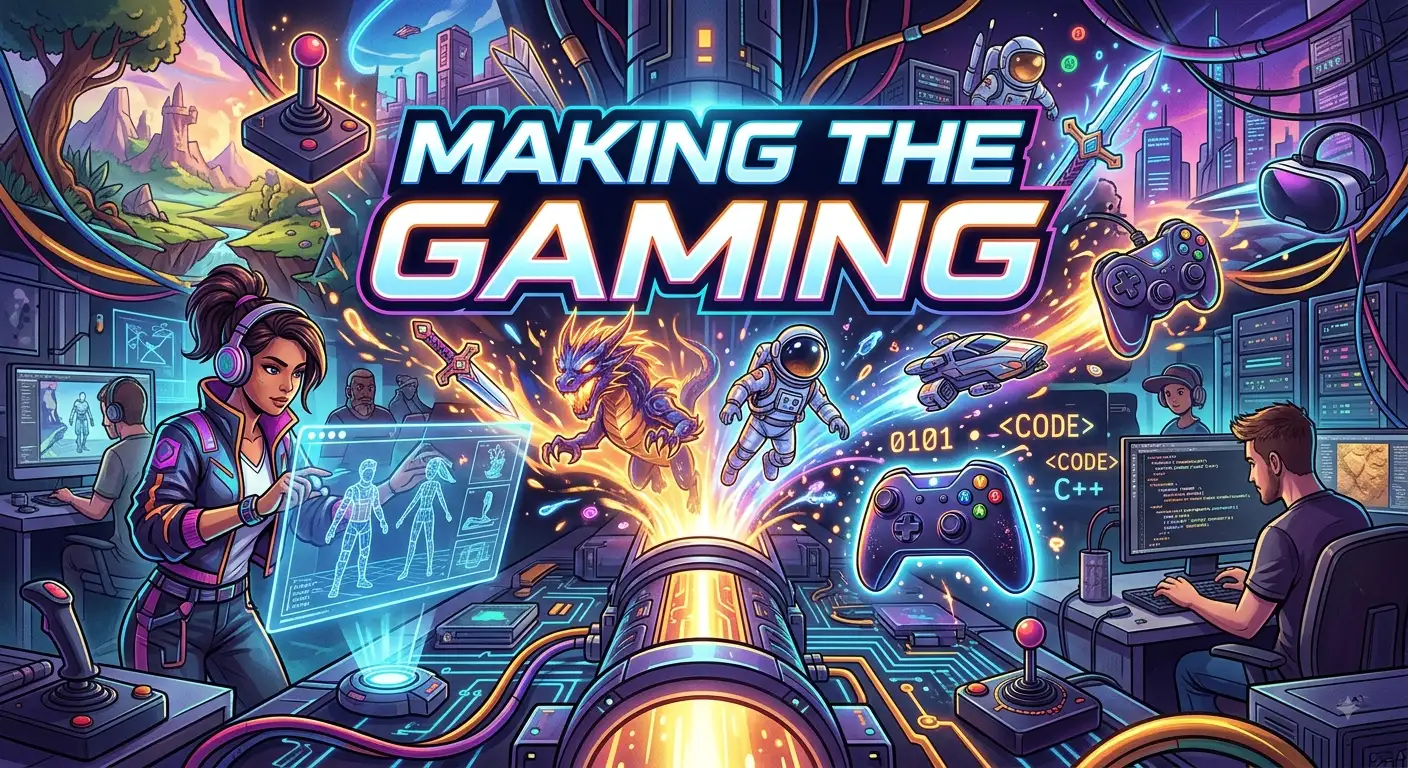
Making the gaming experience starts with an idea, but creating a complete video game takes much more than imagination. Game development combines storytelling, programming, art, sound, design, testing, and problem-solving into one creative process. Whether you want to build a small mobile game, a 2D platformer, an online multiplayer title, or a large 3D adventure, the basic development principles remain similar.
Learning how games are made can help beginners understand what happens behind the screen. From planning a game concept to creating characters, designing levels, adding gameplay mechanics, and fixing bugs, every stage has an important purpose. You do not need to become an expert programmer before starting. With the right tools, patience, practice, and a clear learning plan, anyone can begin exploring game development and turn simple ideas into playable experiences.
Understanding Making the Gaming Process
Making the gaming process refers to the different steps involved in creating a video game from an original idea to a finished product. It usually begins with game concept development, where creators decide what the game should be about, who will play it, and what makes it enjoyable.
A game development project can involve many roles. Programmers create the systems that make the game work. Game designers plan rules and gameplay mechanics. Artists create characters, environments, animations, and visual effects. Sound designers produce music and audio effects. Writers may create dialogue, stories, quests, and character backgrounds.
Small independent games can sometimes be created by one person who handles several of these responsibilities. Larger projects normally require a team with specialized skills.
The process also involves repeated testing. Developers rarely create a perfect game on their first attempt. They build a feature, test it, discover problems, make improvements, and repeat the process.
Modern game engines make this work easier by providing tools for graphics, physics, animation, audio, input systems, and other important functions. Beginners can use these tools to experiment without building every technology from scratch.
The most important lesson is that game development is a process rather than a single task. A strong idea becomes a playable game through planning, creation, testing, feedback, and continuous improvement.
Choosing a Game Idea Before Development
Every successful game begins with an idea. However, beginners often make the mistake of starting with a project that is much too large. A simple and focused idea is usually a better starting point for learning game development.
Start by asking what type of game you want to create. You might choose a platformer, puzzle game, racing game, strategy game, role-playing game, survival game, or simple arcade experience. Think about the main activity the player will perform repeatedly.
For example, a beginner might create a small platform game where the player jumps across platforms, collects items, and reaches an exit. This idea is easier to manage than an enormous open-world RPG with hundreds of characters and missions.
A useful game concept should answer a few basic questions:
- What does the player do?
- What is the main objective?
- What makes the game interesting?
- How does the player progress?
- What happens when the player succeeds or fails?
You should also identify the target platform. A PC game may require keyboard and mouse controls, while a mobile game needs touch-friendly interaction.
Write your idea down before development begins. A short document can describe the core gameplay, visual style, target audience, main features, and basic story.
Keeping the first project small allows you to finish it. Completing a simple game teaches more than abandoning a massive project halfway through.
Learning the Basics of Game Design
Game design focuses on how the game works and how players experience it. It includes rules, objectives, challenges, rewards, progression, controls, and overall player interaction.
One of the most important concepts in game design is the core gameplay loop. This describes what players repeatedly do during the game. For example, a player might explore an area, find an enemy, fight it, collect a reward, and use that reward to become stronger.
A good gameplay loop should feel understandable and satisfying. Players should know what they are doing and why their actions matter.
Game designers also think carefully about difficulty. If a game becomes difficult too quickly, players may become frustrated. If it remains too easy, they may become bored. Good games gradually introduce new challenges and mechanics.
Rewards can also improve motivation. These might include new abilities, equipment, characters, levels, achievements, or visual items.
Another important design principle is player feedback. When a player performs an action, the game should clearly communicate the result. A successful attack might create an animation, sound effect, visual effect, or damage indicator.
Good game design does not require complicated mechanics. A simple mechanic can become highly enjoyable when the rules are clear and the interaction feels responsive.
Beginners should focus on fun and clarity before complexity. Add features only when they improve the player experience.
Selecting a Game Engine for Beginners
A game engine provides the technology needed to build many parts of a video game. Instead of programming every basic system from zero, developers can use an engine to manage graphics, physics, scenes, animation, audio, input, and other functions.
Popular game development engines include Unity, Unreal Engine, and Godot. Each has different strengths, workflows, learning resources, and technical requirements.
Godot is often attractive to beginners because it provides a straightforward interface and supports both 2D and 3D development. Unity has a large ecosystem and is widely used for different types of games. Unreal Engine offers powerful tools for high-quality 3D graphics and complex projects.
The best engine depends on your goals and experience. Beginners should not spend too much time searching for a perfect engine. Choose a suitable tool and start learning.
When selecting an engine, consider:
- Your preferred game type.
- 2D or 3D development.
- Programming language requirements.
- Available learning resources.
- Computer performance.
- Target platforms.
- Community support.
- Asset and plugin availability.
Switching engines repeatedly can slow your progress. Learning fundamental concepts such as variables, objects, scenes, collision, animation, input, and game logic is more valuable than constantly changing software.
The engine is a tool. Your design thinking, creativity, persistence, and technical knowledge matter more than the name of the engine you use.
Learning Programming for Game Development
Programming is one of the most useful skills for making games because code controls how the game behaves. You do not need advanced programming knowledge on your first day. Start with basic concepts and gradually build your skills.
Important beginner topics include variables, conditions, loops, functions, arrays, objects, events, and data structures. These concepts appear in many game systems.
For example, a variable can store a player’s health. A condition can determine whether the player has enough health to survive an attack. A function can handle a jump or attack. A loop can process multiple objects or actions.
Programming also creates game interactions. When a player presses a button, code can tell the character to move. When two objects collide, code can trigger damage or collect an item.
Learning programming becomes easier when you immediately apply each concept to a small game feature. Instead of studying code for weeks without building anything, create simple projects while learning.
You may make a character move, create a score counter, build a health system, or program an enemy to follow the player.
Debugging is another essential programming skill. Errors are normal during game development. When something fails, read the error message, identify the relevant code, test possible solutions, and try again.
Programming is not about memorizing every command. It is about learning how to solve problems logically.
Creating Characters and Game Assets
Characters and visual assets give a game its identity. These assets can include player characters, enemies, objects, environments, icons, menus, animations, and special effects.
The visual style should match the type of game you are creating. A cartoon platformer may use bright, simple graphics, while a realistic adventure game may require detailed models and textures.
Beginners should avoid creating hundreds of assets before testing gameplay. Temporary graphics, often called placeholders, can help developers build and test mechanics quickly.
For example, a simple colored shape can represent a player during early development. Once movement and gameplay work correctly, the temporary shape can be replaced with a detailed character.
You can create your own assets using digital art, 3D modeling, or animation software. You can also use legally licensed asset libraries. Always check the license before using external graphics, music, models, or fonts in a project.
Consistency matters. Characters, environments, menus, and effects should feel like they belong to the same game world.
Animation is also important because static images can make movement feel unnatural. Basic animations might include walking, running, jumping, attacking, taking damage, and celebrating.
Good visual design does not necessarily mean highly detailed graphics. A clear and consistent art style can make a simple game look professional.
For beginners, gameplay should remain the priority. Build the experience first, then improve the visual presentation as the project develops.
Designing Interesting Game Levels
Level design determines how players move through a game world and encounter challenges. It can strongly influence whether a game feels exciting, confusing, relaxing, or frustrating.
A good level usually has a clear purpose. Players should understand where they are, what they need to accomplish, and what they should explore.
Beginners can start with simple level layouts. For a platform game, this might mean placing platforms, obstacles, collectibles, enemies, and an exit. The first level should teach basic controls before introducing complicated challenges.
Level progression is important. Early sections can introduce mechanics one at a time. Later sections can combine those mechanics to create more interesting challenges.
Environmental design can also guide players without requiring constant instructions. Lighting, paths, colors, landmarks, signs, and object placement can subtly show players where to go.
Testing is essential because developers understand their own levels too well. A creator may think a path is obvious when a new player finds it confusing.
Ask other people to play the level without giving them instructions. Watch where they struggle, where they become bored, and where they become engaged.
Strong level design balances challenge, exploration, pacing, and player understanding. A good level does not simply make the player move from one location to another. It creates meaningful experiences through space and interaction.
Adding Sound and Music to Games
Sound can dramatically improve a player’s experience. Music, sound effects, environmental audio, and character sounds help create atmosphere and provide useful feedback.
A simple action can feel more satisfying when it has an appropriate sound effect. Jumping, attacking, collecting an item, opening a door, and completing a level can all benefit from audio feedback.
Music can influence emotions and pacing. Calm music may work well during exploration, while faster music can increase excitement during combat or a timed challenge.
Environmental sounds can make game worlds feel alive. Rain, wind, footsteps, machines, animals, water, and distant activity can add depth even when players cannot see the source.
Audio should support gameplay rather than become distracting. Excessive sound effects can make an experience tiring.
Volume control is also important. Players should be able to adjust music and effects independently when possible.
Developers can create original audio or use properly licensed sound libraries. Copyright matters because using music or sound effects without permission can create legal and platform-related problems.
Good game audio often works quietly in the background. Players may not consciously notice every sound, but they can feel the difference when audio is missing.
When making a game, treat sound as part of the design rather than an optional final addition. Visuals show players what happens, while sound can help them feel what happens.
Building User-Friendly Game Controls
Controls are one of the first things players experience. If controls feel slow, confusing, or inconsistent, even a good game can become frustrating.
Start by deciding how players will interact with the game. PC games may use a keyboard and mouse or a controller. Mobile games often use touch controls. Console games normally require controller-based input.
Each control should have a clear purpose. Common actions include movement, jumping, attacking, interacting, pausing, and navigating menus.
Responsiveness matters greatly. When players press a button, the game should react quickly and predictably.
Control layouts should also match player expectations. Familiar actions can make a game easier to learn.
Tutorials can introduce controls gradually. Instead of showing a huge list of instructions at once, teach players through simple situations.
Accessibility should also be considered. Remappable controls, adjustable sensitivity, subtitles, readable text, color options, and multiple input methods can help more people enjoy a game.
Testing controls with different players can reveal problems that developers miss. A control system may feel natural to the creator but confusing to someone seeing the game for the first time.
Good controls should become almost invisible. Players should focus on making decisions and enjoying the game, rather than fighting the interface.
Spend time adjusting movement speed, jump timing, camera behavior, button placement, and response time. Small improvements can have a major effect on the overall experience.
Creating a Strong Game Story
Not every game needs a complex story. However, storytelling can give players a reason to care about the world, characters, and objectives.
A simple story can be enough. A character might need to rescue someone, escape a dangerous location, discover a secret, defeat an enemy, or complete a personal mission.
Strong game stories usually connect narrative events with gameplay. Instead of separating the story from the player’s actions, developers can make objectives part of the narrative.
Characters should have understandable motivations. Players are more likely to care about a character when they understand what that character wants and what stands in the way.
World-building can also add depth. Locations, objects, dialogue, documents, visual details, and environmental clues can communicate information without long explanations.
Beginners should avoid writing huge amounts of dialogue before testing the actual game. A short, clear story often works better than a complicated plot that interrupts gameplay.
Game writing should also consider pacing. Players need opportunities to play, explore, think, and experience the story.
If the game is primarily action-focused, storytelling can remain simple. If it is a narrative adventure, the story may become a central gameplay element.
The best approach depends on the game genre. Story should support the player’s experience instead of competing with it.
Testing and Fixing Game Bugs
Testing is one of the most important parts of game development. Bugs can appear anywhere, including movement, graphics, sound, menus, saving systems, enemy behavior, and level progression.
A bug is not necessarily a sign of failure. Complex software naturally contains problems during development. Professional development teams spend significant time identifying and fixing them.
Start testing each feature as soon as you create it. Do not wait until the entire game is finished.
Test normal behavior first. Then deliberately try to break the system. For example, if you create a health system, test what happens when health reaches zero, when the player receives multiple attacks, and when healing occurs at unusual times.
Keep track of discovered problems. A simple bug list can include the problem, location, steps to reproduce it, priority, and current status.
Players can also discover issues that developers miss. Fresh testers do not know the intended solution, so their behavior can reveal confusing controls, unclear objectives, or hidden bugs.
Prioritize serious issues first. A game-breaking crash is more important than a small visual mistake.
Testing should continue after major changes because fixing one problem can sometimes create another.
A polished game is not necessarily one without any tiny imperfections. It is a game where the most important systems work reliably and the player experience feels stable.
Optimizing Game Performance
Performance affects how smoothly a game runs. Players expect games to respond quickly and maintain stable frame rates.
Performance problems can come from many sources. Too many objects, complex graphics, inefficient code, large textures, excessive visual effects, and poor resource management can all affect performance.
Optimization should begin with measurement rather than guessing. Developers can use profiling tools to identify what is actually causing slowdowns.
For example, if a game spends too much processing time on physics, changing unrelated graphics may not solve the problem.
Graphics optimization can include reducing unnecessary detail, managing texture sizes, controlling visual effects, and using efficient rendering techniques.
Code should also avoid unnecessary calculations. A system that performs an expensive operation hundreds of times per second may require redesign.
Target hardware matters too. A game designed for powerful computers may require different optimization strategies from a mobile game.
Testing on different devices can reveal performance problems that are invisible on the developer’s computer.
Optimization does not mean removing everything that looks impressive. The goal is to balance visual quality, gameplay complexity, and technical performance.
Beginners should focus first on making the game functional. Once the core experience works, measure performance and improve the areas that actually need attention.
Efficient development comes from solving real performance problems rather than optimizing code simply because it looks complicated.
Publishing and Sharing a Finished Game
Finishing a game is exciting, but development does not completely end when the final feature is added. Developers also need to prepare the project for release.
Start by deciding where the game will be available. Depending on the project, this might include PC, mobile devices, web browsers, or consoles.
Each platform can have different technical, legal, and publishing requirements. Developers should understand these requirements before preparing the final build.
Create a clear game description that explains what players can expect. Screenshots and trailers should accurately represent the finished experience.
Testing should happen again on the release version. A game can work correctly inside the development environment but behave differently after packaging.
Developers should also check menus, save systems, settings, loading times, audio, controls, and resolution options.
A launch does not have to be perfect. Independent developers can release small projects and use player feedback to improve future updates.
Community feedback can reveal useful information about difficulty, performance, bugs, controls, and features. However, developers should evaluate feedback carefully rather than adding every requested feature.
Publishing also creates an opportunity to build a portfolio. A completed small game can demonstrate practical skills to potential employers, collaborators, or clients.
The key achievement is not simply releasing a game. Completing and learning from a project creates valuable development experience.
Marketing a New Video Game
A great game can struggle to find players if nobody knows it exists. Marketing helps developers introduce their game to the right audience.
Marketing can begin before launch. Developers can share development updates, screenshots, short videos, artwork, gameplay clips, and announcements through appropriate platforms.
A clear description is important because potential players should quickly understand what makes the game interesting.
Visual presentation also matters. A strong game thumbnail, trailer, logo, and screenshots can attract attention.
Developers should identify the game’s target audience. A relaxing puzzle game and a competitive multiplayer shooter may appeal to very different communities.
Social media can help build awareness, but useful content performs better than constant promotional messages. Development progress, behind-the-scenes information, gameplay demonstrations, and interesting features can encourage people to follow the project.
A demo or playable preview can also help players understand the game before buying it.
Reviews and player feedback can provide social proof, but developers should focus on delivering a genuinely good experience rather than trying to manipulate opinions.
Marketing should match the size of the project. A solo developer does not need the same strategy as a major studio.
The most effective long-term approach is often simple: make something valuable, show it clearly, reach the right audience, and communicate honestly.
Common Mistakes New Game Developers Make
Beginners often make mistakes because game development involves many different skills. Understanding common problems can help new developers avoid unnecessary frustration.
One major mistake is starting with an enormous project. A massive open-world game may sound exciting, but its complexity can quickly become overwhelming.
Another problem is adding too many features before testing the core gameplay. Developers may spend weeks creating menus, characters, and effects before discovering that the central mechanic is not enjoyable.
Some beginners also avoid learning programming fundamentals because they want to focus only on visual tools. Visual development systems can help, but understanding basic logic remains valuable.
Ignoring player feedback is another common issue. Developers sometimes become emotionally attached to their ideas and reject useful criticism.
Poor organization can also create problems. Unclear project folders, inconsistent file names, and messy code can make future changes harder.
Skipping testing is especially risky. Small problems can become difficult to manage when they accumulate.
Beginners may also compare their first game with projects created by large professional teams. This comparison is unrealistic because major games can involve years of development and large teams.
Instead, focus on measurable progress. Finish one small project, learn from it, and use that experience in the next one.
The best mindset is progress over perfection. Mistakes are part of learning, and every completed project can improve your skills.
Building a Game Development Learning Plan
A structured learning plan can make game development easier to understand. Instead of trying to learn everything at once, divide the process into manageable stages.
Start with the basics of your chosen game engine. Learn how to create a project, add objects, build scenes, import assets, and run the game.
Next, learn basic programming concepts. Focus on variables, conditions, functions, events, input, and simple object interaction.
After that, build a tiny prototype. Your first project could involve moving a character, collecting objects, avoiding obstacles, or reaching a goal.
Once the basic mechanics work, add simple visuals, audio, menus, and progression.
Testing should happen throughout the process. Ask someone else to play your prototype and observe their experience.
After completing the first game, review what you learned. Identify the areas that felt difficult and choose your next project based on those weaknesses.
A practical learning path might look like this:
- Learn game engine basics.
- Study programming fundamentals.
- Build a tiny prototype.
- Create simple game mechanics.
- Add graphics and audio.
- Design several levels.
- Test with other players.
- Fix bugs and improve performance.
- Package the game.
- Publish or share the finished project.
Do not rush through these stages. Consistent practice is more valuable than trying to master everything in a few days.
Future Trends in Game Development
Game development continues to evolve as technology changes. Developers now have access to powerful tools that can speed up production and create new types of interactive experiences.
Artificial intelligence is becoming increasingly useful for tasks such as prototyping, procedural content, testing assistance, animation workflows, and development support. However, human creativity and design decisions remain important.
Cloud technology can also influence how games are developed and delivered. Remote collaboration allows teams in different locations to work together on projects.
Virtual reality and augmented reality provide additional ways to interact with digital worlds. These technologies require developers to think differently about movement, interface design, and immersion.
Procedural generation can help create large amounts of content through algorithms. This approach can be useful for landscapes, levels, items, and other game elements.
Accessibility is also becoming a stronger focus. Developers increasingly consider how people with different abilities can interact with games.
Cross-platform development continues to help creators reach players across multiple devices.
Despite these changes, the fundamentals remain surprisingly stable. Developers still need to create interesting gameplay, clear objectives, responsive controls, engaging worlds, reliable systems, and enjoyable experiences.
New tools can make development faster, but they do not automatically make a game fun.
The future of game development will likely combine advanced technology with strong creative direction. Developers who understand both technology and player experience will be well positioned to create meaningful interactive entertainment.
Conclusion
Making the gaming experience begins with a simple idea and grows through design, programming, art, audio, testing, optimization, and publishing. Beginners do not need to know everything before they start. The most effective way to learn is to choose a small project and build it step by step.
Start with a clear concept, learn the fundamentals of a game engine, practice basic programming, create simple mechanics, and test your work regularly. Do not be afraid of bugs or failed experiments. They are valuable parts of the learning process.
As your skills improve, you can create larger and more ambitious projects. The goal is not to build the biggest game immediately. The goal is to learn, finish, improve, and keep creating.
With patience and consistent practice, game development can turn creative ideas into interactive experiences that people can actually play and enjoy.
FAQs About Making the Gaming
What does making the gaming mean?
Making the gaming can refer to the process of creating video games. It includes planning gameplay, designing levels, programming systems, creating graphics, adding sound, testing features, fixing bugs, and preparing the final game for players.
Can beginners start making video games?
Yes. Beginners can start with small projects and beginner-friendly game engines. You do not need advanced programming or professional art skills before creating your first game. Starting with a simple project makes learning easier.
Do I need programming skills to make games?
Programming is helpful, but beginners can start with visual scripting and other development tools. Learning basic programming eventually gives you more control over game mechanics, systems, interactions, and advanced features.
Which game should a beginner make first?
A small 2D game is often a good first project. Simple platformers, puzzle games, arcade games, and collection games allow beginners to learn movement, collision, scoring, level design, and basic game logic without managing an enormous project.
How long does it take to make a video game?
The development time depends on the game’s size, technology, content, team, and complexity. A simple beginner project might take days or weeks, while a large commercial game can require several years and a large development team.