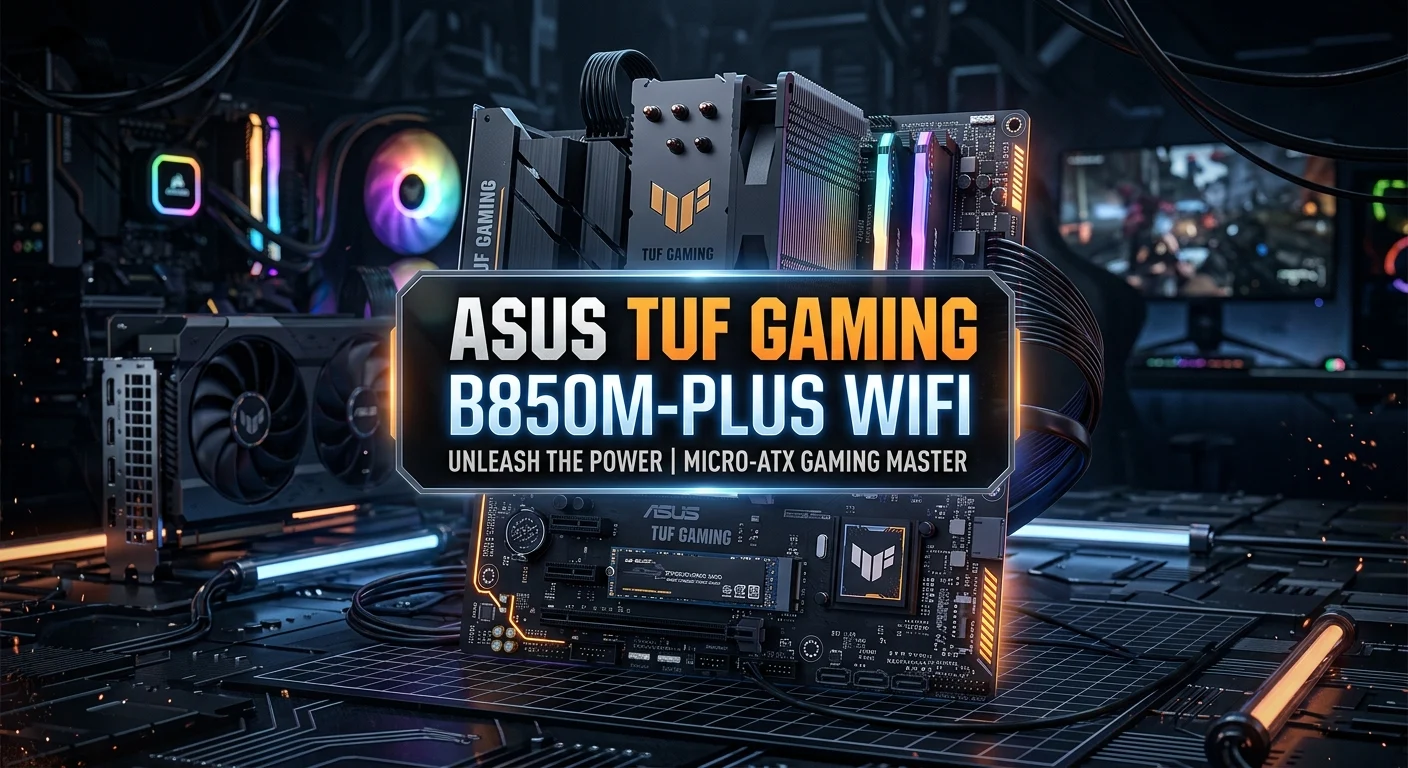
The ASUS TUF Gaming B850M-PLUS WIFI is a Micro-ATX AMD AM5 motherboard designed for modern gaming PCs and performance-focused desktop builds. It uses the AMD B850 chipset and supports Ryzen 9000, 8000, and 7000 Series desktop processors, with DDR5 memory support and PCIe 5.0 connectivity for compatible CPUs.
For buyers, the biggest attractions are its combination of modern expansion, fast storage, integrated wireless networking, 2.5Gb Ethernet, extensive USB connectivity, and TUF-oriented durability features. ASUS also includes practical installation features such as M.2 Q-Latch, PCIe Slot Q-Release, Q-LED diagnostics, Q-Antenna, and BIOS FlashBack.
The question is not simply whether this motherboard is powerful. The better question is whether its feature set matches your CPU, graphics card, storage requirements, case size, networking needs, and budget.
What Is the ASUS TUF Gaming B850M-PLUS WIFI?
The ASUS TUF Gaming B850M-PLUS WIFI is an AM5 Micro-ATX motherboard based on AMD’s B850 platform. It is aimed at users building a current-generation AMD desktop with Ryzen processors and DDR5 memory. ASUS specifies four DDR5 DIMM slots with support for up to 256GB and memory speeds up to 8000+ MT/s through overclocking, depending on the processor and memory configuration.
Its compact Micro-ATX format makes it particularly interesting for users who want a smaller gaming PC without giving up several modern features normally associated with larger boards.
The board also includes three M.2 slots, four SATA 6Gb/s ports, PCIe 5.0 graphics support with compatible Ryzen 9000 and 7000 processors, Wi-Fi 6E, Bluetooth 5.3, and Realtek 2.5Gb Ethernet.
AMD Ryzen Compatibility
One of the most important factors when choosing an AM5 motherboard is processor compatibility.
The B850M-PLUS WIFI supports:
- AMD Ryzen 9000 Series desktop processors
- AMD Ryzen 8000 Series desktop processors
- AMD Ryzen 7000 Series desktop processors
- AMD AM5 socket processors supported by ASUS
- DDR5 memory
- AMD EXPO memory profiles
- ASUS AEMP memory profiles
ASUS notes that exact CPU and memory support can depend on the processor and configuration, so buyers should check the current CPU and memory support lists before completing a build.
This makes the motherboard suitable for a range of AMD gaming and productivity systems rather than tying it to one specific Ryzen generation.
DDR5 Memory Support
The motherboard provides four DDR5 DIMM slots and supports up to 256GB of memory. ASUS lists memory support up to 8000+ MT/s through overclocking, although actual achievable speeds depend on the CPU, DIMM configuration, and specific memory modules.
For a gaming build, a sensible approach is to select a compatible dual-channel DDR5 kit rather than focusing only on the highest advertised memory frequency.
The board also supports AMD EXPO, which can simplify memory tuning on compatible DDR5 kits. ASUS includes AEMP as another memory-profile feature.
Internal link opportunity: A future article about best DDR5 RAM for Ryzen gaming PCs would fit naturally here.
PCIe 5.0 for Modern Graphics Cards

One of the motherboard’s major selling points is its PCIe 5.0 x16 graphics slot.
With compatible Ryzen 9000 and 7000 Series processors, ASUS specifies one PCIe 5.0 x16 slot. Ryzen 8000 Series processors can have different PCIe behavior, so the processor generation matters when planning the system.
PCIe 5.0 provides substantially more theoretical bandwidth than PCIe 4.0. That makes the slot useful for current and future graphics hardware, although the real-world gaming benefit depends heavily on the graphics card and application.
There is also a PCIe 4.0 x1 expansion slot for compatible add-in hardware.
Storage and M.2 Options
Storage flexibility is another strong point.
The ASUS TUF Gaming B850M-PLUS WIFI supports:
- 3 × M.2 slots
- 4 × SATA 6Gb/s ports
- PCIe 5.0 x4 M.2 support on the primary M.2 slot with compatible Ryzen 9000 and 7000 processors
- Additional PCIe 4.0 M.2 connectivity
- AMD RAIDXpert2 technology with processor-dependent RAID support
The exact M.2 configuration changes with the Ryzen processor generation, so users should check ASUS’s specification table before planning multiple high-speed drives.
For a gaming PC, three M.2 slots provide plenty of room for an operating-system drive, games library, and additional high-speed storage.
Internal link opportunity: This is a natural place to link to an article about best NVMe SSDs for gaming PCs.
Wi-Fi 6E and 2.5Gb Ethernet
Networking is an important reason to consider the ASUS TUF Gaming B850M-PLUS WIFI.
The board includes 2×2 Wi-Fi 6E, supporting the 2.4GHz, 5GHz, and 6GHz bands, along with Bluetooth 5.3 according to ASUS’s listed specifications. Availability of the 6GHz band can vary by country and regulatory requirements.
For wired networking, the motherboard provides Realtek 2.5Gb Ethernet and ASUS TUF LANGuard protection.
This combination works well for users who want flexibility between wired and wireless connections.
For competitive gaming, however, a wired Ethernet connection can still be preferable when the network environment allows it because it can provide a more consistent connection.
USB Connectivity
The motherboard provides a generous selection of USB connections.
On the rear I/O panel, ASUS lists:
- 1 × USB 20Gbps Type-C
- 3 × USB 10Gbps Type-A
- 4 × USB 5Gbps Type-A
- 4 × USB 2.0
That gives the rear panel 12 USB ports in total. There are also front-panel USB headers, including a USB 10Gbps Type-C connector.
This is useful for gaming setups with several peripherals, such as a keyboard, mouse, headset, controller, webcam, external storage, and other accessories.
Audio Features for Gaming

The B850M-PLUS WIFI uses the Realtek ALC1220P 7.1-channel High Definition Audio CODEC.
ASUS lists features including audio shielding, premium audio capacitors, a dedicated audio PCB design, jack detection, multi-streaming, front-panel jack retasking, and headphone amplification. The specification also lists up to 32-bit/192kHz playback under supported conditions.
For most gaming users, the practical benefit is a well-equipped onboard audio solution without requiring a separate sound card for a typical PC build.
Power Delivery and Cooling
Power delivery matters when pairing a motherboard with a modern Ryzen processor.
ASUS advertises 14+2+1 power stages rated at 80A, together with enlarged VRM heatsinks.
The motherboard also provides several fan and cooling connections:
- CPU fan header
- CPU OPT fan header
- AIO pump header
- Three chassis fan headers
The board includes VRM heatsink coverage and M.2 heatsink support as part of its thermal design.
This makes it appropriate for builds where cooling and sustained performance are important considerations.
TUF Gaming Build Quality and Protection
The TUF Gaming series focuses heavily on durability and protection features.
The B850M-PLUS WIFI includes ASUS features such as:
- DIGI+ VRM
- DrMOS-based power design
- ESD Guards
- TUF LANGuard
- Overvoltage protection
- SafeSlot
- Stainless-steel rear I/O
- VRM heatsink design
These features are designed to improve protection and physical durability, although they should not be interpreted as a guarantee that hardware cannot fail.
For buyers who plan to keep a motherboard for several years, this feature set can be more valuable than cosmetic extras alone.
DIY-Friendly Installation Features
PC building can become frustrating when troubleshooting small installation problems. ASUS addresses this with several Q-Design features.
The motherboard includes:
- M.2 Q-Latch
- PCIe Slot Q-Release
- Q-Antenna
- Q-Dashboard
- Q-DIMM
- Q-LED diagnostic indicators
- BIOS FlashBack
- Pre-mounted I/O shield
The Q-LED system can help identify CPU, DRAM, VGA, or boot-device issues during startup.
BIOS FlashBack is also useful because it provides a way to update the BIOS using the supported procedure without relying on a fully configured operating system.
Is It Good for a Gaming PC?
Yes, the ASUS TUF Gaming B850M-PLUS WIFI has the core features expected from a modern AMD gaming motherboard.
Its combination of AM5 support, DDR5, PCIe 5.0 graphics connectivity, multiple M.2 slots, 2.5Gb Ethernet, Wi-Fi 6E, and extensive USB connectivity gives it a strong foundation for a gaming build.
However, motherboard performance should not be judged separately from the rest of the PC.
A gaming system’s actual frame rates will depend primarily on the CPU, GPU, memory configuration, game, resolution, graphics settings, and software environment. A more expensive motherboard does not automatically produce higher FPS.
Internal link opportunity: Consider linking this section to a guide about how to build a gaming PC for high FPS.
Pros and Cons of the ASUS TUF Gaming B850M-PLUS WIFI
Pros
- AMD AM5 platform
- Support for Ryzen 9000, 8000, and 7000 Series processors
- Four DDR5 memory slots
- Up to 256GB listed memory capacity
- PCIe 5.0 x16 graphics slot with compatible CPUs
- Three M.2 storage slots
- Realtek 2.5Gb Ethernet
- Wi-Fi 6E
- Bluetooth 5.3 listed by ASUS
- USB 20Gbps Type-C connectivity
- BIOS FlashBack
- Useful Q-Design installation features
- Strong TUF protection features
Cons
- It is Micro-ATX, so expansion space is more limited than on many ATX boards.
- Some PCIe and M.2 capabilities vary according to the Ryzen processor installed.
- Maximum memory speeds are dependent on CPU and DIMM configuration.
- Wi-Fi 6E’s 6GHz functionality depends on regional regulations and operating-system support.
Who Should Buy This Motherboard?
The ASUS TUF Gaming B850M-PLUS WIFI makes the most sense for someone building a modern AMD gaming PC who wants a relatively compact motherboard with strong connectivity.
It is particularly suitable for:
- Ryzen-based gaming PCs
- Micro-ATX builds
- DDR5 systems
- Users who want built-in Wi-Fi
- Gamers who want 2.5Gb Ethernet
- Builders using multiple NVMe SSDs
- Users planning a modern PCIe 5.0 graphics platform
- PC builders who value BIOS FlashBack and diagnostic features
It may be less attractive if you need a large number of expansion cards or specifically require the additional expansion space normally associated with a full-size ATX motherboard.
What Should You Check Before Buying?
Before purchasing, compare the motherboard against your complete component list.
Check your CPU
Confirm that your exact Ryzen processor is supported and review the relevant CPU support information from ASUS.
Check your RAM
Verify the exact DDR5 kit on the motherboard’s current memory support list if possible. Advertised memory speeds can depend on the processor and DIMM configuration.
Check your case
Because this is a Micro-ATX motherboard, confirm that your chosen case supports the form factor and provides enough room for your graphics card, CPU cooler, storage, and airflow requirements.
Check your storage plan
If you intend to install several NVMe SSDs, review which M.2 slots operate at which PCIe generation with your specific Ryzen processor.
Check the price
Pricing can vary significantly by country, retailer, promotions, and availability. ASUS’s own regional store information should be treated as a reference rather than a universal worldwide price.
ASUS TUF Gaming B850M-PLUS WIFI vs a More Expensive Motherboard
A more expensive motherboard can provide additional expansion, connectivity, premium features, or a different form factor. That does not automatically make it a better choice for every gaming PC.
The B850M-PLUS WIFI can be a sensible middle ground when you want modern AMD platform features without necessarily moving to a larger enthusiast-oriented board.
When comparing alternatives, focus on actual requirements:
FeatureWhat to CheckCPURyzen generation and exact modelRAMDDR5 capacity, speed and compatibilityGPUPCIe slot and physical clearanceStorageNumber and generation of M.2 slotsNetworkWi-Fi and Ethernet requirementsUSBNumber and speed of required portsCaseMicro-ATX compatibilityExpansionNumber of PCIe slots requiredBudgetTotal system cost, not motherboard price alone
This approach helps prevent paying for features that your particular PC will never use.
Conclusion
The ASUS TUF Gaming B850M-PLUS WIFI is a well-equipped AM5 Micro-ATX motherboard for users evaluating a modern AMD gaming platform. Its strongest selling points include Ryzen compatibility, DDR5 support, PCIe 5.0 graphics connectivity, three M.2 slots, Wi-Fi 6E, 2.5Gb Ethernet, extensive USB connectivity, and practical installation features.
For a compact or moderately sized gaming PC, it offers a balanced feature set. The most important buying decision is matching its capabilities with your exact Ryzen CPU, memory kit, graphics card, storage plan, case, and networking needs.
Before buying, check ASUS’s current specifications and support pages because CPU, memory, BIOS, regional wireless support, and other compatibility details can change over time.
FAQs
Is the ASUS TUF Gaming B850M-PLUS WIFI an AM5 motherboard?
Yes. It uses the AMD AM5 socket and supports AMD Ryzen 9000, 8000, and 7000 Series desktop processors, subject to the applicable CPU support list.
Does the ASUS TUF Gaming B850M-PLUS WIFI support DDR5 RAM?
Yes. It has four DDR5 DIMM slots and supports up to 256GB according to ASUS’s specifications. It also supports AMD EXPO and ASUS AEMP memory profiles.
How many M.2 slots does the B850M-PLUS WIFI have?
It has three M.2 slots. The supported PCIe generation and operating mode can vary according to the Ryzen processor installed.
Does it have built-in Wi-Fi?
Yes. The motherboard includes 2×2 Wi-Fi 6E with support for the 2.4GHz, 5GHz, and 6GHz bands, along with Bluetooth 5.3 listed in ASUS’s specifications. Regional 6GHz availability can vary.
Is the ASUS TUF Gaming B850M-PLUS WIFI good for gaming?
It is a strong option for a modern AMD gaming build because it combines AM5 support, DDR5, PCIe 5.0 graphics connectivity, fast storage options, Wi-Fi 6E, and 2.5Gb Ethernet. Whether it is the best choice depends on your CPU, GPU, case, storage requirements, expansion needs, and budget.