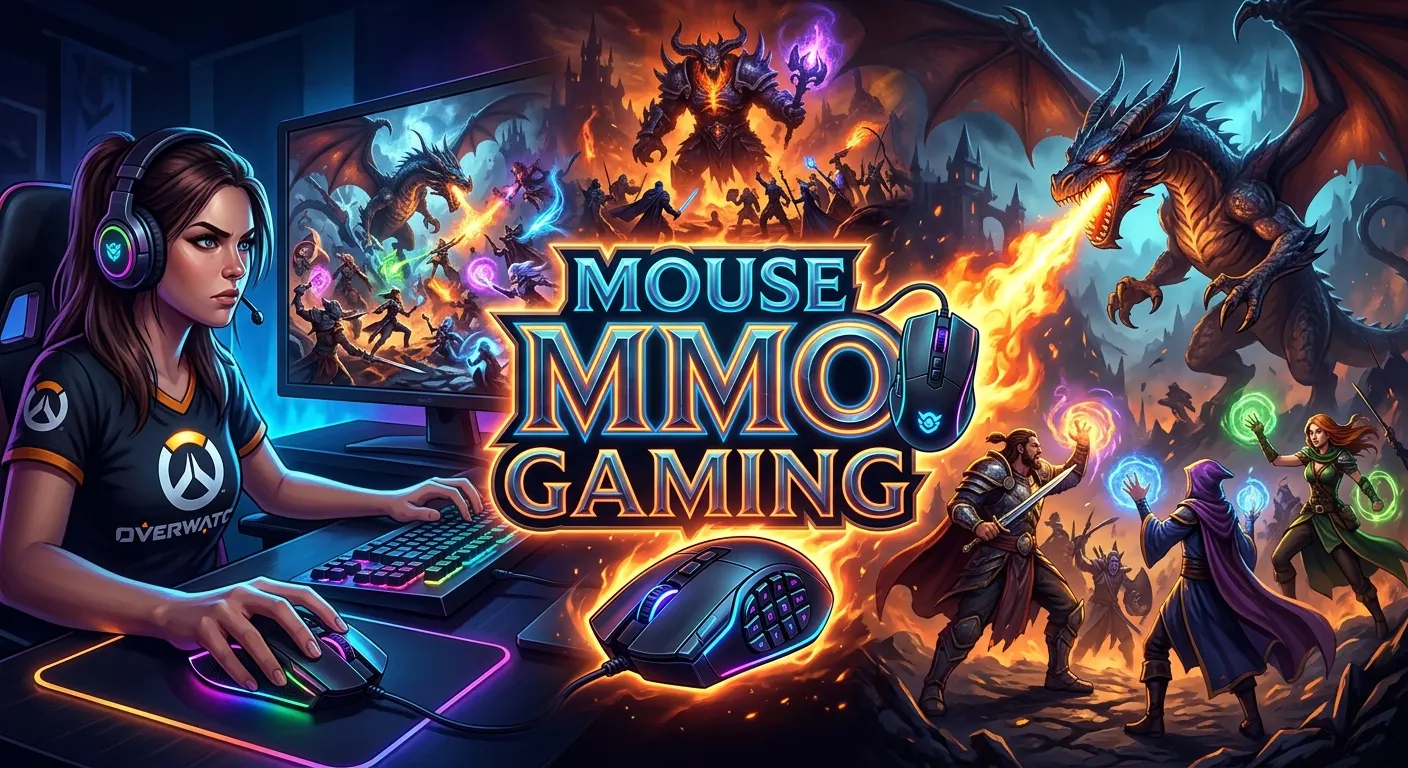
If you play MMO games, your mouse can make a big difference. A good MMO gaming mouse gives you more control, faster access to skills, and easier movement. It can also reduce the need to reach for your keyboard during a busy fight. This matters in games where you manage many spells, items, skills, or commands at once.
The best mouse mmo gaming setup is not always the one with the most buttons. Comfort, sensor quality, button layout, software, and grip style all matter. A good mouse should feel easy to use for long sessions. It should also match the games you play. This guide explains what to look for, how MMO mice work, and how to choose one without wasting money.
What Is an MMO Gaming Mouse?
An MMO gaming mouse is a computer mouse made for games that use many commands. It often has extra buttons on the side. These buttons can be assigned to skills, actions, items, or other controls.
Traditional gaming mice may have only a few extra buttons. An MMO mouse usually gives you more options. Some models place a large group of buttons under your thumb. Others use a smaller side layout.
The main goal is simple. You want quick access to commands without moving your hand away from the mouse.
This can help in games such as:
- World of Warcraft
- Final Fantasy XIV
- Guild Wars 2
- Elder Scrolls Online
- RuneScape
- Lost Ark
- Other games with many hotkeys
An MMO mouse is also useful outside MMO games. Players may use extra buttons for shortcuts in strategy games, RPGs, productivity apps, or creative software.
The right choice depends on your needs. More buttons do not always mean a better mouse.
Why Do MMO Players Use Extra Buttons?
MMO games can require many commands. A keyboard can handle these commands well. Still, reaching for distant keys can take time.
Extra mouse buttons put more actions near your thumb.
For example, you could assign buttons to:
- Character abilities
- Healing skills
- Items
- Mounts
- Potions
- Target commands
- Macros
- Push-to-talk
- Inventory actions
- Camera controls
The exact setup depends on the game.
A player may use one button for a key skill. Another player may use that same button for a potion. There is no single perfect layout.
Extra buttons can also reduce hand movement. Your fingers stay near the main controls. This can make complex key setups easier to manage.
The biggest benefit is access. You can keep more actions close to your hand.
How Many Buttons Should an MMO Mouse Have?
There is no perfect number.
Some players prefer a mouse with only a few side buttons. Others want a full grid of buttons. Your game and play style should guide the choice.
A mouse with fewer buttons can feel simple. It may also be easier to learn.
A mouse with many buttons can hold more commands. It may take longer to master, though.
Think about the number of actions you use often. If you only need six extra commands, a huge button grid may not help.
On the other hand, players with large ability bars may benefit from more buttons.
Fewer Buttons
A smaller layout can work well if you:
- Play several types of games
- Want a simple setup
- Use many keyboard shortcuts
- Prefer a clean thumb area
- Do not need many macros
More Buttons
A larger layout can work well if you:
- Use many abilities
- Play hotkey-heavy MMOs
- Want many commands near your thumb
- Use complex keybinds
- Enjoy detailed mouse profiles
The best mouse mmo gaming choice is the one you can control without confusion.
MMO Mouse Button Layout Matters
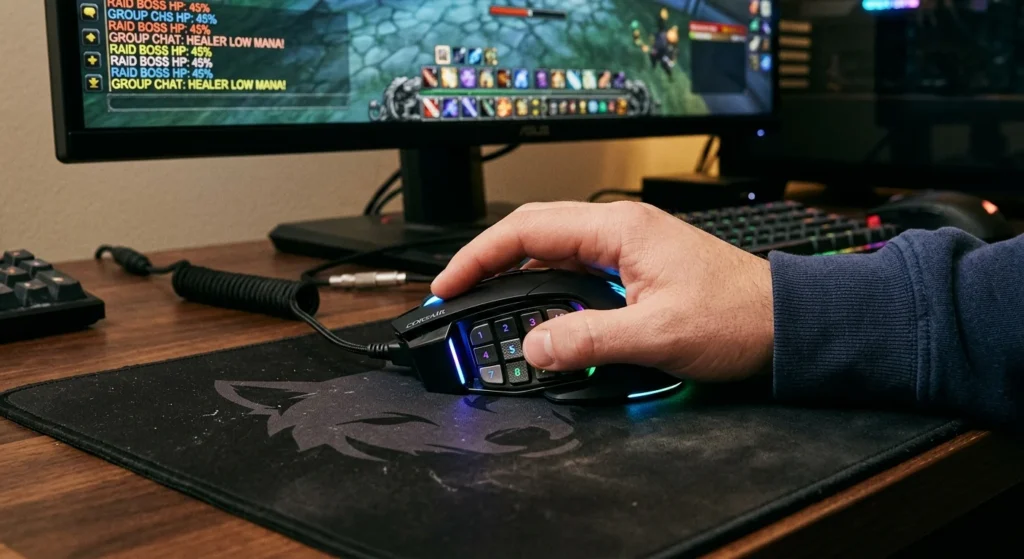
Button placement is one of the most important features.
A mouse can have many buttons and still feel bad if they are hard to reach. Your thumb should be able to find the buttons without much effort.
Some side buttons are arranged in rows. Others use different shapes or positions. A good layout lets you tell buttons apart by touch.
This is useful during fast gameplay.
You should also look at the space between buttons. Buttons that sit too close together can be harder to use.
Large buttons may be easier to press. Small buttons may allow a tighter layout.
Your hand size matters too.
A layout that feels great for one player may feel awkward for another.
Comfort Is More Important Than Button Count
MMO games can involve long sessions. A mouse that feels uncomfortable can become a problem.
Look at the overall shape before choosing a model.
Your hand should rest naturally on the mouse.
Make sure your fingers reach the main buttons without strain.
The thumb should also reach the side buttons comfortably without stretching.
Weight also matters.
A heavier mouse can feel stable. A lighter mouse can feel easier to move. Neither is always better.
Grip style matters as well.
Common grip styles include:
- Palm grip
- Claw grip
- Fingertip grip
Your grip affects the shape that feels natural.
Do not choose a mouse only because it has many features. Comfort should come first.
Sensor Quality Still Matters
Extra buttons are the main feature of an MMO mouse. The sensor still matters.
A good sensor should track your movement well. It should feel smooth and predictable.
Modern gaming mice can offer high tracking performance. However, you do not need extreme specifications just to play an MMO.
For most players, consistent tracking is more useful than chasing the highest DPI number.
DPI means dots per inch. It controls how far the pointer moves when you move the mouse.
Higher DPI does not automatically mean better gaming.
Many players use a lower or moderate sensitivity. Others prefer high sensitivity.
The important point is control.
Choose a mouse with a sensor that feels stable and accurate. Then set the sensitivity to match your comfort.
What Is DPI on an MMO Gaming Mouse?
DPI is a measure of mouse sensitivity.
A higher DPI moves the cursor farther with the same physical hand movement. A lower DPI requires more movement.
MMO games usually do not require extreme mouse sensitivity.
You may spend more time using abilities, menus, camera controls, and movement than making fast aim flicks.
That does not mean DPI is useless.
You may want different settings for different games. Gaming mouse software often lets you create profiles or sensitivity settings.
The best DPI setting is personal. Start with a level that feels easy to control. Then adjust it slowly.
Do not change your DPI often without a reason. Consistency can make controls feel more natural.
Wired vs Wireless MMO Gaming Mouse
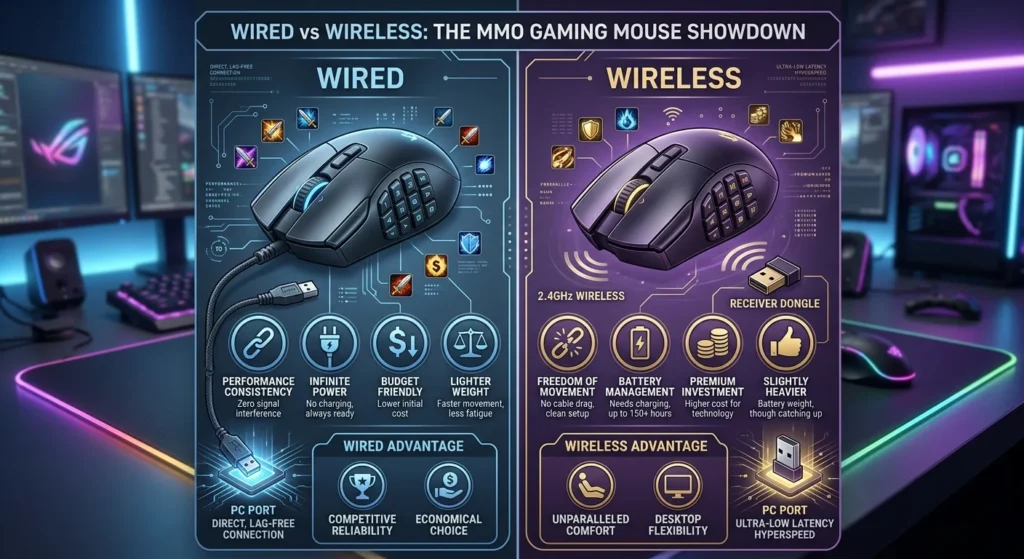
Both wired and wireless mice can work well for MMO gaming.
A wired mouse connects directly to the computer. It does not need a battery. It can also avoid wireless charging concerns.
A wireless mouse gives you a cleaner desk. It can also provide more freedom of movement.
Modern wireless gaming mice can offer strong performance. Still, battery life and charging are worth considering.
Think about your setup.
A wired mouse may suit you if:
- You want simple plug-and-play use
- You do not want to charge a mouse
- Cable management is easy for you
Wireless may suit you if:
- You prefer a clean desk
- You dislike cable drag
- You move your mouse between devices
- You want more freedom
For MMO gaming, comfort and reliability matter more than the connection type alone.
MMO Mouse Software and Profiles
Software can make an MMO mouse much more useful.
Many gaming mice let you change button functions through their software. You may also be able to save profiles for different games.
For example, you could create one profile for an MMO. Another profile could be used for a different game.
Some software may also let you set:
- Button assignments
- DPI levels
- Lighting
- Macros
- Game profiles
- Polling settings
- Device settings
The exact features depend on the mouse.
Good software should be easy to understand. You should not need to fight with the program every time you change a button.
Before buying, check whether the mouse software supports your operating system.
What Are Macros on an MMO Mouse?
A macro is a stored sequence of actions or commands.
Gaming software may let you assign a macro to a mouse button. However, whether macros are useful or allowed depends on the game.
This is important.
Some online games have rules about automation and macros. A feature available in mouse software may not be allowed in every game.
Always check the rules of the game you play.
For safe use, you can assign simple shortcuts or commands that the game allows. Avoid assuming that every macro function is acceptable.
The mouse should help you control the game. It should not put your account at risk.
MMO Mouse vs Normal Gaming Mouse
A normal gaming mouse can work very well for MMO games.
The biggest difference is usually the number and placement of extra buttons.
An MMO mouse is designed around many commands. A standard gaming mouse often focuses more on simple controls and general gaming.
Here is a basic comparison:
| Feature | MMO Mouse | Standard Gaming Mouse |
| Extra buttons | Usually many | Usually fewer |
| MMO hotkeys | Excellent | Good |
| Simple setup | Can take time | Usually easy |
| Button learning | Higher | Lower |
| Game flexibility | Good | Very good |
| Thumb controls | Often extensive | Usually limited |
Neither option is always better.
If you play many MMOs, an MMO mouse can be useful. If you switch between shooters, racing games, and other genres, a standard mouse may feel more flexible.
MMO Mouse vs MOBA Mouse
MMO and MOBA mice can look similar.
Both may offer extra buttons. The difference is often in the intended control style.
MMO players may need many commands. MOBA players may need quick access to a smaller group of abilities and items.
A MOBA-focused mouse may use a more limited button layout.
An MMO mouse can offer a larger number of programmable controls.
Still, there is no strict rule. You can use either type for many games.
The best choice depends on how many controls you need and how comfortable the layout feels.
How to Set Up an MMO Gaming Mouse
Setting up the mouse should be simple.
Start with the buttons you use most.
Do not assign every button on day one. Too many changes can make your controls confusing.
Try this approach:
- Install the official mouse software.
- Create a profile for your game.
- Assign your most useful commands first.
- Keep important actions in easy-to-reach places.
- Test the layout in a safe game area.
- Add more commands as you become comfortable.
- Save the profile.
- Keep a backup of your settings if the software supports it.
Use muscle memory to your advantage.
When a button always performs the same task, your hand can learn its position.
That can make a large button layout much easier to use.
How to Use Side Buttons Effectively
Side buttons work best when they have a clear purpose.
Do not assign random actions to every button.
Group related commands when possible.
For example, you might keep combat actions in one area. Utility actions can go in another area.
You can also use different button shapes as landmarks.
This makes it easier to find the right button by touch.
Another useful method is gradual learning.
Start with a few buttons. Use them for several sessions. Add more later.
Your goal is not to use every button. Your goal is to make useful actions easy to reach.
Common Mistakes When Buying an MMO Mouse
Buying based only on specifications can lead to a poor choice.
Here are common mistakes to avoid.
Choosing Too Many Buttons
More buttons sound better. They can also create confusion.
If you cannot tell the buttons apart, the extra controls may slow you down.
Ignoring Hand Size
A large mouse may feel uncomfortable for a small hand. A small mouse may feel cramped for a large hand.
Check the dimensions before buying.
Ignoring Weight
Weight affects how the mouse moves.
A mouse that feels too heavy or too light may not suit you.
Focusing Only on DPI
High DPI numbers do not guarantee better control.
Sensor consistency matters more.
Forgetting Software Support
A mouse can have great hardware and poor software for your needs.
Check the available controls before buying.
Ignoring Your Grip
Palm, claw, and fingertip grips can need different shapes.
Choose a design that fits your natural grip.
How to Choose the Best Mouse MMO Gaming Setup
Start with your game.
Ask yourself how many commands you use often.
Then consider your hand and grip.
Next, look at the button layout. Imagine using those buttons during a real game.
Do not stop at the product specifications.
Think about daily use.
A good mouse should offer:
- Comfortable shape
- Reliable tracking
- Useful side buttons
- Clear button placement
- Good software
- Suitable weight
- A connection type you prefer
- Easy profile management
You should also consider your keyboard.
Some players like to split commands between the mouse and keyboard. Others prefer to move many actions onto the mouse.
There is no universal setup.
Your goal is to create controls that feel natural.
Are MMO Mice Good for Beginners?
Yes, but they may require a learning period.
A beginner may feel confused by a mouse with many buttons. That is normal.
Start small.
Assign only the buttons you understand. Use them often. Let your hand learn their positions.
After that, add more buttons.
You do not need to master the whole mouse at once.
A simple setup can become more complex over time.
This approach also helps you find out whether an MMO mouse is right for you.
If you find the extra buttons helpful, keep expanding your setup. If they feel distracting, use fewer buttons.
Can You Use an MMO Mouse for Work?
Yes.
Programmable buttons can be useful outside gaming.
You can assign common shortcuts to extra buttons. This may help with browsing, documents, file work, or other software.
For example, extra buttons may be used for actions such as:
- Copy
- Paste
- Back
- Forward
- App shortcuts
- Media controls
- Common commands
The exact options depend on the mouse software.
This can make an MMO mouse useful as a general productivity device.
However, a large side button grid may feel unnecessary if you only want basic shortcuts.
MMO Mouse Lighting and Design
RGB lighting is common on gaming mice.
It can look good on a gaming desk. It may also match other devices.
Still, lighting does not improve mouse control.
Treat it as a design feature.
The same applies to aggressive gaming shapes.
A mouse may look powerful but still feel uncomfortable.
Choose function first.
Then consider appearance.
A clean design can be a better long-term choice if it feels comfortable and fits your setup.
How to Keep an MMO Gaming Mouse Clean
A mouse can collect dust and dirt with regular use.
Clean it from time to time.
Turn it off or disconnect it before cleaning. Use a soft, dry cloth for the outer surface.
Pay attention to the spaces around the buttons.
Do not pour liquid onto the mouse.
If the manufacturer provides cleaning instructions, follow them.
A clean mouse can also make the buttons easier to use.
Keep your desk and mouse pad clean as well. Dust on the surface can affect how the mouse moves.
Simple care can help keep your setup in good shape.
Do You Need an MMO Mouse for MMO Games?
No.
You can play an MMO with a normal mouse and keyboard.
An MMO mouse is an option, not a requirement.
It becomes useful when you want more controls close to your hand.
Players who use many keybinds may find it helpful. Others may prefer a standard mouse.
Your current setup is already enough if you can access your main commands comfortably.
Do not buy an MMO mouse just because other players use one.
Buy it when the extra controls solve a real problem for you.
How to Build a Simple MMO Keybind System
A good keybind system should be easy to remember.
Start with your most important actions.
Place frequently used skills on easy-to-find buttons. Less common actions can stay on the keyboard or other buttons.
Keep related commands together.
For example, defensive actions can share one area. Utility actions can use another area.
Avoid changing your layout every day.
Consistency helps build muscle memory.
Once your setup feels natural, you can make small changes.
A simple system is often better than a complex one that you cannot remember.
What Makes a Good MMO Gaming Mouse?
A good MMO mouse is more than a mouse with many buttons.
It should fit your hand.
The buttons should be easy to reach. They should also be easy to tell apart.
Tracking should feel smooth. The software should let you customize the controls you need.
Weight and shape should match your grip.
The connection should suit your setup.
Most importantly, the mouse should make your game easier to control.
A feature has value only when you can use it.
That is why there is no single best mouse for every MMO player.
Final Buying Checklist
Before choosing a mouse mmo gaming model, review these points:
- Does the shape fit your hand?
- Is the weight comfortable?
- Does the button count match your needs?
- Can you reach the side buttons easily?
- Can you tell the buttons apart?
- Is the sensor reliable?
- Does the software support your system?
- Can you create game profiles?
- Do you prefer wired or wireless?
- Does the mouse fit your grip?
- Are the extra features useful to you?
- Will the layout help your current games?
If the answers look good, the mouse is likely worth considering.
Do not focus on one specification. Look at the complete design.
Conclusion
A good mouse mmo gaming setup can make complex games easier to control. Extra buttons give you fast access to skills, items, and commands. Yet button count is not the only thing that matters. Shape, comfort, weight, sensor quality, software, and layout all play a role.
The best MMO mouse is the one that fits your hand and your game. A player who needs many keybinds may enjoy a large side-button layout. Another player may prefer a smaller mouse with fewer controls.
Start with the buttons you use most. Build your setup slowly. Keep important commands easy to reach. With a little practice, the right layout can become part of your muscle memory.
FAQs
1. What is a mouse mmo gaming device?
A mouse mmo gaming device is a gaming mouse designed for games with many commands. It often includes several programmable side buttons for skills, items, shortcuts, and other actions.
2. How many buttons should an MMO gaming mouse have?
There is no ideal number for everyone. Choose enough buttons for your common commands. Too few may limit your setup, while too many can make the layout hard to learn.
3. Is an MMO mouse better than a normal gaming mouse?
Not always. An MMO mouse is useful when you need many quick commands. A normal gaming mouse may be better if you prefer fewer buttons or play many different game types.
4. Can I use an MMO gaming mouse for other games?
Yes. You can use an MMO mouse for many game genres. Its extra buttons can also be useful for shortcuts and commands outside gaming.
5. Does a high DPI make an MMO gaming mouse better?
No. DPI mainly controls sensitivity. A high DPI setting does not automatically provide better gaming performance. Comfortable control and consistent tracking are more important.