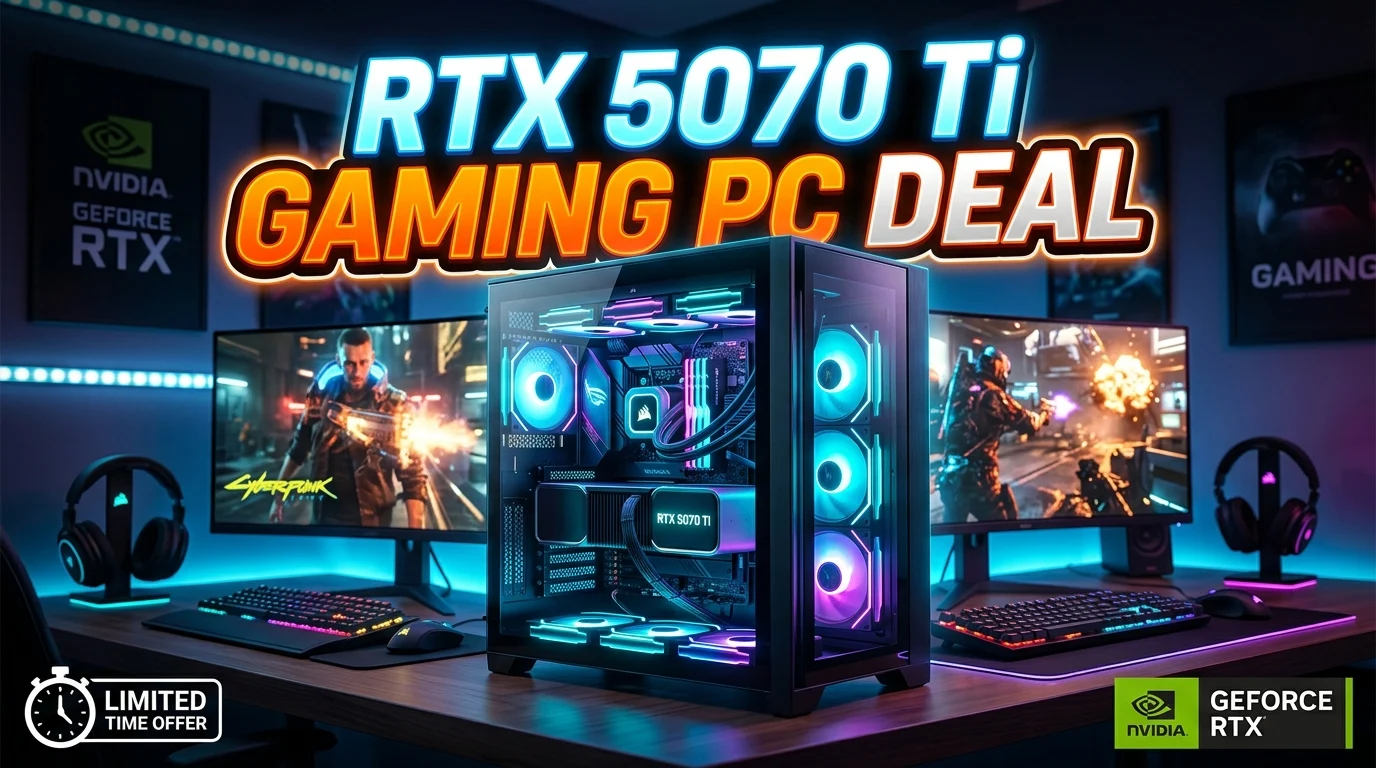
Finding the right rtx 5070 ti gaming pc deal can be an exciting way to build a powerful gaming setup without paying more than necessary. The NVIDIA GeForce RTX 5070 Ti is designed for high-performance gaming, making it suitable for demanding titles, high refresh-rate displays, and modern graphical features. However, choosing the best deal involves more than looking at the graphics card alone.
You also need to consider the processor, RAM, SSD capacity, power supply, cooling, motherboard, warranty, and overall system balance. A low-priced PC can become expensive if it uses weak supporting hardware. In this guide, we will explain what makes an RTX 5070 Ti gaming PC deal worthwhile, what specifications to prioritize, how to compare prebuilt systems, and which mistakes to avoid when shopping for a powerful gaming desktop.
What Makes an RTX 5070 Ti Gaming PC Deal Worth Buying?
A good RTX 5070 Ti gaming PC deal should offer a balanced combination of performance, component quality, warranty coverage, and price. The graphics card is usually the headline feature, but it should not be the only factor influencing your purchase.
Start by checking the processor. A powerful GPU needs a capable CPU to avoid unnecessary performance limitations, especially at lower resolutions and high frame rates. A modern multi-core processor is a sensible choice for a premium gaming PC.
Memory is another important consideration. A system with 16GB may be sufficient for gaming, but 32GB can provide more flexibility for modern games, streaming, browsers, and background applications. Storage should preferably use a fast NVMe SSD with enough capacity for your game library.
The power supply deserves special attention. A high-performance GPU requires reliable power delivery, so the PC should include a quality PSU with suitable wattage and appropriate efficiency certification.
Cooling is equally important. Good airflow helps the CPU and GPU maintain stable temperatures during long gaming sessions.
Finally, compare the warranty and return policy. Two PCs with similar specifications can have very different real-world value if one includes better support and component coverage. The best deal is not necessarily the cheapest option; it is the system that provides strong performance and dependable hardware for the money.
RTX 5070 Ti Gaming PC Performance
The RTX 5070 Ti is positioned as a high-performance graphics solution for gamers who want strong results at 1440p and the ability to handle demanding workloads at higher resolutions. Its performance makes it suitable for users who want more than a basic 1080p gaming experience.
When evaluating an RTX 5070 Ti gaming PC, remember that GPU performance does not exist in isolation. Your processor, RAM configuration, game settings, resolution, and cooling can all affect the final experience.
At 1440p, a properly balanced system can provide an excellent combination of image quality and frame rate. This makes the GPU attractive for gamers using high-refresh-rate 1440p monitors. It can also be considered by users who want to explore 4K gaming, although performance expectations depend heavily on the game and graphics settings.
Modern upscaling and frame-generation technologies can also influence the experience in supported games. These features can help increase perceived smoothness and allow gamers to use higher visual settings.
Before buying, look for independent benchmarks of the exact RTX 5070 Ti model and CPU combination. Avoid relying only on generic marketing claims.
A good gaming PC should maintain consistent performance during extended sessions. Strong cooling, sufficient power delivery, and appropriate system configuration are therefore just as important as the GPU itself.
Best CPU for an RTX 5070 Ti Gaming PC
Choosing the right CPU is essential when building or buying an RTX 5070 Ti gaming computer. A powerful graphics card paired with an unnecessarily weak processor can create a performance imbalance, particularly when gaming at 1080p or targeting very high frame rates.
For a premium gaming system, look for a recent-generation processor with strong single-threaded performance and enough cores for modern games and multitasking. The ideal choice depends on your budget and whether you plan to use the PC only for gaming or for additional workloads such as video editing and streaming.
Gamers who primarily play at 1440p may have more flexibility because the graphics card often becomes the main performance factor. However, a capable CPU still helps maintain smooth frame delivery and supports background applications.
Consider the processor’s platform as well. A newer motherboard platform may provide better upgrade opportunities, connectivity, memory support, and future CPU compatibility.
Cooling should match the processor. High-performance CPUs can generate substantial heat under sustained workloads, so a quality air cooler or liquid cooling solution may be appropriate depending on the specific processor.
When comparing prebuilt RTX 5070 Ti PCs, do not let a flashy GPU specification distract you from the CPU. A balanced processor and graphics card combination usually delivers a smoother experience than a system that saves money on the CPU while spending heavily on the GPU.
How Much RAM Should an RTX 5070 Ti Gaming PC Have?
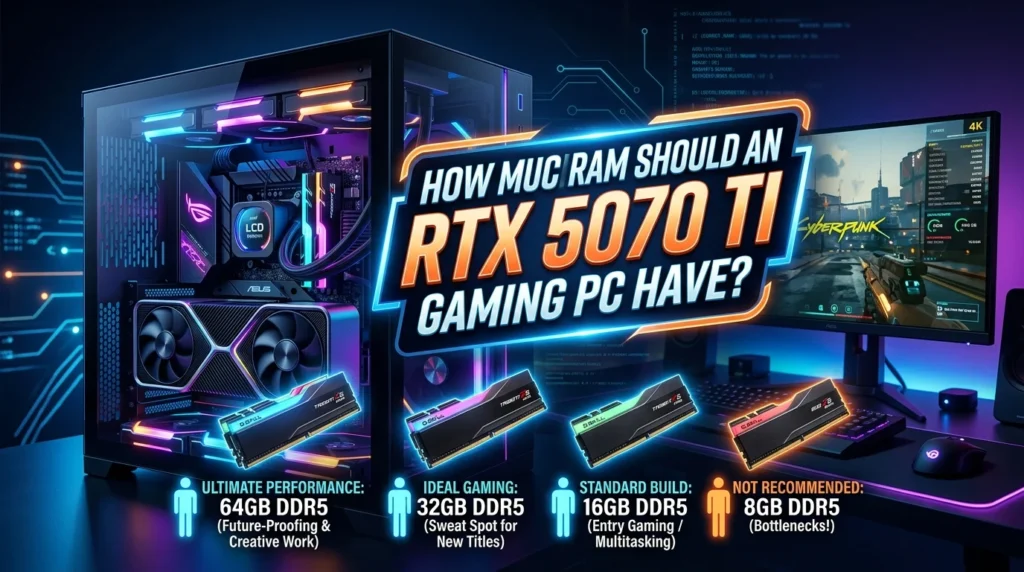
RAM capacity affects how comfortably your gaming computer handles games and background applications. For an RTX 5070 Ti gaming PC, 32GB is a strong target for a premium system.
Modern games can use substantial memory, particularly when combined with browsers, launchers, voice chat, recording tools, streaming software, and other applications. While 16GB can still be adequate for many gaming workloads, 32GB provides additional headroom.
Memory speed and configuration also matter. Two matching memory modules can enable dual-channel operation on supported platforms, which can improve memory bandwidth compared with running a single module. The exact supported speed depends on the motherboard and processor.
You should also check whether the system uses DDR5 or another memory generation. Newer platforms may support faster memory and offer a stronger upgrade path.
For users who plan to stream or create content, 32GB becomes even more attractive. Video editing, image editing, browser-heavy workflows, and gaming simultaneously can consume memory quickly.
If you are buying a prebuilt computer, check whether the listed RAM is installed as one module or a matched kit. Also check how many motherboard slots remain available.
The goal is not to buy the largest amount of RAM possible. Instead, choose enough memory for your current workload while leaving room for future expansion. For most high-end gaming buyers, 32GB offers an excellent balance between capacity and cost.
SSD Storage for an RTX 5070 Ti Gaming PC
Fast storage is an important part of a modern gaming computer. An RTX 5070 Ti system should ideally include an NVMe SSD because it provides fast data access and helps the operating system and applications feel responsive.
Storage capacity is just as important as speed. Large modern games can occupy significant amounts of space, so a small SSD can become inconvenient quickly. A 1TB SSD can work for users with a smaller library, while 2TB or more can be preferable for gamers who install many large games.
When comparing PC deals, check whether the advertised capacity represents the total storage or only the primary drive. Some systems combine a smaller SSD with a larger mechanical hard drive. While this can provide inexpensive capacity, an all-SSD configuration is generally more convenient.
SSD performance can also vary. Premium NVMe drives may offer higher sustained speeds, better endurance, or improved controllers, but gaming does not always benefit dramatically from the fastest available storage. A good-quality mainstream NVMe drive can provide excellent results without unnecessarily increasing the system price.
You should also consider future expansion. Check how many M.2 slots the motherboard provides and whether additional SATA ports are available.
For a premium RTX 5070 Ti gaming PC, storage should not be treated as an afterthought. A well-sized SSD makes it easier to manage a growing game library and keeps the overall system responsive.
Power Supply Requirements for RTX 5070 Ti Gaming PCs
The power supply is one of the most important components in a high-performance gaming computer. A powerful graphics card requires reliable and stable power, so the PSU should never be chosen solely by wattage.
When comparing an RTX 5070 Ti gaming PC deal, identify the power supply brand, model, wattage, efficiency rating, and connector configuration. A reputable PSU can provide better reliability and may make future upgrades easier.
The correct wattage depends on the complete system. The CPU, GPU, storage devices, fans, lighting, and other components all contribute to total power consumption. A quality PSU with appropriate headroom is preferable to a unit operating near its maximum capacity.
Modern graphics cards can also use newer power connectors, depending on the specific model. Check that the system includes the correct connection method and that cables are properly installed.
Avoid buying a premium gaming PC that hides the PSU specification. If the listing says only “850W power supply” without identifying the model or manufacturer, ask for more information.
Power efficiency also matters because a good PSU can reduce wasted energy and manage heat more effectively.
A quality power supply may not increase FPS, but it supports system stability and component protection. When spending serious money on an RTX 5070 Ti gaming PC, a reputable PSU is an investment worth prioritizing.
Cooling and Airflow in RTX 5070 Ti Gaming PCs
Cooling plays a major role in maintaining stable gaming performance. A powerful GPU and CPU generate heat, especially when the system operates under heavy workloads for long periods.
A good RTX 5070 Ti gaming PC should have adequate airflow through the case. Ideally, the case should allow cool air to enter and warm air to leave efficiently. Multiple quality fans can help maintain consistent internal temperatures.
The CPU cooler is another important factor. Depending on the processor, the system may use a tower air cooler, large heatsink, or liquid cooling system. The cooler should be appropriate for the CPU’s thermal characteristics.
Do not assume that a large case automatically provides good cooling. Case design, fan placement, ventilation, dust filters, and internal layout all affect airflow.
Noise is also worth considering. Some gaming PCs prioritize maximum fan speed, which can create distracting noise. A well-designed system can balance cooling and acoustics through intelligent fan curves and efficient components.
Regular maintenance matters too. Dust buildup can restrict airflow and reduce cooling performance. Cleaning the filters and fans periodically can help maintain stable temperatures.
When comparing prebuilt systems, look for detailed information about the case and cooling rather than accepting vague claims such as “advanced cooling.”
A powerful graphics card deserves a properly ventilated environment. Good thermal management can improve consistency, reduce throttling, and make long gaming sessions more comfortable.
RTX 5070 Ti Gaming PC for 1440p Gaming
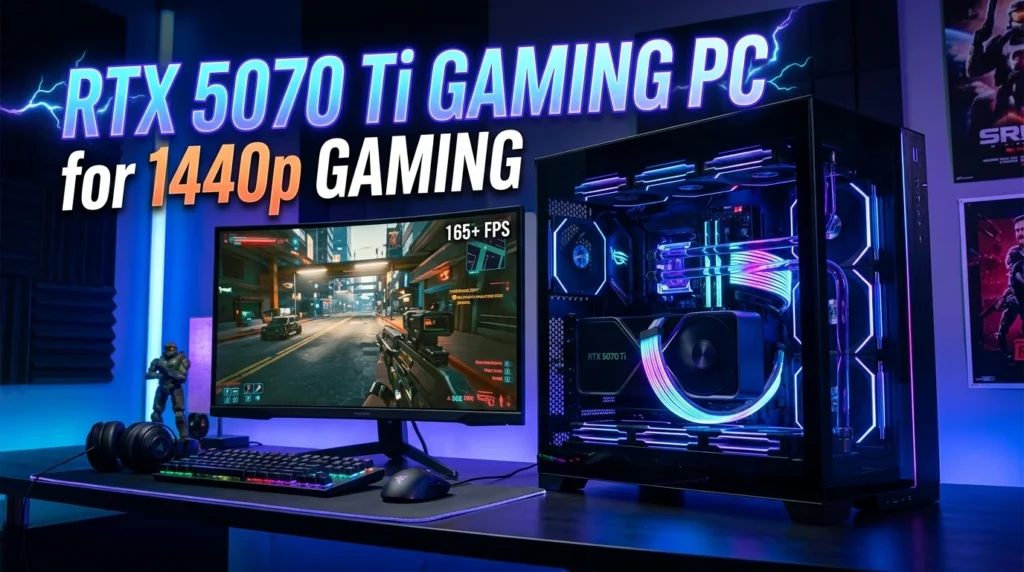
1440p gaming is an excellent match for a powerful graphics card because it offers noticeably sharper visuals than 1080p without demanding the same resources as 4K in every game.
An RTX 5070 Ti gaming PC can be an attractive choice for players who want high image quality and strong frame rates at this resolution. The exact results vary depending on the game, graphics settings, CPU, drivers, and other system components.
For competitive games, a high-refresh-rate 1440p monitor can make the most of a powerful GPU. For single-player games, you may prefer higher graphical settings, advanced lighting, and more detailed textures.
Display technology should also be considered when shopping for the complete setup. Features such as variable refresh rate can help reduce tearing and improve smoothness when frame rates fluctuate.
The processor still matters at 1440p, but the GPU generally plays a larger role than it would at lower resolutions. This means a well-balanced mid-to-high-end CPU paired with the RTX 5070 Ti can be a sensible configuration.
If you plan to keep the PC for several years, 1440p capability provides a useful middle ground. You can enjoy high-quality visuals today while retaining enough performance for demanding future games.
When comparing deals, consider the monitor as part of the overall budget. Buying an expensive gaming PC and pairing it with an unsuitable display can prevent you from experiencing the full benefit of the hardware.
RTX 5070 Ti Gaming PC for 4K Gaming
4K gaming demands substantially more graphics processing than 1080p and 1440p. An RTX 5070 Ti gaming PC can be considered for 4K gaming, but the experience will vary significantly between games.
Graphics settings have a major impact. Maximum-quality presets can be extremely demanding, while optimized settings can provide a better balance between image quality and frame rate.
Upscaling technologies can also be useful. Supported games may allow you to render at a lower internal resolution and reconstruct the image for a higher-resolution display. Frame-generation features can further improve perceived smoothness where supported.
The CPU remains important, but at 4K the GPU generally carries a larger share of the rendering workload. This can make the RTX 5070 Ti a strong choice for gamers who want detailed visuals without immediately moving to the most expensive graphics hardware available.
Storage capacity should also be considered because high-quality games can consume substantial space. A 2TB SSD can be more practical than a smaller drive if you maintain a large 4K gaming library.
If 4K is your primary goal, research game-specific benchmarks rather than relying on average performance figures.
The best 4K setup depends on the games you play and the frame-rate target you consider acceptable. Some gamers prioritize cinematic visuals at moderate frame rates, while others want high-refresh competitive performance.
RTX 5070 Ti Gaming PC for Streaming
Streaming requires a computer that can handle gaming and broadcasting at the same time. An RTX 5070 Ti gaming PC has the graphics performance necessary for demanding games, while modern hardware encoding features can help manage streaming workloads.
The CPU still matters because streaming software, browsers, alerts, voice chat, and other background applications consume system resources. A strong multi-core processor provides additional flexibility.
Thirty-two gigabytes of RAM can be particularly useful for streamers. It allows the game and broadcasting tools to operate alongside browsers and other applications without pushing memory usage too aggressively.
Storage should also be large enough to handle recordings, clips, and edited content. A 2TB SSD can provide a useful working space, although serious creators may eventually add separate storage for archived footage.
Internet upload speed is another critical factor. Even the fastest gaming PC cannot produce a stable livestream if the network connection cannot support the required bitrate.
Cooling should not be overlooked because streaming can keep the system under load for extended periods. A case with good airflow and a capable CPU cooler can help maintain stable performance.
Before buying, check the specific GPU’s encoder support and the streaming software you intend to use. The goal is to create a system that can play games smoothly while maintaining a stable stream.
Prebuilt RTX 5070 Ti Gaming PC vs Custom Build
A prebuilt RTX 5070 Ti gaming PC can save time and simplify the buying process. The manufacturer handles component selection, assembly, operating system installation, and testing. This can be especially useful for buyers who do not want to build a computer themselves.
A custom build provides greater control. You can choose the exact motherboard, RAM, SSD, power supply, case, cooling system, and other components. This makes it easier to prioritize quality in areas that prebuilt manufacturers sometimes reduce costs.
The key issue is value. A prebuilt PC can sometimes be cheaper because system builders purchase components in volume. It may also include a single warranty covering the complete system.
Custom building can provide more transparency, but you need to manage compatibility and assembly yourself. You may also need to troubleshoot individual components if something goes wrong.
When comparing the two options, look beyond the GPU. A prebuilt with an RTX 5070 Ti may appear attractive until you discover that it uses a weak PSU, minimal RAM, small SSD, or poor cooling solution.
For many buyers, a high-quality prebuilt is an excellent middle ground. You get a ready-to-use system without giving up too much control.
The best option depends on your technical confidence, budget, available time, and preference for customization.
How to Compare RTX 5070 Ti Gaming PC Deals
Comparing gaming PC deals becomes easier when you create a consistent checklist. Start by recording the exact GPU, CPU, RAM, storage, motherboard, PSU, cooling system, and case for each computer.
Next, compare total prices rather than advertised discounts. A PC marked down by a large percentage is not necessarily better value than a system with a smaller discount and stronger components.
Look at warranty coverage and return terms. A longer warranty can add meaningful value, especially for an expensive gaming desktop.
Check storage carefully. A system with a 2TB NVMe SSD may be more practical than one with a small SSD plus a slower secondary drive, depending on your needs.
The PSU should also be compared. A known-quality unit can be worth paying extra for because it supports stability and future upgrades.
Then examine the CPU. Similar-looking gaming PCs can perform differently if one uses a stronger processor. This matters especially for high-refresh gaming and CPU-intensive games.
Cooling and case airflow should also be part of the comparison. Strong hardware packed into a poorly ventilated case may not maintain its expected performance.
Finally, research independent benchmarks for the exact CPU and GPU combination.
A good comparison focuses on the complete computer rather than one headline component. The best RTX 5070 Ti deal should offer strong performance, reliable supporting hardware, sensible storage, good cooling, and useful warranty protection.
Common Mistakes When Buying an RTX 5070 Ti Gaming PC
One of the biggest mistakes is focusing entirely on the graphics card. The RTX 5070 Ti is important, but the rest of the system determines how effectively it can perform.
Another common mistake is ignoring the power supply. Buyers sometimes assume that any high-wattage PSU is acceptable. In reality, quality, efficiency, connectors, and reliability matter.
Insufficient RAM can also become a problem. A premium gaming computer with only a small amount of memory may require an immediate upgrade.
Storage is another area where buyers can be misled. A large advertised storage number may combine a small SSD with a mechanical hard drive. Check the type and capacity of every drive.
Poor cooling can reduce sustained performance and increase noise. Always examine the case design, fan configuration, and CPU cooler.
Buyers should also avoid vague product descriptions. If a listing does not clearly identify the processor, motherboard, power supply, or storage model, ask questions before purchasing.
Ignoring warranty terms is another mistake. Expensive hardware deserves appropriate protection.
Finally, do not rush because a seller claims that a deal is “limited.” Compare prices and specifications before making a decision.
A little research can prevent major disappointment. The strongest purchase is one based on the complete specification sheet, real-world benchmarks, seller reputation, and total ownership value.
Is an RTX 5070 Ti Gaming PC Deal Worth It in 2026?
An RTX 5070 Ti gaming PC deal can be worthwhile in 2026 if the system is properly balanced and priced competitively. The value depends on current market pricing, competing graphics cards, processor selection, and the quality of the complete build.
For gamers targeting 1440p, the GPU offers a compelling performance class. It can also serve users who want to experiment with higher-resolution gaming, streaming, and demanding creative applications.
However, technology pricing changes frequently. A deal that looks excellent one week may become less attractive when a competing prebuilt system receives a discount. Always compare several options before purchasing.
Future-proofing should also be considered. A PC with 32GB RAM, a spacious NVMe SSD, a quality PSU, modern connectivity, and a strong CPU may remain useful longer than a system that saves money on these components.
The graphics card should be viewed as part of the complete platform. Upgradeability, motherboard features, cooling, and power delivery all contribute to long-term value.
If you find a system with an RTX 5070 Ti and strong supporting hardware at a fair price, it can be an excellent investment for serious gaming. If the PC uses questionable components simply to advertise the GPU, look elsewhere.
The best 2026 deal is the one that delivers the performance you actually need without forcing you to replace important components immediately.
Conclusion
Finding the right rtx 5070 ti gaming pc deal requires more than searching for the lowest advertised price. The graphics card is a major attraction, but the processor, RAM, SSD, power supply, cooling, motherboard, warranty, and upgrade options all contribute to the value of the complete system.
For many gamers, an RTX 5070 Ti PC can provide an excellent platform for 1440p gaming and demanding modern titles. With the right supporting hardware, it can also serve as a capable machine for streaming, content creation, and higher-resolution gaming.
Before buying, compare complete specifications, research independent benchmarks, inspect the PSU and cooling system, and check the seller’s warranty and return policy. A balanced gaming computer will usually provide a better experience than a system that spends almost the entire budget on the GPU.
Take your time, compare multiple offers, and choose based on real performance and long-term value rather than marketing language.
FAQs
Is the RTX 5070 Ti good for a gaming PC?
Yes. The RTX 5070 Ti is designed for high-performance gaming and is particularly suitable for gamers targeting demanding 1440p experiences. Its usefulness depends on the rest of the system, so pairing it with a capable CPU, sufficient RAM, fast storage, reliable power delivery, and good cooling is important.
How much RAM should an RTX 5070 Ti gaming PC have?
For a premium gaming PC, 32GB is a strong target. Sixteen gigabytes can still handle many games, but 32GB provides additional room for modern titles, streaming, browsers, recording software, and multitasking.
Is an RTX 5070 Ti gaming PC good for 1440p?
Yes. The RTX 5070 Ti is well suited to high-quality 1440p gaming. Actual FPS depends on the game, CPU, graphics settings, drivers, and technologies such as upscaling and frame generation. Always check benchmarks for the games you play most.
What CPU should I pair with an RTX 5070 Ti?
Choose a modern processor with strong gaming performance and enough cores for your workload. The exact model depends on your budget and whether you plan to stream or perform content-creation tasks. Avoid pairing a high-end GPU with an unnecessarily weak or outdated CPU.
What should I check before buying an RTX 5070 Ti gaming PC deal?
Check the exact CPU, GPU model, RAM, SSD capacity, motherboard, PSU brand and wattage, cooling configuration, case airflow, warranty, and return policy. Also compare the complete system price with competing PCs and research independent performance benchmarks before making your final decision.