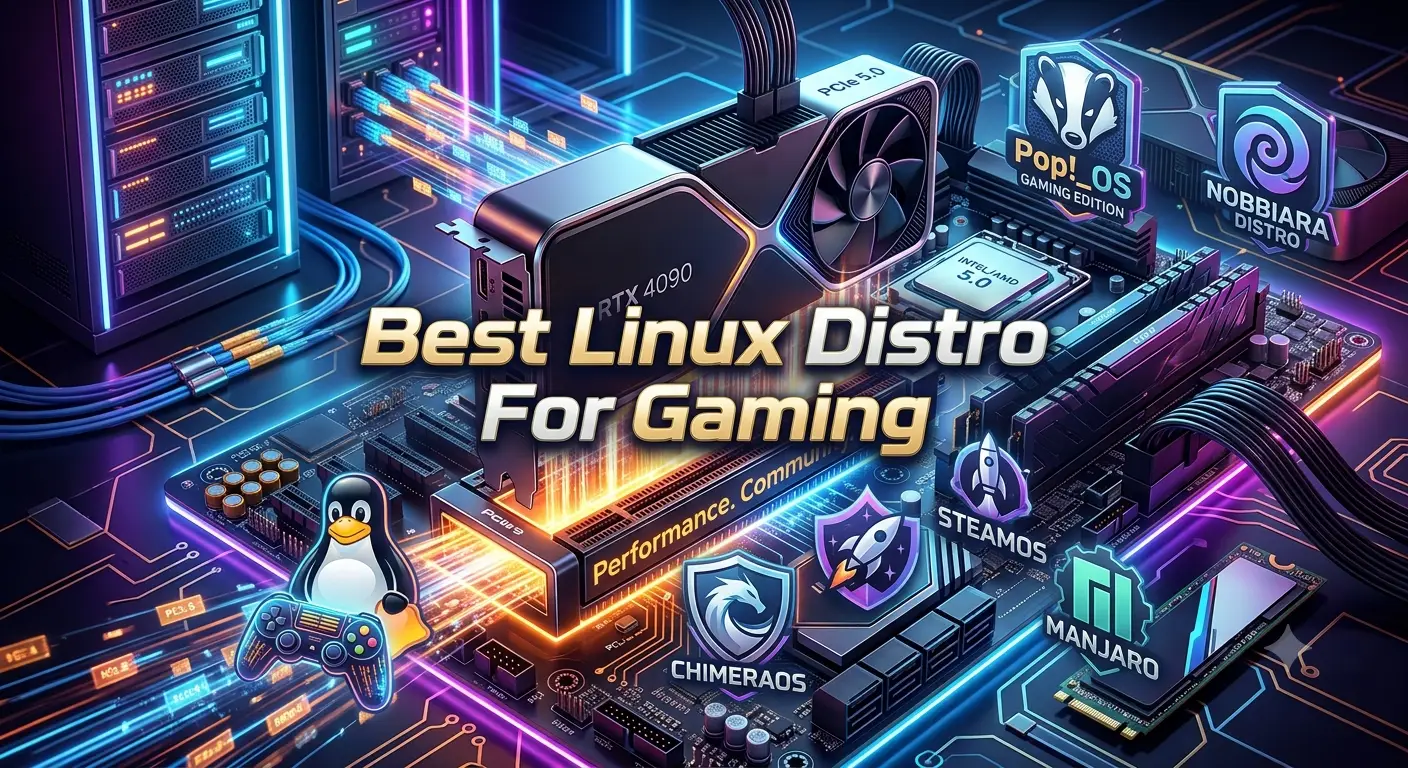
Choosing the best Linux distro for gaming can make your gaming setup smoother and easier to manage. Linux has grown into a strong option for PC gamers, with better hardware support, gaming tools, and compatibility than many users may expect. Still, not every distro offers the same experience. Some focus on ease of use, while others give advanced users more control over system settings and software. Your choice can affect driver setup, game support, updates, and access to tools such as Steam and Proton. A good gaming distro should also work well with your graphics card and other hardware. This guide will help you understand what to look for before choosing a Linux distro for gaming. Whether you are new to Linux or already use it, the right distro can help you build a stable and enjoyable gaming environment.
- What is the best Linux distro for gaming and AI?
- Which Linux distro is best for gaming and AI workloads?
- Is Linux good for gaming and AI?
- What is the best Linux distro for gaming and machine learning?
- Which Linux distro is best for AI development and gaming?
- What is the best Linux distro for NVIDIA gaming and AI?
- What is the best Linux distro for AMD gaming and AI?
- Which Linux distro has the best GPU support for gaming and AI?
- Is Ubuntu good for gaming and AI?
- Is Fedora good for gaming and AI?
- Is Pop!_OS good for gaming and AI?
- Is Bazzite good for gaming and AI?
- Which Linux distro is easiest for gaming and AI?
- What Linux distro is best for Steam gaming and AI tools?
- Which Linux distro is best for AI development and GPU gaming?
- What should I look for in a Linux distro for gaming and AI?
- Which Linux distro offers the best drivers for gaming and AI?
- Can Linux handle gaming and AI workloads on the same PC?
- What is the most stable Linux distro for gaming and AI?
- How do I choose the best Linux distro for gaming and AI?
What Makes the Best Linux Distro for Gaming?
The best Linux distro for gaming should make gaming easy without creating unnecessary maintenance work. A distribution does not automatically produce higher FPS simply because it carries a gaming label. In many cases, the important differences come from the kernel, graphics drivers, Mesa version, desktop environment, system configuration, and how quickly the distribution receives updates.
Compatibility also matters. Steam and Proton allow many Windows games to run on Linux, while tools such as Lutris and Heroic can help with games from other launchers. System76’s current gaming documentation, for example, covers Steam, Proton, Lutris, GameHub, and other approaches for gaming on Pop!_OS.
A good gaming distribution should also provide reliable hardware support. AMD graphics generally benefit from the open-source Linux graphics stack, while NVIDIA users need to pay closer attention to driver availability and distribution support.
Other factors include:
- Easy installation.
- Current GPU drivers.
- Good Vulkan support.
- Steam compatibility.
- Proton support.
- Controller compatibility.
- Stable updates.
- Useful performance tools.
- Good community documentation.
- Support for your particular hardware.
There is no universal winner. A distro that works beautifully on an AMD desktop may not be the ideal choice for an older NVIDIA laptop. Your hardware and game library should guide the final decision.
Bazzite as a Top Gaming-Focused Choice
Bazzite has become one of the most interesting options for people who want a gaming-first Linux experience. It is based on Fedora Atomic technology and modifies the platform specifically for gaming. Bazzite provides gaming software and hardware support with much less post-installation setup than a conventional Fedora installation. Its documentation lists preconfigured gaming software, multimedia codecs, hardware support, and Steam Gaming Mode for suitable images.
Bazzite is especially attractive for handheld gaming PCs and living-room systems. Its Deck-style editions are designed to provide a SteamOS-like interface, making the computer feel more like a console.
The distribution also supports a wide range of hardware, including desktop PCs, laptops, Steam Deck systems, and several handheld gaming devices.
Another major advantage is its atomic update model. Bazzite supports rolling back to previous builds, which can reduce the risk of a troublesome update ruining your gaming environment.
However, Bazzite is not perfect for everyone. Immutable operating systems have a different software-management approach from traditional Linux distributions. Users who frequently modify system packages may prefer a conventional distro.
For a controller-friendly gaming PC or handheld, though, Bazzite deserves serious consideration.
Nobara for a Traditional Gaming Desktop
Nobara Linux is another strong choice for the best Linux distro for gaming. It is based on Fedora but comes with several gaming-focused improvements. Nobara includes useful codecs, WINE components, third-party repositories, and other tools that can reduce the need for manual setup. This makes it easier for gamers to get their system ready for gaming without spending too much time on extra configuration. It can be a good option for users who want a Fedora-based system with gaming features already prepared.The project’s official site describes it as a Fedora-based desktop tuned for gaming, streaming, and content creation.
Nobara makes sense for gamers who want a traditional desktop Linux environment rather than an immutable operating system. It provides several editions, including KDE, GNOME, and Steam-oriented options. The project also provides NVIDIA-specific images with drivers included.
This can be particularly convenient for gamers who want to play games while also using their PC for streaming, editing, browsing, schoolwork, or other desktop activities.
Nobara also provides extensive gaming documentation covering controllers, Steam, Gamescope, and other gaming tools.
One consideration is that Nobara is an independent hobby project rather than an official Fedora edition. Its forward-moving approach means hardware requirements and supported drivers can change over time. For example, current Nobara documentation says NVIDIA users need hardware supported by recent NVIDIA drivers and no longer supports older Pascal-generation GPUs.
For a modern gaming PC, Nobara can be an excellent balance between gaming optimization and everyday desktop flexibility.
Pop!_OS for Beginner-Friendly Gaming
Pop!_OS remains a strong choice for users who want Linux gaming without immediately diving into advanced configuration. Developed by System76, Pop!_OS provides dedicated download images for systems with modern NVIDIA graphics and generic images for other hardware.
The current Pop!_OS release uses the COSMIC desktop environment, giving the system a modern interface with features such as automatic window tiling, workspaces, and keyboard-friendly controls.
Gaming support is also well documented. System76 provides instructions for Steam, Proton, Lutris, GameHub, and custom Proton versions.
NVIDIA users can find Pop!_OS especially appealing because System76 provides a dedicated NVIDIA ISO. This reduces some of the driver setup that can confuse new Linux users.
Pop!_OS can also handle hybrid graphics on supported laptops, giving users options for integrated and dedicated GPU operation.
The main limitation is that Pop!_OS is not specifically a gaming-only distribution. Its purpose extends to productivity and general desktop use.
That can actually be an advantage. If you want one operating system for gaming, school, work, programming, browsing, and media, Pop!_OS provides a more conventional all-purpose experience.
Linux Mint for Easy Everyday Gaming
Linux Mint is not marketed primarily as a gaming distro, but it can still be a good option for gamers who value simplicity and familiarity. Its desktop environment feels approachable to people moving away from Windows, particularly when using the Cinnamon edition.
Linux Mint can run Steam and many Linux-compatible games, while Proton provides access to a large selection of Windows games. The important point is that gaming compatibility is often determined more by Proton, drivers, and the game itself than by the distro’s branding.
This makes Mint a reasonable choice if gaming is only one part of your computer usage.
It can be especially attractive for:
- New Linux users.
- Older PCs.
- General-purpose desktops.
- Users who prefer Cinnamon.
- People who want a familiar desktop layout.
- Gamers who do not need bleeding-edge packages.
The trade-off is that Mint generally prioritizes stability over the newest possible kernel and graphics stack. Gamers using very new hardware may therefore prefer a distribution with faster-moving packages.
For a mature gaming PC that already has well-supported hardware, this may not matter much.
If you value a calm desktop experience more than experimental features, Mint can be a sensible starting point. It is not necessarily the best Linux distro for gaming performance, but it can be one of the easiest choices for gaming plus everyday computing.
Fedora for Modern Linux Gaming
Fedora Linux offers a good balance between modern software and a well-supported Linux ecosystem. It receives newer kernels, graphics components, and desktop software, which can make it a strong choice for users with recent hardware. Gamers who want access to updated system features without moving to a highly specialized gaming distro may find Fedora appealing. Its clean setup and broad software support also make it useful for everyday tasks alongside gaming.
Gaming on Fedora benefits from the same broader Linux technologies available elsewhere, including Steam, Proton, Vulkan, Mesa, and Wine. The difference is that Fedora itself is a general-purpose operating system rather than a specialized gaming distribution.
This can be a major benefit for experienced users. Instead of relying on gaming-specific modifications, you get a clean upstream-oriented environment and can add the tools you actually need.
Fedora is also the foundation for Bazzite and Nobara, although those projects make significant changes for their specific goals. Bazzite describes itself as a customized Fedora Atomic image with gaming-focused modifications, while Nobara builds on Fedora with its own gaming and creator-oriented configuration.
Fedora is particularly appealing for AMD GPU users who want a current software stack. NVIDIA users can also use Fedora, but additional driver considerations apply.
If you want gaming alongside programming, development, productivity, and general Linux experimentation, Fedora can be a strong all-round platform.
It may require more setup than Bazzite or Nobara, but that also gives experienced users more control over the system.
CachyOS for Performance-Focused Gamers
CachyOS is worth considering when gaming performance and system responsiveness are high priorities. It is based on Arch Linux but attempts to make the experience more accessible while incorporating performance-oriented changes.
CachyOS has become popular among Linux gaming enthusiasts because it focuses heavily on current software, performance tuning, and hardware support. It can be appealing to users who want newer kernels, graphics components, and gaming-related optimizations without manually building an Arch system from scratch.
The important warning is that newer software can sometimes introduce more change than a conservative distribution.
That means CachyOS is better suited to users who are comfortable troubleshooting occasional issues. Beginners can certainly use it, but they should understand that a performance-oriented distribution may require more attention than a stable beginner-focused desktop.
For gamers with modern hardware, however, the combination of recent software and performance tuning can be attractive.
It is also useful for people who want a PC that serves multiple purposes. You can use it for gaming, programming, media consumption, and other demanding tasks.
If your priority is simply installing Linux and never changing anything, CachyOS may not be the first recommendation. If you enjoy keeping your system current and experimenting with performance settings, it becomes much more interesting.
SteamOS and Console-Style Linux Gaming
SteamOS is one of the most influential Linux gaming platforms because of its role on the Steam Deck. It demonstrates how Linux can provide a console-like gaming experience with a simplified interface.
SteamOS is especially attractive for compatible handheld and gaming hardware where the goal is to turn the PC into a console-style device.
Bazzite takes inspiration from this model and provides Steam Gaming Mode on appropriate editions. Bazzite’s documentation notes that its Steam Gaming Mode can provide functionality similar to SteamOS while also benefiting from Fedora Atomic features.
For desktop gamers, however, SteamOS should not automatically be considered the best general-purpose Linux distribution. A traditional desktop user may need more flexibility than a console-oriented operating system provides.
SteamOS-style environments shine when you want to:
- Use a controller.
- Launch games from a TV.
- Navigate with a gamepad.
- Reduce desktop distractions.
- Build a handheld gaming PC.
- Create a living-room gaming system.
If you want a workstation that also happens to play games, a desktop-focused distro may be better.
The important lesson from SteamOS is that Linux gaming does not need to look like a traditional desktop. Depending on your hardware and use case, a console-like interface can actually be the most convenient approach.
Arch Linux for Advanced Gaming Users
Arch Linux gives experienced users an enormous amount of control. It provides a rolling-release model and access to a huge software ecosystem through its repositories and community-maintained packages.
Arch can be an excellent gaming platform because users can install current kernels, graphics drivers, Steam, Proton-related tools, Wine, Lutris, Gamescope, MangoHud, and other software according to their own needs.
The downside is obvious: you are responsible for more of the system.
Arch is not the easiest choice for someone installing Linux for the first time. A gaming PC needs working graphics drivers, audio, networking, controllers, Vulkan libraries, and other components. Troubleshooting becomes part of the learning experience.
For experienced Linux users, this control is often a benefit rather than a disadvantage.
Arch also has excellent documentation, and its community has produced a huge amount of technical information.
If you want to understand how your gaming operating system works and enjoy configuring your environment, Arch can be rewarding.
If your goal is to play games tonight with minimal setup, Bazzite, Nobara, or Pop!_OS may make more sense.
AMD vs NVIDIA Support for Linux Gaming
Your graphics card is one of the most important factors when choosing the best Linux distro for gaming. AMD and NVIDIA have historically taken different approaches to Linux graphics, and the difference can affect setup and troubleshooting.
AMD graphics generally work well with the open-source Mesa and kernel graphics stack. Modern AMD hardware can therefore be attractive for Linux gaming, especially on distributions that ship current kernels and Mesa packages.
NVIDIA support has improved substantially, but driver selection remains important. Some distributions make NVIDIA installation easier by providing dedicated images or preconfigured drivers.
Pop!_OS currently provides a dedicated NVIDIA installation image for supported modern NVIDIA GPUs.
Nobara also provides NVIDIA-specific images and maintains documentation for supported NVIDIA hardware.
Bazzite supports NVIDIA hardware as well, although specific game-mode and hardware combinations can behave differently. Recent testing and documentation indicate that NVIDIA users should pay particular attention to the specific Bazzite image and workload they plan to use.
Before selecting a distro, check your exact GPU model.
A distribution that supports your graphics card well is generally more important than small differences in desktop appearance.
Steam, Proton, and Windows Game Compatibility
Steam is central to modern Linux gaming. The biggest reason Linux gaming has improved so much is Proton, Valve’s compatibility technology that allows many Windows games to run through Steam on Linux.
System76 explains that Proton works through Steam Play and translates Windows-oriented game technologies into a form Linux can use.
This means you do not necessarily need a native Linux version of every game.
However, compatibility is not universal.
Single-player games often have excellent compatibility, while certain multiplayer games can be blocked by anti-cheat systems. Bazzite’s documentation specifically warns that some online games requiring deeper Windows driver or anti-cheat integration may remain unplayable on Linux.
Before switching operating systems, make a list of the games you play most often.
Check each title’s current Linux compatibility rather than assuming that a popular game will work.
Also remember that compatibility can change after game, Proton, or anti-cheat updates.
For serious competitive gamers, this is one of the biggest reasons to consider dual-booting Linux with Windows instead of completely replacing Windows.
Gaming Performance and FPS on Linux
A common misconception is that one Linux distro automatically provides dramatically higher FPS than another. In reality, performance differences can be much smaller than users expect when two distributions use similar kernels, drivers, Mesa versions, desktop environments, and game settings.
The graphics driver and game compatibility layer usually matter more than the distro’s name.
For AMD GPUs, a current Mesa stack can be particularly important. For NVIDIA hardware, the correct proprietary or open driver configuration can have a major impact.
CPU performance, GPU power limits, RAM configuration, storage, background services, display resolution, and game settings also influence results.
Gaming-focused distributions can still provide advantages because they may configure useful tools in advance. Bazzite, for example, ships gaming software and configuration intended to reduce post-installation work. Nobara similarly provides gaming-focused defaults and preconfigured components.
Instead of asking only which distro has the highest FPS, ask which distro gives you the best combination of:
- Performance.
- Stability.
- Driver support.
- Compatibility.
- Ease of use.
- Update reliability.
- Troubleshooting effort.
The best gaming experience is usually the one that keeps your games running consistently.
Best Linux Distros for Gaming on Handhelds
Handheld gaming PCs have different requirements from desktop gaming systems. Small screens, built-in controls, power limits, suspend behavior, TDP management, and controller integration all become important.
Bazzite is particularly strong in this category. Its documentation lists support for Steam Deck and multiple handheld manufacturers, including ASUS, Lenovo, GPD, OneXPlayer, AYANEO, and others.
Its Steam Gaming Mode can provide a console-like interface, which is much easier to navigate with built-in controls than a conventional desktop.
Nobara also offers Steam-Handheld and Steam-HTPC editions, making it another option for users who want a gaming-focused interface.
For handheld users, the choice should depend on the exact device.
Check:
- Wi-Fi support.
- Audio support.
- GPU drivers.
- Built-in controls.
- Sleep and wake behavior.
- TDP controls.
- Display refresh rates.
- External monitor support.
- Controller mapping.
- Battery management.
A distro that works perfectly on a desktop may not provide the same experience on a handheld.
For most users seeking a Steam Deck-style environment, Bazzite is one of the first options worth investigating.
Best Linux Distro for NVIDIA Gaming
NVIDIA gamers should prioritize driver availability and hardware compatibility before choosing a distribution.
Pop!_OS has an obvious advantage for beginners because System76 provides separate download images for supported NVIDIA hardware. The current download page offers a dedicated NVIDIA version for supported GTX 16-series and newer GPUs.
Nobara is another strong option because the project provides NVIDIA-specific images with drivers and maintains documentation for current NVIDIA hardware.
Fedora and Arch can also work well, but they generally require users to understand the driver setup more thoroughly.
Your NVIDIA generation matters. Nobara’s current documentation states that its supported NVIDIA hardware starts with Turing-era GPUs and newer, while older Pascal-generation cards are no longer supported by its current driver approach.
This is an important example of why you should never choose a distro based only on an old recommendation.
If you have a recent RTX graphics card, several options can work well. If you own an older GPU, check current driver support before installing.
For beginners with supported NVIDIA hardware, Pop!_OS is a particularly straightforward place to start.
Best Linux Distro for AMD Gaming
AMD users have a broad selection of good Linux gaming choices. Because modern AMD graphics rely heavily on open-source components, distributions with current kernels and Mesa packages can provide a strong gaming foundation.
Bazzite, Nobara, Fedora, CachyOS, Arch, and Pop!_OS can all be considered depending on your needs.
Bazzite works particularly well when you want a gaming-first experience with minimal setup. Its documentation highlights hardware support and preinstalled gaming software.
Nobara is attractive when you want a traditional desktop with gaming and creator tools ready to use.
Fedora provides a cleaner general-purpose foundation.
CachyOS may appeal to enthusiasts who want newer software and performance-oriented configuration.
The best choice depends on your priorities.
If you have a newer AMD Radeon GPU and mainly want to play Steam games, Bazzite can be a strong starting point. For users who also edit videos, stream content, program, or use their PC for work, Nobara or Fedora may offer more flexibility. Gamers who enjoy testing new features and changing system settings may prefer CachyOS or Arch. The best option depends on how you use your computer. Consider your hardware, gaming needs, and technical experience before choosing a Linux distro.
There is no need to install a distribution solely because someone claims it provides the highest FPS. Driver maturity, compatibility, and stability are usually more valuable.
How to Choose the Best Linux Distro for Gaming
Choosing the best Linux distro for gaming becomes much easier when you evaluate your actual needs instead of following a universal ranking.
Start with your GPU. AMD and NVIDIA users can have different setup experiences.
Next, consider your favorite games. Steam games using Proton can work extremely well, but some multiplayer titles with aggressive anti-cheat systems may not work.
Then decide how much maintenance you want.
Choose Bazzite if you want a gaming-focused, SteamOS-style environment, especially for handhelds or couch gaming. Bazzite supports Steam Gaming Mode and provides extensive hardware and gaming integration.
Nobara is ideal for users who want a traditional Fedora-based desktop with gaming, streaming, and creator-focused features ready to use.
Pop!_OS suits beginners who want an easy system for everyday tasks, along with convenient NVIDIA support and useful gaming tools.
Linux Mint works well for users who value simplicity and an easy desktop experience over having the latest gaming software.
Fedora is a good fit for users who want a modern, mainstream Linux base and do not mind setting up gaming tools themselves.
CachyOS or Arch appeals to users who enjoy advanced system configuration and want greater control over their Linux environment.
The right choice is ultimately the distro that supports your hardware, games, and preferred workflow with the least frustration.
Conclusion
Choosing the best Linux distro for gaming depends on your hardware, gaming needs, and comfort level with Linux. A good distro should offer reliable hardware support, easy driver setup, smooth updates, and access to popular gaming tools such as Steam and Proton. Beginners may prefer a distro with a simple desktop and easy software management, while experienced users may want more control over system settings and updates. Your graphics card also matters, since proper driver support can affect gaming performance. It is also useful to consider how well the distro works with the games and applications you use most. No single Linux distro is perfect for every gamer. The best choice is the one that fits your PC and gives you a stable, simple, and enjoyable experience. With the right setup, Linux can be a strong platform for modern PC gaming and can give you more control over your gaming system.
FAQs
What is the best Linux distro for gaming in 2026?
There is no universal winner, but Bazzite is one of the strongest gaming-focused choices, especially for handhelds and Steam-style gaming. Nobara is another excellent option for traditional desktop gaming, while Pop!_OS is attractive for beginners and NVIDIA users.
Is Linux good for PC gaming?
Yes. Steam Proton allows many Windows games to run on Linux, and tools such as Lutris and Heroic expand compatibility beyond Steam. However, some games with strict anti-cheat systems still have compatibility problems.
Is Bazzite better than Nobara for gaming?
It depends on your setup. Bazzite is particularly appealing for handhelds, HTPCs, and console-style gaming, while Nobara is better suited to users who want a traditional desktop with gaming and creator-focused features.
Which Linux distro is best for NVIDIA gaming?
Pop!_OS and Nobara are two strong options for supported NVIDIA hardware. Pop!_OS provides a dedicated NVIDIA installation image, while Nobara offers NVIDIA-specific editions and current driver support. Always check compatibility with your exact GPU model.
Can all Steam games run on Linux?
No. Many Steam games work through Proton, but compatibility varies. Some games, especially certain competitive multiplayer titles using restrictive anti-cheat systems, may not run correctly on Linux. Check compatibility for your specific games before switching completely.
Discover for more