A reliable internet connection can make a big difference when playing online games. A cable Ethernet gaming setup connects a gaming PC or console directly to the router, which can provide a more stable connection than Wi-Fi in many homes. This can help reduce connection issues caused by wireless interference or a weak signal.
Choosing the right Ethernet cable also matters, especially for gamers who want a dependable connection during competitive matches. Factors such as cable category, speed support, length, and build quality can all affect your choice. In this article, we will explain what to look for in an Ethernet cable for gaming, how it can improve your setup, and how to choose a suitable option for your gaming needs.
Why Cable Ethernet Gaming Matters
A wired Ethernet connection can provide a more consistent gaming experience than Wi-Fi. When you connect your gaming PC, PlayStation, Xbox, or other compatible device directly to your router, the connection does not have to travel through the air. This removes many common sources of wireless interference.
For online gaming, connection stability often matters more than having an extremely high internet speed. A game may use relatively little bandwidth, but it needs a steady connection between your device and the game server. Sudden wireless interference can cause lag spikes, packet loss, or temporary disconnections.
An Ethernet cable can help create a direct and dependable network path. This can be especially useful when several people use the same Wi-Fi network. Phones, laptops, smart TVs, tablets, and other devices can compete for wireless capacity.
A wired setup can also offer lower and more predictable latency. Lower latency means your actions can reach the game server more quickly. This does not guarantee a low ping because server distance, routing, and your internet provider also matter, but a stable wired connection can remove Wi-Fi as one possible source of problems.
For serious gamers, an Ethernet connection is therefore a simple upgrade worth considering. It does not require expensive equipment and can often improve reliability immediately.
Ethernet Cable vs Wi-Fi for Gaming
Wi-Fi has become much faster and more reliable over the years, but Ethernet still has important advantages for gaming. A wired connection usually provides a more stable path between your gaming device and router.
Wi-Fi signals can experience interference from walls, appliances, other wireless networks, and physical distance. The quality of the connection can also change as you move around the home or add more devices to the network.
Ethernet avoids most of these wireless issues. Once the cable is connected properly, your gaming device receives a direct wired connection. This makes Ethernet particularly useful for stationary devices such as desktop gaming PCs and consoles.
Wi-Fi remains convenient. It is ideal when running a cable is difficult or when you play on a laptop that frequently moves around the house. Modern Wi-Fi standards can also deliver excellent speeds for many gaming situations.
However, speed is not the only consideration. A gamer should think about latency, stability, packet loss, and consistency. A very fast Wi-Fi connection can still feel worse than a slower but stable wired connection.
For competitive gaming, Ethernet is usually the safer choice when a router is reasonably close. For casual gaming, streaming, or portable gaming, high-quality Wi-Fi may be perfectly adequate.
The best choice depends on your home layout, network equipment, gaming platform, and the type of games you play.
Best Ethernet Cable Categories for Gaming
Ethernet cables come in different categories, commonly called Cat5e, Cat6, Cat6a, Cat7, and Cat8. These categories describe the cable’s networking capabilities and technical specifications.
Cat5e remains capable of supporting Gigabit Ethernet and can be enough for many gaming setups. If your internet plan is around 1 Gbps or lower, Cat5e may already provide everything your gaming device needs.
Cat6 is a popular choice for modern gaming setups. It supports Gigabit Ethernet over typical home distances and can support higher speeds under appropriate conditions and distances. It also provides better specifications than older Cat5e cable.
Cat6a offers additional bandwidth and is designed for higher-speed networking over longer distances. It can be useful for users building a high-performance home network.
Cat7 and Cat8 cables are marketed toward even higher performance, but most gamers do not need these premium categories simply for online gaming. Your router, network adapter, internet service, and game server ultimately determine what performance you can actually use.
For most gaming households, Cat6 is a practical balance of performance, availability, durability, and price. Cat5e can also work perfectly well when the network hardware and internet plan do not require anything more.
Instead of buying the most expensive cable available, choose a cable that matches your network equipment and installation needs.
How Ethernet Cables Affect Gaming Ping
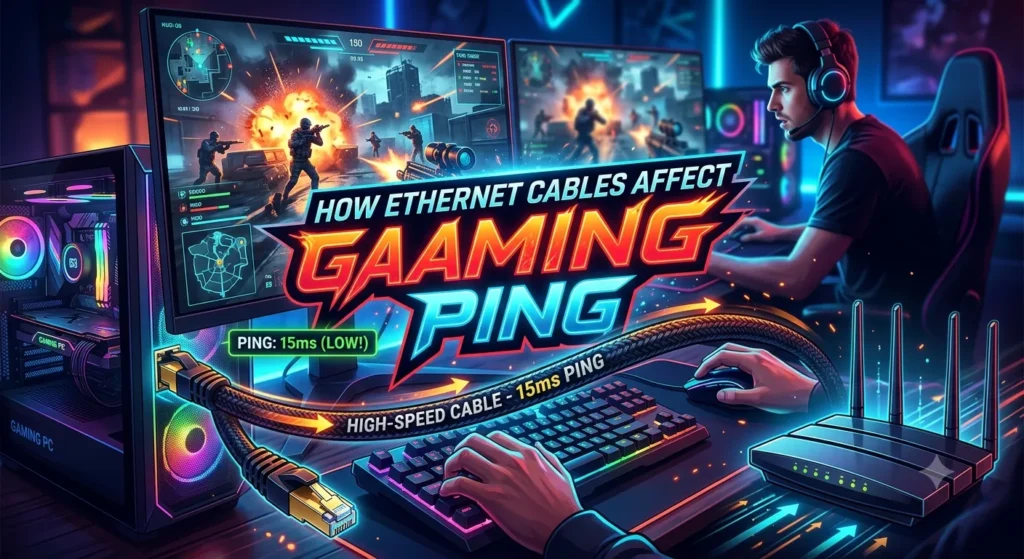
Ping measures how long data takes to travel between your gaming device and a server. It is normally measured in milliseconds. A lower ping generally means faster communication with the game server.
An Ethernet cable can help maintain consistent ping because it eliminates many potential wireless interruptions. However, the cable itself does not magically reduce the physical distance between you and the server.
For example, if a game server is located on another continent, your ping can still be relatively high even when you use an excellent Ethernet cable. Server location, internet routing, congestion, and your ISP can have a much larger effect.
A wired connection can nevertheless help prevent unnecessary ping fluctuations. This is important because stable ping is often more valuable than occasional low ping.
Suppose your Wi-Fi connection normally gives you 30 ms but sometimes jumps to 150 ms or 300 ms. Those sudden spikes can create noticeable delays during competitive matches. An Ethernet connection may help keep the connection more consistent.
Gamers sometimes blame their Ethernet cable for high ping when the actual problem comes from the game server or internet provider. Testing your connection with different servers and checking for packet loss can help identify the real cause.
In short, a good Ethernet cable supports a stable network connection, but it cannot overcome poor routing, distant servers, or an unreliable internet service.
Ethernet Cable Speed and Gaming Performance
Many people assume that buying a cable with a higher speed rating will automatically make games run faster. That is not usually how online gaming works.
Most online games do not require enormous bandwidth. Even demanding multiplayer games generally use far less data than activities such as downloading large files or streaming high-resolution video.
This means a Gigabit Ethernet connection can already be more than enough for most gaming needs. A faster Ethernet standard becomes useful mainly when other parts of your network can take advantage of it.
For example, imagine you purchase an extremely high-speed Ethernet cable but your router only supports Gigabit Ethernet. Your connection will still operate according to the capabilities of the network hardware.
The same principle applies to your gaming device. Your PC or console needs a compatible network interface to benefit from higher Ethernet speeds.
Therefore, gamers should focus on connection stability and latency rather than chasing the highest cable speed.
A quality Cat6 cable connected to a suitable Gigabit router can be an excellent gaming solution. If you have a faster local network, a compatible multi-gigabit router, and supported hardware, then Cat6a or another higher-category cable may make more sense.
The key is to build a balanced network. A premium cable cannot turn slow internet into fast internet, but the right cable can ensure your hardware operates reliably without becoming an unnecessary weak point.
Choosing the Right Ethernet Cable Length
Cable length is another important part of a gaming setup. Ethernet cables are available in short lengths for desk setups and much longer options for rooms where the router is far away.
A cable should be long enough to reach your gaming device comfortably without creating excessive tension. Avoid buying a cable that barely reaches the device because tight cables can be inconvenient and difficult to organize.
At the same time, extremely long cables can create unnecessary clutter. For a typical gaming desk, a shorter cable may be easier to manage.
If your router sits in another room, you may need a longer Ethernet cable. Proper installation becomes more important in this situation. Keep the cable away from areas where people walk and avoid sharp bends.
For most home gaming networks, ordinary Ethernet cable lengths are perfectly practical. Ethernet can support standard networking distances without requiring complicated equipment.
Measure the route before buying the cable. Do not measure only the straight-line distance between the router and PC. Consider the path around furniture, walls, doors, and the gaming desk.
Leaving a small amount of extra length can make installation easier. You do not want the connector pulled tightly against the router or computer.
A good cable should provide enough reach while keeping your gaming area neat and organized.
Shielded vs Unshielded Ethernet Cables
Ethernet cables may come with different levels of shielding. Shielding is designed to help protect network signals from electromagnetic interference.
For many home gaming setups, unshielded twisted-pair Ethernet cables are completely adequate. They are flexible, affordable, and easy to install.
Shielded cables can be useful in environments with significant electrical interference or specialized networking requirements. However, simply choosing a shielded cable does not automatically improve gaming performance.
Gamers sometimes see premium cables advertised as providing better speed or lower ping because of shielding. These claims should be considered carefully. The benefit depends heavily on the installation environment and network equipment.
If your gaming desk is located in a normal bedroom, office, or living room, a standard quality Ethernet cable will usually be enough.
Cable construction also matters. A well-made connector, properly terminated cable, and suitable category rating can be more important than paying extra for features your network does not need.
For a typical gaming setup, focus first on category, appropriate length, durability, and compatibility. Consider shielding only when your environment creates a genuine reason to use it.
This approach can help you avoid spending money on unnecessary specifications while still maintaining a dependable gaming network.
Ethernet Cable for PC Gaming
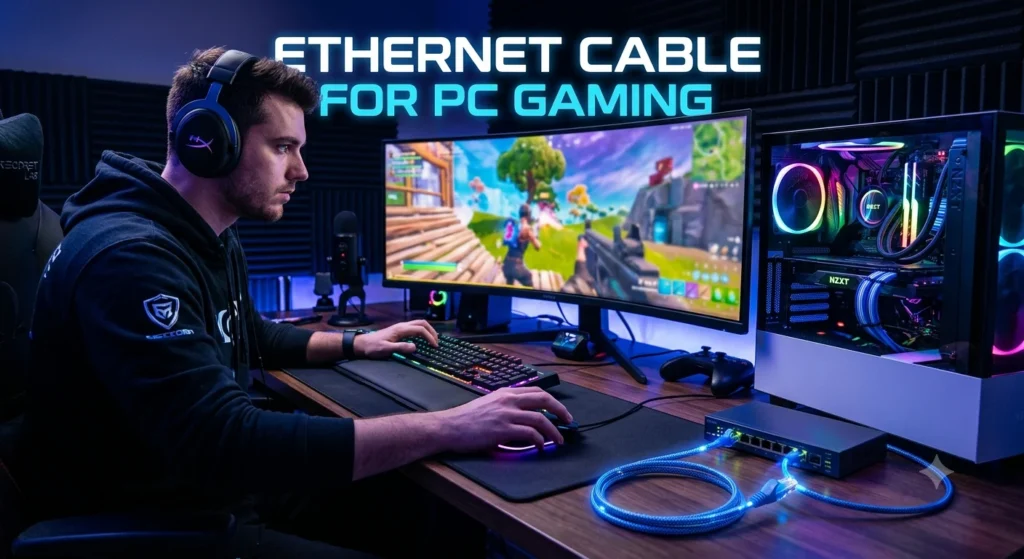
A gaming PC can benefit greatly from a wired network connection. Desktop computers usually remain in one location, making Ethernet a convenient option.
Connecting your PC directly to the router can reduce the uncertainty associated with Wi-Fi. This is especially helpful for competitive games where connection interruptions can affect your match.
Most modern gaming motherboards include Ethernet networking. Some systems also support faster wired standards, depending on the hardware.
Before purchasing a cable, check the Ethernet port on your computer and router. In most cases, a standard RJ45-compatible Ethernet cable will work with ordinary home networking equipment.
A Cat6 cable is often a sensible choice for a modern gaming PC. It provides strong performance without requiring the cost of specialized high-end networking cable.
Cable management is also worth considering. Route the cable along the back of your desk or beside the wall instead of allowing it to cross your walking area.
If your PC is far from the router, you can use a longer cable or consider a wired networking solution that fits your home’s layout.
For gamers who stream, download large games, participate in voice chat, and play online simultaneously, a stable wired connection can be particularly useful.
Ethernet does not increase your computer’s graphics performance, but it can improve the reliability of the network side of your gaming experience.
Ethernet Cable for PlayStation and Xbox
Gaming consoles can also use Ethernet connections. PlayStation and Xbox systems include wired networking support, making them easy to connect directly to a compatible router.
Console gaming can involve large game downloads, updates, online multiplayer, cloud services, voice communication, and media streaming. A wired connection can provide consistent network performance during these activities.
For online multiplayer, stability is especially important. Nobody wants a match interrupted because a wireless signal suddenly becomes unstable.
If your console is near the router, connecting an Ethernet cable is usually simple. Plug one end into the router and the other into the console’s Ethernet port. The console should then detect the wired connection through its network settings.
Cat5e can support many normal console setups, while Cat6 provides a convenient modern choice for users buying a new cable.
You do not need an expensive gaming-branded Ethernet cable simply because you use a PlayStation or Xbox. A properly made cable that meets the required networking standard can perform the same basic networking function.
The most important factors are compatibility, correct installation, and network stability.
If your console is located far from the router, measure the required cable length carefully. You can then install the cable along a safe route without creating a tripping hazard.
Does Ethernet Reduce Gaming Lag?
Ethernet can reduce certain forms of network-related lag, but it is important to understand what it can and cannot fix.
Lag can come from several sources. High ping, packet loss, server problems, internet congestion, hardware limitations, and game performance can all create delays.
When Wi-Fi interference causes unstable communication, Ethernet may remove that particular source of lag. A wired connection can provide a more predictable link between your gaming device and router.
However, Ethernet will not fix lag caused by a distant game server. It also will not solve low frame rates, graphics settings, CPU limitations, or problems with the game’s own servers.
This distinction matters because gamers often use the word lag to describe many different problems.
If your character moves slowly or actions seem delayed, check your ping and packet loss. If the game displays network warnings, investigate your internet connection. If the game stutters while your ping remains stable, the problem may be related to your PC or console instead.
Ethernet is therefore best viewed as one part of a complete gaming setup.
A reliable wired connection can provide a strong foundation for online gaming. From there, good router placement, a suitable internet plan, updated network hardware, and a nearby game server can further improve your experience.
Ethernet Cable and Packet Loss
Packet loss occurs when some data traveling across a network fails to reach its destination. In online games, packet loss can create noticeable problems such as freezing, rubber-banding, delayed actions, or sudden movement.
Wi-Fi interference can contribute to packet loss, especially when the wireless signal is weak or crowded.
Using Ethernet can remove the wireless portion of your local connection. This can make the network more stable, particularly when your gaming device sits far from the router or behind several walls.
However, Ethernet does not guarantee zero packet loss. Problems can still occur elsewhere in the network.
Your router, modem, ISP, network infrastructure, or game server can all contribute to packet loss. A damaged Ethernet cable can also cause connectivity problems.
If you experience packet loss after installing Ethernet, inspect the cable and connectors. Try another cable if possible. You can also test another router port to determine whether the issue is related to the hardware.
A good-quality cable should have secure connectors and no obvious physical damage.
For competitive gaming, monitoring packet loss can be more useful than focusing only on download speed. A connection that delivers high speed but frequently loses packets can still produce a poor gaming experience.
A stable Ethernet connection can therefore be an important part of reducing local network problems.
Cable Management for a Gaming Ethernet Setup
A great gaming setup should not only perform well; it should also stay clean and organized. Ethernet cables can become messy when multiple devices share the same desk.
Start by planning the route from your router to your gaming device. Keep the cable away from areas where chairs, feet, or pets can damage it.
Cable clips, sleeves, and simple organizers can help keep Ethernet cables under control. Avoid crushing the cable beneath heavy furniture.
Do not make extremely tight bends. Ethernet cable should follow a natural curve rather than being folded sharply.
If your router sits on a desk, you can route the cable behind the desk and connect it to the gaming PC or console from the rear. This keeps the front of the gaming area clean.
Labeling cables can also help when several devices are connected. A simple label can make it easier to identify the cable connected to your gaming system.
Good cable management can also make troubleshooting easier. If something goes wrong, you can quickly follow the cable and check both connectors.
For wall-mounted installations, use suitable cable-management products rather than allowing the cable to hang loosely.
A clean setup reduces accidental disconnections and protects your equipment. It also makes the gaming space look more professional.
Common Ethernet Cable Gaming Mistakes
Gamers can make several simple mistakes when choosing or installing Ethernet cables.
One common mistake is buying a cable based only on marketing claims. Words such as ultra-fast or gaming-grade do not automatically mean the cable will reduce ping.
Another mistake is choosing the wrong length. A cable that is too short can create tension, while an unnecessarily long cable can create clutter.
Some users also buy expensive Cat8 cables even though their router and gaming device support only Gigabit Ethernet. In that situation, the extra specification may provide little practical benefit.
Damaged connectors are another potential problem. If the connector does not click securely into the port, the connection may become unreliable.
Avoid running Ethernet cables where they can become pinched or repeatedly stepped on. Physical damage can affect network performance.
Another mistake is assuming Ethernet will fix every gaming problem. It can improve the local wired connection, but it cannot solve poor game servers, distant servers, ISP routing issues, or weak gaming hardware.
Finally, do not ignore the router. A quality Ethernet cable connected to an outdated or overloaded router cannot produce miracles.
The best approach is to consider the entire network. Use suitable hardware, choose an appropriate cable category, install it safely, and test the connection before spending money on unnecessary upgrades.
How to Test Your Gaming Ethernet Connection
Testing your wired connection can help determine whether Ethernet is actually improving your gaming experience.
Begin by checking whether your gaming device recognizes the wired connection. Your network settings should show Ethernet or a wired network connection instead of Wi-Fi.
Next, test your internet speed. Speed tests can show download speed, upload speed, and latency. Remember that these results may change depending on the testing server and current network conditions.
You should also monitor your gaming experience directly. Look for stable ping, fewer connection drops, and reduced network warnings.
If possible, compare Ethernet and Wi-Fi under similar conditions. Play the same type of game and observe whether ping remains more consistent with the wired connection.
For more advanced troubleshooting, you can perform network tests that check packet loss and latency over time. These tests can help identify whether the problem occurs between your device and router or somewhere farther along the network.
If Ethernet performs poorly, try another cable and router port. This simple test can eliminate a faulty cable or port as a possible cause.
Also check whether other devices are heavily using your internet connection. Large downloads, cloud backups, and high-bandwidth streaming can affect network performance.
Testing is better than guessing. Instead of automatically buying a more expensive cable, identify the actual problem first.
How Much Should You Spend on a Gaming Ethernet Cable?
You do not need to spend a lot of money on an Ethernet cable for gaming.
A reasonably priced Cat5e or Cat6 cable can provide excellent performance for many home gaming setups. The correct choice depends on your network equipment and installation requirements.
Premium cables may offer different construction materials, additional shielding, stronger connectors, or specialized designs. These features can be useful in certain situations, but they do not automatically create lower ping.
When choosing a cable, prioritize reliable construction and the appropriate technical category.
If you need a short cable for a gaming PC sitting beside the router, there is little reason to buy an extremely expensive model.
If you are installing Ethernet throughout your home, you may have different requirements. Longer cable runs, wall installation, and higher-speed networking can justify choosing a more advanced cable.
Think about your entire network budget. Spending money on a suitable router, reliable internet service, and proper network setup can have a larger impact than buying an unnecessarily expensive cable.
For most gamers, value matters more than branding.
A well-made Cat6 Ethernet cable is often an excellent middle-ground option. It provides modern networking capability without pushing your budget toward specifications that your gaming setup may never use.
The goal is not to own the most expensive cable. The goal is to create a reliable gaming connection.
Future-Proofing Your Gaming Network
Technology continues to evolve, and internet speeds are increasing in many regions. If you are building a new gaming setup, it can make sense to think about future networking needs.
A higher-category Ethernet cable can provide additional capability for future hardware. This does not mean you need the most expensive cable available.
Consider what you expect from your home network over the next several years. You may eventually upgrade your router, gaming PC, NAS, internet plan, or other networking equipment.
Cat6 is already a strong option for many modern homes. Users planning multi-gigabit networking may want to consider Cat6a or another suitable standard depending on their equipment and installation.
Future-proofing should also include good cable installation. A properly routed cable is easier to reuse than one that is tangled, damaged, or hidden in an inaccessible location.
You should also consider your router and network switches. There is little benefit in installing high-capacity Ethernet cable if the rest of the network cannot support the desired speeds.
A balanced upgrade strategy is usually the smartest approach.
Instead of purchasing the newest networking product simply because it has a higher number, choose equipment that matches your actual requirements and provides reasonable room for future upgrades.
This can save money while still giving your gaming setup a strong foundation.
Conclusion
A cable Ethernet gaming setup can be a smart choice for players who want a stable and reliable connection. A wired connection can help reduce problems linked to wireless interference and weak Wi-Fi signals. Choosing a suitable Ethernet cable also depends on factors such as speed, cable category, length, and the needs of your gaming setup. While an Ethernet cable cannot guarantee better game performance in every situation, it can provide a dependable connection between your gaming device and router. For online gaming, especially when connection stability matters, using the right Ethernet cable can be a simple and useful upgrade to your setup.
FAQs
Is Ethernet better than Wi-Fi for gaming?
Ethernet is generally preferred for gaming when a wired connection is practical. It can provide greater stability and reduce wireless interference. Wi-Fi can still perform very well when the signal is strong and the network is properly configured.
Is Cat6 Ethernet good for gaming?
Yes. Cat6 is an excellent option for many gaming setups. It supports Gigabit Ethernet and provides plenty of capability for most home gaming networks. Your router and gaming device must also support the desired networking speed.
Does an Ethernet cable lower ping?
An Ethernet cable can sometimes reduce or stabilize ping when Wi-Fi interference contributes to latency. However, it cannot reduce latency caused by distant game servers, poor routing, or ISP problems.
Do I need Cat8 for gaming?
Most gamers do not need Cat8. A good Cat5e or Cat6 cable is normally sufficient for typical home gaming. Cat8 may be unnecessary unless you have specialized high-speed networking equipment that can actually use its capabilities.
Can Ethernet stop gaming lag?
Ethernet can help with lag caused by unstable Wi-Fi, interference, or local packet loss. It cannot fix every type of lag. Server problems, high ping, network congestion, low frame rates, and hardware issues can have different causes.