Finding the best CPU budget gaming PC does not mean buying the most expensive processor you can afford. A better plan is to choose a CPU that fits your graphics card, motherboard, RAM, and total build cost. For a new AM5 gaming PC, the AMD Ryzen 5 7500 remains a strong value option. It has 6 cores, 12 threads, and a boost clock of up to 5 GHz.
The Ryzen 5 7500 also includes basic Radeon graphics, which can be useful when a dedicated GPU is not installed. The Ryzen 5 9600 is another strong AM5 choice if you can spend more on the CPU. It uses Zen 5, has 6 cores and 12 threads, and boosts up to 5.2 GHz. Intel also has options such as the Core i5-14400F. The right pick depends on your full PC budget.
What Makes a CPU Good for a Budget Gaming PC?
A good budget CPU needs to offer more than a low price.
Gaming performance is important. Yet the CPU must also fit the rest of the system.
A cheap processor can become a poor deal if it needs an expensive motherboard or new RAM.
The best choice should give you a balanced PC.
Look at these points before you buy:
- Gaming performance
- Core and thread count
- CPU platform
- Motherboard price
- RAM type
- Power use
- Cooler needs
- Upgrade options
- Integrated graphics
- GPU pairing
The goal is simple.
Spend enough on the CPU to avoid a major bottleneck. Then put enough money into the graphics card to get the gaming performance you want.
For many budget builds, a modern 6-core CPU is a strong place to start.
Best CPU Budget Gaming PC: Ryzen 5 7500
The AMD Ryzen 5 7500 is one of the most interesting budget CPUs for a new gaming PC.
It uses AMD’s Zen 4 architecture. The chip has 6 cores and 12 threads. Its maximum boost clock is up to 5 GHz. It uses the AM5 socket and DDR5 memory.
One useful feature is its integrated Radeon graphics.
That means the CPU can provide basic display output without a separate graphics card.
For a gaming PC, you will still want a dedicated GPU for serious gaming. The built-in graphics are not a replacement for a modern gaming graphics card.
The Ryzen 5 7500 can be a good fit when you want a new AM5 system without moving too far up the CPU price range.
It also gives you access to a newer platform.
That matters if you plan to upgrade the CPU later.
Ryzen 5 7500 vs Ryzen 5 7500F
The Ryzen 5 7500 and Ryzen 5 7500F are closely related.
Both use Zen 4.
Both have 6 cores and 12 threads.
And both use AM5 and DDR5 memory.
The main difference is graphics support.
AMD lists the Ryzen 5 7500 with Radeon graphics.
The Ryzen 5 7500F requires a discrete graphics card. AMD lists it as requiring a discrete graphics card.
This difference can matter when building a new PC.
If you already have a graphics card, the 7500F can be a useful option.
A builder without a GPU may prefer the Ryzen 5 7500.
Always compare the full price.
A small CPU price difference may be worth paying if the integrated graphics help your build.
Ryzen 5 9600: A Stronger AM5 Choice
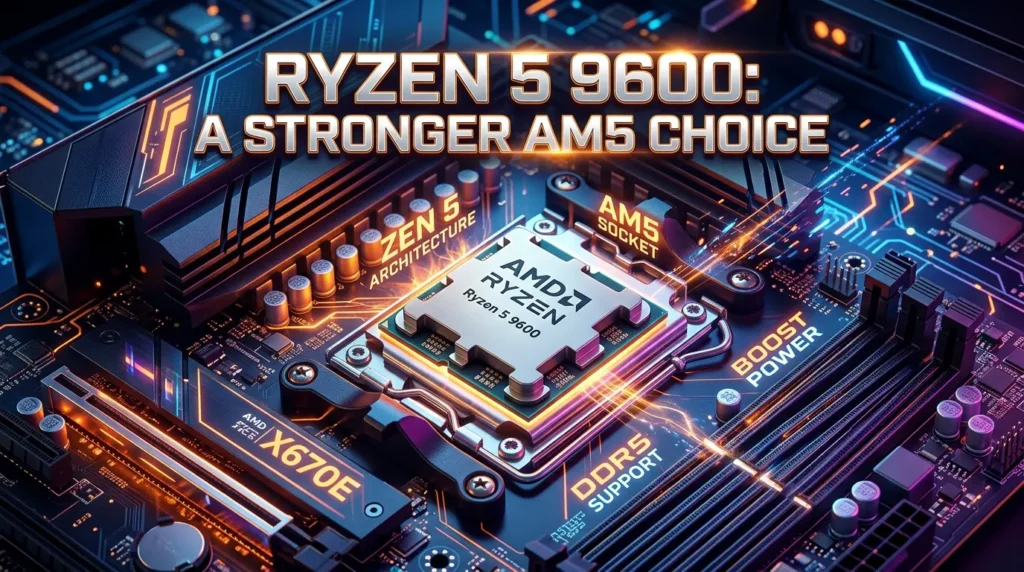
The Ryzen 5 9600 is another CPU to consider.
It uses AMD’s Zen 5 architecture.
The processor has 6 cores and 12 threads. It can boost up to 5.2 GHz. It also has a 65W default TDP and uses the AM5 socket. faster and newer than the Ryzen 5 7500.
That does not automatically make it the best budget choice.
Your total budget still matters.
If buying the Ryzen 5 9600 forces you to buy a weaker graphics card, the extra CPU performance may not help much in GPU-heavy games.
A balanced build is usually the better goal.
Choose the Ryzen 5 9600 when the extra CPU cost fits your build without hurting the GPU budget.
Ryzen 5 9600X for More CPU Performance
The Ryzen 5 9600X moves further into the performance range.
It has 6 cores and 12 threads.
AMD lists a boost clock of up to 5.4 GHz and a 65W default TDP. It uses Zen 5 and the AM5 socket.
The chip also supports AMD EXPO memory technology and Precision Boost Overdrive.
This can make it attractive for gamers who want stronger CPU performance without moving to a high-end Ryzen 7 or Ryzen 9 processor.
Still, price matters.
A budget gaming PC should not spend too much of its total money on the CPU.
The 9600X is better viewed as an upgrade when your budget allows it.
For a strict low-cost build, a Ryzen 5 7500 or similar chip may leave more money for the GPU.
Intel Core i5-14400F as a Budget Option
Intel also has useful choices.
The Core i5-14400F has 10 total cores. It includes 6 Performance-cores and 4 Efficient-cores. It has 16 threads and can reach a maximum turbo frequency of 4.7 GHz.
The chip supports both DDR4 and DDR5 memory, depending on the motherboard. Intel lists support for up to DDR5-4800 and DDR4-3200.
That flexibility can help with a budget build.
You may find a lower-cost DDR4 platform instead of moving to DDR5.
The F suffix is important.
The i5-14400F does not provide normal integrated graphics. You should plan for a dedicated graphics card.
The processor uses the LGA1700 socket.
Check motherboard cost before choosing it.
The cheapest CPU is not always the cheapest complete platform.
AMD Ryzen 5 7500 vs Intel Core i5-14400F
Both can work well in a budget gaming PC.
The key difference is the platform.
The Ryzen 5 7500 uses AM5 and DDR5.
The Core i5-14400F uses LGA1700 and can work with either DDR4 or DDR5, depending on the motherboard.
Here is a simple comparison:
| Feature | Ryzen 5 7500 | Core i5-14400F |
| CPU cores | 6 | 10 |
| Threads | 12 | 16 |
| Platform | AM5 | LGA1700 |
| Memory | DDR5 | DDR4 or DDR5 |
| Integrated graphics | Yes | No |
| Main use | Budget gaming | Gaming and mixed workloads |
Core counts are not enough to decide between two CPUs.
Architecture also matters.
Game engines use CPU resources in different ways.
Motherboard prices can also change the value of each option.
Compare the complete build before buying.
AM5 vs LGA1700 for a Budget Gaming PC
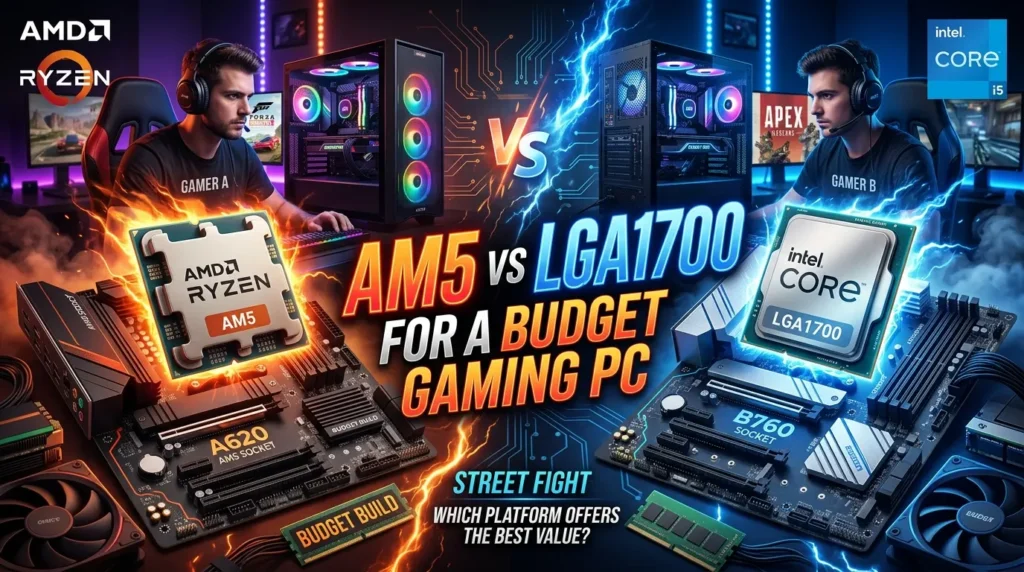
The motherboard platform can have a big effect on the final cost.
AM5 uses DDR5 memory.
LGA1700 can support DDR4 or DDR5, depending on the board.
That gives Intel buyers more memory options.
AM5 has another advantage.
It is the platform used by AMD’s newer Ryzen desktop processors, including the Ryzen 9000 family. The Ryzen 5 9600 and Ryzen 5 9600X both use AM5.
This makes AM5 attractive for a new build where future CPU upgrades matter.
A low-cost LGA1700 build can still make sense if the CPU, motherboard, and RAM are priced well together.
Do not choose a socket based only on the CPU name.
Compare the complete platform.
AM4 Still Makes Sense for Some Budget Builds
Not every budget gaming PC needs a new platform.
AM4 can still make sense if you already own an AM4 motherboard and DDR4 memory.
A Ryzen 5 5600 is an example of a CPU that can be useful for an existing AM4 system.
The benefit is simple.
You may only need to replace the CPU.
There is no need to buy a new motherboard and DDR5 memory at the same time.
That can save money.
For a completely new build, the decision is different.
You should compare the cost of an AM4 setup with the cost of AM5.
A cheap AM4 system can be good for a strict budget.
An AM5 system may make more sense if you want a newer upgrade path.
Ryzen 5 5500 for a Very Low-Cost Build
The Ryzen 5 5500 can be useful when the goal is to keep platform costs low.
It belongs to the AM4 family.
That means it works with DDR4 memory.
The chip can make sense when you already have compatible parts.
AMD has also introduced the Ryzen 5 5500F as a newer low-cost AM4 option. Recent reporting says the 5500F has 6 cores and 12 threads and supports DDR4 and PCIe 4.0.
These chips show why budget PC building is not only about buying the newest CPU.
Older platforms can still provide useful gaming performance.
The key is the total system cost.
Why the Graphics Card Matters So Much
A gaming CPU does not work alone.
The graphics card often has a major effect on gaming performance.
This becomes even more important when you play at higher resolutions or use demanding graphics settings.
Imagine two systems.
One has a very expensive CPU and a weak GPU.
The other has a balanced CPU and a much stronger GPU.
The second system can provide better gaming results in many GPU-limited games.
That is why the CPU should fit the graphics card.
Do not spend most of your budget on the processor.
Set aside enough money for the GPU first.
Then choose a CPU that can keep up with it.
How Much Should You Spend on the CPU?
There is no single CPU budget that works for everyone.
Your total PC budget decides the answer.
A basic gaming PC may need a low-cost 6-core processor.
A stronger system may justify a faster Ryzen 5 or Core i5.
A high-end GPU can also justify spending more on the CPU.
Think in terms of balance.
For example, if the CPU upgrade costs a large amount but only allows a small GPU downgrade, the upgrade may be worth it.
If the CPU upgrade forces you to drop to a much weaker graphics card, keep the cheaper CPU.
The GPU often gives the bigger gaming benefit.
How Many CPU Cores Do You Need for Gaming?
Six cores and 12 threads are a strong target for many modern budget gaming PCs.
The Ryzen 5 7500, Ryzen 5 7500F, Ryzen 5 9600, and Ryzen 5 9600X all have 6 cores and 12 threads.
Intel takes a different approach with the i5-14400F.
It has 10 total cores and 16 threads, split between Performance-cores and Efficient-cores.
More cores do not always mean more gaming performance.
Game engines can use CPU resources in different ways.
Clock speed, architecture, cache, memory, and game design all matter.
For a budget gaming PC, a good modern 6-core processor can be a smart balance.
Is a 6-Core CPU Enough for Gaming?
For many gaming systems, yes.
A 6-core CPU can handle modern games while also leaving room for background tasks.
The Ryzen 5 7500 is one example.
It has 6 cores and 12 threads and uses Zen 4.
The Ryzen 5 9600 is another.
It also has 6 cores and 12 threads but uses the newer Zen 5 architecture.
The important thing is not only core count.
A newer 6-core CPU can outperform an older chip with more cores in some workloads.
Gaming performance should be judged by the full CPU design.
Best CPU for 1080p Budget Gaming
1080p gaming can place more pressure on the CPU when paired with a strong graphics card.
This is common when you want very high frame rates.
Competitive games can also benefit from a capable CPU.
A Ryzen 5 7500 can be a strong fit here.
The Ryzen 5 9600 can be a better choice if your budget allows more CPU spending.
An Intel Core i5-14400F can also work well in a suitable build.
Your graphics card still matters.
Do not buy a high-end CPU and pair it with a GPU that cannot deliver the frame rate you want.
Best CPU for 1440p Budget Gaming
1440p gaming often shifts more work toward the graphics card.
That can reduce CPU differences in some games.
A good 6-core CPU can therefore work well in a 1440p budget or mid-range gaming PC.
The Ryzen 5 7500 is a sensible starting point.
A Ryzen 5 9600 can give you more CPU headroom.
The final choice should depend on your graphics card.
If the GPU is doing most of the work, spending much more on the CPU may not be the best use of your money.
Best CPU for 4K Budget Gaming
4K gaming is usually very demanding on the GPU.
That means CPU choice can become less important in many games.
You still need a capable processor.
However, there is often less reason to buy an expensive CPU just for 4K gaming.
A strong budget or mid-range CPU can be paired with a powerful graphics card.
The money saved on the CPU can then go toward the GPU.
This approach can make more sense for a budget-conscious 4K build.
Do You Need Integrated Graphics?
Integrated graphics can be useful.
They are not essential for every gaming PC.
The Ryzen 5 7500 includes Radeon graphics.
The Ryzen 5 9600 also includes Radeon graphics.
And the Ryzen 5 7500F requires a discrete graphics card.
The Intel Core i5-14400F is also an F-series chip without normal integrated graphics.
An integrated GPU can help when:
- You are waiting to buy a graphics card.
- You need basic display output.
- You want an easier way to test a PC.
- You need a backup display solution.
For serious gaming, a dedicated GPU remains the better choice.
What RAM Should You Use?
RAM depends on the platform.
AM5 CPUs such as the Ryzen 5 7500 and Ryzen 5 9600 use DDR5 memory.
The Intel Core i5-14400F can support DDR4 or DDR5, depending on the motherboard.
This makes memory cost part of the CPU decision.
Do not compare CPU prices alone.
Compare:
CPU + motherboard + RAM
That is the real platform cost.
A slightly more expensive CPU can become a better deal if the complete platform costs less.
What Motherboard Should You Buy?
Choose a motherboard that supports the CPU and memory type you want.
For AM5, look at compatible A620, B650, B650E, B840, B850, X670, X670E, X870, or X870E options based on your needs and CPU support. AMD lists these compatible chipsets for its Ryzen 5 7500 and Ryzen 5 9600 processors.
You do not need an expensive board for a budget PC.
A reliable entry-level or mid-range board can be enough.
Spend more when you need specific features.
These may include:
- More USB ports
- More M.2 slots
- Better power delivery
- More expansion slots
- Better networking
- Extra storage support
Avoid paying for features you will never use.
CPU Cooler Considerations
Cooling is another part of the budget.
Some CPUs include a cooler.
Others do not.
The Ryzen 5 7500F is listed by AMD with a Wraith Stealth thermal solution.
The Ryzen 5 7500 is also listed with a Wraith Stealth cooler.
This Ryzen 5 9600 includes a Wraith Stealth cooler as listed by AMD.
The Ryzen 5 9600X does not include a thermal solution. AMD recommends a premium air cooler for optimal performance.
This is another reason to check the full build cost.
A CPU that looks affordable can require extra cooling.
That cost should be included before you compare processors.
CPU Power Use and Efficiency
Power use affects more than your electricity bill.
It also affects cooling.
A CPU with reasonable power needs can be easier to cool in a small or budget case.
The Ryzen 5 7500 has a 65W default TDP.
The Ryzen 5 9600 also has a 65W default TDP.
This Ryzen 5 9600X has a 65W default TDP as well.
Intel lists a 65W processor base power for the i5-14400F and a 148W maximum turbo power.
Do not compare TDP values as if they were identical measurements across brands.
Use official specifications as a guide.
Best CPU for a New Budget PC
For a new build, start with AM5 options.
The Ryzen 5 7500 is a strong place to look.
It combines 6 cores, 12 threads, Zen 4, DDR5, and integrated Radeon graphics.
The Ryzen 5 9600 is the next step if you want newer Zen 5 performance.
It also uses AM5 and DDR5.
The Ryzen 5 9600X is another option for a stronger CPU-focused build.
Your GPU budget should decide whether the extra CPU cost makes sense.
If your graphics card is modest, save money on the processor.
If you have a stronger GPU and want higher CPU performance, moving up can be reasonable.
Best CPU for an Existing AM4 PC
An existing AM4 system changes the answer.
You already have a motherboard.
Users may already have DDR4 memory.
You may only need a CPU upgrade.
In that case, a Ryzen 5 5600 or another compatible Ryzen processor can be more cost-effective than moving to AM5.
The important point is avoiding unnecessary platform costs.
Do not replace the motherboard and RAM unless the upgrade is worth it.
Check your current motherboard BIOS and CPU support before buying.
Compatibility should always come first.
Best CPU for a Very Tight Budget
When money is very limited, look at the whole platform.
A low-cost AM4 CPU can reduce motherboard and memory costs.
The Ryzen 5 5500 and newer Ryzen 5 5500F are examples of low-cost AM4 options. AMD’s recent 5500F launch places it as a budget Zen 3 chip with 6 cores and 12 threads.
A Ryzen 5 7500 or 7500F moves you to AM5.
That means DDR5.
The total system cost may be higher.
Yet the newer platform can make more sense if you want a new PC with future upgrade options.
Choose based on the complete budget.
Best CPU for a Gaming PC With a Dedicated GPU
If you already own a graphics card, your CPU choice becomes simpler.
You do not need to pay extra for integrated graphics unless you want them.
The Ryzen 5 7500F is designed for use with a discrete graphics card. AMD officially lists discrete graphics as required.
That can make it an interesting choice for a gaming-first system.
The same basic idea applies to the Intel Core i5-14400F.
It is a good fit when you already plan to use a dedicated GPU.
Focus your budget on the parts that affect your gaming goals.
How to Choose the Best CPU for Your Budget Gaming PC
Use this simple process.
Step 1: Set the Full PC Budget
Include every part.
Do not look at the CPU alone.
Step 2: Choose the Graphics Card
The GPU should get enough of the budget for your target games and resolution.
Step 3: Pick the CPU
Choose a processor that can support the GPU without unnecessary spending.
Step 4: Compare Platforms
Look at motherboard and RAM costs.
AM5 uses DDR5.
Some Intel LGA1700 boards support DDR4.
Step 5: Check Cooling
Make sure the CPU has suitable cooling.
Add a cooler to the budget when needed.
Step 6: Check Upgrade Plans
If you want future CPU upgrades, consider the platform carefully.
Step 7: Compare the Final Build
Add the CPU, motherboard, RAM, cooler, and GPU.
That number matters more than the CPU price alone.
Common Budget CPU Buying Mistakes
Budget buyers often make the same mistakes.
Buying Only by Core Count
More cores do not always mean better gaming performance.
Architecture matters too.
Ignoring the Motherboard
A CPU needs a compatible motherboard.
A cheap CPU can become expensive when the board costs more than expected.
Forgetting RAM
AM5 needs DDR5.
Some Intel LGA1700 boards support DDR4.
Memory cost can change the best choice.
Spending Too Much on the CPU
A stronger processor may not help much if the GPU becomes too weak.
Ignoring the Cooler
Check whether the CPU includes one.
The Ryzen 5 9600X, for example, does not include a thermal solution.
Choosing the Wrong Socket
AM4 and AM5 are different.
Intel LGA1700 is different from AMD sockets.
Always confirm compatibility.
A Simple CPU Ranking for Budget Gaming Builds
Your final ranking should depend on your total build cost.
Still, these are useful starting points.
A new AM5 build: Ryzen 5 7500.
A newer Zen 5 option: Ryzen 5 9600.
Stronger CPU performance: Ryzen 5 9600X.
A dedicated-GPU AM5 build: Ryzen 5 7500F.
An Intel alternative: Core i5-14400F.
An existing AM4 PC: Ryzen 5 5600 or another compatible AM4 CPU.
A very low-cost AM4 build: Ryzen 5 5500 or Ryzen 5 5500F.
These are not fixed winners for every buyer.
Local pricing can change the answer.
Stock can also change.
The complete platform price is what matters.
Is the Ryzen 5 7500 Good for a Budget Gaming PC?
Yes.
The Ryzen 5 7500 is a strong option for a new AM5 gaming PC.
It has 6 cores and 12 threads.
Its boost clock reaches up to 5 GHz.
It supports DDR5 memory.
It also includes Radeon graphics.
That gives it a useful mix of features.
You can build a gaming PC around it with a dedicated GPU.
You can also use its integrated graphics for basic display needs.
For a budget build, that flexibility is useful.
The final decision should still depend on local CPU, motherboard, RAM, and GPU prices.
Is the Ryzen 5 9600 Better for Gaming?
The Ryzen 5 9600 is a newer Zen 5 processor.
AMD lists 6 cores, 12 threads, and a boost clock of up to 5.2 GHz.
It can be a better choice when you want more CPU performance and have room in your budget.
However, “better” does not always mean “better value.”
If the extra CPU cost forces you to buy a weaker GPU, the whole PC may perform worse in games.
Always compare the complete system.
Should You Choose AMD or Intel?
Both can work.
AMD has strong AM5 options such as the Ryzen 5 7500, Ryzen 5 9600, and Ryzen 5 9600X.
Intel’s Core i5-14400F offers 10 cores, 16 threads, and support for DDR4 or DDR5 depending on the board.
AMD may be more attractive when you want AM5 and future upgrade options.
Intel can be attractive when the CPU and motherboard combination is cheaper.
Neither brand wins every budget.
The best option is the one that gives you the strongest complete PC for your money.
Conclusion
Choosing the best CPU budget gaming PC is about balance. The processor should match the graphics card, motherboard, RAM, cooler, and total budget. For a new AM5 system, the Ryzen 5 7500 is a strong option. It has 6 cores, 12 threads, DDR5 support, and integrated Radeon graphics. The Ryzen 5 7500F is another option when you already plan to use a dedicated graphics card.
The Ryzen 5 9600 gives you a newer Zen 5 design and higher boost speed, while the 9600X offers another step up for buyers with more CPU budget. Intel’s Core i5-14400F is also worth considering, especially when its full platform cost is attractive.
For an existing AM4 PC, staying with AM4 can save money. In every case, compare the complete build. A balanced CPU and GPU pairing will usually give you better gaming value than spending too much on one part.
FAQs
1. What is the best CPU for a budget gaming PC?
The Ryzen 5 7500 is a strong option for a new AM5 budget gaming PC. It has 6 cores, 12 threads, up to 5 GHz boost, and integrated Radeon graphics.
2. Is the Ryzen 5 7500 good for gaming?
Yes. The Ryzen 5 7500 is well suited to budget and mid-range gaming systems. Its 6-core, 12-thread design provides a good balance for a modern gaming PC.
3. Is the Ryzen 5 7500F better than the Ryzen 5 7500?
Both are 6-core, 12-thread Zen 4 processors for AM5. The key difference is graphics support. The Ryzen 5 7500 includes Radeon graphics, while AMD lists the 7500F as requiring a discrete graphics card.
4. Is Intel Core i5-14400F good for a budget gaming PC?
Yes. The Core i5-14400F has 10 cores and 16 threads and can support DDR4 or DDR5 memory, depending on the motherboard. It can be a good choice when the total Intel platform cost fits your budget.
5. Should I buy AM4 or AM5 for a budget gaming PC?
AM4 can make sense when you already own compatible DDR4 parts. AM5 is worth considering for a new build because CPUs such as the Ryzen 5 7500 and Ryzen 5 9600 use the newer platform and DDR5 memory.