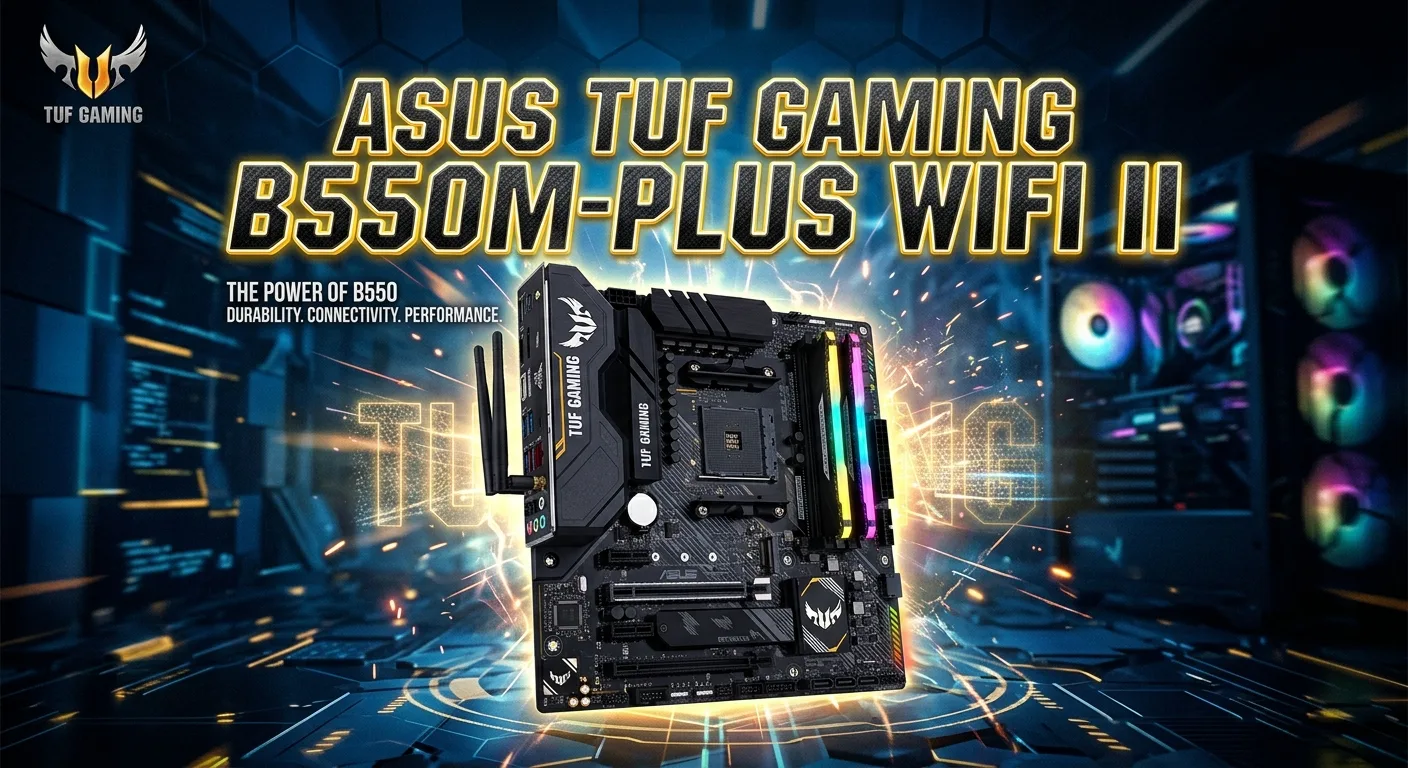
The ASUS TUF Gaming B550M-PLUS WIFI II is a compact AMD motherboard made for AM4 desktop systems. It uses the AMD B550 chipset and supports Ryzen 3000 and Ryzen 5000 desktop processors, with support depending on the CPU model. It also brings DDR4 memory support, PCIe 4.0, two M.2 slots, Wi-Fi 6, Bluetooth 5.2, and a range of USB connections.
This makes the board useful for a gaming PC, home computer, or upgrade build based on the AM4 platform. Its micro-ATX size can also help when you want a smaller system. The key question is whether its features match your CPU, RAM, storage, case, and graphics card. This guide covers the board in simple terms so you can understand what it offers and what to check before building or upgrading a PC.
What Is the ASUS TUF Gaming B550M-PLUS WIFI II?
The ASUS TUF Gaming B550M-PLUS WIFI II is a micro-ATX motherboard built around AMD’s B550 chipset. It uses the AM4 CPU socket. That means it belongs to the AMD Ryzen platform rather than newer AM5 systems.
The board is designed for users who want a mix of gaming features and everyday PC functions. It supports DDR4 memory and includes four memory slots. The maximum supported memory capacity is 128GB, while supported memory speeds vary by CPU and may require overclocking for higher frequencies.
A major benefit is built-in wireless networking. The board includes Wi-Fi 6 and Bluetooth 5.2. You do not need to add a separate Wi-Fi card just to get wireless connectivity.
Storage is also flexible. There are two M.2 slots and four SATA 6Gb/s ports. The main M.2 slot can support PCIe 4.0 x4 with supported Ryzen processors.
For a compact AM4 gaming build, this combination gives you many useful options.
AMD B550 Chipset and AM4 Platform
The AMD B550 chipset is the main platform behind this motherboard. It works with supported AM4 Ryzen processors.
The board’s CPU support includes AMD Ryzen 5000 Series and Ryzen 3000 Series desktop processors. ASUS also lists Ryzen 5000 G-Series and Ryzen 4000 G-Series processors for specific PCIe configurations. CPU support should always be checked against the current ASUS CPU support list before buying or installing a processor.
The AM4 platform is important because it determines which CPUs can be used.
If you already own an AM4 Ryzen processor, this board may be a practical upgrade path. If you are building a new PC, however, you should compare the AM4 platform with newer AMD platforms before making a final choice.
The right motherboard is not only about features. CPU compatibility matters just as much.
CPU Compatibility
CPU compatibility is one of the first things to check.
The motherboard uses an AM4 socket. ASUS lists support for several Ryzen generations, including supported Ryzen 3000 and Ryzen 5000 desktop processors. Compatibility can depend on the exact CPU and BIOS version.
A simple check can prevent many installation problems.
Before buying a CPU, look at the official ASUS CPU support information. Check the exact processor model. Do not assume that every AM4 chip will work in the same way.
BIOS support is also important. ASUS provides BIOS updates for this motherboard through its support page. The official BIOS page currently lists version 3644, released on August 27, 2026, with an AGESA update and security-related fixes.
This shows why checking the current BIOS information can be useful when installing a newer supported processor.
DDR4 Memory Support
The ASUS TUF Gaming B550M-PLUS WIFI II has four DDR4 DIMM slots.
ASUS lists support for up to 128GB of memory. The board supports dual-channel memory architecture. Supported speeds range from standard DDR4 speeds to much higher speeds when overclocking is used. Actual memory support can vary with the CPU and memory kit.
For a gaming PC, two matching memory modules can be a sensible setup. This lets the system use dual-channel memory.
You should also check the motherboard’s memory QVL when choosing a RAM kit. ASUS provides qualified memory information for supported configurations.
Why Dual-Channel Memory Matters
Dual-channel memory can give the processor access to more memory bandwidth than a single-channel setup.
The exact performance gain depends on the workload. Games, applications, and integrated graphics can react differently to memory changes.
For this reason, memory capacity and compatibility should come before chasing very high RAM speeds.
A stable 32GB kit, for example, may be more useful for many users than an unstable configuration with a higher advertised speed.
PCIe Support for Gaming
The board has a main PCIe 4.0 x16 slot when used with supported Ryzen 5000 or Ryzen 3000 desktop processors. With Ryzen 5000 G-Series and Ryzen 4000 G-Series processors, the relevant CPU-connected PCIe slot operates at PCIe 3.0.
This distinction matters.
PCIe generation depends partly on the processor. The motherboard alone does not determine every PCIe feature.
There is also a second PCIe x16-sized slot connected through the B550 chipset. ASUS lists it as PCIe 3.0 x16 physically, operating at x4 mode. A PCIe 3.0 x1 slot is also included. ASUS notes that the second x16 slot can run at x2 mode when the PCIe x1 slot is used.
For most gaming builds, the main PCIe x16 slot is the key slot for the graphics card.
Graphics Card Support
A dedicated graphics card can be installed in the main PCIe x16 slot.
This gives you the basic expansion path expected from a gaming motherboard. Your graphics card will still need to fit inside the PC case. You also need to check the power supply and GPU power connectors.
The motherboard does not decide the final gaming performance by itself.
The CPU, GPU, RAM, storage, cooling, and game settings all affect the result.
If you plan to use a large graphics card, check the case dimensions before buying. A micro-ATX motherboard can fit into many smaller cases, but the GPU may still need considerable space.
M.2 SSD Storage
Storage is one of the stronger parts of this motherboard.
The ASUS TUF Gaming B550M-PLUS WIFI II includes two M.2 slots. The first slot supports PCIe 4.0 x4 and SATA modes with supported Ryzen 5000 and Ryzen 3000 desktop processors. With supported Ryzen 5000 G-Series and Ryzen 4000 G-Series processors, that slot uses PCIe 3.0 x4 and SATA modes.
The second M.2 slot is connected through the AMD B550 chipset and supports PCIe 3.0 x4 and SATA modes.
This gives you room for more than one M.2 drive.
A fast NVMe SSD can be used for the operating system, games, applications, and other files. A second drive can provide additional space.
M.2 Drive Sizes
ASUS lists support for several M.2 drive lengths.
The M.2 slots support 2242, 2260, and 2280 drives, while the second slot also supports 22110.
The common 2280 size is widely used for desktop NVMe SSDs.
Always check the drive type and size before installation. M.2 is a physical format, but different M.2 drives can use different interfaces.
SATA Storage Options
Not every user needs an M.2 SSD.
The motherboard also provides four SATA 6Gb/s ports. ASUS lists RAID 0, RAID 1, and RAID 10 support.
SATA ports can be useful for larger storage drives.
You can use them for compatible SATA SSDs or hard drives. This can be helpful when you need more storage than your M.2 drives provide.
A mixed storage setup can work well. For example, an M.2 SSD can hold Windows and frequently used games, while a SATA drive can store larger files.
The best setup depends on your storage needs and budget.
Built-In Wi-Fi 6
The “WIFI II” name is important because wireless networking is built into the board.
ASUS lists 2×2 Wi-Fi 6 support using the 802.11 a/b/g/n/ac/ax standards. It supports both the 2.4GHz and 5GHz bands.
That can be useful for a PC where running an Ethernet cable is difficult.
Wi-Fi performance still depends on the router, signal strength, distance, interference, and network setup.
For online gaming, a wired Ethernet connection can still be useful when low and stable latency is the priority. Wi-Fi 6 gives you another convenient option.
Bluetooth 5.2
Bluetooth 5.2 is also built into the motherboard.
This can help when you want to connect compatible wireless devices without adding a separate Bluetooth adapter.
Possible devices include supported keyboards, mice, headphones, controllers, and other accessories.
Bluetooth support is separate from Wi-Fi. Both features are built into the wireless networking solution, but they serve different purposes.
The included ASUS Wi-Fi antenna should be installed correctly when using the wireless features.
Ethernet Connection

Wireless networking is not the only network option.
The board also includes wired Ethernet support and ASUS TUF LANGuard.
Ethernet can be a strong choice for gaming and other tasks that benefit from a stable network connection.
For competitive games, a stable connection can be more important than simply having a high internet speed.
Your internet service, router, network traffic, and server location also affect the experience. A motherboard cannot remove problems caused by an unstable internet connection.
USB Connectivity
The motherboard provides several USB options.
ASUS lists eight rear USB ports. These include USB 3.2 Gen 2 connections, USB 3.2 Gen 1 Type-A ports, and USB 2.0 ports. There is also a rear USB 3.2 Gen 2 Type-C port.
Internal headers add more expansion options.
The board has a USB 3.2 Gen 1 header that can support two additional USB 3.2 Gen 1 ports. Two USB 2.0 headers can support four more USB 2.0 ports.
This is useful for cases with front USB ports.
You can connect common gaming devices such as a keyboard, mouse, controller, headset, webcam, and external storage, depending on the ports and device requirements.
BIOS and Firmware Features
BIOS support is important when building or upgrading a PC.
The motherboard uses a 256Mb flash ROM with UEFI AMI BIOS. ASUS also lists features such as EZ Flash 3 and CrashFree BIOS 3.
These tools can make BIOS maintenance easier.
ASUS continues to publish BIOS updates for the motherboard. The official support page should be your main source when checking the newest firmware.
Do not install a BIOS file made for a different motherboard model.
Check the exact model name before updating. Follow the ASUS instructions for the update process.
BIOS Updates and CPU Support
A BIOS update can matter when you install a supported CPU that needs a newer firmware version.
This is especially important with an older motherboard and a later processor. The board may physically accept the CPU, but BIOS support still needs to be present.
ASUS provides CPU support information and BIOS downloads on its official support pages.
Before updating, read the release notes.
Do not update just because a newer BIOS exists. If you need an update, use the correct file and follow the official procedure.
A failed BIOS update can cause serious problems, so careful preparation matters.
Cooling and Power Design
A gaming motherboard must handle more than basic connectivity.
The ASUS TUF Gaming B550M-PLUS WIFI II is part of the TUF Gaming motherboard family. Its design is aimed at gaming-focused desktop systems.
Still, motherboard features do not replace good cooling.
Your CPU needs a suitable cooler. Your case also needs proper airflow. The graphics card can produce significant heat during demanding games.
Choose the cooler based on your processor. Check the case for cooler height and radiator support if you use liquid cooling.
Good airflow can help maintain stable system temperatures during long gaming sessions.
Micro-ATX Size and PC Cases
The micro-ATX form factor is useful when you want a smaller PC.
A smaller motherboard can make it easier to build a compact gaming system. However, case compatibility still matters.
Before buying a case, check whether it supports micro-ATX motherboards.
Then check the space for:
- Graphics card length
- CPU cooler height
- Power supply size
- Storage drives
- Case fans
- Front radiator support
- Cable routing
A motherboard may fit the case while another component does not.
Planning the full build first can save time.
Audio Features
A gaming PC needs more than graphics and networking.
The motherboard includes onboard audio hardware for normal desktop and gaming use. This means you do not need a separate sound card for basic audio output.
Your actual audio experience also depends on the headphones, speakers, drivers, and software you use.
If you have professional audio needs, you may still want a dedicated audio interface.
For normal gaming, music, video, and voice chat, onboard motherboard audio can be convenient.
Who Should Buy This Motherboard?
The board can make sense for several types of users.
AM4 Gaming PC Builders
If you already plan to use a compatible Ryzen AM4 processor, the board offers a strong feature set for a gaming system.
You get PCIe support, M.2 storage, Wi-Fi 6, Bluetooth, Ethernet, and four DDR4 memory slots.
Users Building a Compact PC
The micro-ATX form factor can be attractive when you do not want a large ATX motherboard.
It gives you a smaller platform while keeping several expansion options.
Users Who Need Built-In Wi-Fi
A separate Wi-Fi card is not required just to add Wi-Fi connectivity.
The board already includes Wi-Fi 6 and Bluetooth 5.2.
Users With Multiple Storage Drives
Two M.2 slots and four SATA ports provide several storage choices.
That can help users who need both fast SSD storage and larger secondary storage.
Who May Want a Different Motherboard?
The board is not perfect for every PC.
Someone building a new system around AMD’s newer AM5 platform should compare an AM5 motherboard instead. This model uses the AM4 socket and DDR4 memory.
A user who needs a large number of expansion slots may also prefer a full-size ATX board.
Likewise, people who need features that are not offered by this model should compare higher-end motherboards.
The best choice depends on the complete build rather than the motherboard name alone.
ASUS TUF Gaming B550M-PLUS WIFI II for Gaming
For gaming, the motherboard provides the basic foundation for a capable AM4 system.
The main PCIe slot can support a dedicated graphics card. Compatible Ryzen processors can provide PCIe 4.0 connectivity. Fast NVMe storage can be installed in the M.2 slots. DDR4 memory can be installed across four DIMM slots.
Network options are also useful.
You can use Wi-Fi 6 when wireless connectivity is preferred. Ethernet is available when you want a wired connection.
The motherboard itself does not determine how many frames a game will produce.
The graphics card and CPU have a much bigger role in gaming performance. RAM configuration, game settings, resolution, cooling, and drivers also matter.
Important Things to Check Before Buying
A few checks can prevent compatibility problems.
First, confirm the CPU. Make sure it appears on the ASUS support list.
Next, check your RAM. Use compatible DDR4 memory and verify the supported speed for your CPU.
Then check the graphics card. Make sure your case has enough room.
Storage should also be planned. Decide whether you need one M.2 SSD, two M.2 drives, SATA storage, or a mix.
Network needs matter too. Wi-Fi 6 is built in, but your router must support the features you want to use.
Finally, check the power supply. The motherboard does not determine the complete power requirement of a gaming PC. The CPU and GPU are major factors.
ASUS TUF Gaming B550M-PLUS WIFI II Specifications at a Glance
| Feature | Details |
| Platform | AMD AM4 |
| Chipset | AMD B550 |
| Memory | DDR4 |
| Memory slots | 4 DIMM |
| Maximum memory | Up to 128GB |
| Memory architecture | Dual channel |
| Main PCIe slot | PCIe 4.0 x16 with supported Ryzen 5000/3000 CPUs |
| M.2 slots | 2 |
| SATA ports | 4 x SATA 6Gb/s |
| Wireless | Wi-Fi 6 |
| Bluetooth | Bluetooth 5.2 |
| Wired network | Ethernet |
| Form factor | Micro-ATX |
| USB | Rear USB and internal headers |
| BIOS | UEFI AMI BIOS |
| RAID | RAID 0, 1, 10 |
These specifications are based on ASUS’s official product information. Some functions, such as PCIe generation and memory support, depend on the installed processor and configuration.
Setup Tips for a New Build
Start by checking the motherboard manual.
Place the board on a safe surface during preparation. Install the CPU with care. Do not force the processor into the socket.
Install the RAM in the correct slots recommended by the manual when using two modules.
Next, install the M.2 SSD if you are using one. Make sure the drive is secured correctly.
After that, install the motherboard into the case.
Connect the main motherboard power cables. Connect the case front-panel cables. Install the graphics card in the correct PCIe slot.
Attach the Wi-Fi antennas before using wireless networking.
Once the system starts, enter the UEFI BIOS. Check that the CPU, memory, and storage devices are detected.
Then install the required operating system and motherboard drivers.
How to Get the Best From the Board
Keep the BIOS and drivers managed carefully.
Use the memory profile supported by your hardware if you want to run compatible RAM above standard settings. Check stability after changing memory settings.
Keep enough free storage space on your system drive.
For gaming, use a graphics card that matches your monitor resolution and refresh rate.
Good airflow also matters. Keep dust under control and make sure the case fans are positioned well.
If you use Wi-Fi, place the antennas where they can receive a strong signal. If possible, use Ethernet for demanding online gaming when wireless interference is an issue.
Small setup choices can make the whole system easier to use.
Conclusion
The ASUS TUF Gaming B550M-PLUS WIFI II is a feature-rich micro-ATX motherboard for supported AMD AM4 processors. Its main strengths include DDR4 memory support, two M.2 slots, PCIe 4.0 support with compatible CPUs, Wi-Fi 6, Bluetooth 5.2, Ethernet, and a useful selection of USB connections.
Its biggest advantage is the balance of features in a compact format.
For an AM4 gaming PC, it can provide a practical foundation for a dedicated graphics card, fast NVMe storage, and wireless networking. The four DIMM slots also give you room to expand memory later.
The key point is compatibility. Check the exact CPU, RAM, SSD, graphics card, case, and power supply before building. Also check the current ASUS BIOS and support information.
If those parts match your needs, the ASUS TUF Gaming B550M-PLUS WIFI II can be a solid choice for a compact AM4 gaming system.
FAQs
1. What CPU does the ASUS TUF Gaming B550M-PLUS WIFI II support?
The motherboard uses the AM4 socket and supports selected AMD Ryzen 3000 and Ryzen 5000 desktop processors. ASUS also lists support for selected Ryzen 4000 G-Series and Ryzen 5000 G-Series processors. Always check the official CPU support list for your exact processor.
2. Does the ASUS TUF Gaming B550M-PLUS WIFI II support Wi-Fi?
Yes. The motherboard includes Wi-Fi 6 with 2×2 802.11ax support. It supports both 2.4GHz and 5GHz wireless bands. Bluetooth 5.2 is also included.
3. How much RAM can the ASUS TUF Gaming B550M-PLUS WIFI II support?
ASUS lists four DDR4 DIMM slots with support for up to 128GB of memory. Supported memory speeds depend on the CPU and configuration. Higher listed speeds may require memory overclocking.
4. How many M.2 SSDs can this motherboard use?
The ASUS TUF Gaming B550M-PLUS WIFI II has two M.2 slots. The first can support PCIe 4.0 x4 with compatible Ryzen 5000 and Ryzen 3000 desktop processors, while the second uses PCIe 3.0 x4 through the B550 chipset.
5. Is the ASUS TUF Gaming B550M-PLUS WIFI II good for a gaming PC?
It can be a good foundation for a compatible AM4 gaming PC. It supports a dedicated graphics card, DDR4 memory, M.2 SSDs, Wi-Fi 6, Bluetooth 5.2, and Ethernet. Final gaming performance depends mainly on the CPU, GPU, memory, storage, cooling, and game settings.