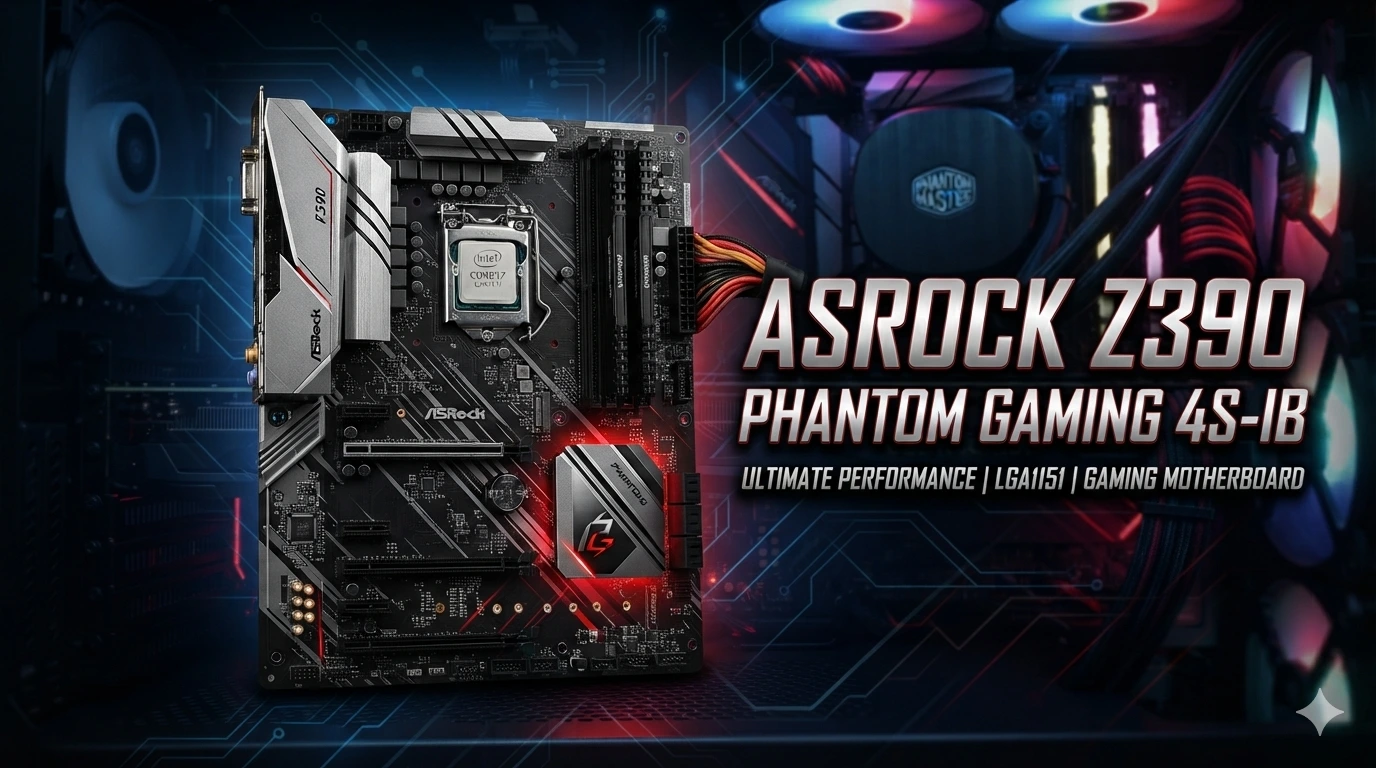
The ASRock Z390 Phantom Gaming 4S-IB is an ATX motherboard built around Intel’s Z390 chipset and LGA1151 socket. It is designed for 8th and 9th Gen Intel Core processors and uses DDR4 memory. The board is closely related to the retail Z390 Phantom Gaming 4S, but the 4S-IB version is an OEM model associated with iBUYPOWER systems. That detail matters when looking for manuals, BIOS files, drivers, or replacement parts.
The retail 4S specifications give a useful guide to the platform, including support for DDR4 memory, PCIe 3.0 expansion, SATA storage, an Ultra M.2 slot, Intel Gigabit LAN, and HDMI output. This guide explains the board, its CPU and RAM support, storage options, gaming use, upgrades, BIOS concerns, and what to check before buying or upgrading one.
What Is the ASRock Z390 Phantom Gaming 4S-IB?
The ASRock Z390 Phantom Gaming 4S-IB is a desktop motherboard based on Intel’s Z390 chipset. It uses the LGA1151 CPU socket and supports compatible 8th and 9th Gen Intel Core processors. The retail Z390 Phantom Gaming 4S supports both processor generations, along with selected Pentium and Celeron processors that use the compatible platform.
The “IB” part of the name is important.
The board is an OEM version. It is linked to systems sold by iBUYPOWER rather than being a standard retail motherboard in the same way as the regular Z390 Phantom Gaming 4S.
This can make finding exact documentation harder.
The retail Z390 Phantom Gaming 4S is still useful for understanding the platform because ASRock lists its detailed specifications. However, you should not assume that every physical connector, BIOS feature, or firmware option is identical on the OEM version.
That is especially important when you plan a BIOS update.
Z390 Phantom Gaming 4S-IB at a Glance
The board is aimed at users who want a practical Intel gaming platform rather than a high-end workstation board.
Key platform features include:
- Intel Z390 chipset
- LGA1151 CPU socket
- Support for compatible 8th and 9th Gen Intel Core processors
- Four DDR4 DIMM slots on the retail 4S design
- Up to 128GB of system memory on the retail model
- Intel XMP 2.0 support
- PCIe 3.0 expansion
- One Ultra M.2 slot
- Six SATA 6 Gb/s ports on the retail 4S
- HDMI graphics output
- Intel Gigabit Ethernet
- Realtek ALC1200 audio on the retail 4S
- ATX form factor
- RGB header support on the retail design
The exact details of an individual 4S-IB system can differ because OEM systems may use a board layout or firmware package made for the system builder.
CPU Support
CPU compatibility is one of the first things to check before upgrading the ASRock Z390 Phantom Gaming 4S-IB.
The Z390 platform was made for Intel’s 8th and 9th Gen desktop processors. The retail Z390 Phantom Gaming 4S officially lists support for 9th and 8th Gen Intel Core processors using the LGA1151 socket.
This includes processors from families such as:
- Intel Core i3
- Intel Core i5
- Intel Core i7
- Intel Core i9
The exact processor must still match the board’s BIOS support and platform requirements.
Socket shape alone is not enough to prove compatibility.
For an OEM board, this check is even more important. The safest approach is to identify the exact motherboard model and current BIOS version before installing a different processor.
Can You Use a 9th Gen Intel CPU?
Yes, the Z390 platform was designed for 9th Gen Intel desktop processors.
That makes the board useful for systems built around CPUs such as compatible 9th Gen Core i5, i7, and i9 models.
However, a specific OEM board may have BIOS requirements for certain processors. You should check the available firmware and system configuration before changing the CPU.
A BIOS update can sometimes be needed when moving to a processor that was not supported by the original firmware.
Do not flash a random BIOS file from another motherboard.
The regular Z390 Phantom Gaming 4S and the 4S-IB may look similar, but OEM firmware needs extra care.
Memory Support
The ASRock Z390 Phantom Gaming 4S supports DDR4 memory.
ASRock lists four DDR4 DIMM slots on the retail model. It also lists support for up to 128GB of system memory and Intel XMP 2.0. Supported memory speeds include DDR4-2133 through higher speeds available through overclocking.
For most gaming systems, the right amount of RAM depends on the rest of the PC.
A simple setup can use two matching memory modules. This allows the system to use dual-channel memory.
Before buying RAM, check:
- DDR4 type
- Module capacity
- Number of modules
- Rated speed
- XMP support
- BIOS support
- Existing memory configuration
Mixing different memory kits can sometimes cause stability problems.
A matched kit is usually the simpler choice.
Is 16GB RAM Enough?
For a basic gaming PC, 16GB can still be a practical memory target.
The motherboard itself can support more memory. ASRock lists up to 128GB for the retail Z390 Phantom Gaming 4S.
If your system has 8GB, moving to 16GB can be a useful upgrade for many modern desktop tasks.
Users who run games alongside browsers, voice chat, recording software, or other applications may benefit from having more memory.
The best upgrade depends on what is already installed.
If the system has two 8GB DDR4 modules, moving to 32GB may be more useful than replacing them with another 16GB kit. The right choice depends on your workload and budget.
Storage Options
Storage is another strong part of the Z390 Phantom Gaming 4S platform.
ASRock lists six SATA 6 Gb/s connectors and one Ultra M.2 socket on the retail 4S. The M.2 slot supports compatible SATA and PCIe storage devices, with PCIe storage using up to Gen3 x4 bandwidth.
This gives users several storage choices.
You can use:
- SATA SSDs
- SATA hard drives
- M.2 SATA SSDs
- Compatible NVMe SSDs
The M.2 slot can be a good choice for a fast system drive.
ASRock also notes that if the M.2 slot is used with a SATA-type M.2 device, one specific SATA connector is disabled.
This is a useful detail to remember when planning several drives.
Does the Z390 Phantom Gaming 4S-IB Support NVMe?
The Z390 Phantom Gaming 4S platform supports NVMe SSDs as boot drives.
The retail board’s Ultra M.2 slot supports a compatible PCIe Gen3 x4 M.2 device.
That makes an NVMe SSD a practical upgrade for a system that still uses a hard drive.
However, newer PCIe generations will not operate at their full newer-generation speeds on a PCIe Gen3 platform.
An NVMe drive can still work when compatible, but the motherboard sets the available interface speed.
PCIe Expansion
The retail Z390 Phantom Gaming 4S provides two PCI Express 3.0 x16 slots and three PCI Express 3.0 x1 slots. ASRock lists the primary graphics slot as operating at x16 when used alone, with the second full-length slot using shared chipset and CPU lane resources in multi-slot configurations.
This gives the board room for expansion.
The main PCIe x16 slot is the important one for a graphics card.
Smaller PCIe slots can be used for compatible expansion cards.
Possible uses include:
- Wi-Fi cards
- Capture cards
- Sound cards
- Network adapters
- Other PCIe expansion devices
The exact setup depends on the available space inside the case.
Graphics Card Support
The motherboard does not determine your gaming performance by itself.
The graphics card plays a major role.
A suitable modern GPU can be used in a PCIe x16 slot, but the Z390 platform uses PCIe 3.0. A newer graphics card can still work in a compatible PCIe slot because PCIe is designed for backward compatibility.
The main issue is balance.
A very powerful GPU paired with an older 8th or 9th Gen CPU may not deliver the same performance as it would in a newer platform.
That does not make the motherboard useless.
It simply means that the complete system should be considered before spending money on upgrades.
HDMI Output
The retail Z390 Phantom Gaming 4S includes HDMI 1.4 output. ASRock lists support for resolutions up to 4096 × 2160 at 30Hz.
There is an important condition.
Motherboard video output depends on having a compatible Intel processor with integrated graphics.
If your processor does not provide integrated graphics, the motherboard’s HDMI output cannot create a display signal by itself.
A dedicated graphics card is then required for display output.
This is easy to miss when building or troubleshooting a PC.
Ethernet and Network Features

The retail Z390 Phantom Gaming 4S uses Intel Gigabit LAN.
ASRock lists the Intel I219V network controller and support for 10/100/1000 Mb/s Ethernet.
For gaming, a wired Ethernet connection can provide a stable network link when the rest of the network is also working well.
The motherboard itself cannot guarantee low ping.
Internet speed, routing, server distance, congestion, Wi-Fi conditions, and the game server can all affect online performance.
Still, having built-in Gigabit Ethernet is useful for a gaming desktop.
Does the 4S-IB Have Wi-Fi?
This is an area where buyers need to be careful.
The retail Z390 Phantom Gaming 4S has an M.2 Key E slot that supports compatible Wi-Fi and Bluetooth modules. ASRock lists support for compatible Intel CNVi and Wi-Fi modules on the retail board.
The OEM 4S-IB may have different wireless hardware or configuration.
Do not assume that every 4S-IB board has the same wireless setup.
If you are buying a used board, check the actual board and included antenna hardware.
Some used listings also warn that accessories such as Wi-Fi antennas may not be included.
That can matter if you expect wireless networking immediately after installation.
Audio Features
The retail Z390 Phantom Gaming 4S uses the Realtek ALC1200 audio codec.
ASRock lists 7.1-channel HD audio, ELNA audio capacitors, PCB isolation, and surge protection features.
For normal gaming, music, movies, and voice chat, onboard audio can be enough for many users.
You do not automatically need a separate sound card.
A dedicated audio device may make sense for a user with specific recording, studio, or audio requirements.
For most gaming PCs, the built-in audio hardware keeps the setup simple.
USB Connectivity
The retail Z390 Phantom Gaming 4S provides USB connectivity for common desktop devices.
ASRock lists eight USB 3.2 Gen1 ports, with four at the front through internal headers and four on the rear panel.
This gives you room for devices such as:
- Keyboard
- Mouse
- Headset
- Controller
- USB storage
- Webcam
- Printer
- Other USB accessories
The exact rear I/O arrangement of the OEM 4S-IB should be checked on the actual board or system.
OEM products can differ from retail versions.
Cooling and Fan Connections
A gaming PC needs good cooling.
The retail Z390 Phantom Gaming 4S provides CPU fan connectors and several chassis or water-pump fan connectors. ASRock lists two CPU fan connectors and three chassis/water-pump fan connectors.
This gives the system builder options for:
- CPU air cooling
- Case fans
- A compatible liquid cooler
- Multiple intake fans
- Multiple exhaust fans
Cooling needs depend on the processor, case, room conditions, and workload.
A powerful CPU can produce more heat under heavy use. Good airflow helps keep temperatures under control.
Can You Overclock With the Z390 Phantom Gaming 4S-IB?
The Z390 chipset supports CPU overclocking with compatible unlocked Intel processors.
ASRock lists support for Intel K-Series unlocked CPUs and BCLK-related overclocking features on the retail Z390 Phantom Gaming 4S.
However, overclocking should be approached with care.
Higher clock speeds can increase power use and heat. Cooling becomes more important. Stability testing is also needed.
OEM systems can add another layer of concern.
BIOS options may not match the retail board. Some settings can be limited by OEM firmware.
For this reason, do not assume that every retail ASRock tuning option will appear on the 4S-IB.
BIOS and Firmware Considerations
BIOS support is one of the most important issues with an OEM motherboard.
The ASRock retail Z390 Phantom Gaming 4S has its own support resources. The 4S-IB is an OEM variant, so you should identify the exact board before using firmware.
A wrong BIOS file can make a motherboard unusable.
Before any BIOS update, confirm:
- Exact motherboard model
- Current BIOS version
- Board revision, if shown
- OEM system information
- Correct firmware source
- Required update method
- Processor support information
Do not flash a BIOS simply because the filename looks similar.
The difference between a retail model and an OEM model can be important.
Finding Drivers for the 4S-IB
Drivers can be harder to locate for OEM hardware.
The retail Z390 Phantom Gaming 4S has official ASRock support information. However, the 4S-IB may have been supplied as part of a prebuilt system.
If your PC came from iBUYPOWER, system-specific driver resources may be more relevant than a retail motherboard package.
Start by identifying the exact system model.
Then check the hardware installed in the PC.
Useful driver categories include:
- Chipset
- Intel Management Engine
- LAN
- Audio
- Graphics
- Wi-Fi
- Bluetooth
Windows may install basic drivers automatically, but the correct manufacturer drivers can provide better device support.
Is the ASRock Z390 Phantom Gaming 4S-IB Good for Gaming?
The board can still be useful for a gaming PC when paired with compatible hardware.
Its main advantage is the platform.
You get support for 8th and 9th Gen Intel desktop processors, DDR4 memory, PCIe expansion, M.2 storage, SATA storage, and Gigabit Ethernet.
That is enough for a capable older gaming system.
However, it is not a current-generation motherboard.
The platform uses PCIe 3.0 and older Intel processors. Newer systems offer newer CPU architectures, memory standards, storage interfaces, and expansion features.
For someone who already owns the 4S-IB, an upgrade may make sense.
For someone building a new PC from scratch, the decision should be based on total platform cost rather than the motherboard alone.
Best Upgrades for an Existing 4S-IB System
If you already have this motherboard, upgrade in the right order.
Start by finding the current hardware.
Check the:
- CPU
- RAM
- GPU
- Storage
- Power supply
- CPU cooler
- Case airflow
Then identify the biggest limitation.
A slow hard drive may make an SSD the best first upgrade.
A weak graphics card may limit gaming more than the CPU.
Low memory can affect multitasking.
An old power supply may need attention before installing a more powerful GPU.
This approach prevents wasted money.
Should You Buy a Used Z390 Phantom Gaming 4S-IB?
A used 4S-IB can make sense for a compatible older system, but condition matters.
Check the board carefully before buying.
Look for:
- Bent CPU socket pins
- Damaged PCIe slots
- Broken RAM slots
- Corrosion
- Burn marks
- Missing connectors
- Damaged USB ports
- Missing I/O hardware
- BIOS problems
- Missing Wi-Fi parts
Used listings can also vary in included accessories.
For example, one current used listing specifies that the board is sold without several accessories, including Wi-Fi antennas and some other parts.
The lower purchase price is not helpful if you later need several missing parts.
4S-IB vs Z390 Phantom Gaming 4S
The names are very similar, so confusion is easy.
The retail Z390 Phantom Gaming 4S is documented by ASRock with detailed specifications. The Z390 Phantom Gaming 4S-IB is an OEM model.
The retail model includes features such as:
- Four DDR4 DIMM slots
- One Ultra M.2 slot
- Six SATA ports
- Two PCIe x16 slots
- Three PCIe x1 slots
- Intel Gigabit LAN
- HDMI
- Realtek ALC1200 audio
- RGB support
That does not mean every 4S-IB board has exactly the same physical layout.
If you own the OEM model, use the exact board and system information when checking compatibility.
Common Problems With an Older 4S-IB System
Older gaming PCs can develop issues that are not caused by the motherboard itself.
For example, a PC may restart because of a weak power supply. It may crash because of unstable memory. It may fail to boot because of a graphics card problem.
Storage can also fail over time.
When troubleshooting, avoid replacing parts at random.
Check one part at a time.
A useful basic process is:
- Turn the PC off.
- Check all power cables.
- Reseat RAM.
- Check the graphics card.
- Check CPU cooling.
- Check storage connections.
- Reset BIOS settings if needed.
- Test with the minimum required hardware.
- Check error messages or diagnostic LEDs.
This method can help separate a motherboard problem from a different hardware fault.
Is an M.2 SSD Worth Adding?
For a system that still uses a hard drive as its main drive, an SSD can make a major practical difference.
The retail Z390 Phantom Gaming 4S supports an Ultra M.2 slot with PCIe Gen3 x4 support. It also supports SATA storage.
An M.2 SSD can be useful for:
- Windows
- Applications
- Games
- Faster file access
- Faster system startup
The motherboard does not support the newest PCIe storage standards at their full interface speeds.
Still, a compatible SSD can be a sensible upgrade for an older PC.
Power Supply Matters
A motherboard does not determine whether a gaming PC has enough power.
The CPU and graphics card can have much larger power demands.
Before upgrading the GPU, check the power supply.
Look at:
- PSU wattage
- PSU quality
- Available PCIe power connectors
- CPU power connector
- PSU age
- GPU requirements
Do not choose a power supply based only on a large wattage number.
A reliable unit with suitable connectors is more important than a cheap unit with an impressive label.
What Makes the Board Useful Today?
The ASRock Z390 Phantom Gaming 4S-IB is an older platform, but it can still be useful in the right PC.
Its strengths are clear.
The retail version also provides Intel Gigabit LAN and HDMI.
That is enough for many everyday tasks and older or mid-range gaming builds.
The main limitation is platform age.
Newer motherboards offer newer CPUs and newer connectivity standards.
Therefore, the 4S-IB makes the most sense when you already own a compatible system or can get the board at a reasonable cost.
What Should You Check Before Upgrading?
Before spending money, create a full hardware list.
Write down:
- Motherboard model
- BIOS version
- CPU model
- GPU model
- RAM capacity
- RAM speed
- Storage type
- PSU model
- CPU cooler
- Case model
This simple list can prevent compatibility mistakes.
It also helps you decide whether a motherboard upgrade is better than a component upgrade.
Sometimes an SSD is enough.
In another system, the GPU may be the main limit.
For a very old CPU and GPU combination, a complete platform upgrade may make more sense.
Conclusion
The ASRock Z390 Phantom Gaming 4S-IB is a practical OEM motherboard for compatible Intel systems built around the Z390 platform. Its retail counterpart supports 8th and 9th Gen Intel processors, DDR4 memory, PCIe 3.0 expansion, M.2 storage, SATA drives, HDMI, and Intel Gigabit networking.
Its OEM nature is the main point to remember.
The 4S-IB should not be treated as a perfect copy of every retail Z390 Phantom Gaming 4S feature. Firmware, connectors, and system-specific parts can differ.
For an existing gaming PC, the board can still provide a useful upgrade path. Adding more DDR4 memory, an SSD, or a better graphics card may extend the life of the system. Before making a CPU or BIOS change, always verify exact compatibility.
If you are buying one used, inspect the board and confirm what accessories are included. A careful hardware check can save time and money.
FAQs
1. What CPU does the ASRock Z390 Phantom Gaming 4S-IB support?
The Z390 platform supports compatible 8th and 9th Gen Intel desktop processors using the LGA1151 socket. The exact CPU support on an OEM 4S-IB should be checked against its BIOS and system configuration.
2. Does the ASRock Z390 Phantom Gaming 4S-IB support DDR4 RAM?
Yes. The retail Z390 Phantom Gaming 4S uses DDR4 memory and supports up to 128GB across four DIMM slots. It also supports Intel XMP 2.0.
3. Does the Z390 Phantom Gaming 4S-IB support an NVMe SSD?
The retail Z390 Phantom Gaming 4S supports compatible NVMe SSDs through its Ultra M.2 slot using PCIe Gen3 x4. The exact configuration of an OEM 4S-IB should be checked before installation.
4. Is the ASRock Z390 Phantom Gaming 4S-IB good for gaming?
It can still work well in an older gaming PC when paired with a suitable Intel CPU, graphics card, RAM, storage, and power supply. Its Z390 platform is older, so newer systems provide more modern features and interfaces.
5. Is the Z390 Phantom Gaming 4S-IB the same as the regular Z390 Phantom Gaming 4S?
No. The 4S-IB is an OEM variant. The regular Z390 Phantom Gaming 4S is the retail model documented by ASRock. The two are closely related, but you should verify the exact OEM board before using retail BIOS files or assuming every feature is identical.