Choosing the best AMD CPU for gaming depends on more than simply picking the newest or most expensive processor. Your graphics card, monitor resolution, game library, budget, and plans for future upgrades all affect the right choice. AMD’s Ryzen lineup offers excellent options for competitive gamers, high-refresh-rate enthusiasts, streamers, creators, and budget-focused PC builders. In 2026, the Ryzen X3D family remains especially attractive because its large 3D V-Cache can deliver strong gaming performance and smooth frame rates. The Ryzen 7 9850X3D currently sits at the top of AMD’s gaming-focused lineup, while the Ryzen 7 9800X3D can offer a more balanced value proposition. This guide explains the leading AMD gaming CPUs, what makes them different, and how to choose the right one for your gaming PC.
What Makes the Best AMD CPU for Gaming
A great gaming CPU needs to process game logic, physics, AI, background tasks, and communication with the graphics card quickly. While the GPU usually has the biggest effect on gaming performance at higher resolutions, the processor becomes increasingly important when you target high frame rates, low latency, and smooth performance.
AMD’s X3D processors stand out because they use 3D V-Cache, which adds a large amount of L3 cache to the processor. Games can benefit from having more frequently accessed data available close to the CPU cores. AMD’s Ryzen 7 9800X3D, for example, combines eight Zen 5 cores and 16 threads with 104MB of total cache. It also supports DDR5 memory and the AM5 platform.
The newest Ryzen 7 9850X3D pushes gaming performance a little further through higher clock speeds. Independent testing has found it can claim the gaming performance crown, although the improvement over the 9800X3D is relatively small in many games.
Therefore, the best AMD gaming processor is not automatically the CPU with the highest specifications. It should provide the right combination of gaming speed, frame-time consistency, efficiency, price, and upgrade potential for your particular system.
AMD Ryzen 7 9850X3D for Maximum Gaming Performance
If your primary goal is achieving the highest possible gaming performance from an AMD desktop CPU, the Ryzen 7 9850X3D deserves serious attention. It uses Zen 5 architecture, eight cores, 16 threads, and 104MB of combined cache. Its maximum boost clock reaches up to 5.6GHz, giving it a higher clock ceiling than the Ryzen 7 9800X3D.
The processor launched at around $499, positioning it as a premium gaming chip rather than a mainstream option. Reviews have consistently found it extremely fast in gaming, with some testing showing only a few percentage points of improvement over the 9800X3D.
That distinction matters. If you are building a flagship gaming PC and want the fastest AMD gaming CPU available, the 9850X3D makes sense. However, gamers upgrading from a 9800X3D should think carefully before spending money for a relatively small performance increase.
The processor also requires appropriate cooling. It has a 120W default TDP, and reviewers have noted that its increased performance can come with higher power consumption than the 9800X3D.
For competitive gaming at 1080p with a very powerful GPU, the extra CPU performance can be more useful than it would be at 4K. At higher resolutions, the GPU often becomes the limiting component. Overall, the Ryzen 7 9850X3D is an excellent choice for enthusiasts who want maximum AMD gaming performance and do not mind paying a premium for relatively small gains.
Why Ryzen 7 9800X3D Remains a Great Gaming CPU
The Ryzen 7 9800X3D remains one of the most compelling AMD processors for gamers because it combines excellent gaming performance with a strong balance of price and capability. AMD built it around Zen 5 architecture with eight cores, 16 threads, a 4.7GHz base clock, a boost clock of up to 5.2GHz, and 104MB of total cache.
Its biggest advantage is 3D V-Cache. The additional cache can help games that depend heavily on fast access to frequently used data. This can improve average frame rates and, depending on the game, contribute to smoother frame-time behavior.
The 9800X3D originally launched with a $479 suggested price, while newer market pricing has made it increasingly attractive compared with the more expensive 9850X3D. Tom’s Hardware found that the 9850X3D offers only a modest gaming improvement over its predecessor, making the older model particularly interesting for value-conscious enthusiasts.
Another benefit is its AM5 compatibility. The processor supports DDR5 memory and PCIe 5.0, giving a new gaming build access to modern platform features.
For many gamers, the 9800X3D hits the sweet spot. It is fast enough for high-end graphics cards, high-refresh-rate monitors, and demanding modern games without requiring the absolute top price. If the 9850X3D costs substantially more in your market, the 9800X3D may provide better overall value.
Ryzen 9 9950X3D for Gaming and Content Creation
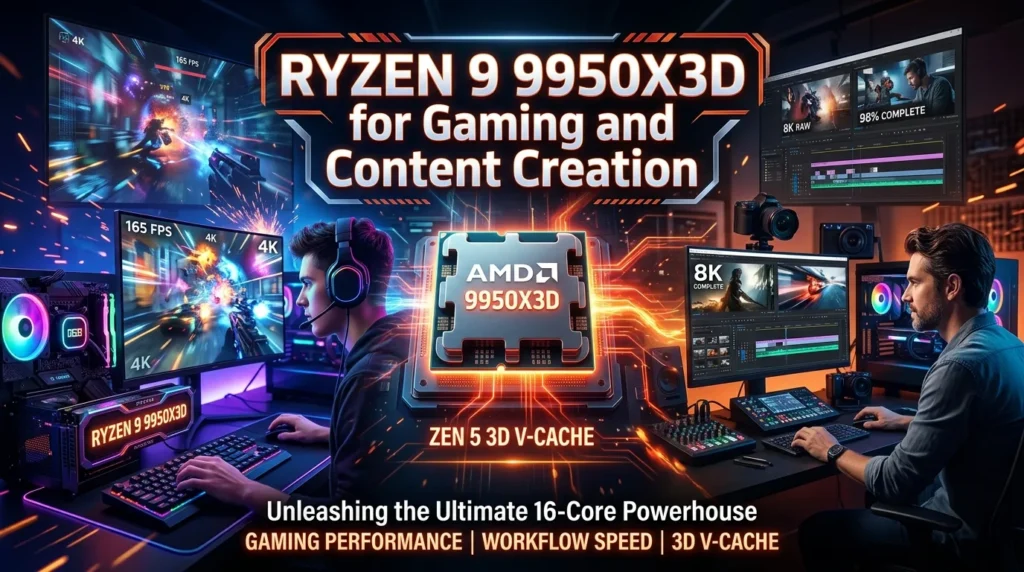
Some PC users need more than gaming performance. If you stream, edit videos, render projects, compile software, or run demanding applications alongside games, the Ryzen 9 9950X3D becomes a compelling option.
AMD equips this processor with 16 cores and 32 threads, a boost clock of up to 5.7GHz, and 144MB of total cache. It uses Zen 5 architecture and supports the AM5 socket, DDR5 memory, and PCIe 5.0. Its default TDP is 170W.
The extra cores make a major difference in heavily threaded workloads. A typical gaming CPU with eight cores can already handle modern games extremely well, but content creation programs can take advantage of additional cores and threads.
For gaming alone, however, buying a 9950X3D may not always be the smartest use of money. If your only objective is maximizing gaming frame rates, a Ryzen 7 X3D model can provide an excellent experience without paying for sixteen cores you may rarely use.
The 9950X3D makes more sense when gaming is only one part of your workload. For example, a creator could play a demanding game, stream it, record footage, and run other applications without wanting to compromise multitasking performance.
Its high-end specifications also make it suitable for long-term enthusiast builds. The important point is to match the processor with your workload. If you mainly browse, play games, and occasionally edit videos, an eight-core X3D processor may be enough. If you regularly perform professional workloads, the 9950X3D offers considerably more processing capacity.
Ryzen 9 9900X3D for Balanced High-End Builds
The Ryzen 9 9900X3D sits between AMD’s eight-core gaming-focused chips and the flagship 9950X3D. It provides 12 cores and 24 threads, giving gamers additional processing resources without jumping all the way to a 16-core processor.
AMD’s Ryzen 9000 X3D lineup uses Zen 5 architecture and combines substantial cache with modern platform support. AMD lists the 9900X3D with 12 cores, 24 threads, 140MB of total cache, and a boost clock of up to 5.5GHz.
This type of processor is useful for people who want a gaming computer that also serves as a workstation. Twelve cores can help with video editing, multitasking, software development, rendering, streaming, and other demanding applications.
For pure gaming, however, the additional cores do not automatically translate into proportionally higher frame rates. Modern games can use multiple CPU threads, but gaming performance depends on architecture, cache, clock behavior, game optimization, and the GPU.
That is why an eight-core X3D processor can still be a better gaming purchase than a more expensive 12-core model. You should consider what you actually do with your PC.
If you spend most of your time gaming and only occasionally create content, the Ryzen 7 9800X3D or 9850X3D may offer better value. If you regularly switch between gaming and CPU-heavy workloads, the 9900X3D becomes more attractive.
It is essentially a processor for users who want high gaming performance without giving up serious multi-core capability.
Best AMD Gaming CPU for 1080p High FPS
1080p gaming can place greater pressure on the CPU than 1440p or 4K gaming, especially when you use a powerful graphics card. If your target is 240Hz, 360Hz, or even higher refresh rates, the processor becomes particularly important.
At high frame rates, the CPU has less time to prepare each frame. A powerful GPU cannot always reach its full potential if the processor cannot feed it quickly enough. This is one reason X3D CPUs are popular among competitive gamers.
The Ryzen 7 9850X3D is an excellent choice for this scenario because its high boost clock and large cache are designed for demanding gaming workloads. Independent testing has identified it as the fastest gaming CPU in its class, although its advantage over the 9800X3D is often modest.
The 9800X3D also remains extremely capable for high-refresh gaming. Its eight Zen 5 cores and 104MB cache provide plenty of processing power for modern competitive titles.
For esports games, CPU selection should also consider frame-time consistency rather than just average FPS. A processor that produces a very high average frame rate but inconsistent frame delivery can still feel less responsive.
If you have a powerful GPU and a 1080p high-refresh monitor, investing in an X3D processor can be worthwhile. For a more modest graphics card, however, spending heavily on the CPU may produce smaller visible benefits because the GPU will become the limiting factor.
Best AMD CPU for 1440p Gaming
1440p is a popular resolution because it offers a strong combination of image quality, performance, and monitor choice. At this resolution, the graphics card usually takes on more of the workload, but the CPU still matters for high-refresh gaming.
A Ryzen 7 9800X3D is an excellent pairing for a high-end 1440p graphics card. Its 8-core, 16-thread design gives modern games substantial processing capacity, while its 104MB cache helps support gaming performance.
The Ryzen 7 9850X3D is also suitable if you want to minimize CPU limitations and have a premium GPU. Its higher boost clock can provide additional performance in CPU-sensitive games, although reviews show that the improvement is not dramatic across every title.
At 1440p, the difference between processors can become less obvious when the GPU reaches full utilization. For example, if your graphics card is already running at nearly 100 percent utilization, purchasing a significantly faster CPU may not increase average frame rates much.
This makes the 9800X3D particularly attractive for balanced builds. You can spend more of your budget on the graphics card, which generally has a larger influence on 1440p visual performance.
For most gamers, a good 1440p system should prioritize a capable GPU first and then choose an AMD CPU that can keep that GPU supplied with work. X3D processors are excellent choices when you want strong minimum frame rates and high refresh rates without creating an obvious CPU bottleneck.
Best AMD CPU for 4K Gaming
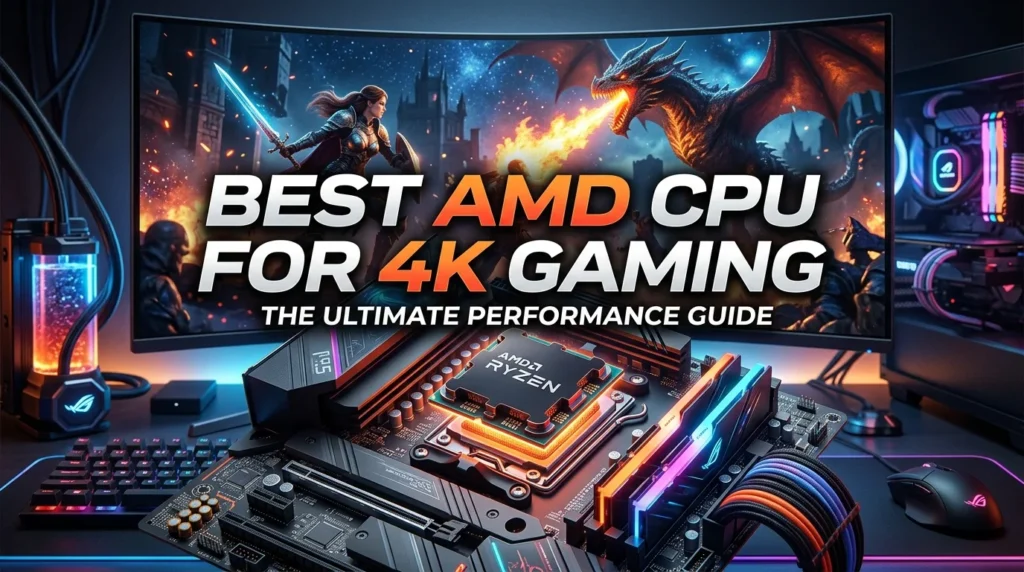
4K gaming changes the balance between CPU and GPU. At 3840 × 2160 resolution, the graphics card typically performs most of the heavy lifting, especially when you use high-quality textures, ray tracing, and demanding visual settings.
That does not mean the CPU becomes irrelevant. A capable processor still handles game logic, physics, AI, background processes, and frame preparation. It can also matter when you target high refresh rates at 4K.
The Ryzen 7 9800X3D remains a strong choice for a high-end 4K gaming PC because it provides powerful gaming performance without forcing you to spend an excessive portion of the budget on CPU cores that may not improve your 4K frame rate. Its Zen 5 architecture, 8 cores, 16 threads, and 104MB cache make it well suited to modern games.
The 9850X3D is appropriate for enthusiasts who want the highest possible AMD CPU performance and are comfortable paying more. However, the performance gap can shrink at 4K because the GPU becomes the primary limitation.
For a 4K build, therefore, think about the complete system rather than the CPU in isolation. A balanced combination of a powerful GPU, fast DDR5 memory, a quality AM5 motherboard, and an appropriate X3D processor usually makes more sense than putting a huge portion of your budget into the CPU.
If gaming is your only serious workload, an eight-core X3D chip is generally a very sensible foundation for a premium 4K gaming computer.
Best AMD CPU for Streaming and Gaming
Streaming while gaming adds another workload to your system. Your computer must run the game while also handling broadcasting software, browser windows, voice chat, alerts, recording, and other background applications.
The right CPU depends on how you encode your stream. Modern GPU encoding can reduce CPU workload significantly, making a strong eight-core gaming processor perfectly capable for many users. If you use CPU-based encoding or combine gaming with heavy video production, more cores can become valuable.
The Ryzen 9 9950X3D offers 16 cores and 32 threads, making it the strongest choice among the processors discussed here for users who combine serious gaming with demanding multi-core workloads. AMD lists its maximum boost clock at 5.7GHz and its total cache at 144MB.
However, streamers who primarily use GPU encoding may prefer the Ryzen 7 9800X3D or 9850X3D. Both provide excellent gaming performance while leaving the GPU to handle much of the encoding work.
This is a good example of why there is no single best AMD CPU for every person. A professional streamer who edits hours of footage every week has different requirements from someone who occasionally broadcasts gameplay to friends.
Before buying, consider your encoding method, streaming resolution, recording workload, and whether you edit videos afterward. If content creation forms a major part of your PC use, additional CPU cores can justify a Ryzen 9 model. If gaming remains your priority, an X3D Ryzen 7 often delivers the more focused solution.
Best AMD CPU for a Budget Gaming PC
A budget gaming PC requires careful allocation of money. Spending too much on the processor can leave insufficient budget for the graphics card, SSD, power supply, or memory.
Older Ryzen processors can remain useful when priced appropriately, particularly for people who already own an AM4 motherboard. For example, AMD’s Ryzen 5 5500 has recently attracted attention because of its low price and continued AM4 compatibility. It provides six cores and 12 threads, although it uses an older architecture and PCIe 3.0.
For a new build, however, platform age matters. AM5 gives you access to DDR5 memory and newer Ryzen processors, while AM4 uses DDR4. Your total budget should determine whether it makes sense to buy into the older platform.
A lower-cost Ryzen processor can be perfectly adequate for a mid-range GPU, especially if you play at 1080p with sensible settings. You do not need a flagship CPU to enjoy modern games.
The key is balance. A $500-class processor paired with an entry-level graphics card does not make much sense for a gaming-focused PC. In many cases, moving some of that money toward a stronger GPU will provide a larger improvement.
For budget buyers, look for a Ryzen CPU that provides enough cores and modern platform support without consuming money needed elsewhere. Used or discounted AM4 hardware can also be attractive when you already have compatible components.
AMD X3D vs Standard Ryzen CPUs for Gaming
One of the biggest questions when shopping for an AMD gaming CPU is whether you should buy an X3D processor or a standard Ryzen model.
The defining technology is 3D V-Cache, which adds extra L3 cache to compatible Ryzen processors. AMD designed its X3D chips with gaming performance in mind, and independent testing continues to show strong results from the technology.
Standard Ryzen processors can still be excellent gaming CPUs. They often provide strong clock speeds, many cores, and excellent multi-core performance. They can also be more attractive for users whose workload includes rendering, productivity, and other applications.
X3D models become especially interesting when gaming performance is the priority. The extra cache can benefit games that are sensitive to memory latency and data access patterns.
However, X3D does not mean every game will suddenly run dramatically faster. Performance varies by game engine, resolution, graphics settings, and GPU. At 4K, GPU limitations can reduce the difference between CPUs.
The best choice therefore depends on your priorities. Choose X3D when gaming and high frame rates are your main concerns. Consider a standard Ryzen 9 processor if you need serious multi-core performance and want to balance gaming with professional workloads.
For a dedicated gaming PC in 2026, the X3D family is generally the first AMD lineup worth investigating.
AM5 Motherboard and DDR5 Memory Considerations
Choosing the best AMD CPU is only part of building a gaming PC. Ryzen 7000, Ryzen 9000, and their X3D variants use AMD’s AM5 platform, which means you need a compatible AM5 motherboard and DDR5 memory.
The Ryzen 7 9800X3D officially supports AM5 chipsets including B650, B650E, X670, X670E, X870, X870E, B840, and B850, among others. It also supports PCIe 5.0 and DDR5 memory.
You do not necessarily need an expensive flagship motherboard. A quality mid-range board can provide everything a gaming system needs, including adequate power delivery, M.2 storage support, networking, USB connectivity, and memory compatibility.
Memory selection also matters. AMD specifies DDR5 support for its modern Ryzen desktop processors, with official memory speeds depending on the configuration.
When building an X3D gaming PC, spend enough on the motherboard to get the features you actually need rather than paying for unnecessary extras. A good B-series board can be an excellent match for an eight-core gaming processor.
Also consider BIOS support before purchasing. If you are buying an older motherboard for a newer CPU, check that the board supports the exact processor and determine whether a BIOS update is required.
A balanced AM5 platform can provide a strong foundation for future upgrades, making the motherboard and memory choices almost as important as the CPU itself.
CPU Cooling Requirements for AMD Gaming Processors
Cooling should never become an afterthought when choosing a high-performance AMD CPU. Although processors have built-in thermal management, appropriate cooling helps maintain stable boost behavior and keeps temperatures under control.
The Ryzen 7 9800X3D has a 120W default TDP, and AMD recommends a liquid cooler for optimal performance on its official specification page. The Ryzen 9 9950X3D is rated at 170W, making cooling even more important in demanding workloads.
A capable air cooler can be suitable for some Ryzen systems, but your choice should match the processor, case airflow, ambient temperature, and workload. High-end CPUs benefit from a case with good front-to-back airflow and sufficient exhaust capacity.
The 9850X3D deserves particular attention because independent reviews have found that its performance increase comes with higher power consumption than the 9800X3D.
You should also remember that cooler quality is only one part of thermal performance. Poor case ventilation can cause temperatures to rise even when you install a strong CPU cooler.
For a gaming PC, prioritize a quality cooler, good thermal paste application, clean cable management, and sensible fan placement. Keeping the processor within its intended operating range allows AMD’s boost technology to work effectively while reducing unnecessary thermal stress.
How to Choose the Right AMD Gaming CPU
The easiest way to choose an AMD gaming CPU is to start with your actual gaming goals. Do not begin with the processor name. Begin with your resolution, GPU, monitor refresh rate, budget, and workload.
For maximum gaming performance, the Ryzen 7 9850X3D is the premium choice. It uses Zen 5, eight cores, 16 threads, and a 5.6GHz maximum boost clock.
For a more balanced high-end gaming build, the Ryzen 7 9800X3D remains extremely attractive. Its 104MB cache and Zen 5 architecture provide excellent gaming performance, while its price can make it a better value than the newer flagship gaming chip.
For gaming combined with serious professional workloads, look toward the Ryzen 9 9900X3D or 9950X3D. The 9950X3D provides 16 cores and 32 threads, giving it substantially more multi-core capacity.
For budget builds, consider lower-cost Ryzen processors and evaluate the entire platform cost. An affordable CPU paired with a stronger GPU can often provide a better gaming experience than an expensive CPU paired with a weak graphics card.
Finally, check current pricing before purchasing. CPU value changes constantly as retailers discount older models and new hardware enters the market. A processor that is technically faster is not always the better purchase if its price premium is much larger than its performance advantage.
Common Mistakes When Buying an AMD Gaming CPU
One common mistake is buying the most expensive CPU without considering the graphics card. Gaming performance depends heavily on the GPU, especially at 1440p and 4K.
Another mistake is focusing only on average FPS. Frame-time consistency, minimum FPS, latency, temperatures, and power consumption can all affect how a game feels.
Some buyers also assume that more cores always mean better gaming performance. That is not necessarily true. A 16-core processor can be outstanding for productivity while an eight-core X3D chip can deliver stronger gaming-focused performance for less money.
Ignoring the motherboard is another problem. Make sure the motherboard supports your chosen Ryzen CPU and offers the connectivity, storage support, memory compatibility, and BIOS support you need.
Cooling is equally important. High-performance processors should have an appropriate cooling solution, particularly when you plan to use the system for long gaming sessions or demanding workloads.
Finally, do not ignore current prices. Independent testing of the Ryzen 7 9850X3D shows that its gaming advantage over the 9800X3D can be small, while its price and power consumption can be higher.
The smartest purchase is therefore the CPU that fits your complete build. Consider the GPU, monitor, motherboard, memory, cooling, power supply, and future upgrade plans before spending your budget.
Best AMD CPU for Gaming in 2026: Final Verdict
The Ryzen 7 9850X3D is the strongest answer if your definition of the best AMD CPU for gaming means the highest gaming performance available from AMD. Independent testing has recognized it as the fastest gaming processor, although its lead over the Ryzen 7 9800X3D is generally modest.
For many gamers, the Ryzen 7 9800X3D is arguably the smarter purchase. It delivers outstanding gaming performance with eight Zen 5 cores, 16 threads, 104MB of cache, and AM5 platform support.
The Ryzen 9 9950X3D is the better choice for users who want both excellent gaming and powerful content-creation performance. Its 16 cores and 32 threads make it much more capable for heavily threaded workloads.
The right CPU ultimately depends on what you expect from your computer. Competitive 1080p gamers can benefit from maximum CPU performance, while 4K gamers may get more value by investing heavily in the graphics card. Streamers and creators may benefit from additional cores, while budget builders should prioritize system balance.
In short, AMD gives gamers several excellent options. Choose the 9850X3D for maximum performance, the 9800X3D for an excellent gaming balance, and a Ryzen 9 X3D model when gaming and professional workloads must coexist.
Conclusion
Finding the best AMD CPU for gaming does not require blindly choosing the newest processor. The Ryzen 7 9850X3D currently offers exceptional gaming performance, but its advantage over the Ryzen 7 9800X3D can be small enough that price becomes an important factor.
The Ryzen 7 9800X3D remains a powerful all-around gaming choice because its Zen 5 architecture, 3D V-Cache, eight cores, and 16 threads provide an excellent foundation for modern gaming.
For users who game, stream, edit videos, render projects, or perform other demanding tasks, the Ryzen 9 9950X3D offers much greater multi-core capacity with 16 cores and 32 threads.
Before buying, compare current prices, choose a suitable GPU, use compatible DDR5 memory, select a quality AM5 motherboard, and provide adequate cooling. Most importantly, build around your real gaming needs rather than chasing specifications alone. A balanced PC will usually deliver a better experience than an expensive CPU paired with weak supporting hardware.
FAQs About the Best AMD CPU for Gaming
What is the best AMD CPU for gaming in 2026?
The Ryzen 7 9850X3D is the top AMD gaming-focused option for maximum performance. However, the Ryzen 7 9800X3D can provide better value because the performance difference between the two is relatively small in many games.
Is Ryzen 7 9800X3D still good for gaming?
Yes. The Ryzen 7 9800X3D remains an excellent gaming CPU. It features eight Zen 5 cores, 16 threads, a 5.2GHz maximum boost clock, and 104MB of total cache.
Is Ryzen 9 9950X3D better than Ryzen 7 X3D for gaming?
Not necessarily for gaming alone. The 9950X3D offers 16 cores and 32 threads, which makes it much more attractive for heavy multi-core workloads. Gamers who also create content or perform demanding professional tasks may benefit more from it.
Do I need an X3D CPU for gaming?
No. Standard Ryzen CPUs can provide excellent gaming performance. X3D processors are particularly attractive because their large 3D V-Cache can benefit many games, especially when CPU performance is limiting frame rates.
Is AMD AM5 good for a new gaming PC?
Yes. AM5 supports modern Ryzen processors, DDR5 memory, and PCIe 5.0. The Ryzen 7 9800X3D, for example, supports multiple AM5 chipsets and DDR5 memory.