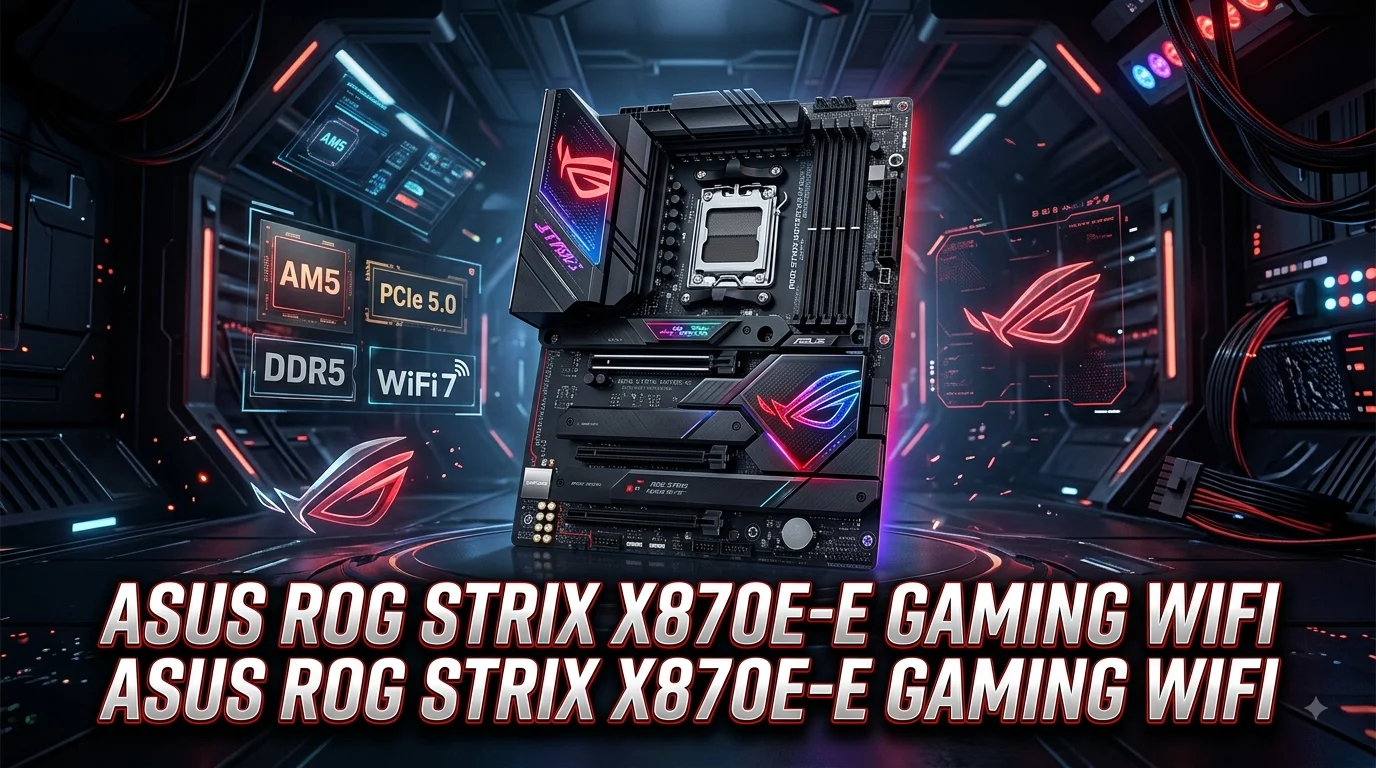
The ASUS ROG Strix X870E-E Gaming WiFi is a premium AMD AM5 motherboard designed for gamers, enthusiasts, creators, and PC builders who want strong performance without moving into the most expensive flagship category. It combines the X870E chipset, DDR5 memory support, PCIe 5.0 connectivity, multiple high-speed M.2 slots, Wi-Fi 7, 5Gb Ethernet, and a feature-rich BIOS. ASUS also adds several convenience technologies that make installation, troubleshooting, cooling, and system tuning easier.
With its strong power delivery and broad connectivity, this motherboard can form the foundation of a powerful Ryzen gaming PC. Whether you are planning a high-end gaming build, workstation, streaming system, or upgrade-focused AM5 platform, the X870E-E deserves close attention.
ASUS ROG Strix X870E-E Gaming WiFi Overview
The ASUS ROG Strix X870E-E Gaming WiFi sits in the upper-mid-range portion of ASUS ROG’s AM5 motherboard lineup. It uses the AMD X870E chipset and supports AMD Ryzen 9000, 8000, and 7000 Series desktop processors. The board uses the AM5 socket and comes in a full-size ATX design, making it suitable for many modern mid-tower and larger PC cases.
ASUS focuses heavily on connectivity with this model. The motherboard provides multiple PCIe 5.0 M.2 connections, fast USB ports, 5Gb Ethernet, and Wi-Fi 7 wireless networking. These features make it particularly attractive to users who want a modern platform that can accommodate fast storage and high-speed networking for years.
The board also emphasizes DIY-friendly installation. Features such as Q-LED diagnostics, Q-Code, Q-Release, Q-Antenna, BIOS FlashBack, and convenient M.2 installation mechanisms can make the building and troubleshooting process easier.
Tom’s Hardware described the motherboard as a well-rounded option with plentiful USB connectivity, three PCIe 5.0 M.2 sockets, strong power delivery, and useful AI and DIY features.
For a premium gaming system, this combination creates a balanced foundation rather than focusing on only one specification.
AMD X870E Chipset and AM5 Platform
The AMD X870E chipset gives the ASUS ROG Strix X870E-E Gaming WiFi access to many of the technologies expected from a modern enthusiast motherboard. The board supports AMD’s AM5 desktop platform and Ryzen 7000, 8000, and 9000 Series processors, subject to CPU support and BIOS requirements.
AM5 is especially appealing to builders who want a platform with modern DDR5 memory and PCIe connectivity. Instead of investing in an older motherboard generation, buyers can build around current AMD processors and upgrade later when compatible CPUs become available.
The X870E designation also matters for users who want extensive high-speed expansion. It is aimed at enthusiast systems where storage, graphics, networking, and USB connectivity all matter.
For gaming, the chipset itself does not magically increase frame rates. Your processor and graphics card remain the primary performance components. However, a capable motherboard can remove platform limitations and provide the connectivity required by high-end hardware.
The X870E-E therefore makes sense for users who are building a powerful system rather than simply looking for the cheapest way to run a Ryzen processor. It provides a broad feature set that can remain useful as the rest of the PC evolves.
Ryzen CPU Compatibility and Performance Potential
The ASUS ROG Strix X870E-E Gaming WiFi supports AMD Ryzen 9000, 8000, and 7000 Series desktop processors through its AM5 socket. ASUS notes that CPU support depends on the official compatibility list and BIOS version.
This gives builders considerable flexibility. A Ryzen 7 processor can create an excellent gaming-focused system, while a Ryzen 9 chip can provide additional multi-core performance for streaming, content creation, rendering, and demanding productivity workloads.
The motherboard’s power delivery is also designed for enthusiast-class processors. Tom’s Hardware lists a 22-phase design with 18 phases dedicated to Vcore and 110A power stages. Its testing found the power delivery capable of supporting powerful CPUs and aggressive tuning when paired with suitable cooling.
However, buyers should remember that motherboard quality does not replace adequate CPU cooling. A powerful Ryzen processor still needs an appropriate air cooler or liquid cooler, depending on the chip and workload.
For gaming, pairing this motherboard with a strong Ryzen CPU and modern graphics card creates a highly capable foundation. The board is particularly attractive when the rest of the system is also high-end enough to justify its connectivity and expansion features.
DDR5 Memory Support and Capacity
Memory performance is another major strength of the ASUS ROG Strix X870E-E Gaming WiFi. The board includes four DDR5 DIMM slots and supports up to 256GB of memory, with supported memory speeds depending on the installed processor and configuration. ASUS lists support up to DDR5-8000+ MT/s overclocked with Ryzen 9000 and 7000 processors and up to DDR5-8400+ MT/s with supported Ryzen 8000 processors.
The motherboard also supports AMD EXPO, which allows compatible memory kits to use optimized profiles more easily. ASUS includes its AEMP technology as another way to optimize memory settings.
For a gaming PC, you do not necessarily need the fastest supported DDR5 kit. A well-matched memory kit with good stability can provide a better balance between price and performance.
For demanding users, however, the high memory ceiling is useful. A system with 64GB or 96GB can comfortably handle gaming, streaming, browser-heavy workloads, editing applications, and other demanding tasks. Users building professional workstations can also take advantage of the board’s larger capacity.
Always check ASUS’s memory QVL and processor-specific limitations before purchasing an extreme-speed DDR5 kit. Maximum advertised memory speed represents an overclocked configuration and does not guarantee that every kit will reach that speed.
PCIe 5.0 Graphics and Expansion
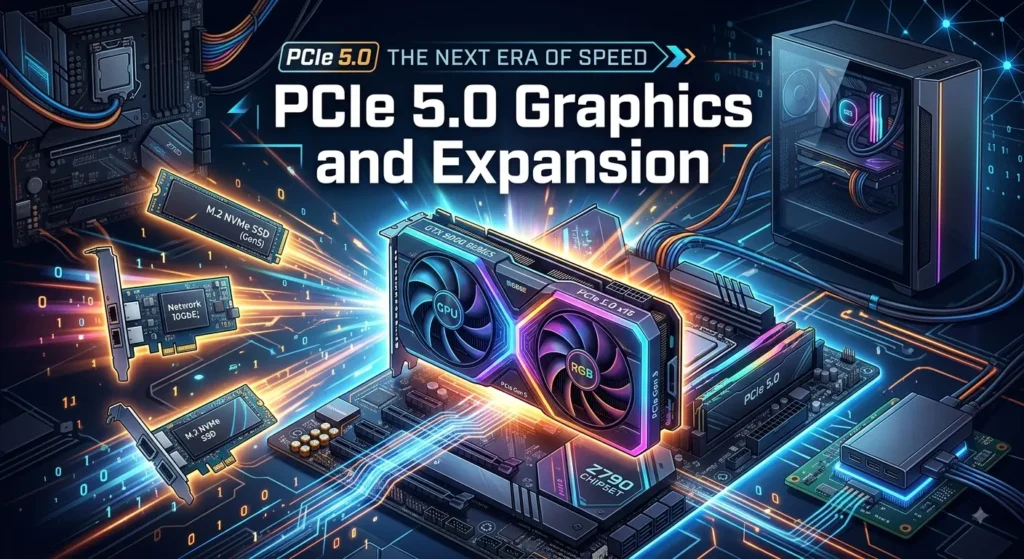
The main graphics slot supports PCIe 5.0 x16, giving modern graphics hardware a high-bandwidth connection. The board also includes a secondary PCIe 4.0 x4 slot connected through the chipset.
For most gaming systems, the primary PCIe 5.0 x16 slot is the important connection. A modern graphics card can operate at full capability through this reinforced slot.
ASUS also includes a Q-Release mechanism that simplifies graphics card removal. This can be particularly useful when a large GPU occupies significant space inside the case.
The motherboard’s expansion design also supports advanced storage configurations. Tom’s Hardware reports that the primary PCIe slot can support bifurcation configurations for compatible expansion cards, although actual lane behavior depends on the installed hardware and configuration.
For a typical gaming build, installing one powerful GPU in the primary slot is the simplest approach. The secondary slot becomes useful for specialized expansion hardware, although modern gaming systems generally do not need multiple graphics cards.
The important takeaway is that the X870E-E is designed for high-end expansion rather than basic PC functionality.
Five M.2 Slots for High-Speed Storage
Storage is one of the motherboard’s biggest selling points. The ASUS ROG Strix X870E-E Gaming WiFi provides five M.2 sockets, including three PCIe 5.0 x4 connections and two PCIe 4.0 x4 connections.
That gives users plenty of flexibility when designing a large NVMe storage system.
PCIe 5.0 SSDs can provide extremely high sequential bandwidth, making them attractive for demanding workloads and future-focused builds. PCIe 4.0 drives remain excellent for gaming and general computing, often providing a strong balance of performance, price, and thermals.
Having five M.2 sockets also means you can separate workloads. For example, one SSD could hold the operating system, another could store games, and additional drives could handle projects, media, or backups.
There is an important consideration: some M.2 configurations share lanes with the primary PCIe slot. Tom’s Hardware notes that enabling two particular M.2 sockets can reduce the primary PCIe slot to x8.
Therefore, users should read the motherboard manual before filling every M.2 slot. The board offers impressive flexibility, but understanding lane allocation helps you avoid unexpected configuration changes.
WiFi 7 Wireless Connectivity
The Wi-Fi 7 capability is one of the most modern networking features on this motherboard. ASUS lists 2×2 Wi-Fi 7 support with 2.4GHz, 5GHz, and 6GHz bands and 320MHz channel support where regulations and compatible equipment allow it.
Wi-Fi 7 can provide higher throughput and improved wireless efficiency compared with older Wi-Fi generations. However, the real-world result depends on your router, network environment, distance, interference, operating system, and internet connection.
For gaming, low and consistent latency often matters more than maximum download speed. A strong wired connection remains an excellent choice for competitive gaming. Still, Wi-Fi 7 gives users a convenient alternative when running Ethernet is difficult.
ASUS also includes a Q-Antenna connection designed to make wireless antenna installation easier.
If you want to use the motherboard’s complete Wi-Fi 7 feature set, check operating-system and regional requirements. ASUS notes that full Wi-Fi 7 functionality on Windows 11 requires version 24H2 or later, while supported features can vary by region and operating system.
5Gb Ethernet for Gaming and Networking
The motherboard includes Realtek 5Gb Ethernet, providing a significant step beyond traditional 1Gb networking.
This connection can be useful for users with multi-gigabit internet or fast local networks. It can also help when transferring large files between computers and network-attached storage.
For online gaming, however, a 5Gb connection does not automatically produce lower ping. Your latency depends heavily on your internet provider, server distance, routing, network congestion, and local network setup.
The real advantage appears when you use the motherboard as part of a high-speed home network. Large game installations, video projects, backups, and other files can move more quickly when the entire network supports multi-gigabit speeds.
ASUS also includes LANGuard protection, adding another layer of hardware-focused networking protection.
For ordinary broadband users, 5Gb Ethernet may be more capability than they currently need. For enthusiasts building a modern home lab or high-performance workstation, it can be a valuable feature that reduces the need for a separate network adapter.
USB Connectivity and Rear I/O
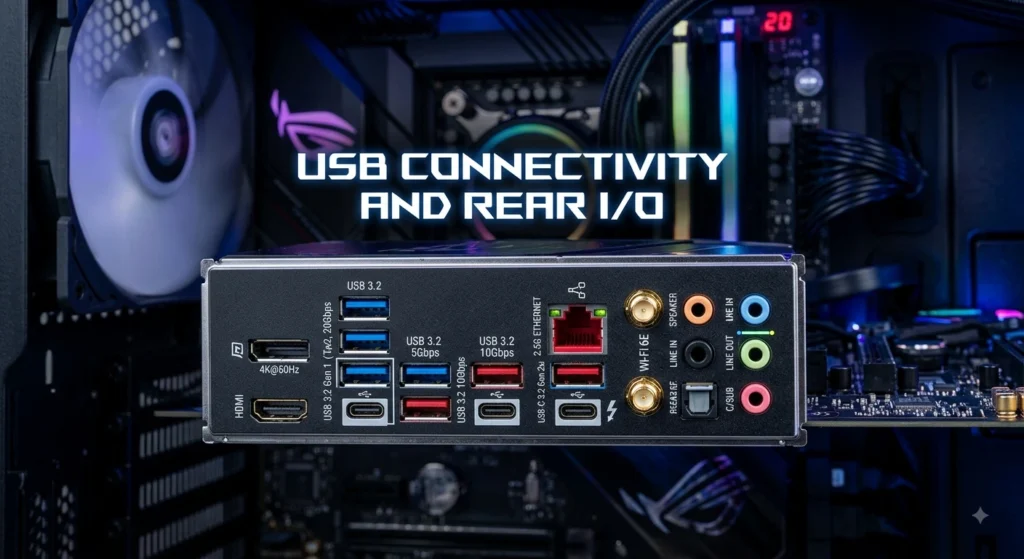
The ROG Strix X870E-E Gaming WiFi provides extensive USB connectivity. ASUS lists rear USB 4 ports alongside multiple USB 10Gbps connections, while the board also includes internal USB headers for front-panel expansion.
This is particularly useful for gaming desktops with many peripherals. A typical setup might include a keyboard, mouse, headset, microphone, webcam, controller, external storage device, phone cable, and other accessories.
USB4 support is especially useful for compatible high-speed devices and displays. The motherboard also includes a USB Type-C port capable of up to 30W PD/PPS fast charging according to ASUS’s specifications.
A large collection of USB ports also reduces the need for external hubs. That can make a desktop workspace cleaner and easier to manage.
The exact number and capabilities of rear connections should always be checked against the specific regional product page or revision you are buying, because ASUS specifications can vary between models and updated versions.
For most enthusiasts, the broader lesson is simple: the X870E-E is designed for users who actually use lots of peripherals rather than only connecting a keyboard and mouse.
VRM Design and Power Delivery
Power delivery is critical when pairing an enthusiast motherboard with a powerful processor. The ASUS ROG Strix X870E-E Gaming WiFi uses a substantial VRM design intended to handle high-performance Ryzen CPUs.
Tom’s Hardware identifies 22 power phases, including 18 110A stages dedicated to Vcore.
This provides considerable electrical headroom. It also helps the motherboard maintain stable power delivery during sustained workloads when paired with appropriate cooling and power supplies.
For everyday gaming, you probably will not push the VRM anywhere near its theoretical limits. That is actually a benefit. Strong power delivery means the board does not need to work at its limits during ordinary demanding use.
Enthusiasts who enjoy CPU tuning can also benefit from the board’s power design. However, overclocking always requires sensible voltage, temperature, and stability management.
A powerful VRM does not mean every processor will automatically run faster. CPU performance still depends on the processor’s architecture, cooling, firmware, workload, and power limits.
The main advantage is that the motherboard provides a strong foundation for high-end AM5 processors without making the power system the obvious limiting factor.
Cooling, Fan Headers, and Thermal Management
A high-performance PC needs effective cooling, and the X870E-E provides several tools for managing fans and temperatures. The board includes multiple 4-pin fan headers for CPU, AIO, and chassis cooling.
ASUS also offers AI Cooling II, which can automatically tune fan behavior based on system conditions. This can be helpful for users who want sensible cooling without spending a long time manually creating fan curves.
The motherboard also uses large heatsinks around the VRM and M.2 areas. These help manage temperatures generated by power delivery and high-speed storage.
PCIe 5.0 SSDs can produce significant heat under sustained workloads, so proper case airflow remains important. A motherboard heatsink can help, but it cannot replace good system ventilation.
For a gaming build, a balanced cooling layout is usually more useful than simply installing the maximum number of fans. A quality CPU cooler, front-to-back airflow, and sensible fan curves can keep temperatures and noise under control.
Builders should also consider the physical size of their graphics card and CPU cooler when selecting a case. High-end components can make cable routing and airflow more challenging.
BIOS, Q-Code, and DIY-Friendly Features
ASUS gives the ROG Strix X870E-E Gaming WiFi a feature-rich BIOS aimed at both beginners and experienced PC builders. Tom’s Hardware praised the BIOS for presenting commonly used settings clearly while still providing an advanced mode for deeper configuration.
The board also includes diagnostic tools such as Q-LED and Q-Code. These features can help identify problems during startup by indicating areas such as the CPU, memory, graphics, or boot process.
BIOS FlashBack is another useful feature. It can make BIOS updates easier in situations where a newer firmware version is needed for processor compatibility or stability.
For new builders, these features can reduce frustration. Instead of guessing why a system fails to start, diagnostic indicators can provide useful clues.
Experienced users can use the BIOS for memory tuning, CPU settings, fan control, boot configuration, and other advanced adjustments.
ASUS also includes several Q-series physical design features intended to make installation easier, including Q-Release mechanisms for PCIe hardware and simplified antenna attachment.
These details may not appear in benchmark charts, but they can significantly improve the actual PC-building experience.
ASUS AI Features and Software Ecosystem
The ROG Strix X870E-E Gaming WiFi includes several ASUS software-assisted features designed to simplify system optimization. Tom’s Hardware highlights AI Overclocking, AI Cooling II, and AI Networking II among the board’s major features.
AI Overclocking is intended to help users explore performance tuning without manually adjusting every setting. AI Cooling II can assist with fan tuning, while AI Networking II focuses on network optimization.
These features are especially useful for users who want some optimization but do not want to spend hours learning every BIOS parameter.
However, automated tuning should not be treated as a guarantee of maximum performance. Every CPU, memory kit, cooling solution, and system environment is different.
ASUS’s Armoury Crate ecosystem also provides access to system management features, lighting controls, drivers, and other utilities. Aura Sync can control compatible RGB lighting.
For enthusiasts who prefer manual control, the BIOS still provides extensive configuration options. That flexibility is one reason the motherboard can suit both newer builders and experienced PC enthusiasts.
The best approach is to use automated tools as a starting point and then monitor temperatures, stability, and performance before deciding whether further tuning is worthwhile.
Gaming Performance and Real-World Use
A motherboard does not usually create large gaming performance differences by itself when compared with another board using the same CPU, GPU, memory, and settings. The ASUS ROG Strix X870E-E Gaming WiFi instead contributes by providing a strong platform for those components.
Tom’s Hardware found the motherboard to be a competent gaming option and described its overall performance as broadly competitive in testing.
The biggest gaming advantage comes from its ability to support powerful processors, fast DDR5 memory, high-speed graphics connectivity, and multiple NVMe SSDs.
A high-end Ryzen CPU combined with a modern graphics card can take advantage of the board’s PCIe 5.0 x16 graphics slot. Fast NVMe storage can also reduce game installation and loading times, although SSD upgrades do not automatically increase average FPS.
The board is particularly well suited to users who want their gaming PC to serve other purposes. Streaming, recording, editing, software development, and heavy multitasking can all benefit from the platform’s strong CPU and memory support.
For a simple budget gaming PC, the X870E-E may provide more motherboard capability than necessary. For an enthusiast system designed to last for years, its extensive connectivity becomes much easier to justify.
Audio Quality and Multimedia Features
The ASUS ROG Strix X870E-E Gaming WiFi includes a premium-oriented onboard audio solution based around the Realtek ALC4080 codec, supported by additional audio components and amplification hardware. Tom’s Hardware notes that the board uses a Savitech SV3H712 amplifier and dedicated audio components.
For gaming, onboard audio can provide a convenient solution without requiring a separate sound card.
The board also includes analog audio connections and optical S/PDIF, giving users flexibility when connecting headphones, speakers, amplifiers, or other audio equipment.
Most gamers will find integrated audio more than sufficient for normal gaming and entertainment. Users with specialized studio equipment or high-end external DACs may still prefer dedicated audio hardware.
The motherboard’s audio design also benefits from the broader ROG focus on gaming and multimedia. Clear voice communication matters for multiplayer games, streaming, and video calls, while good output quality improves movies, music, and general desktop use.
Your headphones or speakers still have a major influence on the final experience. A premium motherboard cannot turn a low-quality headset into a high-end audio system.
Nevertheless, having a capable integrated audio solution means many builders can avoid purchasing a separate sound card and dedicate their budget to components that provide a larger performance improvement.
ASUS ROG Strix X870E-E Gaming WiFi Design and Build Quality
The motherboard uses a premium black ROG design that fits naturally into modern gaming PCs. Large heatsinks cover important areas around the VRM and M.2 storage, while integrated RGB lighting adds a customizable visual element.
Tom’s Hardware describes the board as using an eight-layer black PCB with large VRM heatsinks and multiple M.2 heatsinks.
The styling is deliberately gaming-focused without being excessively bright. This makes it suitable for both RGB-heavy builds and more restrained black PC designs.
Physical construction matters because modern components can be heavy. Large graphics cards place significant stress on PCIe slots, while several M.2 drives can produce substantial heat during intensive workloads.
ASUS reinforces the main graphics slot and provides convenient release hardware to make installation and removal easier.
The ATX form factor also gives builders plenty of room for components and cable connections, although the motherboard requires an appropriately sized case.
Overall, the X870E-E looks like a premium enthusiast motherboard. Its visual design complements ROG gaming hardware particularly well, but it can also work with components from other brands when you want a more customized build.
Is the ASUS ROG Strix X870E-E Gaming WiFi Worth It?
The ASUS ROG Strix X870E-E Gaming WiFi makes the most sense for buyers who will actually use its enthusiast-level features.
Its strongest advantages include X870E connectivity, AM5 processor support, DDR5 memory, three PCIe 5.0 M.2 connections, five total M.2 sockets, PCIe 5.0 graphics support, Wi-Fi 7, 5Gb Ethernet, extensive USB connectivity, strong power delivery, and useful DIY features.
Tom’s Hardware considered the board a strong all-around option in the sub-$500 class at its reviewed launch pricing and highlighted its broad connectivity and feature set.
The main question is not whether the board is capable. It clearly is. The more important question is whether you need that capability.
If you are building a premium Ryzen gaming PC, using several NVMe drives, operating a fast home network, or planning future upgrades, the feature set can make sense.
If your goal is simply to build an inexpensive gaming computer with one GPU and one SSD, a cheaper AM5 motherboard may offer better value.
In short, the X870E-E is best viewed as an enthusiast platform. It provides the flexibility and connectivity that high-end users appreciate while avoiding some of the extreme pricing associated with flagship motherboard models.
ASUS ROG Strix X870E-E Gaming WiFi vs Older AM5 Motherboards
Compared with older X670E-based boards, the X870E-E brings several meaningful connectivity improvements. Tom’s Hardware notes that the newer model adds an M.2 socket, faster networking, refreshed connectivity, and various AI and DIY features compared with the previous generation.
That does not mean every X670E motherboard suddenly becomes obsolete. A quality X670E board can still provide excellent gaming performance, especially when paired with a powerful Ryzen processor.
The upgrade makes more sense when you specifically want newer technologies such as USB4, Wi-Fi 7, faster Ethernet, or expanded PCIe 5.0 storage options.
For someone building a new system, X870E can provide a more modern starting point. For someone who already owns a strong X670E platform, upgrading only the motherboard may produce little gaming benefit unless the additional connectivity solves a specific need.
This distinction is important because motherboard upgrades rarely provide the same direct FPS improvement as a GPU or CPU upgrade.
The X870E-E’s value comes from its platform features, expansion capability, convenience technologies, and long-term flexibility rather than a dramatic increase in game frame rates.
Pros and Cons of ASUS ROG Strix X870E-E Gaming WiFi
The motherboard has a strong feature set, but no enthusiast motherboard is perfect for every buyer.
Major advantages include:
- Excellent AM5 platform support for compatible Ryzen processors.
- Strong VRM design for high-performance CPUs.
- Three PCIe 5.0 M.2 sockets.
- Five M.2 sockets overall.
- PCIe 5.0 x16 graphics support.
- Wi-Fi 7 wireless connectivity.
- 5Gb Ethernet.
- Extensive USB connectivity.
- DDR5 support with high memory-speed potential.
- AMD EXPO and ASUS AEMP support.
- Q-LED and Q-Code troubleshooting tools.
- BIOS FlashBack functionality.
- Convenient Q-Release features.
- Strong onboard audio hardware.
- Useful ASUS AI and cooling tools.
- Premium ROG styling.
Potential drawbacks include:
- The board costs considerably more than basic AM5 motherboards.
- Many users will not need five M.2 sockets.
- PCIe and M.2 lane sharing requires attention when using several expansion devices.
- High-speed DDR5 overclocking depends on the CPU and memory configuration.
- Wi-Fi 7 requires compatible networking equipment to deliver its full potential.
- A powerful motherboard does not guarantee higher gaming FPS.
The right choice depends on your overall PC build. If your components and workload justify the feature set, the X870E-E can be a compelling platform. If not, a lower-cost board may provide better value.
Best PC Builds for ASUS ROG Strix X870E-E Gaming WiFi
The motherboard works particularly well in several types of systems.
A high-end gaming PC can pair the X870E-E with a powerful Ryzen processor, a modern graphics card, 32GB or 64GB of DDR5 memory, and a fast NVMe SSD. This configuration uses the board’s strongest gaming-oriented features without requiring every expansion slot.
A streaming and content-creation PC can benefit from a higher-core-count Ryzen processor, larger memory capacity, multiple NVMe drives, and fast Ethernet. The additional storage slots can separate operating-system, project, and media workloads.
A workstation-style system can take advantage of the board’s high memory capacity, multiple PCIe 5.0 SSDs, and strong networking. Users should carefully check lane allocation before installing several expansion devices.
For cooling, a quality air cooler or appropriately sized AIO liquid cooler is recommended depending on the CPU. A case with strong airflow will also help maintain comfortable temperatures.
A fast power supply is equally important. The motherboard can support high-performance hardware, but the PSU must be selected according to the CPU, GPU, drives, and other components.
The most balanced build is usually one where the motherboard’s features match the rest of the hardware rather than spending heavily on the motherboard while using entry-level components elsewhere.
Conclusion
The ASUS ROG Strix X870E-E Gaming WiFi is a feature-rich AM5 motherboard built for users who want a powerful and flexible foundation for a modern Ryzen PC. Its combination of X870E, DDR5, PCIe 5.0, five M.2 slots, Wi-Fi 7, 5Gb Ethernet, USB4, strong power delivery, premium audio, and extensive DIY features gives it a broad range of capabilities.
It is especially attractive for high-end gaming PCs, enthusiast builds, creators, streamers, and users who want extensive storage and networking options. Its price makes less sense for basic systems, but buyers who can use its advanced connectivity can get substantial value from the platform.
Ultimately, the X870E-E is not about adding a huge number of frames to every game. Its strength lies in providing a modern, powerful, expandable, and convenient platform around which you can build a premium AMD PC.
FAQs
Is the ASUS ROG Strix X870E-E Gaming WiFi good for gaming?
Yes. It provides a strong AM5 platform for modern Ryzen processors, PCIe 5.0 graphics connectivity, fast DDR5 memory support, and high-speed storage. The motherboard itself does not dramatically increase FPS, but it provides an excellent foundation for a powerful gaming PC.
What CPUs work with the ASUS ROG Strix X870E-E Gaming WiFi?
The motherboard supports AMD Ryzen 9000, 8000, and 7000 Series desktop processors using the AM5 socket, subject to ASUS’s CPU support list and BIOS requirements.
How many M.2 SSDs can the X870E-E Gaming WiFi support?
It has five M.2 sockets. Three support PCIe 5.0 x4, while two support PCIe 4.0 x4. Some configurations involve PCIe lane sharing, so users should check the motherboard manual when installing multiple drives.
Does the ASUS ROG Strix X870E-E Gaming WiFi support Wi-Fi 7?
Yes. ASUS lists 2×2 Wi-Fi 7 support with 2.4GHz, 5GHz, and 6GHz bands and 320MHz bandwidth support where available. Actual functionality depends on the operating system, region, router, and other network conditions.
Is the ASUS ROG Strix X870E-E Gaming WiFi worth buying?
It can be worth buying if you need its extensive connectivity, multiple PCIe 5.0 M.2 sockets, Wi-Fi 7, 5Gb Ethernet, strong power delivery, and enthusiast-focused features. For a basic gaming PC, a less expensive AM5 motherboard may provide better value.