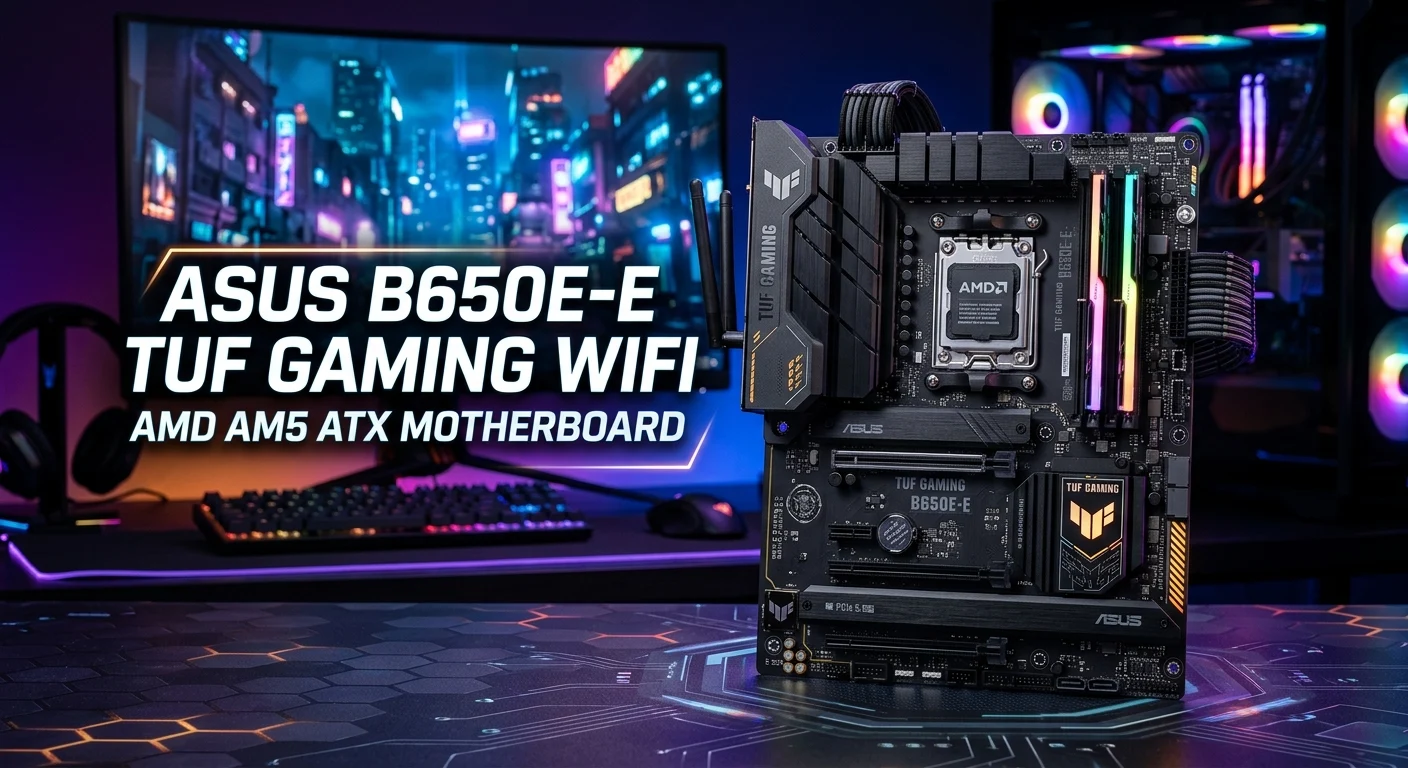
The asus b650e-e tuf gaming wifi amd am5 atx motherboard keyword targets a popular type of ASUS gaming motherboard search, but buyers should understand an important naming detail before choosing a board. ASUS officially lists the ROG STRIX B650E-E GAMING WIFI and TUF GAMING B650-PLUS WIFI as separate AM5 ATX motherboards. Both support modern AMD Ryzen processors and DDR5 memory, but they offer different expansion, storage, networking, wireless, and audio features.
The ROG STRIX B650E-E GAMING WIFI is built for enthusiasts who want more PCIe and M.2 expansion, while the TUF GAMING B650-PLUS WIFI focuses on durable construction and practical gaming features. This guide explains the differences, specifications, compatibility, gaming performance considerations, storage support, Wi-Fi, BIOS features, and what to check before buying.
Understanding the ASUS B650E-E TUF Gaming WiFi Name
The first thing to understand about the asus b650e-e tuf gaming wifi amd am5 atx motherboard search term is that it combines names from two ASUS motherboard families.
ASUS officially identifies the ROG STRIX B650E-E GAMING WIFI as one model and the TUF GAMING B650-PLUS WIFI as another. The ROG STRIX board uses the AMD B650 chipset and provides two PCIe 5.0 x16 slots, four M.2 slots, Wi-Fi 6E, and Intel 2.5Gb Ethernet.
The TUF GAMING B650-PLUS WIFI also uses AMD B650 and an AM5 socket, but it has three M.2 slots, Wi-Fi 6, Realtek 2.5Gb Ethernet, and four SATA 6Gb/s ports.
This distinction is important when shopping online. A seller may use a shortened or mixed product title, but the exact model number determines the motherboard’s actual specifications.
If you are researching this keyword because you want an ASUS B650 gaming motherboard, compare the two official models rather than assuming they are one product.
The right choice depends on your CPU, graphics card, SSD requirements, wireless needs, expansion plans, and budget.
ROG STRIX B650E-E GAMING WIFI Overview
The ROG STRIX B650E-E GAMING WIFI is the enthusiast-oriented motherboard associated with the B650E-E portion of the search phrase.
It uses the AMD AM5 socket and supports compatible AMD Ryzen desktop processors. ASUS specifies four DDR5 DIMM slots with support for up to 192GB of memory and high-speed DDR5 overclocking, depending on the CPU and memory configuration.
One of its biggest advantages is expansion. ASUS lists two PCIe 5.0 x16 slots, supporting x16 or x8/x4 configurations, along with another PCIe 4.0 x16 slot operating at x4 through the chipset.
Storage is equally impressive. The board provides four M.2 slots, including PCIe 5.0 and PCIe 4.0 connectivity, plus four SATA 6Gb/s ports.
Networking includes Intel 2.5Gb Ethernet and Wi-Fi 6E. The wireless system supports 2.4GHz, 5GHz, and 6GHz bands, although 6GHz availability depends on local regulations and compatible networking equipment.
For users building a powerful gaming PC, workstation, or long-term enthusiast system, these expansion options can be valuable.
The board also includes advanced audio, multiple USB connections, BIOS FlashBack, Clear CMOS, Q-LED diagnostics, M.2 heatsinks, and other ASUS Q-Design features.
TUF GAMING B650-PLUS WIFI Overview
The TUF GAMING B650-PLUS WIFI is a separate ASUS motherboard designed around durability, practical features, and mainstream gaming performance.
It uses the AM5 socket and officially supports AMD Ryzen 9000, 8000, and 7000 series desktop processors, with CPU support depending on the applicable BIOS and official compatibility list.
The motherboard provides four DDR5 memory slots and supports up to 256GB of RAM. ASUS also lists AMD EXPO support and high DDR5 overclocking speeds, although actual memory capability depends on the processor and DIMM configuration.
For storage, the board includes three M.2 slots and four SATA 6Gb/s ports. Its primary M.2 slot can support PCIe 5.0 x4 with compatible Ryzen 9000 and 7000 processors, while additional M.2 connections use PCIe 4.0.
Networking includes Realtek 2.5Gb Ethernet, Wi-Fi 6, and Bluetooth 5.2.
The TUF board also offers BIOS FlashBack, Q-LED diagnostics, M.2 and VRM heatsinks, TUF protection technologies, and an ATX form factor.
For a gaming PC with one graphics card and a practical number of storage devices, the TUF model provides a strong feature set without requiring every enthusiast-level expansion feature.
AMD AM5 Socket and Ryzen Compatibility

AM5 compatibility is one of the biggest reasons gamers consider ASUS B650 motherboards.
The AM5 platform supports modern AMD Ryzen desktop processors, and both the ROG STRIX B650E-E GAMING WIFI and TUF GAMING B650-PLUS WIFI are built around this socket. ASUS’s current TUF specifications list Ryzen 9000, 8000, and 7000 series desktop processor support.
The ROG STRIX model is also listed for AMD Ryzen desktop processors through its AM5 socket, with ASUS directing users to the CPU support list for exact compatibility.
Before buying a processor, check the motherboard’s official CPU support page. A newer CPU can sometimes require a particular BIOS version.
This is especially important when purchasing older motherboard inventory. A board may be physically compatible with an AM5 processor while needing a BIOS update before the system will boot correctly.
BIOS FlashBack can be helpful in such situations. Both boards include BIOS FlashBack functionality, making firmware updates more convenient.
For a new gaming build, the motherboard should be selected alongside the CPU rather than independently.
Consider the processor’s power requirements, cooling solution, memory kit, graphics card, and planned storage.
The AM5 platform gives builders access to DDR5 and modern PCIe technologies, making these boards suitable for current-generation gaming systems and future upgrades.
DDR5 RAM Support and EXPO
Both ASUS motherboards use DDR5 memory, which is a major feature of the AM5 platform.
The TUF GAMING B650-PLUS WIFI has four DIMM slots and supports up to 256GB of DDR5 memory. ASUS lists memory speeds reaching DDR5-7600+ through overclocking, depending on the CPU and memory configuration.
The ROG STRIX B650E-E GAMING WIFI supports four DDR5 DIMMs and up to 192GB, with ASUS listing speeds up to DDR5-8000+ through overclocking under supported configurations.
Both boards support AMD EXPO technology. EXPO-compatible memory kits can make it easier to configure supported memory at its advertised performance profile.
However, the highest number listed in a motherboard specification should not be interpreted as a guaranteed speed for every system.
Memory performance depends on the processor’s memory controller, DIMM configuration, BIOS version, memory kit, and motherboard settings.
For most gaming systems, a stable DDR5 kit with appropriate capacity is more important than chasing the absolute highest frequency.
Two matched memory modules are commonly used for dual-channel gaming builds.
When selecting RAM, check ASUS’s memory support information when possible. This can help identify kits that have been tested with the motherboard.
For gaming, the goal should be a balanced combination of capacity, speed, latency, and stability.
PCIe 5.0 Expansion for Gaming
PCIe expansion is one of the clearest differences between the two ASUS models.
The ROG STRIX B650E-E GAMING WIFI provides two PCIe 5.0 x16 slots. ASUS specifies support for x16 and x8/x4 configurations, plus a PCIe 4.0 x16 slot operating at x4 through the chipset.
This makes the ROG STRIX board particularly attractive to users who want significant high-speed expansion.
The TUF GAMING B650-PLUS WIFI takes a more mainstream approach. Its primary expansion slot provides PCIe 4.0/3.0 x16 connectivity depending on the processor, while another PCIe x16 slot operates at x4 through the chipset.
For a standard gaming PC with one graphics card, PCIe 4.0 x16 is already sufficient for many current GPU configurations.
PCIe 5.0 becomes more interesting for future expansion and specialized workloads.
If you plan to install multiple high-speed expansion devices, the ROG STRIX model gives you more flexibility.
If your system will have one GPU, one or two SSDs, and a few peripherals, the TUF board’s PCIe layout may be more than enough.
Therefore, PCIe generation should be considered in the context of your actual hardware rather than treated as a simple “higher is always better” feature.
M.2 NVMe SSD Storage
Modern gaming PCs benefit from fast NVMe storage, and both boards provide multiple M.2 connections.
The ROG STRIX B650E-E GAMING WIFI includes four M.2 slots. ASUS specifies PCIe 5.0 x4 support on two processor-connected M.2 slots, while another and the chipset-connected slot support PCIe 4.0 x4.
The TUF GAMING B650-PLUS WIFI provides three M.2 slots. Its primary M.2 connection supports PCIe 5.0 x4 with compatible Ryzen 9000 and 7000 processors, while other M.2 slots use PCIe 4.0.
Both motherboards also include four SATA 6Gb/s ports.
For a gaming PC, one fast NVMe SSD can provide excellent operating-system and game-loading performance. Many gamers will not need multiple PCIe 5.0 SSDs.
However, additional M.2 slots become useful for users who store large game libraries, video files, applications, virtual machines, or professional workloads.
The ROG STRIX board has the advantage if maximum M.2 expansion is a priority.
The TUF model remains practical for a gaming build using one primary NVMe SSD plus one or two additional drives.
Always check M.2 lane-sharing information when installing several devices because certain slots can share bandwidth with PCIe expansion resources.
Wi-Fi 6 and Wi-Fi 6E Connectivity

Wireless networking is built into both ASUS boards, but the wireless standards are different.
The ROG STRIX B650E-E GAMING WIFI uses 2×2 Wi-Fi 6E and supports 2.4GHz, 5GHz, and 6GHz frequency bands. It also includes Bluetooth 5.2.
The TUF GAMING B650-PLUS WIFI uses 2×2 Wi-Fi 6 with 2.4GHz and 5GHz support and also includes Bluetooth 5.2.
Wi-Fi 6E can provide access to the 6GHz band when you have a compatible router and live in a region where that spectrum is available.
For gaming, however, wireless speed is only one part of the equation.
Router placement, interference, distance, network congestion, ISP performance, and local wireless conditions can all influence latency.
Competitive players may still prefer wired Ethernet whenever practical.
The advantage of built-in Wi-Fi is convenience. You do not need to purchase a separate wireless adapter, and the motherboard includes the appropriate antenna system.
Bluetooth is also useful for wireless controllers, headphones, keyboards, mice, and other compatible devices.
If you want the newest wireless standard and have compatible networking hardware, the ROG STRIX Wi-Fi 6E implementation is more advanced.
If Wi-Fi 6 already meets your needs, the TUF Gaming board provides a capable wireless solution.
2.5Gb Ethernet Networking
Both ASUS boards provide 2.5Gb wired networking, but they use different Ethernet solutions.
The ROG STRIX B650E-E GAMING WIFI uses Intel 2.5Gb Ethernet and ASUS LANGuard.
The TUF GAMING B650-PLUS WIFI uses Realtek 2.5Gb Ethernet and TUF LANGuard.
A 2.5Gb Ethernet port can be useful when your router, switch, NAS, or internet connection supports speeds above traditional 1Gb Ethernet.
For online gaming, however, higher bandwidth does not automatically mean lower ping.
Most games use relatively little bandwidth. Network stability and latency are usually more important than raw throughput.
The extra bandwidth becomes more useful for large file transfers, local network storage, media servers, and high-speed internet connections.
A wired connection can also provide more predictable performance than Wi-Fi in environments with wireless interference.
If your gaming PC sits close to your router, connecting through Ethernet is often a sensible choice.
Both ASUS boards therefore provide strong networking options for modern gaming PCs.
The ROG STRIX model has the advantage in wireless technology, while both provide 2.5Gb wired networking.
USB Ports and Connectivity
USB connectivity becomes increasingly important as gaming setups grow.
A modern gaming desk may include a keyboard, mouse, headset, microphone, controller, webcam, external SSD, phone, lighting controller, and other accessories.
The ROG STRIX B650E-E GAMING WIFI provides 12 rear USB ports. ASUS lists one USB 3.2 Gen 2×2 Type-C connection, seven USB 3.2 Gen 2 ports, and four USB 2.0 ports.
The TUF GAMING B650-PLUS WIFI provides eight rear USB ports, including one USB 3.2 Gen 2×2 Type-C port, three USB 3.2 Gen 2 ports, and four USB 2.0 ports.
This gives the ROG STRIX board an advantage for users with many external devices.
Both boards also provide internal USB headers for front-panel connectivity.
If your PC uses only a keyboard, mouse, headset, and occasional controller, the TUF board’s USB selection may be sufficient.
If you frequently connect external drives, capture devices, cameras, microphones, and other equipment, additional rear ports can be more convenient.
A USB hub can expand connectivity, but having more native motherboard ports can keep a setup cleaner.
When choosing between these models, count the devices you actually use rather than selecting a motherboard based only on the maximum port count.
Audio Features for Gaming and Streaming
Audio quality is another area where the ROG STRIX board has a more advanced specification.
The ROG STRIX B650E-E GAMING WIFI uses a ROG SupremeFX implementation with the Realtek ALC4080 codec. ASUS lists up to 32-bit/384kHz playback, high signal-to-noise specifications, audio shielding, and a Savitech headphone amplifier. It also provides an optical S/PDIF output.
The TUF GAMING B650-PLUS WIFI uses Realtek 7.1-channel High Definition Audio and supports up to 24-bit/192kHz playback. ASUS lists audio shielding, premium capacitors, a power pre-regulator, dedicated audio PCB layers, and other audio features.
For ordinary gaming headsets, both solutions can provide a good experience.
The ROG STRIX audio system becomes more interesting for users who have higher-end headphones, external audio equipment, or specific digital-output requirements.
Streamers may also appreciate having flexible audio connectivity, although a dedicated USB microphone or audio interface can provide additional control.
The motherboard’s audio specification should therefore be matched to the rest of your equipment.
If you already use an external DAC or USB audio interface, onboard audio may be less important.
If you connect headphones directly to the motherboard, the ROG STRIX model offers the more advanced integrated audio feature set.
BIOS FlashBack and Troubleshooting Features
A motherboard’s BIOS and troubleshooting tools can make a big difference during a new PC build.
Both ASUS models include BIOS FlashBack functionality. This can help users update motherboard firmware under supported conditions without relying on a fully configured operating system.
The boards also use Q-LED diagnostic systems.
The TUF GAMING B650-PLUS WIFI includes Q-LED indicators for CPU, DRAM, VGA, and boot-device troubleshooting.
The ROG STRIX B650E-E GAMING WIFI also provides Q-LED indicators, along with Clear CMOS and other Q-Design features.
These features can be valuable when a newly assembled computer does not start correctly.
Instead of guessing which component is causing a problem, the diagnostic indicator can provide a useful starting point.
BIOS FlashBack is particularly helpful when dealing with CPU compatibility and firmware updates.
Before updating BIOS, users should always follow ASUS’s official instructions and use the correct firmware file for the exact motherboard model.
Never assume that firmware designed for one ASUS B650 motherboard can be installed on another.
The exact model name matters.
These features make both boards relatively builder-friendly, especially for users who are assembling their own gaming PC.
VRM, Cooling and TUF Durability
Motherboard power delivery and cooling become increasingly important when pairing a board with a powerful processor.
The TUF GAMING B650-PLUS WIFI includes a digital power design using DrMOS, VRM heatsink design, M.2 heatsinks, ESD protection, overvoltage protection, SafeSlot Core+, and other TUF protection features.
The ROG STRIX B650E-E GAMING WIFI uses ASUS’s Extreme Engine Digi+ design and includes VRM heatsinks and multiple M.2 heatsinks.
Heatsinks help manage temperatures around important motherboard components, but overall PC cooling still matters.
A powerful CPU should be paired with an appropriate CPU cooler.
The case should also provide adequate airflow through properly positioned intake and exhaust fans.
M.2 SSD temperatures should not be ignored either, especially when using high-performance drives during sustained workloads.
The TUF Gaming branding emphasizes durability and protection features, making the TUF model appealing to users who want a practical and robust motherboard.
The ROG STRIX model is more enthusiast-oriented and provides additional high-end features.
Neither motherboard should be selected solely because of its VRM specification. Consider the entire system, including the processor, cooling, case airflow, GPU, and expected workload.
ATX Form Factor and PC Case Compatibility
Both motherboards use the standard ATX form factor.
ASUS lists the ROG STRIX B650E-E GAMING WIFI at approximately 30.5 cm by 24.4 cm, which corresponds to a standard ATX layout.
The TUF GAMING B650-PLUS WIFI is also a 30.5 cm by 24.4 cm ATX motherboard.
This means you should select an ATX-compatible PC case when building with either motherboard.
Most mid-tower and full-tower cases support ATX boards, but compact cases may be designed for smaller motherboard formats.
Before buying a case, check its motherboard compatibility list.
You should also consider graphics card clearance, CPU cooler height, radiator support, power-supply placement, and the number of storage devices you plan to install.
A large graphics card can affect front radiator or storage placement even when the motherboard fits correctly.
Cable management is another consideration. ATX motherboards provide many connectors, so a case with adequate routing space can make installation easier.
The motherboard and case should therefore be planned together.
A good case does more than hold the motherboard. It provides airflow, mounting points, cable routing, and enough physical clearance for the rest of the gaming hardware.
Which ASUS B650 Motherboard Is Better for Gaming?
The better motherboard depends on what you expect from your gaming PC.
The ROG STRIX B650E-E GAMING WIFI is the stronger choice for enthusiasts who want extensive expansion and connectivity. It offers four M.2 slots, two PCIe 5.0 x16 slots, Wi-Fi 6E, Intel 2.5Gb Ethernet, 12 rear USB ports, and a more advanced onboard audio solution.
The TUF GAMING B650-PLUS WIFI is better suited to buyers who want a practical and durable AM5 gaming platform. It provides three M.2 slots, DDR5 support up to 256GB, Wi-Fi 6, Bluetooth 5.2, 2.5Gb Ethernet, BIOS FlashBack, and a strong collection of TUF protection features.
For a typical single-GPU gaming PC, the difference in motherboard specifications does not automatically translate into a major FPS difference.
The graphics card and processor usually have a much larger influence on gaming performance.
The motherboard matters more for connectivity, storage, expansion, upgrade flexibility, and features.
If you need multiple NVMe drives and advanced PCIe expansion, choose the ROG STRIX direction.
If you need a reliable ATX AM5 gaming foundation with practical connectivity, the TUF Gaming direction may be more appropriate.
What to Check Before Buying
Before purchasing a motherboard related to the asus b650e-e tuf gaming wifi amd am5 atx motherboard keyword, verify the exact model.
Do not rely only on an online seller’s product title.
Check these important details:
- Exact ASUS model name
- AM5 socket compatibility
- Supported AMD Ryzen processor
- Required BIOS version
- DDR5 memory compatibility
- Maximum supported memory
- Number of M.2 slots
- PCIe generation
- PCIe slot configuration
- SATA connectivity
- Wi-Fi standard
- Bluetooth version
- Ethernet speed
- USB port count
- Audio features
- BIOS FlashBack availability
- ATX case compatibility
- CPU cooler compatibility
- Power connector requirements
- Seller warranty and return policy
If you are choosing between the ROG STRIX B650E-E GAMING WIFI and TUF GAMING B650-PLUS WIFI, compare your existing components against the official ASUS specifications.
For example, a user with several NVMe SSDs may benefit from the four M.2 slots on the ROG STRIX board.
A user building a conventional gaming PC with one GPU and a few drives may find the three M.2 slots on the TUF board completely adequate.
Checking the exact specifications before purchase can prevent compatibility problems and unnecessary spending.
Is an ASUS B650 AM5 ATX Motherboard Worth It?
An ASUS B650 AM5 ATX motherboard can be a strong foundation for a modern AMD gaming PC.
The AM5 platform provides access to modern Ryzen processors and DDR5 memory, while B650-based boards offer a broad range of connectivity and expansion features.
The key is selecting the right model for your actual requirements.
The ROG STRIX B650E-E GAMING WIFI is attractive to enthusiasts who want more PCIe 5.0 expansion, four M.2 slots, Wi-Fi 6E, advanced audio, and extensive rear USB connectivity.
The TUF GAMING B650-PLUS WIFI is appealing to mainstream gamers who want a durable ATX board with three M.2 slots, DDR5 support, Wi-Fi 6, 2.5Gb Ethernet, and useful DIY features.
The best value depends on how you allocate your complete PC budget.
A motherboard should not consume money that would significantly improve a graphics card or processor if the extra motherboard features will never be used.
On the other hand, buying too basic a motherboard can become frustrating if you later need more storage, expansion slots, USB connections, or networking options.
The ideal choice balances today’s requirements with reasonable future upgrades.
Conclusion
The asus b650e-e tuf gaming wifi amd am5 atx motherboard search term combines features from two distinct ASUS motherboard families: the ROG STRIX B650E-E GAMING WIFI and the TUF GAMING B650-PLUS WIFI. ASUS officially lists them as separate products, so buyers should verify the exact model before purchasing. The ROG STRIX B650E-E GAMING WIFI is designed for enthusiasts who want extensive PCIe 5.0 expansion, four M.2 slots, Wi-Fi 6E, Intel 2.5Gb Ethernet, advanced audio, and extensive USB connectivity. The TUF GAMING B650-PLUS WIFI offers a practical AM5 ATX platform with DDR5 support up to 256GB, three M.2 slots, Wi-Fi 6, Bluetooth 5.2, Realtek 2.5Gb Ethernet, BIOS FlashBack, and TUF protection features. For the best buying decision, compare the motherboard with your CPU, GPU, RAM, SSDs, case, networking equipment, and upgrade plans.
FAQs
1. Is the ASUS B650E-E TUF Gaming WiFi an official ASUS motherboard name?
No. ASUS officially lists the ROG STRIX B650E-E GAMING WIFI and TUF GAMING B650-PLUS WIFI as separate models. The keyword combines terminology from these two product families.
2. Does the ASUS B650E-E support AMD AM5 processors?
Yes. The ROG STRIX B650E-E GAMING WIFI uses the AMD AM5 socket and supports compatible AMD Ryzen desktop processors. ASUS recommends checking its official CPU support list for exact processor compatibility.
3. Does the TUF GAMING B650-PLUS WIFI support Ryzen 9000 processors?
ASUS currently lists Ryzen 9000, Ryzen 8000, and Ryzen 7000 series desktop processor support for the TUF GAMING B650-PLUS WIFI, subject to the official CPU support information and BIOS requirements.
4. Which motherboard has more M.2 slots?
The ROG STRIX B650E-E GAMING WIFI has four M.2 slots, while the TUF GAMING B650-PLUS WIFI has three.
5. Is the ASUS TUF GAMING B650-PLUS WIFI good for gaming?
Yes. It provides an AM5 platform, DDR5 memory support, multiple M.2 slots, 2.5Gb Ethernet, Wi-Fi 6, BIOS FlashBack, and several gaming-focused durability and cooling features.