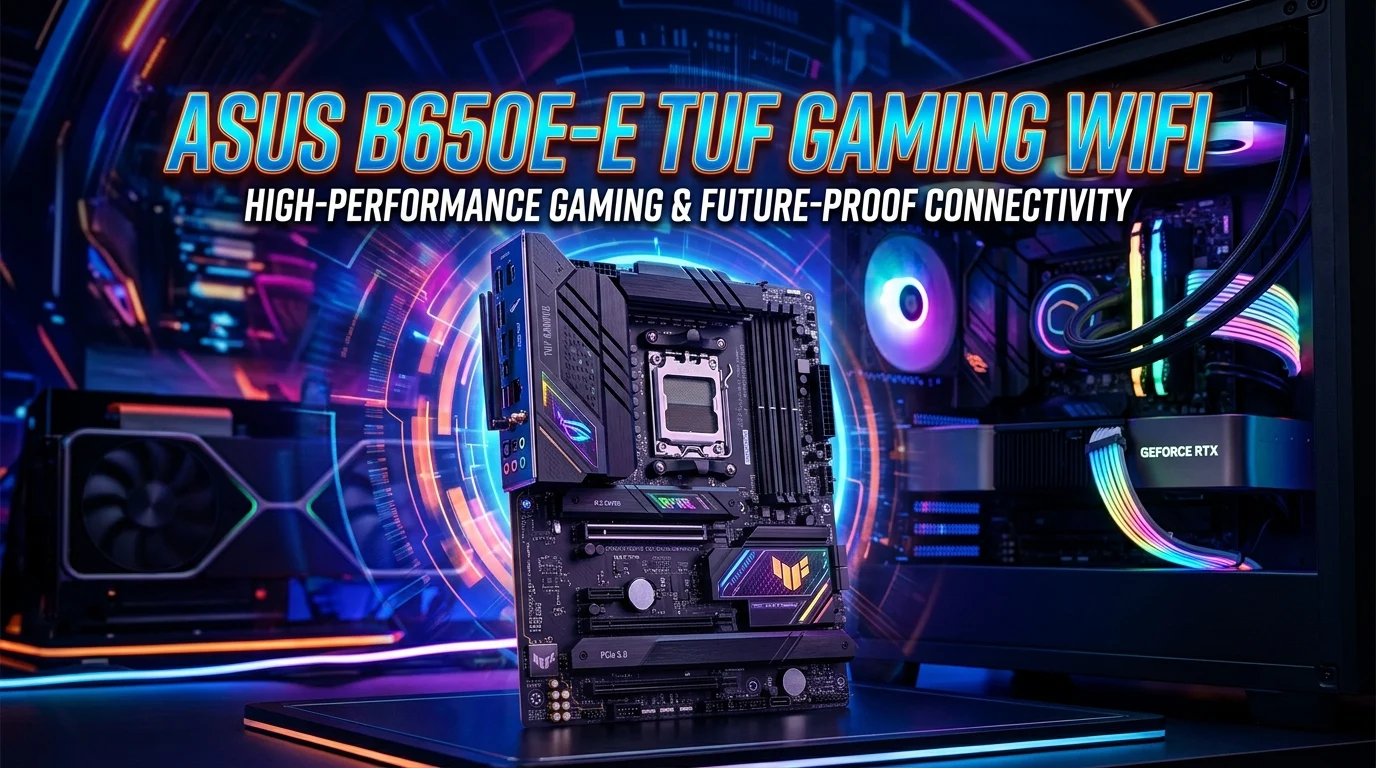
The asus b650e-e tuf gaming wifi keyword is often used when searching for an ASUS AM5 motherboard that combines B650E-class features with the rugged TUF Gaming identity and built-in wireless connectivity. However, ASUS officially separates these product families: the ROG STRIX B650E-E GAMING WIFI and the TUF GAMING B650-PLUS WIFI are different motherboard models. Understanding that distinction is important when comparing specifications, compatibility, expansion options, and pricing.
The ROG STRIX model focuses on higher-end connectivity and PCIe 5.0 expansion, while the TUF Gaming B650-PLUS WIFI emphasizes durability, practical features, and strong everyday gaming performance. In this guide, we will explain the differences, AM5 compatibility, DDR5 memory support, storage options, Wi-Fi, networking, BIOS features, gaming potential, and what buyers should check before choosing an ASUS B650 motherboard.
What Does Asus B650E-E TUF Gaming WiFi Mean?
The phrase asus b650e-e tuf gaming wifi can be confusing because it combines terminology from two ASUS motherboard families.
ASUS officially lists the ROG STRIX B650E-E GAMING WIFI as one motherboard and the TUF GAMING B650-PLUS WIFI as another. The ROG STRIX B650E-E GAMING WIFI uses the B650 platform and provides two PCIe 5.0 x16 slots, four M.2 slots, Wi-Fi 6E, and Intel 2.5Gb Ethernet.
The TUF GAMING B650-PLUS WIFI is also an AM5 motherboard, but it uses the AMD B650 chipset and offers three M.2 slots, four SATA ports, Wi-Fi 6, Bluetooth 5.2, and Realtek 2.5Gb Ethernet.
This distinction matters when shopping online. A product listing that uses “B650E-E TUF Gaming WiFi” may be mixing names from different ASUS product lines.
If you want maximum PCIe 5.0 expansion and higher-end connectivity, the ROG STRIX B650E-E GAMING WIFI deserves attention. If you prefer the TUF Gaming design and practical feature set, the TUF GAMING B650-PLUS WIFI may be the more appropriate choice.
Always check the exact model printed on the motherboard or official product listing before purchasing.
ROG STRIX B650E-E GAMING WIFI Explained
The ROG STRIX B650E-E GAMING WIFI is designed as a feature-rich AM5 motherboard for gamers and enthusiasts.
According to ASUS specifications, it supports AMD Ryzen desktop processors through the AM5 socket and uses DDR5 memory. It has four DIMM slots and supports memory speeds up to DDR5-8000+ through overclocking, depending on the processor and memory configuration.
One of its major advantages is expansion. ASUS lists two PCIe 5.0 x16 slots that can operate in x16 or x8/x4 configurations, plus an additional PCIe 4.0 x16 slot running at x4 from the chipset.
Storage flexibility is another strong point. The board provides four M.2 slots, including PCIe 5.0 and PCIe 4.0 connectivity, along with four SATA 6Gb/s ports.
Networking includes Intel 2.5Gb Ethernet and Wi-Fi 6E with support for 2.4GHz, 5GHz, and 6GHz bands, subject to regional regulatory requirements.
For enthusiasts who want more expansion, fast storage, modern wireless networking, and a strong feature set, the ROG STRIX B650E-E GAMING WIFI is considerably different from the TUF model.
TUF GAMING B650-PLUS WIFI Explained
The TUF GAMING B650-PLUS WIFI belongs to ASUS’s TUF Gaming motherboard family and is aimed at users who want a durable, practical AM5 platform for gaming and general PC building.
It uses the AMD B650 chipset and supports AMD Ryzen 7000, 8000, and 9000 series desktop processors according to ASUS’s current specifications. CPU support can vary by BIOS version and processor, so checking the official CPU support list remains important.
The board has four DDR5 DIMM slots and supports up to 256GB of memory, with high memory speeds available through overclocking and AMD EXPO technology depending on the system configuration.
Storage includes three M.2 slots and four SATA 6Gb/s ports. The primary M.2 slot can support PCIe 5.0 x4 with compatible Ryzen processors, while additional slots use PCIe 4.0 connectivity.
Networking includes Realtek 2.5Gb Ethernet, Wi-Fi 6, and Bluetooth 5.2.
The TUF model also includes features such as BIOS FlashBack, VRM heatsinks, M.2 heatsinks, Q-LED troubleshooting, and ASUS TUF protection technologies.
B650E-E vs TUF Gaming B650-PLUS WiFi
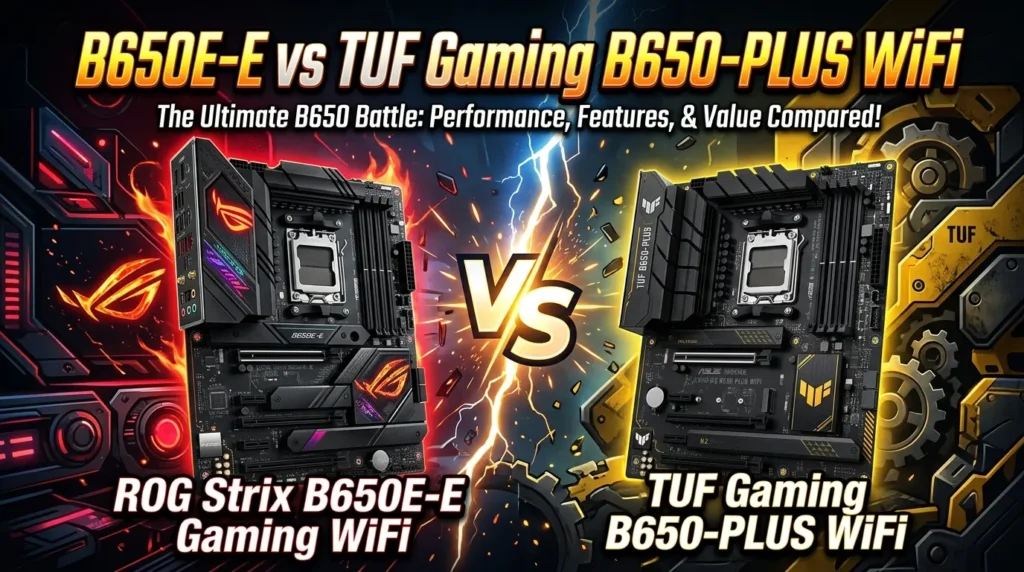
The biggest difference is that these are not simply two names for the same motherboard.
The ROG STRIX B650E-E GAMING WIFI is positioned as the more enthusiast-focused option. It provides two PCIe 5.0 x16 slots and four M.2 slots, giving users more high-speed expansion flexibility.
The TUF GAMING B650-PLUS WIFI takes a more practical approach. It offers three M.2 slots, one primary PCIe 5.0 M.2 connection with supported processors, four SATA ports, and a PCIe layout suited to mainstream gaming builds.
Wireless networking also differs. The ROG STRIX board uses Wi-Fi 6E, while the TUF model uses Wi-Fi 6. Both provide Bluetooth 5.2 according to ASUS specifications.
Audio is another distinction. The ROG STRIX model uses a SupremeFX solution based on the ALC4080 codec and includes an optical S/PDIF output. The TUF model uses Realtek 7.1-channel audio with ASUS audio features and supports up to 24-bit/192kHz playback.
Therefore, buyers should select according to features rather than assuming “B650E-E TUF” represents one official model.
AMD AM5 CPU Compatibility
Both motherboard families are built around AMD’s AM5 platform, making them suitable for modern Ryzen desktop processors that ASUS lists as compatible.
The TUF GAMING B650-PLUS WIFI officially supports Ryzen 9000, 8000, and 7000 series desktop processors, subject to the applicable CPU support list.
The ROG STRIX B650E-E GAMING WIFI is also designed for AMD Ryzen desktop processors using the AM5 socket. ASUS advises users to check its CPU support list for exact processor compatibility.
When building a system, processor compatibility should be checked before buying the motherboard. A motherboard may physically support the AM5 socket while still requiring a particular BIOS version for a newer processor.
BIOS support can also change over time. For this reason, checking the motherboard manufacturer’s current support page is more reliable than depending on an old product listing.
For a gaming PC, processor selection should also match the graphics card and intended resolution. A powerful Ryzen processor can be paired with a high-end GPU, while a more affordable CPU may make sense for a value-oriented build.
The AM5 platform also gives builders access to DDR5 memory and modern PCIe connectivity, making these ASUS boards suitable for current-generation gaming systems.
Before installation, verify the CPU model, BIOS support, memory kit, cooler compatibility, and power requirements.
DDR5 RAM Support and Memory Performance
Memory is an important part of an AM5 gaming system, and both ASUS boards use DDR5.
The TUF GAMING B650-PLUS WIFI provides four DIMM slots and supports up to 256GB of DDR5 memory. ASUS lists a broad range of supported memory speeds, including high overclocked speeds, with actual results depending on the processor and memory configuration.
The ROG STRIX B650E-E GAMING WIFI also has four DDR5 DIMM slots and supports memory speeds reaching DDR5-8000+ through overclocking under supported configurations.
AMD EXPO is an important feature for gaming builders. EXPO-compatible memory profiles can simplify memory configuration by allowing supported RAM kits to operate at their advertised performance settings without manually entering every timing and voltage value.
However, advertised maximum memory speeds should not be treated as guaranteed performance for every CPU and every RAM kit.
For most gaming PCs, a balanced DDR5 kit is usually more practical than chasing the highest possible frequency. Capacity, stability, latency, motherboard compatibility, and CPU memory-controller behavior all matter.
When selecting RAM, check the motherboard’s qualified memory list when possible. Using two matched modules is also a common approach for mainstream dual-channel gaming builds.
PCIe Expansion for Gaming PCs
PCIe expansion determines how a motherboard connects graphics cards, storage devices, capture cards, network adapters, and other components.
The ROG STRIX B650E-E GAMING WIFI has a strong expansion configuration. ASUS lists two PCIe 5.0 x16 slots with support for x16 and x8/x4 modes, plus a PCIe 4.0 x16 slot operating at x4.
This makes the board attractive to enthusiasts who want more high-speed expansion options.
The TUF GAMING B650-PLUS WIFI takes a more conventional approach. Its primary expansion slot can provide PCIe 4.0 or 3.0 x16 depending on the processor, while another slot operates through the B650 chipset.
For a typical gaming PC with one graphics card, either design can provide a solid platform. Most gamers do not need multiple high-speed PCIe graphics slots.
The more important question is whether your future expansion plans require PCIe 5.0 connectivity.
If you plan to install multiple high-speed expansion devices, the ROG STRIX model offers more flexibility.
For a single-GPU gaming build, however, practical considerations such as storage, networking, cooling, BIOS features, and total system cost may matter more than having additional PCIe 5.0 lanes.
M.2 SSD and Storage Options

Fast storage is now a major part of modern gaming PCs, and both ASUS boards provide multiple M.2 slots.
The ROG STRIX B650E-E GAMING WIFI includes four M.2 slots. ASUS specifies PCIe 5.0 x4 support on two of them and PCIe 4.0 x4 support on another, with the fourth also using PCIe 4.0 x4 connectivity.
This gives enthusiasts significant flexibility for multiple NVMe SSDs.
The TUF GAMING B650-PLUS WIFI provides three M.2 slots and four SATA 6Gb/s ports. Its primary M.2 slot supports PCIe 5.0 x4 with compatible Ryzen 9000 and 7000 processors, while the other M.2 connections use PCIe 4.0.
For gaming, an NVMe SSD can provide fast operating-system loading, application launches, and game installation management.
However, gamers do not necessarily need several PCIe 5.0 SSDs. A quality PCIe 4.0 NVMe drive can already deliver excellent real-world performance for many gaming workloads.
If you regularly work with large files, video editing, professional applications, or multiple high-speed storage devices, the additional M.2 flexibility of the ROG STRIX model can become more valuable.
WiFi and Wireless Connectivity
Wireless networking is one of the most useful features in a modern gaming motherboard.
The TUF GAMING B650-PLUS WIFI includes 2×2 Wi-Fi 6 and supports the 2.4GHz and 5GHz frequency bands. It also includes Bluetooth 5.2.
The ROG STRIX B650E-E GAMING WIFI goes a step further with 2×2 Wi-Fi 6E. It supports 2.4GHz, 5GHz, and 6GHz wireless bands, although 6GHz availability depends on regional regulations and network equipment. Bluetooth 5.2 is also included.
Wi-Fi 6E can be useful in environments where compatible routers and relatively clean 6GHz spectrum are available.
For online gaming, however, wireless performance depends on more than the motherboard. Router quality, distance, interference, network congestion, ISP performance, and signal strength can all affect latency and stability.
If your gaming PC is close to the router, wired Ethernet may still be the preferred option for maximum consistency.
Both boards include 2.5Gb Ethernet, although they use different Ethernet controllers. The ROG STRIX model uses Intel 2.5Gb Ethernet, while the TUF model uses Realtek 2.5Gb Ethernet.
2.5Gb Ethernet for Gaming
A 2.5Gb Ethernet connection provides a faster wired networking interface than traditional 1Gb Ethernet when the rest of the network supports the higher speed.
The ROG STRIX B650E-E GAMING WIFI uses Intel 2.5Gb Ethernet and ASUS LANGuard protection.
The TUF GAMING B650-PLUS WIFI uses Realtek 2.5Gb Ethernet and also includes TUF LANGuard.
For gaming, raw network speed is not the only important factor. Stable connectivity and low latency are usually more important than maximum bandwidth.
A 2.5Gb port becomes more valuable when transferring large files between computers, using a fast local network, or taking advantage of an internet connection above 1Gbps.
For most online games, the game itself uses relatively little bandwidth. Therefore, moving from 1Gb to 2.5Gb Ethernet may not dramatically change gaming performance.
The advantage is having a modern networking interface that can support faster local and internet connections as your network evolves.
For competitive gaming, a wired connection can also help avoid some of the interference and signal variability associated with wireless networking.
Both ASUS boards therefore offer a strong networking foundation for modern gaming PCs.
USB Connectivity and Rear I/O
USB connectivity affects how easily you can connect gaming peripherals and external devices.
The ROG STRIX B650E-E GAMING WIFI provides 12 rear USB ports. ASUS lists one USB 3.2 Gen 2×2 Type-C port, seven USB 3.2 Gen 2 ports, and four USB 2.0 ports.
That is useful for users with several peripherals, external storage devices, controllers, webcams, microphones, and other accessories.
The TUF GAMING B650-PLUS WIFI provides eight rear USB ports, including a USB 3.2 Gen 2×2 Type-C connection, three USB 3.2 Gen 2 ports, and four USB 2.0 ports.
The difference can matter if you have a desk filled with USB equipment.
Gamers often connect a keyboard, mouse, headset, controller, webcam, microphone, external drive, phone, and other devices. Having additional rear ports can reduce the need for a USB hub.
Both motherboards also provide internal USB headers for front-panel connectivity.
Before choosing a motherboard, consider the number of devices you normally use. A motherboard with fewer rear ports may still be sufficient if you mainly use a keyboard, mouse, headset, and controller.
If you use many external devices, the ROG STRIX model’s larger rear USB selection can be more convenient.
Audio Features for Gaming
Good motherboard audio can make a noticeable difference when using headphones or speakers directly from the PC.
The ROG STRIX B650E-E GAMING WIFI uses a ROG SupremeFX implementation with the Realtek ALC4080 codec. ASUS lists up to 32-bit/384kHz playback, high signal-to-noise specifications, audio shielding, and a dedicated amplifier.
It also provides an optical S/PDIF output, which can be useful for compatible audio equipment.
The TUF GAMING B650-PLUS WIFI uses a Realtek 7.1-channel High Definition Audio codec and supports up to 24-bit/192kHz playback. ASUS also lists audio shielding, premium audio capacitors, a power pre-regulator, and other audio features.
For gaming, the practical difference depends on your headphones, speakers, audio preferences, and whether you use an external DAC or audio interface.
Many gamers will find either motherboard adequate for everyday gaming audio.
Users with higher-end headphones or specialized audio equipment may prefer the ROG STRIX board because of its more advanced onboard audio implementation and optical output.
However, onboard audio should be considered alongside the rest of the PC rather than treated as the only measure of motherboard quality.
BIOS FlashBack and Easy PC Building
BIOS features are important because they can make installation and troubleshooting easier.
The TUF GAMING B650-PLUS WIFI includes a BIOS FlashBack button and LED. ASUS also provides Q-LED diagnostic indicators that can help identify CPU, DRAM, VGA, and boot-device issues.
The ROG STRIX B650E-E GAMING WIFI also includes BIOS FlashBack, a BIOS FlashBack LED, Clear CMOS, and Q-LED indicators.
These features can be valuable when building or upgrading a PC.
BIOS FlashBack can be particularly useful when you need to update firmware without relying on a fully configured operating system environment.
Diagnostic LEDs can also save time. If a new PC fails to boot, the indicator can provide a clue about which component requires attention.
ASUS also includes several installation-focused features across these boards, including M.2 Q-Latch and Q-DIMM technologies on the ROG STRIX model and Q-Design features on the TUF board.
For first-time builders, these small conveniences can make installation less intimidating.
A motherboard is not only about performance. Ease of installation, troubleshooting, BIOS access, and component handling can have a major effect on the overall building experience.
Cooling, VRM and Long-Term Reliability
Power delivery and cooling are important when building a high-performance gaming PC.
The TUF GAMING B650-PLUS WIFI includes a digital power design with DrMOS, VRM heatsink design, M.2 heatsinks, and several TUF protection technologies. ASUS also lists overvoltage protection, ESD protection, SafeSlot Core+, and TUF LANGuard.
The ROG STRIX B650E-E GAMING WIFI uses ASUS’s higher-end Extreme Engine Digi+ design and includes VRM heatsinks and multiple M.2 heatsinks.
Cooling remains important even when the motherboard itself has substantial heatsinks.
A gaming PC should have appropriate case airflow, a CPU cooler suited to the processor, and correctly positioned case fans.
M.2 heatsinks can also help manage SSD temperatures under sustained workloads.
For everyday gaming, motherboard power delivery generally does not need to be pushed to its limits. The more important goal is selecting a board that comfortably supports your processor and intended workload.
Enthusiasts running powerful Ryzen processors or experimenting with overclocking may appreciate the stronger feature set of the ROG STRIX model.
The TUF model, meanwhile, provides a practical combination of power delivery, protection, cooling, and durability features for mainstream gaming systems.
Which ASUS Motherboard Is Better for Gaming?
There is no single answer because the two boards target somewhat different buyers.
The ROG STRIX B650E-E GAMING WIFI is the stronger choice for users who want extensive expansion, multiple high-speed M.2 drives, PCIe 5.0 expansion, Wi-Fi 6E, more rear USB connectivity, and a more enthusiast-oriented feature set.
The TUF GAMING B650-PLUS WIFI is better suited to users who prioritize a durable gaming-focused platform, practical storage, Wi-Fi 6, 2.5Gb Ethernet, BIOS FlashBack, and a strong collection of everyday features.
For a typical single-GPU gaming PC, the difference may not translate into a huge frame-rate advantage. Gaming performance is primarily determined by the CPU, GPU, memory configuration, software, and game settings.
Instead, motherboard differences become more important when considering expansion and connectivity.
Ask yourself how many M.2 drives you plan to install, whether you need PCIe 5.0 expansion, whether Wi-Fi 6E matters to you, how many USB devices you use, and whether advanced audio features are important.
Those answers will make the decision much easier than focusing only on the motherboard name.
Best Use Cases for Each Motherboard
The ROG STRIX B650E-E GAMING WIFI is well suited to enthusiast gaming PCs and feature-rich workstations.
It makes sense for users who want multiple NVMe drives, extensive PCIe expansion, fast networking, strong onboard audio, and plenty of USB connectivity.
Its four M.2 slots and PCIe 5.0 expansion capabilities make it particularly attractive for users who plan to keep their system for several years and want more expansion flexibility.
The TUF GAMING B650-PLUS WIFI is a strong choice for practical gaming builds.
It provides three M.2 slots, four SATA ports, DDR5 support, Wi-Fi 6, Bluetooth 5.2, 2.5Gb Ethernet, and useful BIOS and troubleshooting features.
A mainstream gaming PC with one graphics card and one or two NVMe SSDs may not need the additional expansion offered by the ROG STRIX model.
Budget allocation also matters. Spending more on the motherboard may make less sense if that money could instead improve the graphics card or CPU.
The best motherboard is therefore the one that matches the rest of the system.
What to Check Before Buying an ASUS B650 Motherboard
Before purchasing a motherboard associated with the asus b650e-e tuf gaming wifi search term, verify the exact model.
Do not rely solely on the title of an online marketplace listing.
Check the official model name first. ASUS identifies the ROG STRIX B650E-E GAMING WIFI and TUF GAMING B650-PLUS WIFI as separate products.
Then verify the following:
- Exact motherboard model
- AM5 CPU compatibility
- BIOS version requirements
- DDR5 memory compatibility
- Number of M.2 slots
- PCIe generation and slot layout
- Wi-Fi standard
- Ethernet controller
- Rear USB ports
- Audio features
- Motherboard form factor
- CPU cooler compatibility
- Case compatibility
- Power-supply requirements
- BIOS update features
- Warranty and seller reliability
Checking these details can prevent expensive compatibility mistakes.
If you already have components, compare their specifications with the motherboard before ordering.
For example, if you own several PCIe 5.0 devices, the ROG STRIX board may offer more useful expansion options. If your build only needs one graphics card and a few storage drives, the TUF model may provide everything you need.
Taking a few minutes to verify the specifications can save considerable time during installation.
Conclusion
The asus b650e-e tuf gaming wifi search term can refer to a combination of ASUS motherboard naming, but it is important to recognize that ASUS officially separates the ROG STRIX B650E-E GAMING WIFI and TUF GAMING B650-PLUS WIFI. The ROG STRIX model offers more enthusiast-oriented expansion, including multiple PCIe 5.0 slots, four M.2 slots, Wi-Fi 6E, Intel 2.5Gb Ethernet, and advanced onboard audio. The TUF Gaming B650-PLUS WIFI focuses on practical gaming features, including three M.2 slots, DDR5 support, Wi-Fi 6, Bluetooth 5.2, Realtek 2.5Gb Ethernet, BIOS FlashBack, and TUF protection technologies. For the right choice, focus on your CPU, GPU, storage requirements, wireless needs, expansion plans, and overall budget rather than relying on a mixed product name.
FAQs
1. Is ASUS B650E-E TUF Gaming WiFi an official motherboard name?
No. ASUS officially lists the ROG STRIX B650E-E GAMING WIFI and TUF GAMING B650-PLUS WIFI as separate motherboard models. The phrase “B650E-E TUF Gaming WiFi” appears to combine terminology from these two product families.
2. Does the ROG STRIX B650E-E GAMING WIFI support DDR5 RAM?
Yes. The ROG STRIX B650E-E GAMING WIFI uses DDR5 memory and has four DIMM slots. ASUS lists support for high DDR5 overclocking speeds, with actual support depending on the processor and memory configuration.
3. Does the TUF GAMING B650-PLUS WIFI have built-in Wi-Fi?
Yes. ASUS lists 2×2 Wi-Fi 6 with 2.4GHz and 5GHz support, along with Bluetooth 5.2.
4. Which motherboard has more M.2 slots?
The ROG STRIX B650E-E GAMING WIFI has four M.2 slots, while the TUF GAMING B650-PLUS WIFI has three.
5. Which ASUS motherboard is better for a gaming PC?
The answer depends on the build. The ROG STRIX B650E-E GAMING WIFI is better suited to enthusiasts who need extensive PCIe and M.2 expansion, Wi-Fi 6E, and advanced connectivity. The TUF GAMING B650-PLUS WIFI is a practical option for mainstream gaming systems that need strong AM5 features without as much expansion.