A gaming projector can turn an ordinary gaming setup into a large-screen entertainment space. Instead of playing on a traditional monitor or television, a projector can display games across a much larger surface, creating a more immersive experience. Modern projectors offer features such as high resolution, low input lag, fast refresh rates, HDR support, strong brightness, and gaming-focused picture modes.
These features can make a projector suitable for console gaming, PC gaming, multiplayer sessions, and movie nights. However, choosing the right model requires more than looking at screen size. Throw distance, image quality, response time, connectivity, brightness, and room conditions all affect the final experience. This guide explains the most important things to know about gaming projectors so you can understand how they work, what features matter, and how to build a better large-screen gaming setup.
What Is a Gaming Projector?
A gaming projector is a video projector designed or optimized for playing video games on a large projected screen. It works by receiving a video signal from a gaming PC, PlayStation, Xbox, Nintendo console, streaming device, or another compatible source and displaying that signal as a large image.
The main attraction is screen size. A projector can create an image much larger than most televisions or gaming monitors. Depending on the room and projector, players can enjoy a screen measuring well over 100 inches diagonally.
However, size alone does not make a projector good for gaming. A gaming-friendly model needs responsive performance. Input lag is especially important because it measures the delay between a player’s action and what appears on the screen. Lower input lag generally creates a more responsive gaming experience.
Resolution also affects image quality. A 1080p projector can provide a sharp picture for many gamers, while 4K projectors can deliver more detailed images when paired with suitable hardware and content.
Brightness matters too. Projectors perform best when the room allows good control over ambient light. A dark or dim room can make colors and contrast look much better.
A gaming projector can therefore be an excellent choice for players who prioritize immersion and large images, especially when they have enough space to create a dedicated gaming environment.
Why Choose a Projector for Gaming?
The biggest reason to choose a projector is immersive screen size. A large projected image can make games feel more cinematic and engaging, particularly in racing games, open-world adventures, sports titles, and cooperative multiplayer games.
Projectors can also provide excellent flexibility. You can create a temporary gaming setup in a bedroom, living room, basement, entertainment room, or dedicated gaming space. When you finish playing, some setups can be packed away or moved easily.
A projector can also serve multiple purposes. The same device may handle gaming, movies, television shows, presentations, and streaming. This makes it attractive for people who want one large-screen entertainment solution.
Multiplayer gaming can benefit from a projector as well. Several players can sit together and view a large image comfortably. This can work particularly well for party games, sports games, fighting games, and split-screen experiences.
Another advantage is the sense of scale. A game world displayed across a large screen can feel more immersive than the same game viewed on a smaller display.
There are trade-offs, however. A projector usually requires more planning than a television. You need to consider screen placement, throw distance, room lighting, cable management, and sometimes external speakers.
For gamers who value large-screen immersion over compact convenience, a good gaming projector can be a compelling alternative to a conventional display.
Gaming Projector Resolution Explained
Resolution describes the number of pixels used to create an image. Higher resolution generally allows a display to show more detail, although image quality also depends on optics, processing, source quality, viewing distance, and screen size.
1080p remains a practical option for many gaming setups. It offers a Full HD image and can work especially well when players sit farther away from the screen or use hardware that does not target 4K output.
4K gaming projectors provide significantly more pixels and can create a sharper image. They are particularly appealing for modern consoles and high-end gaming PCs capable of producing detailed 4K content.
Some projectors advertise enhanced or pixel-shifted 4K rather than using a native 4K imaging chip. This does not automatically mean poor quality, but buyers should understand the difference between native and enhanced resolution.
Resolution should match your gaming hardware and viewing distance. A high-resolution projector may not provide meaningful benefits if the source device cannot produce suitable content or if the image is viewed from far away.
Competitive gamers may also prioritize refresh rate and input latency over maximum resolution. For fast multiplayer games, a responsive 1080p or 1440p experience can sometimes feel more useful than a highly detailed but slower setup.
The best approach is to balance resolution, refresh rate, response time, image size, and hardware capability rather than choosing a projector based on resolution alone.
Understanding Gaming Projector Input Lag
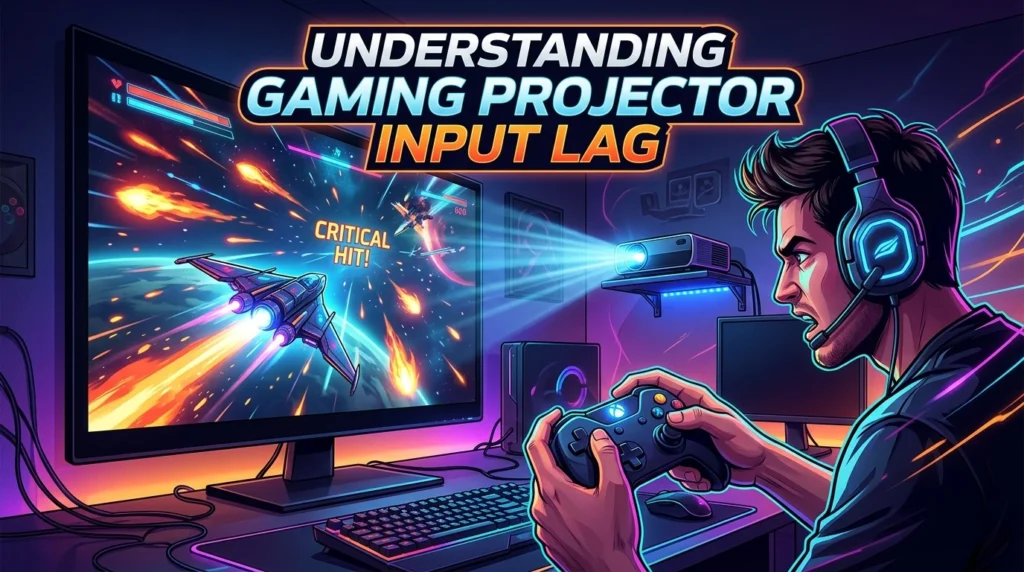
Input lag is one of the most important specifications for gaming. It refers to the delay between an action from the controller, mouse, or keyboard and the corresponding image appearing on the screen.
For casual gaming, moderate input lag may not be noticeable. However, competitive players can be much more sensitive to delays, especially in fast shooters, fighting games, racing titles, and rhythm games.
Gaming projectors often include a dedicated Game Mode that reduces image-processing steps. This can lower latency and make controls feel more responsive.
When comparing projectors, look for independently measured input-lag results rather than relying only on marketing language. Manufacturer specifications can sometimes describe ideal conditions that do not reflect every gaming mode or resolution.
Refresh rate and input lag are related but not identical. A projector may support a high refresh rate while still having processing delays. Both specifications deserve attention.
Connection type can also matter. HDMI is the most common interface for gaming devices, but newer HDMI standards may provide additional bandwidth and features depending on the projector.
For competitive gaming, prioritize responsiveness before visual extras. A projector with excellent image quality but noticeable delay may feel frustrating during precise gameplay.
For casual players, the acceptable level of input lag can be more flexible. The key is to understand your own gaming habits before deciding which performance level you need.
Gaming Projector Refresh Rate and Response Time
Refresh rate indicates how many times a display can update the image each second. It is commonly expressed in hertz, or Hz.
A projector with a higher refresh rate can potentially provide smoother motion when the source and game also support the required frame rate. This can be useful for fast-paced games where movement needs to appear fluid.
For example, players who enjoy competitive shooters may appreciate higher refresh rates when their gaming hardware can consistently produce high frame rates.
However, refresh rate should not be considered separately from input lag. A projector may advertise a high refresh rate, but the overall gaming experience still depends on how quickly the projector processes incoming signals.
Response time is another specification worth understanding. It describes how quickly individual pixels or imaging elements change states. Slow response can contribute to motion blur or ghosting.
For many players, a projector offering a practical gaming mode, low latency, and smooth motion is more valuable than simply choosing the highest advertised refresh rate.
Before buying, check whether the desired refresh rate works at your preferred resolution. Some projectors may support different refresh rates depending on whether you use 1080p, 1440p, or 4K output.
A balanced combination of refresh rate, input latency, and image processing produces a better gaming experience than focusing on one number.
How Brightness Affects a Gaming Projector
Brightness is particularly important because projectors compete with the surrounding light in a room. A bright room can make projected images look washed out, while a darker environment generally improves contrast and perceived image quality.
Projector brightness is commonly measured in ANSI lumens or another manufacturer-defined brightness specification. Buyers should compare measurements carefully because different testing methods can produce different results.
If you plan to game in a dark room, you may not need an extremely bright projector. A moderate brightness level can produce an attractive image when the room is properly controlled.
Living rooms with windows and strong artificial lighting present a greater challenge. In these situations, a brighter projector or better light control can improve visibility.
Screen size also matters. As the projected image becomes larger, the available light is spread across a greater area. This can make a very large image appear less bright.
Dark scenes are especially sensitive to room lighting. Ambient light can reduce perceived contrast and make shadows look gray rather than deep.
Curtains, blinds, and strategically placed lighting can make a major difference without requiring a more powerful projector.
Therefore, choosing brightness should start with your room conditions and intended screen size. More brightness is not automatically better, and the best result comes from matching projector output to the environment.
Best Screen Size for Gaming Projectors
One of the biggest advantages of a projector is the ability to create a very large image. However, bigger is not always better.
The ideal screen size depends on viewing distance, projector specifications, room dimensions, and personal preference. A screen that is too large for the viewing position can make it difficult to see the entire game comfortably.
A screen between roughly 100 and 120 inches is popular for many home projector setups because it provides a substantial image without requiring an enormous room.
Some gaming environments can support much larger screens. Players who sit farther away may enjoy a 150-inch or larger image, provided the projector has enough brightness and the image remains sharp.
Screen size should also complement the game’s design. Cinematic games can look impressive on huge displays, while competitive games may require players to see interface elements and peripheral information clearly.
The screen’s aspect ratio matters as well. A 16:9 screen is a common choice for console and PC gaming because most modern games use widescreen formats.
Ultra-wide gaming can require a different approach, particularly on PC.
Rather than choosing the largest possible image, focus on comfortable viewing, sharpness, brightness, and appropriate seating distance. A well-balanced 100-inch image can provide a better experience than an oversized image that looks dim or difficult to view.
Short Throw and Long Throw Gaming Projectors
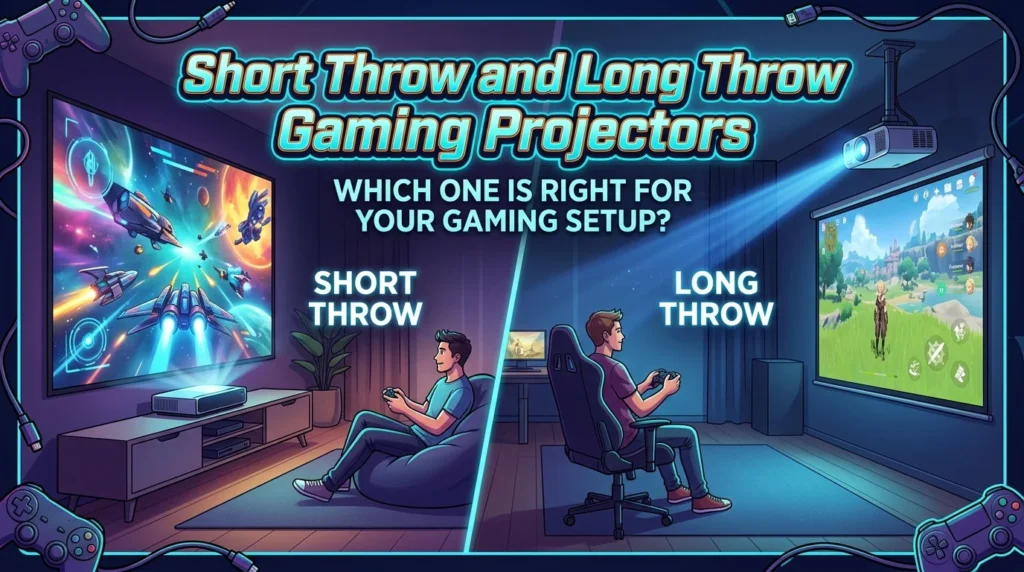
Throw distance describes how far a projector needs to sit from the screen to create a particular image size. This is a major consideration when designing a gaming room.
A short-throw projector can create a large image from a relatively short distance. This makes it useful for smaller rooms where a traditional projector would not have enough space.
An ultra-short-throw model can sit extremely close to the projection surface. Some can be positioned near a wall and still create a very large image.
Long-throw projectors require more distance between the device and the screen. They can work well in larger rooms where there is enough space for proper placement.
Choosing the correct throw type can simplify installation. Measure your available space before buying rather than assuming a projector will fit.
Placement also affects shadows. A projector positioned close to the screen can reduce the chance of people walking through the light path.
Short-throw designs can therefore be particularly attractive for gaming rooms where players sit close to the screen or where furniture limits projector placement.
Always check the manufacturer’s throw ratio and recommended image size. These specifications help determine whether a projector can produce the desired screen size from your available position.
A good projector is only useful if it works properly within the physical limits of your room.
HDR Support for Gaming Projectors
High Dynamic Range, commonly called HDR, can improve the range between bright highlights and dark areas. When implemented effectively, HDR can make compatible games look more vibrant and detailed.
HDR performance depends on several factors, including brightness, contrast, color reproduction, tone mapping, and the projector’s processing system.
A projector may support an HDR signal but still provide limited HDR impact if it lacks sufficient brightness or contrast. Therefore, buyers should avoid treating HDR compatibility as a guarantee of exceptional HDR image quality.
HDR can be especially attractive in visually rich games. Bright explosions, sunlight, neon signs, and reflective surfaces can appear more impressive when the display handles highlights effectively.
Dark scenes also benefit from good contrast. However, projectors generally face different contrast challenges compared with OLED televisions because room lighting and projection technology affect black-level performance.
A gaming projector with effective HDR processing can still provide an enjoyable experience, especially in a controlled environment.
When comparing models, look for reviews that evaluate real-world HDR performance rather than simply listing HDR among the specifications.
The best setup combines good brightness, accurate color, useful contrast, and effective HDR processing. These characteristics help games look natural rather than excessively bright or artificial.
Connectivity and HDMI Features
Connectivity determines how easily your gaming devices can communicate with the projector. HDMI is the most important connection for most modern gaming setups.
A projector may include one or more HDMI ports, allowing you to connect a console, gaming PC, streaming device, or other source. Multiple ports can make switching between devices easier.
Newer HDMI standards can support higher bandwidth and advanced gaming features, depending on the projector and source hardware.
Features such as automatic low-latency modes, variable refresh rate, and high-frame-rate signals can improve the gaming experience when both devices support them.
PC gamers should also check compatibility with their graphics card and preferred resolution. Console players should verify the projector’s support for the output modes offered by their console.
Audio connections may also matter. Projector speakers can be convenient, but external sound systems often provide better volume, bass, and spatial impact.
Wireless connectivity can be useful for streaming and general entertainment, although wired connections are usually preferred for gaming when low latency and stability are priorities.
Before purchasing, make a simple list of your devices and required connections. This prevents compatibility problems later.
A gaming projector should fit naturally into your existing setup rather than forcing you to replace every other component.
Gaming Projector Audio Options
Visual immersion is only part of gaming. Good audio can make a large projected image feel much more cinematic.
Many projectors include built-in speakers. These can be convenient for casual gaming, especially when you want a simple setup without additional equipment.
However, built-in speakers often have limited bass and soundstage compared with dedicated speakers or headphones.
External soundbars can provide a simple upgrade. They require relatively little space and can improve dialogue, music, sound effects, and general volume.
A surround-sound system can create an even more immersive environment. This can be particularly effective in cinematic adventure games and action titles.
Gaming headsets remain another excellent option. They can provide detailed positional audio while reducing noise for other people in the room.
When connecting external audio equipment, consider whether the projector, console, or PC should handle the audio signal. Your preferred connection may depend on the equipment already available.
Good cable management also matters. A clean setup makes the gaming area easier to maintain and reduces accidental disconnections.
The right audio solution depends on your room, budget, and whether you play alone or with others. Even an affordable external speaker system can make a noticeable improvement over basic built-in projector audio.
Gaming Projector Setup Tips
A proper setup can significantly improve projector performance. Start by choosing a suitable wall or projection screen with enough space for the desired image.
Control ambient light whenever possible. Close curtains or blinds during daytime gaming and avoid placing strong lamps directly near the screen.
Position the projector according to its throw requirements. Keep the device stable and properly aligned to avoid unnecessary image distortion.
Use the projector’s gaming or low-latency mode when available. This can reduce processing and make controls feel more responsive.
Adjust brightness, contrast, color, and sharpness gradually. Factory settings may not always be ideal for your particular room.
Use the correct resolution and refresh rate on your console or PC. If the projector supports multiple modes, select the one that matches your gaming hardware.
Keep ventilation areas clear. Projectors generate heat and need sufficient airflow for reliable operation.
Finally, organize cables carefully. HDMI, power, audio, and networking cables should remain secure and easy to access.
A good setup does not require an expensive room makeover. Small improvements to placement, lighting, settings, audio, and cable management can make a major difference.
Gaming Projector Maintenance
Proper maintenance helps a projector maintain performance over time. Start by keeping the projector’s ventilation openings free from dust.
Dust buildup can restrict airflow and contribute to overheating. Follow the manufacturer’s cleaning recommendations rather than using unsuitable materials.
If the projector uses a replaceable lamp, monitor lamp life and replace it according to the manufacturer’s guidance. Many modern projectors use LED or laser light sources, which can reduce maintenance compared with traditional lamp-based designs.
Keep the lens clean, but handle it carefully. A soft lens-cleaning method recommended by the manufacturer can prevent scratches and unwanted residue.
Avoid placing drinks or other liquids near the projector. Accidental spills can cause serious damage.
When moving the projector, use appropriate care. Sudden impacts can affect internal components or alignment.
Software and firmware updates may also improve compatibility or performance. Check official manufacturer support information when updates are available.
Good maintenance is simple but important. A clean, cool, and properly positioned projector is more likely to deliver consistent image quality.
Treat the projector as an important part of your gaming system rather than a device that can be ignored after installation.
How to Choose the Right Gaming Projector
Choosing the right gaming projector starts with identifying your priorities. Competitive players should focus heavily on input lag, refresh rate, and supported gaming features.
Players who enjoy cinematic experiences may prioritize 4K resolution, HDR, contrast, color quality, and screen size.
Room conditions should guide brightness and throw selection. Measure the distance between the intended projector position and the screen before purchasing.
Check compatibility with your gaming hardware. Confirm that the projector supports your preferred resolution, refresh rate, HDMI features, and other required connections.
Consider sound separately. If you already own headphones or speakers, built-in projector audio may not matter much.
Your budget should cover more than the projector itself. A screen, mounting solution, cables, speakers, and room-lighting improvements may add to the total cost.
Look for independent measurements of input lag, brightness, and image quality when possible. Real-world testing can reveal differences that specifications alone cannot explain.
Most importantly, avoid buying based on one impressive feature. A projector with excellent resolution but poor responsiveness may not suit competitive gaming. Likewise, a very fast projector may disappoint players who care deeply about cinematic image quality.
The best gaming projector is the one that matches your games, room, hardware, viewing distance, and personal priorities.
Conclusion
A gaming projector can create an exciting alternative to traditional gaming displays by combining large screen sizes with immersive gameplay. The best choice depends on more than resolution. Input lag, refresh rate, brightness, throw distance, HDR performance, connectivity, sound, and room conditions all influence the final experience. Competitive gamers should prioritize responsiveness, while players who enjoy cinematic games may prefer higher resolution, strong HDR, and a huge image. A carefully planned setup can transform a living room or dedicated gaming space into an impressive entertainment environment. By understanding your hardware, room, viewing distance, and gaming preferences before buying, you can choose a projector that delivers the right balance of performance, image quality, and immersion.
FAQs
Is a gaming projector good for gaming?
Yes. A suitable gaming projector can provide a highly immersive experience, especially when it offers low input lag, good image quality, and an appropriate refresh rate.
What is the best resolution for a gaming projector?
1080p can work well for many gamers, while 4K is better suited to players who want greater image detail and have hardware capable of producing high-resolution content.
Do gaming projectors have input lag?
Yes, projectors can have input lag. Gaming modes and low-latency processing can reduce delay, so checking independent input-lag measurements is important.
Can you use a gaming projector in a bright room?
You can, but ambient light can reduce contrast and image quality. A brighter projector and effective light control can improve results in rooms with more light.
Is a gaming projector better than a gaming TV?
Neither is universally better. A TV usually offers easier setup and strong brightness, while a projector can provide a much larger image and greater cinematic immersion.